
School Dashboard
Premium Launch −30%Headcount, fill rate, outstanding fees, attendance, averages and admission funnel on one screen.
| Technical name | oski_school_dashboard |
|---|---|
| License | OPL-1 |
| Author | OdooSkills |
$ 29.00
$ 20.30
Launch price — 30% off until December 31, 2026
A ready-to-use Odoo database with demo data, deleted after 1 hour. Odoo 20, 19, 18.
Missing a feature or found a bug?
Request a change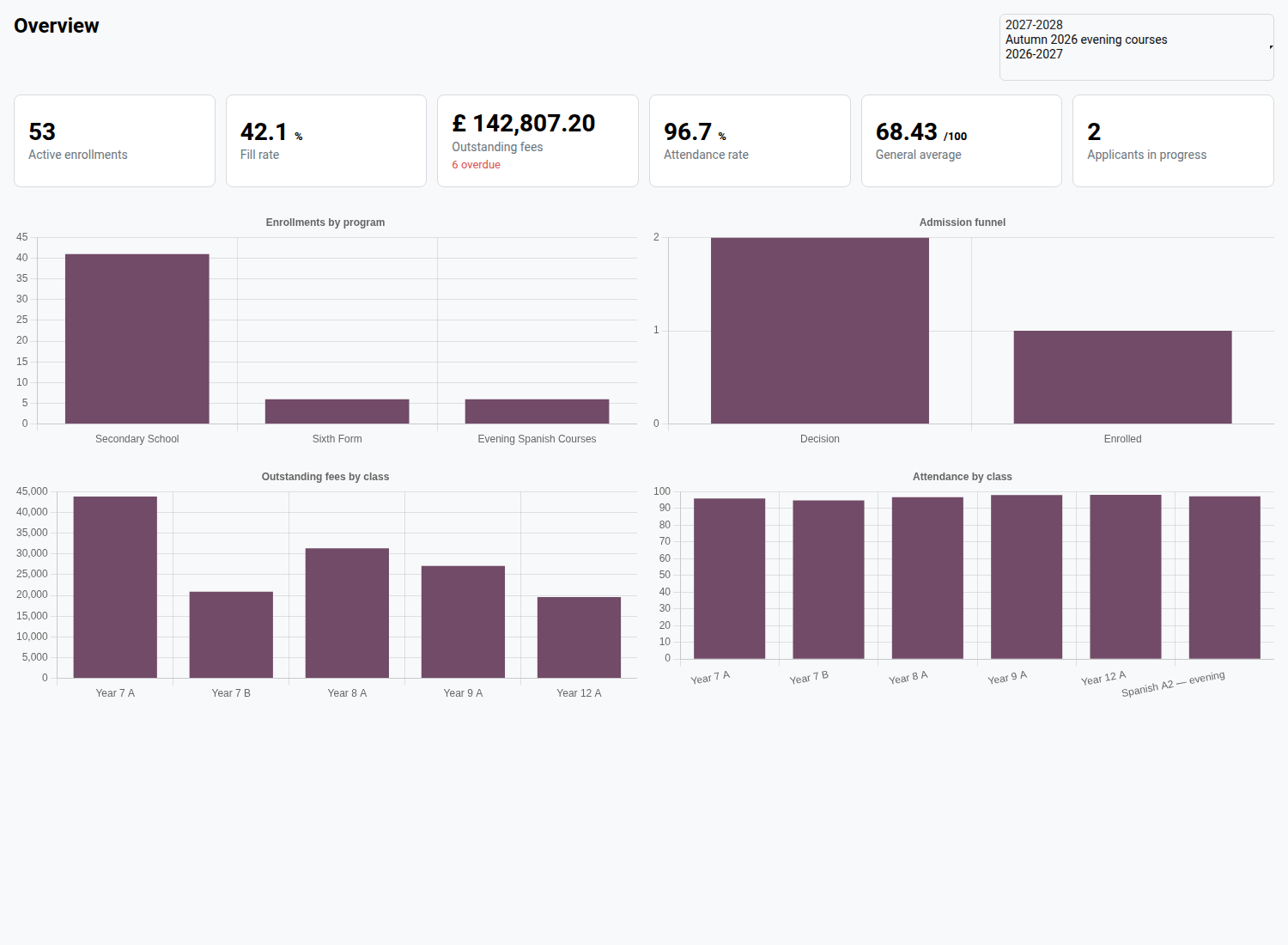
School — Dashboard
Headcount, class fill rate, outstanding fees, attendance, averages and admissions: the health of your school on a single screen, period by period.
Your school's figures already exist — but they are scattered. Headcount is counted in Enrollments, outstanding fees are hunted down in invoices, attendance in Attendance, averages in Grades, applicants in Admissions. Answering "where do we stand this school year?" takes five screens, as many filters, and a spreadsheet to stitch it all together. Every management meeting repeats the same assembly by hand, and nobody notices the class that is emptying out or the reminders that are dragging on until it is too late. This module brings these five sources together in a single view, fed live by your data.
What it brings
- 📊 Six figures that sum up the school year — active enrollments, fill rate, outstanding fees, attendance rate, general average and applicants in progress, all computed on the period or periods you have chosen.
- 🏫 An honest fill rate — the rate only compares what is comparable: enrollments in classes whose capacity is filled in, relative to the sum of those capacities. Classes without a cap do not skew the average.
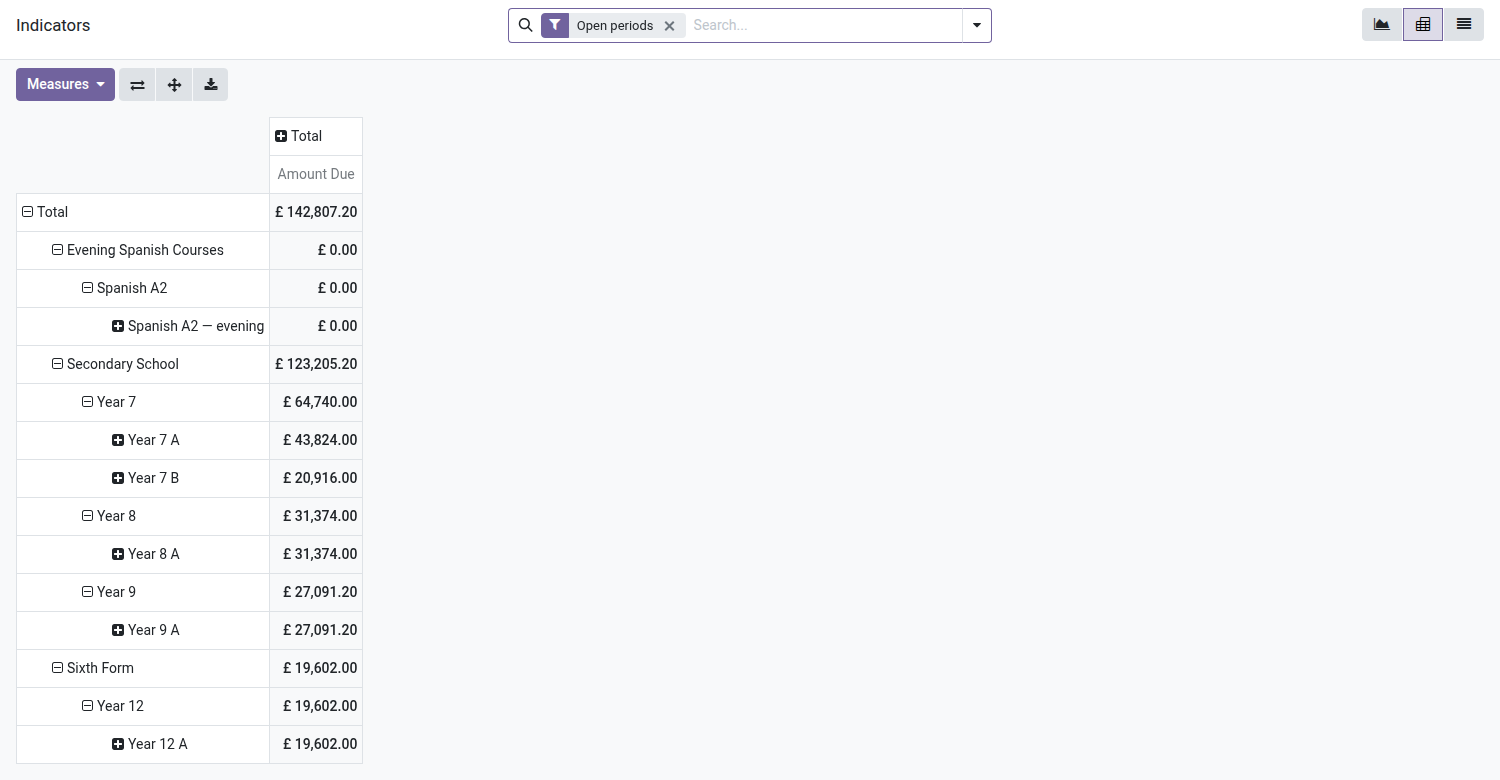
- 💶 Outstanding fees that really are outstanding — the amount adds up the remaining balance due on posted customer invoices linked to enrollments: drafts and credit notes are excluded, and the figure comes with the number of overdue enrollments, in red under the amount.
- 📈 Four charts under the figures — enrollments by program, admission funnel stage by stage, outstanding fees by class and attendance by class, in a two-column grid, redrawn whenever the period changes.
- 🗓️ A multiple period selector — the screen opens on your companies' open periods; select one, several or all of them to compare one school year with the previous one.
- 👆 Every card is an entry point — a click on "Active enrollments" opens the counted list, a click on "Outstanding fees" opens the enrollments that are late on payment — the very ones counted by the red figure under the amount. A figure that raises a question always leads to the lines that explain it.
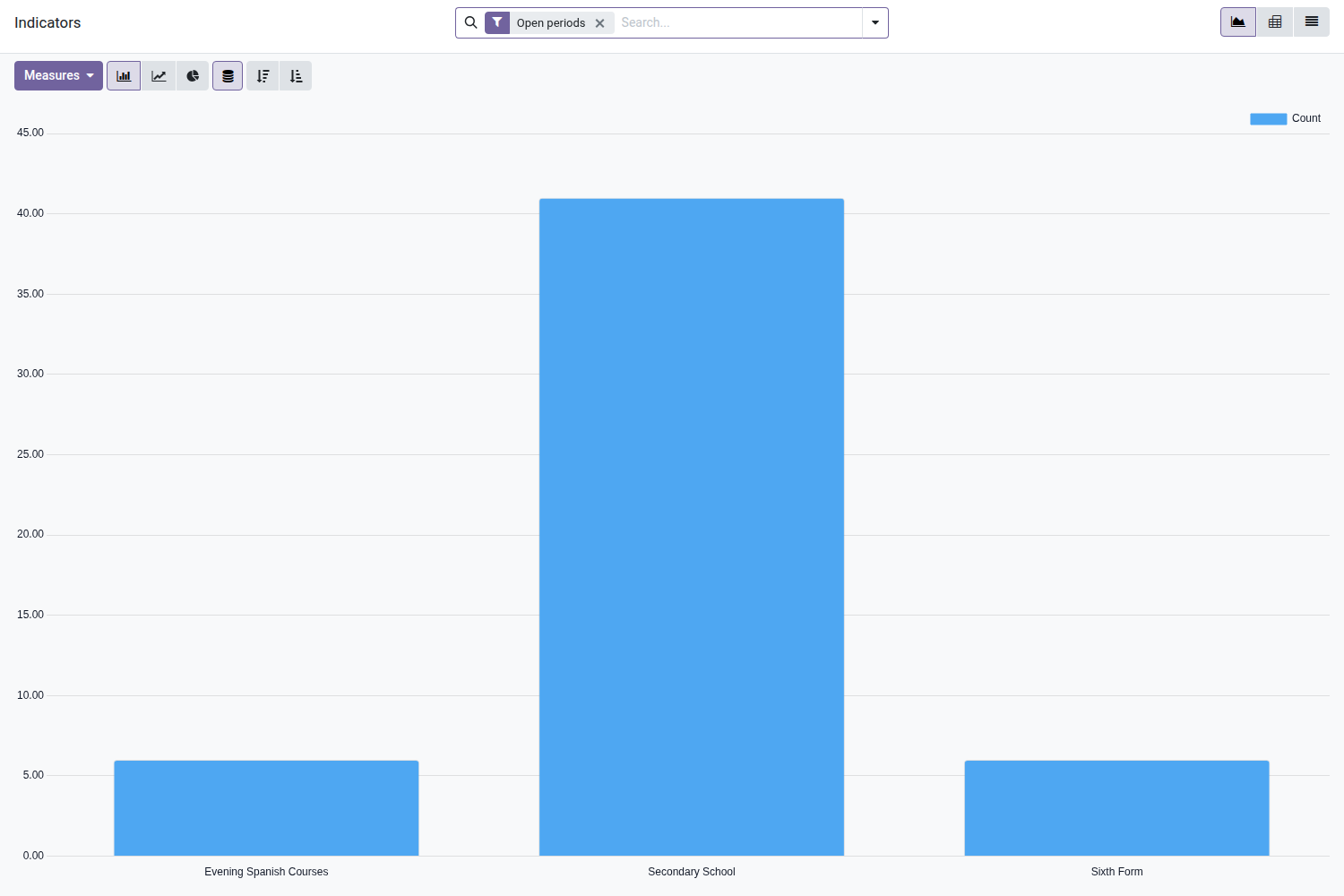
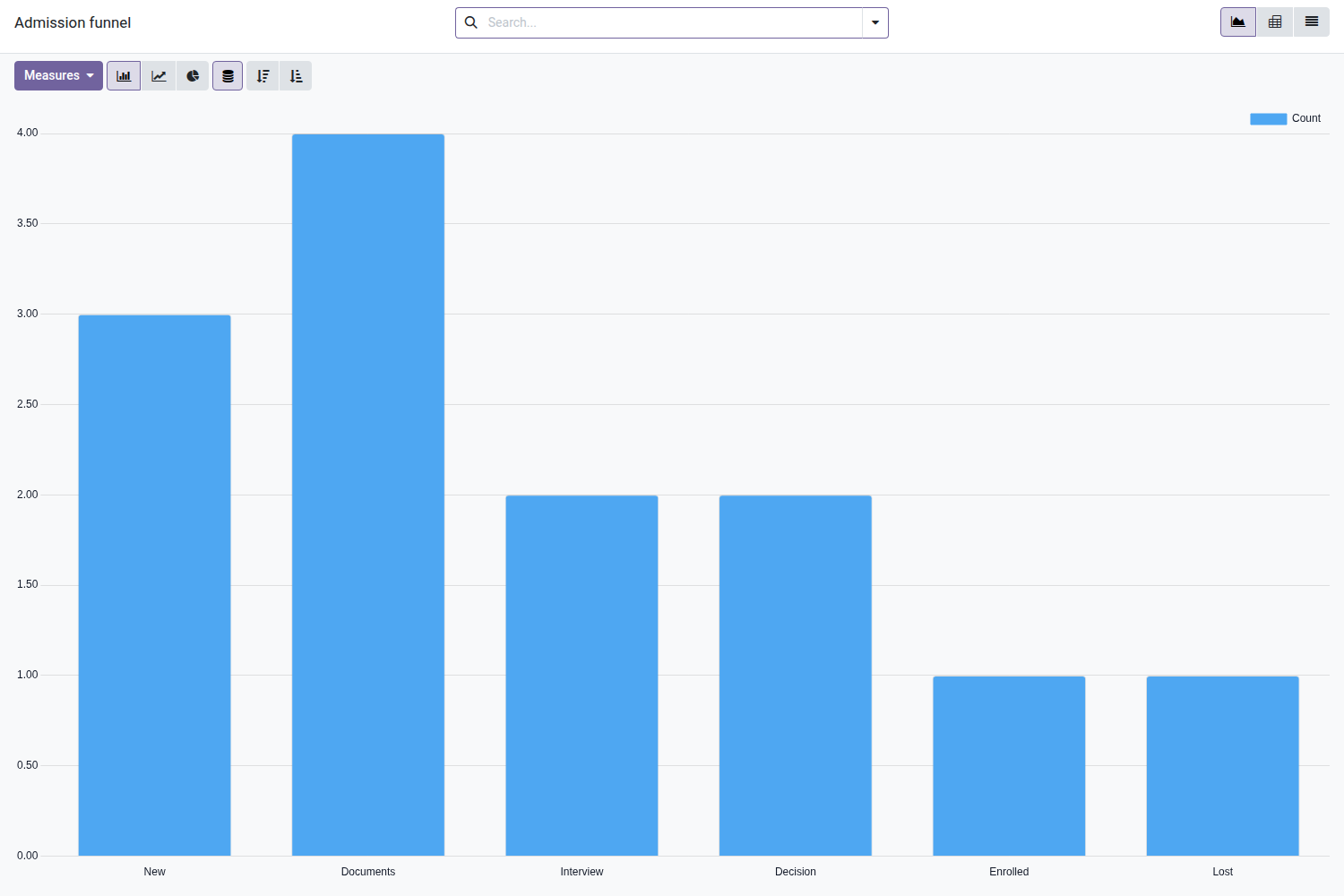
- 🔎 Two analysis views included — "Indicators" (graph, pivot table and list per enrollment: amount due, absences, attendance rate, average) and "Admission funnel" (per applicant: stage, source, won/lost), with ready-to-use filters and groupings.
- 🔒 Reserved for management — menu, screen and data visible only to school managers and officers, read-only, and partitioned by company. A teacher sees neither the menu nor the figures.
- 🇫🇷 Interface shipped in French — complete translation provided with the module.
In pictures
1. The school on one screen
Active enrollments, fill rate, outstanding fees, attendance, general average and applicants, with four charts; click any figure to see the records.
2. Indicators you can slice
One row per enrollment with fees, attendance and averages: chart it by program, level or class.
3. Outstanding fees by class
The pivot breaks down amounts due by program, level and class; export it to a spreadsheet in one click.
4. Admission funnel
How many applicants at each stage, by source, program or period: see where applications stall.
Why adopt it
- The monthly management review is prepared by opening a menu, not by stitching five exports together in a spreadsheet.
- The figures come from an SQL view built on your enrollments, invoices, roll call sheets and report cards: no double entry, no cache to refresh, nothing to keep up to date.
- A class that is emptying out, a forgotten reminder or a cohort that is falling behind shows up on the chart before it shows up on the income statement.
- No extended rights: the dashboard opens nothing to anyone. It is reserved for profiles that already had access to this data, read-only, company by company.
- The screen holds up from day one: as long as no grade has been entered and no invoice issued, the cards concerned show a neutral value instead of an error.
Part of the School suite
The core School Management — students, classes, enrollments is open source. This dashboard aggregates the four modules it depends on: Tuition Fees ($79), Attendance ($39), Grades & Reports ($69) and Admissions ($49).
Complete the suite with the Timetable ($39), the Parent Portal ($29), the Teacher Space ($39), Announcements ($29) and the School Website ($59).
Full suite on apps.odooskills.com.
OPL-1 license — compatible with Odoo 19.0 Community. Requires School Tuition Fees (oski_school_fee), School Attendance (oski_school_attendance), School Grades & Reports (oski_school_grade) and School Admissions (oski_school_admission). Support: apps@odooskills.com.
Discussion
Sign in to join the discussion.