
School Attendance
Premium Launch −30%Roll call sheets, absence counters, alerts and portal for the School suite.
| Technical name | oski_school_attendance |
|---|---|
| License | OPL-1 |
| Author | OdooSkills |
$ 39.00
$ 27.30
Launch price — 30% off until December 31, 2026
A ready-to-use Odoo database with demo data, deleted after 1 hour. Odoo 20, 19, 18.
Missing a feature or found a bug?
Request a change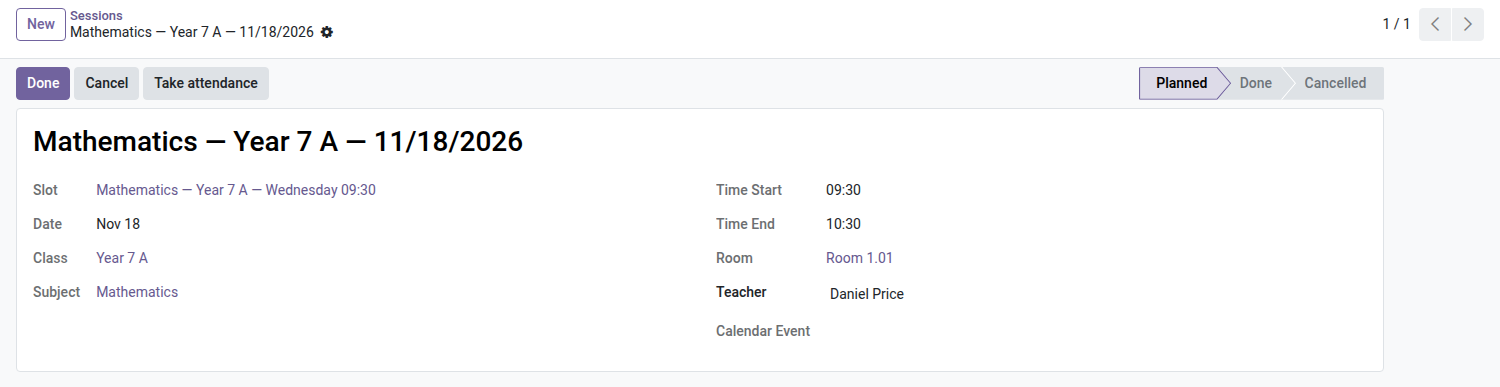
School — Attendance
Roll call is taken on the session, the counters keep themselves up to date, and guardians are notified before absenteeism becomes a problem.
Roll call is taken in a notebook, or on a loose sheet that the teacher forgets to hand back to the office. Nobody knows how many times Sarah has missed math class this term, or whether her recurring Monday lateness calls for a phone call to her parents. The alert comes when the family itself gets worried — never before. This module turns the roll call sheet into live data: taken in two minutes on the session, counted automatically, passed on to the right people at the right time.
What it brings
- ✅ One-click roll call from the session — the "Take attendance" button pre-fills the sheet with the students from the class's active enrollments: no more lists to retype.
- 🕒 Four statuses, one supporting document — present, absent, late (with the minutes) or excused, with an attachment for the parents' note or the medical certificate.
- 🔒 Sheet done, lines frozen — once the roll call is closed, statuses no longer change; only a school manager can reopen a sheet to fix a mistake.
- 👩🏫 Each teacher sees their own sessions — access is limited to the sheets of the classes they teach, nothing else.
- 📊 Automatic counters on the enrollment — absences, late arrivals and attendance rate computed continuously, visible at a glance on the student's record.
- 🔔 Alert at the threshold, not after the fact — an absence threshold configurable per program triggers an automatic email to guardians and an activity for the manager, as soon as it is exceeded.
- 👨👩👧 Attendance section on the family portal — guardians find their child's latest absences and late arrivals, with the attendance rate, without having to call the school.
- 🔍 Line-level analysis — filter attendance by status, class or student to spot trends before they settle in.
In pictures
1. Take attendance from the session
Each timetable session has a Take attendance button that opens the class list with everyone marked present.
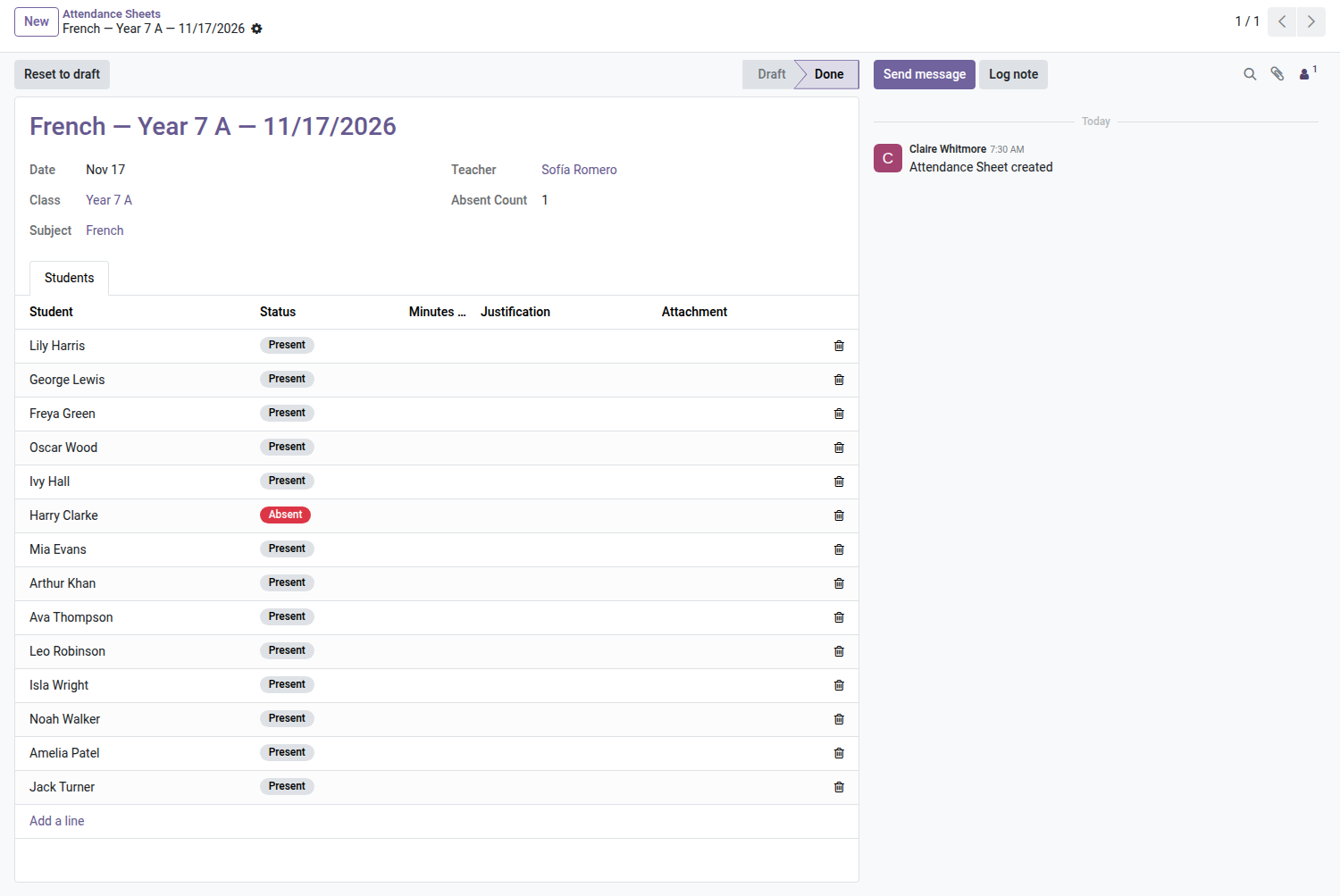
2. Absent, late or excused in a few clicks
Change only the exceptions, add minutes late or a justification, then close the sheet.
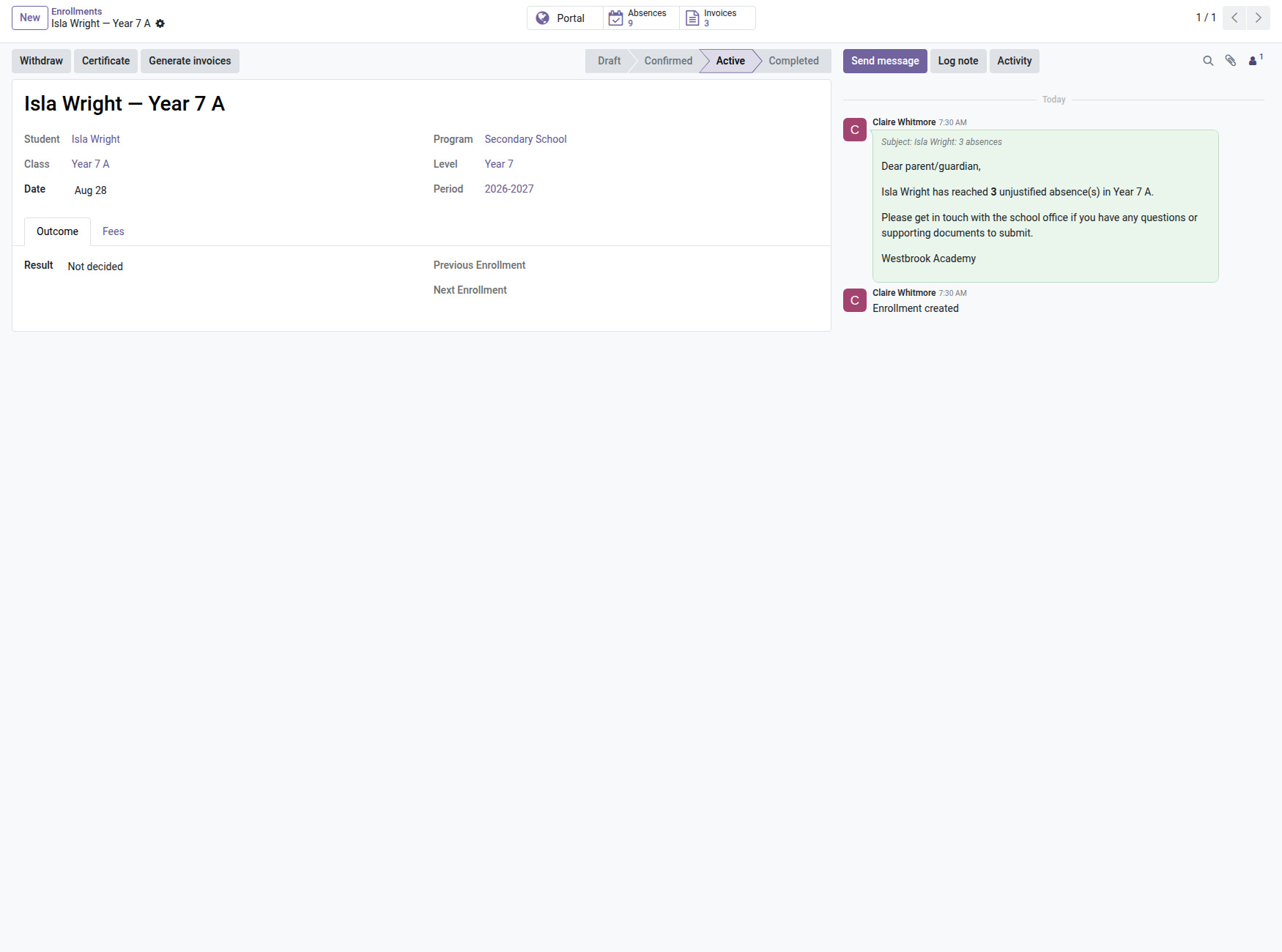
3. Alert once the threshold is reached
When unjustified absences reach the program's threshold, the family is e-mailed and the school office gets an activity.
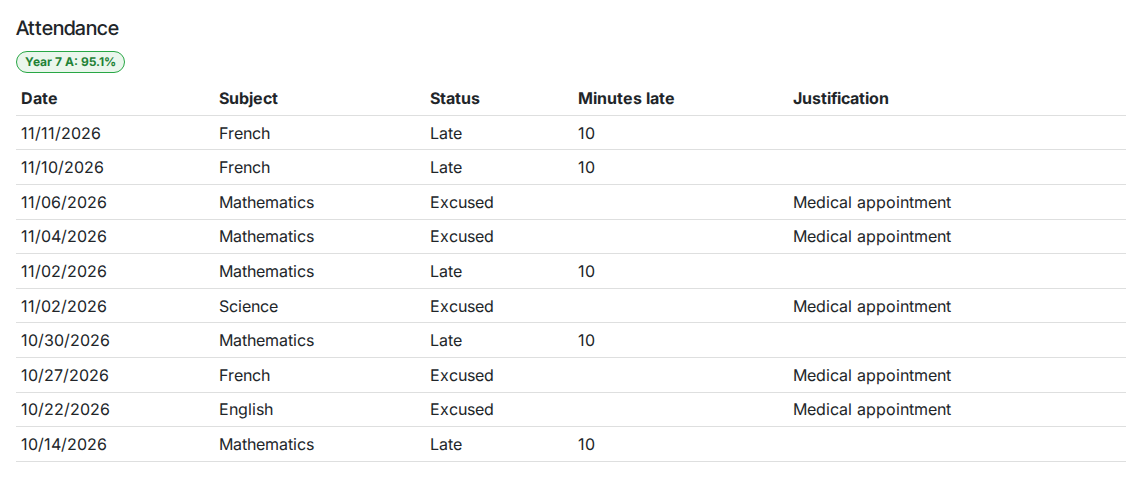
4. Families see attendance online
On the portal, parents see the attendance rate per class and each absence or late arrival with its justification.
Why adopt it
- Absenteeism is caught at the threshold, not on the end-of-term report card: the alert goes out at the right time, automatically.
- A completed sheet can no longer be quietly edited: attendance data stays reliable for class councils and follow-up obligations.
- Families no longer need to call the office to know how their child is doing: the portal answers before the question is asked.
Part of the School suite
Builds on the open-source core School Management — students, classes, enrollments, the Timetable (required, for sessions) and the Parent Portal (required). Add Admissions, Tuition Fees, Grades & Reports and Announcements. Full suite on apps.odooskills.com.
OPL-1 license — compatible with Odoo 19.0 Community. Requires the Timetable and the Student & Parent Portal. Support: apps@odooskills.com.
Discussion
Sign in to join the discussion.