
Property — Rent Review
Premium Launch −30%Never miss a rent review: the proposal is prepared ahead of its date, you validate it and print the notice.
| Technical name | oski_property_indexation |
|---|---|
| License | OPL-1 |
| Author | OdooSkills |
$ 29.00
$ 20.30
Launch price — 30% off until December 31, 2026
A ready-to-use Odoo database with demo data, deleted after 1 hour. Odoo 20, 19, 18.
Missing a feature or found a bug?
Request a change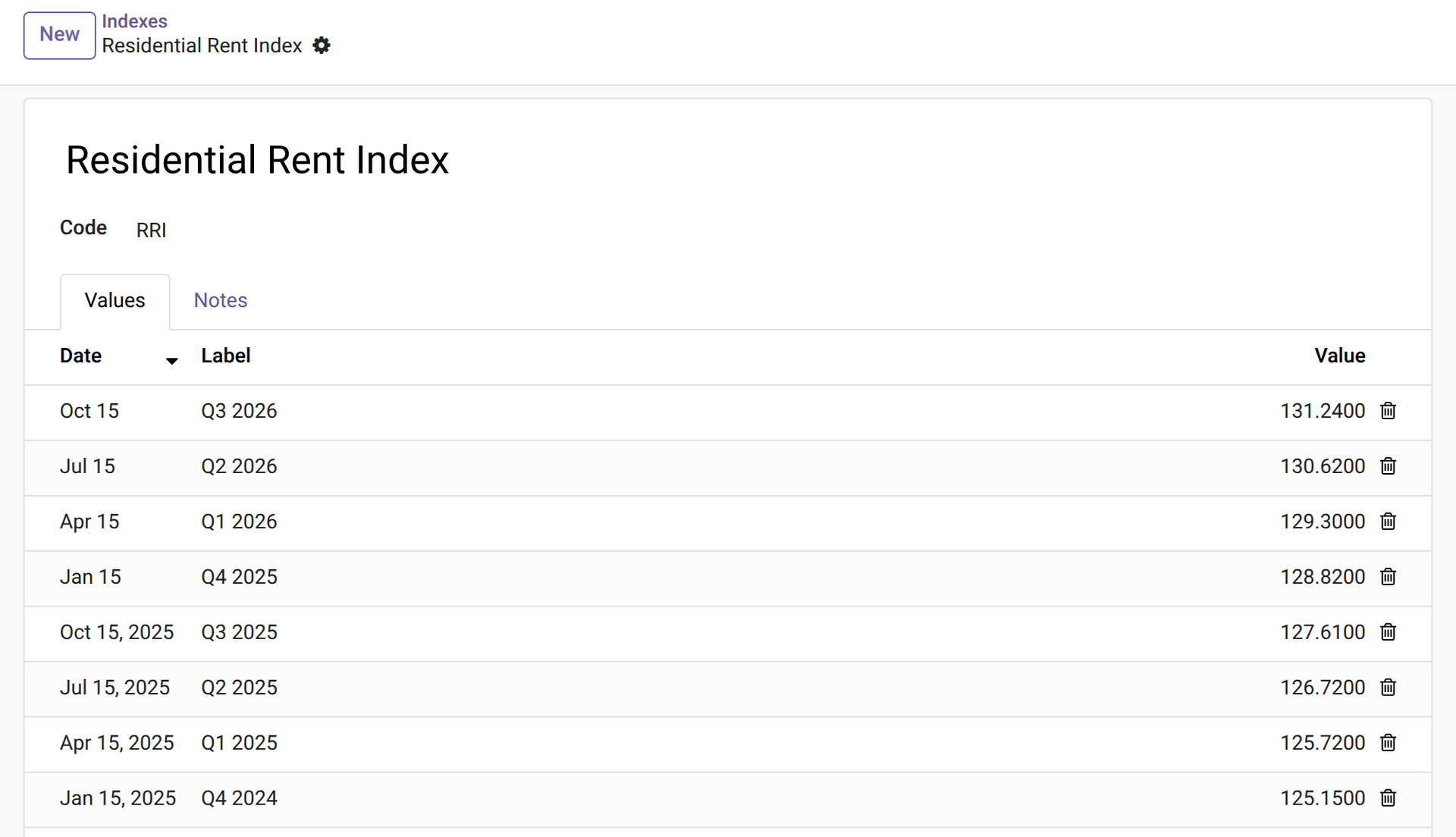
Property — Rent Review
Never miss a rent review: the proposal is prepared ahead of its date, you validate it and print the notice.
The rent of a lease should follow an index or a percentage every year. The date is in somebody's calendar, the index is looked up by hand, the new rent is worked out in a spreadsheet and the letter is typed again — and when it is forgotten, a year of rent is lost. This module prepares the review for you and leaves you to validate it.
What it does
- 📈 Your indices — a manager creates the index you use and types its values with their date: no index is supplied, so the module fits any country and any index.
- 🧮 Two methods — chosen per lease: by index (the new rent follows the variation of the index since the base value) or a fixed percentage.
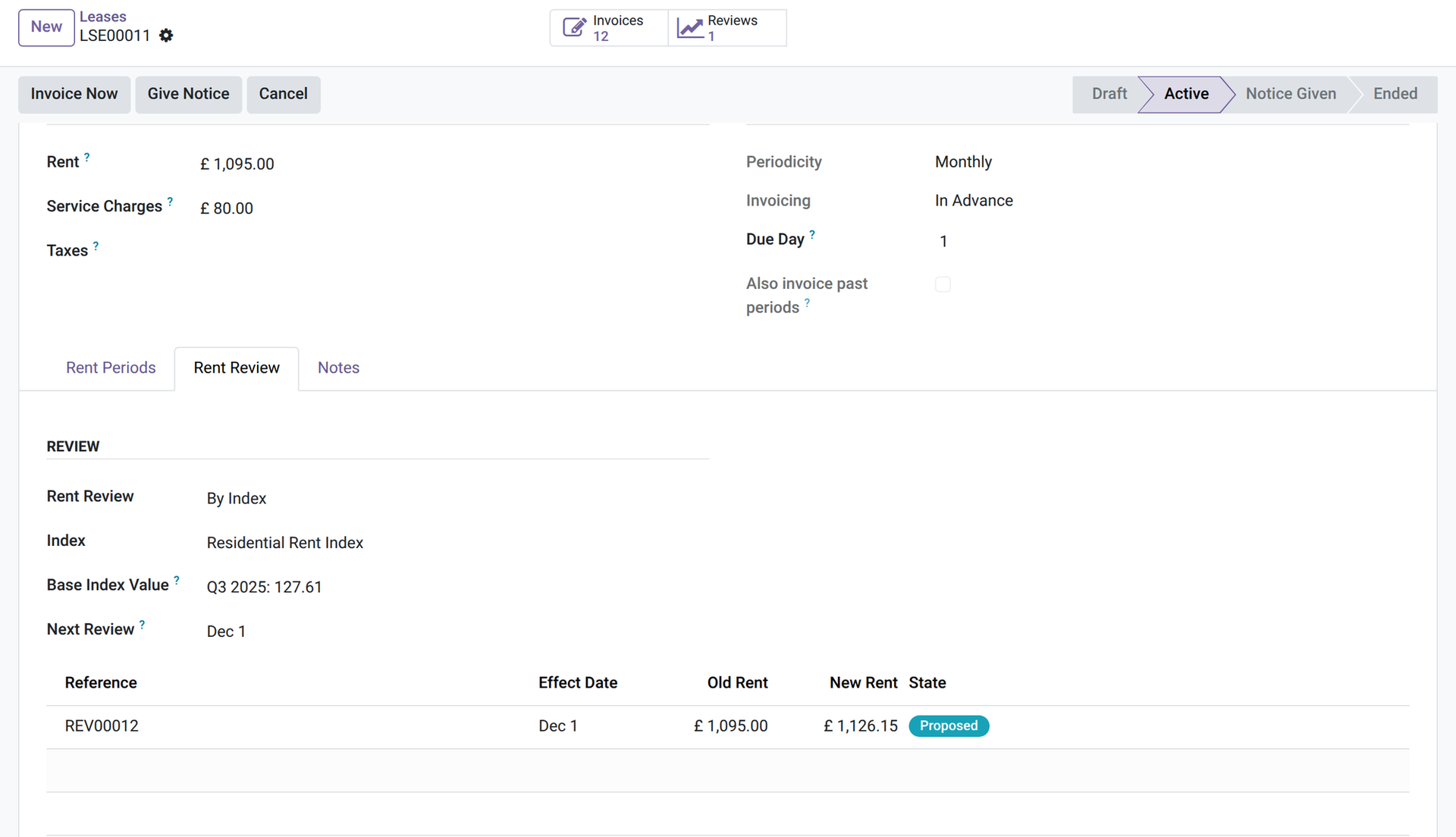
- 📅 A review date on each lease — the next review defaults to one year after the start of the lease, and is always the first day of a rent period.
- 🤖 Prepared ahead — a daily job prepares the review a number of days before its date (30 by default, a company setting); “Prepare Review” does it on demand. If the index value does not exist yet, the review waits (Waiting for Index) and is computed as soon as a manager enters a value dated on or before the effect date.
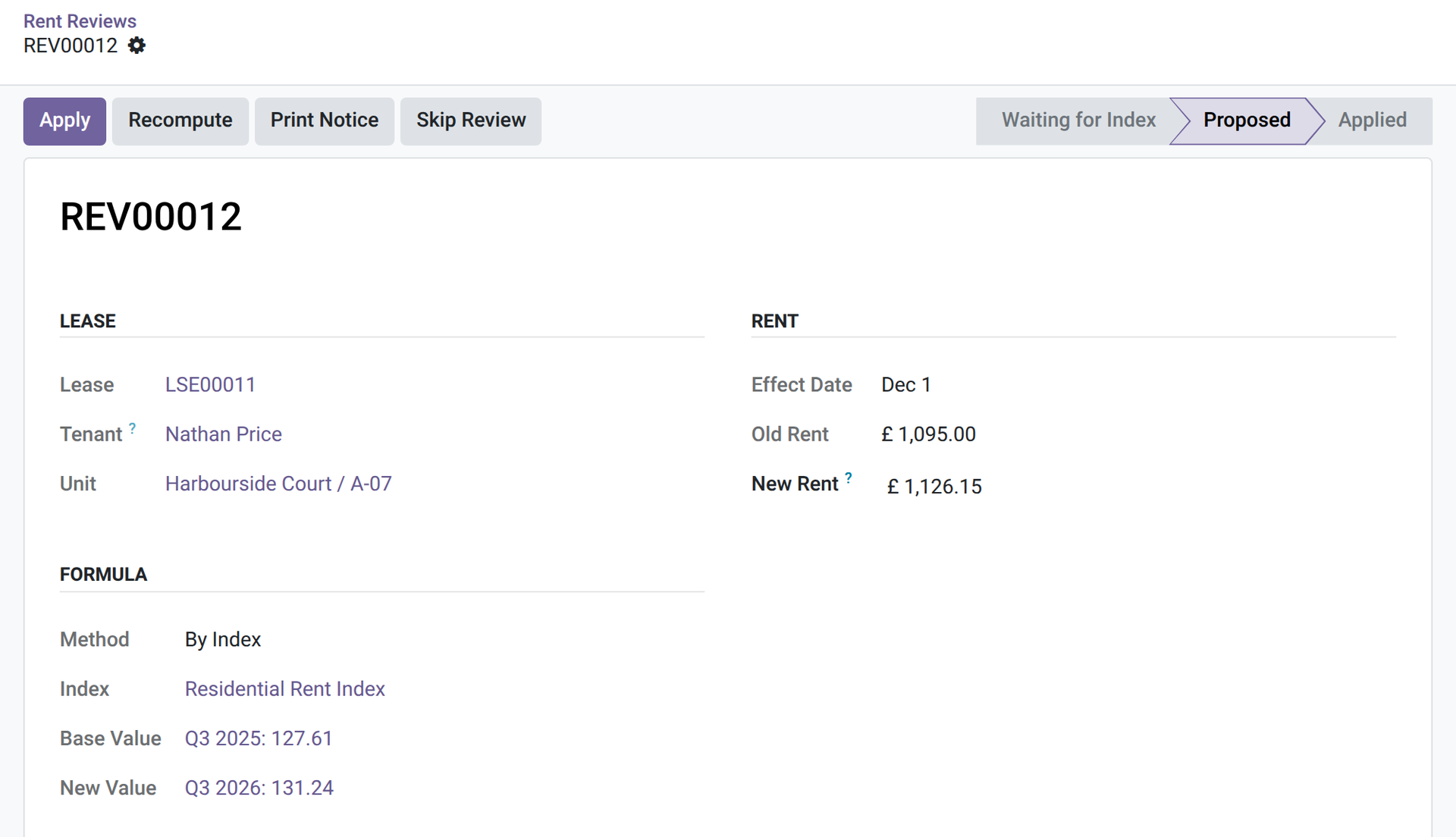
- ✅ You validate — the proposal shows the old rent, the formula and the new rent; a manager can adjust the amount before applying it. Applying changes the rent of the lease from the effect date and can be done ahead of time; earlier periods keep the old rent, and so does a period already created after the effect date — the review warns you.
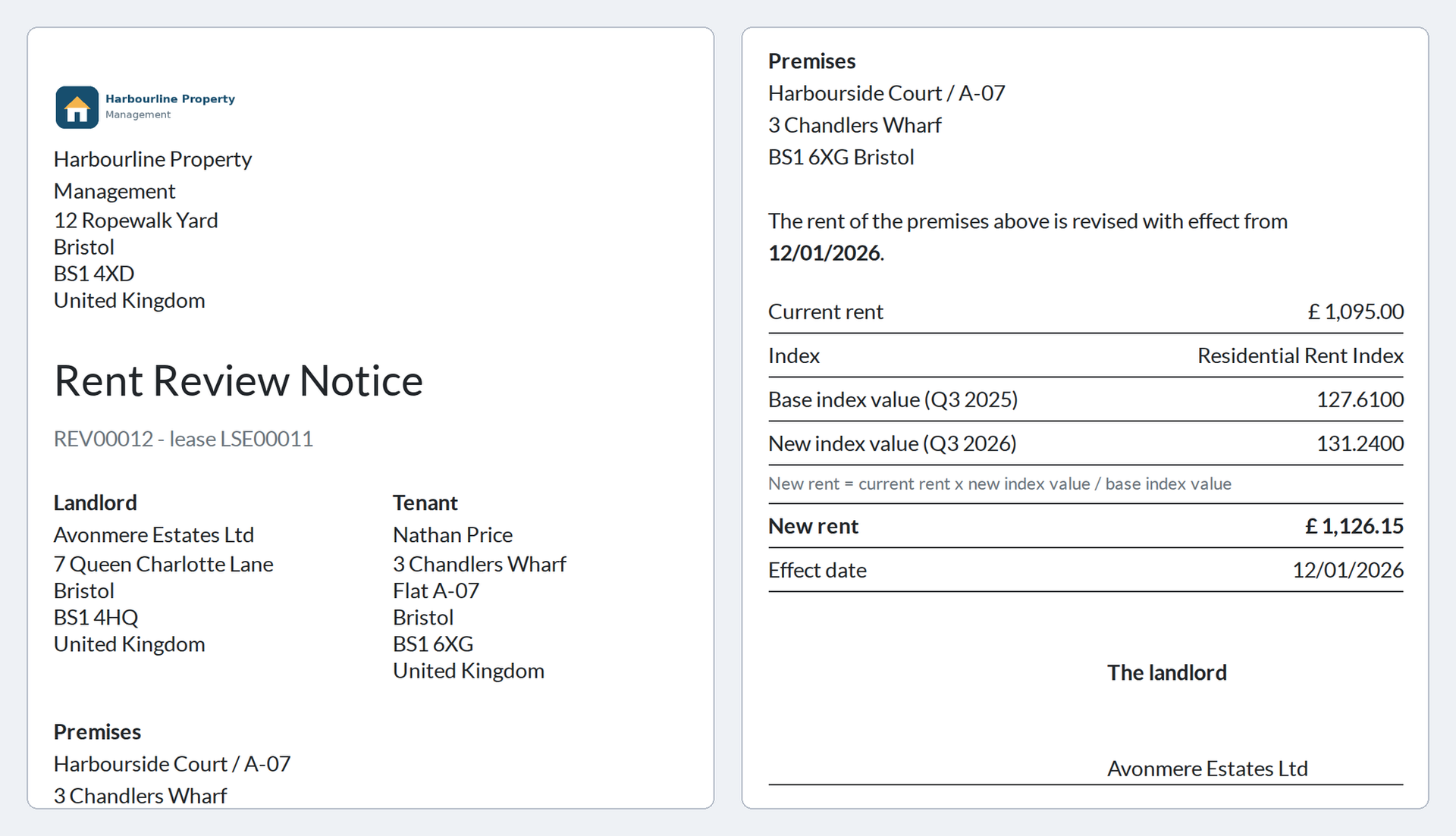
- 🖨️ The notice — a PDF for the tenant: current rent, then the base and new index values with the formula — or the percentage of increase —, the new rent and the effect date, in the tenant's language.
- ⏭️ Skip or cancel — “Skip Review” (manager) sets a review aside, the next one comes a year later; cancelling the last applied review restores the rent of the lease — the periods already created keep theirs — and the review of that date is prepared again.
In screenshots
1. Your indices
An index with its values by date: you type them, no index is supplied.
2. Review set on the lease
The Rent Review tab: method by index, the index, its base value and the next review date.
3. A proposal to validate
The proposed review: old rent, index values, formula and new rent, with the Apply and Print Notice buttons.
4. The notice for the tenant
The PDF notice: current rent, base and new index values, formula, new rent and effect date.
Why install it
- No review is forgotten: the date, the formula and the new rent are on one page.
- The tenant gets a clear notice.
- Only the rent is reviewed: the service charges are not.
- Honest limits: no index is supplied, and the effect date is the first day of a rent period (an anniversary falling mid-period moves to the start of the next one). Caps, notice periods and allowed indices are yours to apply.
Part of the OdooSkills Property Management family
Property Management is the base and the other modules plug into it, some with a prerequisite: the timeline needs Gantt View (sold separately), the tenant portal needs the Odoo Portal, the listings need the Odoo Website app. Some also work together: the works charged to the owner show on the owner statement, and a tenant can report a problem from the portal once Maintenance is installed:
- 🏢 Property Management — $89: buildings, units and leases; rent invoiced every period; rent receipts; unpaid rent and rent roll.
- 💰 Property — Deposits — $39: ask for the deposit, hold it, record the deductions at exit and settle it with a statement.
- 🧮 Property — Charges — $39: building expenses, allocation keys and the reconciliation of service charges against the provisions.
- 📋 Property — Inspections — $39: entry and exit condition reports, room by room, with photos, signatures and a comparison at exit.
- 🛠️ Property — Maintenance — $39: maintenance requests and works per unit: vendor, quote, cost, who pays, re-invoicing the tenant.
- 🤝 Property — Owners — $59: manage units for their owners: mandates, fees and an owner statement for each period.
- 🌐 Property — Tenant Portal — $29: tenants see their leases, rent periods and receipts, and report a problem, from their portal.
- 📅 Property — Timeline — $29: every unit and every lease on one twelve-month timeline, vacancies included (needs Gantt View, sold separately).
- 🏷️ Property — Listings — $39: publish your vacant units on your website with photos, filters and a visit request form.
📦 Need it all? The Property Management Suite installs the ten modules for $249 instead of $430. The timeline and the suite also require Gantt View ($89), sold separately.
Compatibility and license
Odoo 18, 19 and 20, developed and tested on Community. OPL-1 license. Requires Property Management (oski_property, $89). Interface available in English and French. A specific need? The “Request a change” button on this page sends it to us. Support: apps@odooskills.com.
Discussion
Sign in to join the discussion.