
WhatsApp for Sales
Open sourceSend quotations and sales orders over WhatsApp.
| Technical name | oski_whatsapp_sale |
|---|---|
| License | LGPL-3 |
| Author | OdooSkills |
WhatsApp — Sales Bridge
A “WhatsApp” button on every quotation: the PDF goes as an attachment, and the customer replies right from their phone.
The quotation is ready and sent by email — and it waits, buried in an inbox the customer checks only once a day. On WhatsApp, a business message is read within minutes. This bridge adds WhatsApp sending directly on the sales order, without switching screens or re-entering anything.
What it brings
- 📎 “WhatsApp” button on the quotation — visible in the Quotation, Quotation Sent and Sales Order states, next to the usual send-by-email button.
- 📄 Quotation PDF attached automatically — the native Odoo report is attached to the message, ready to send.
- 🎯 Pre-filled composer — contact, number, document and a template filtered for the “quotation” model: when it opens, everything is already in place.
- 💬 Logged in the quotation chatter — the message sent is recorded on the order itself, not just in the general WhatsApp inbox.
In pictures
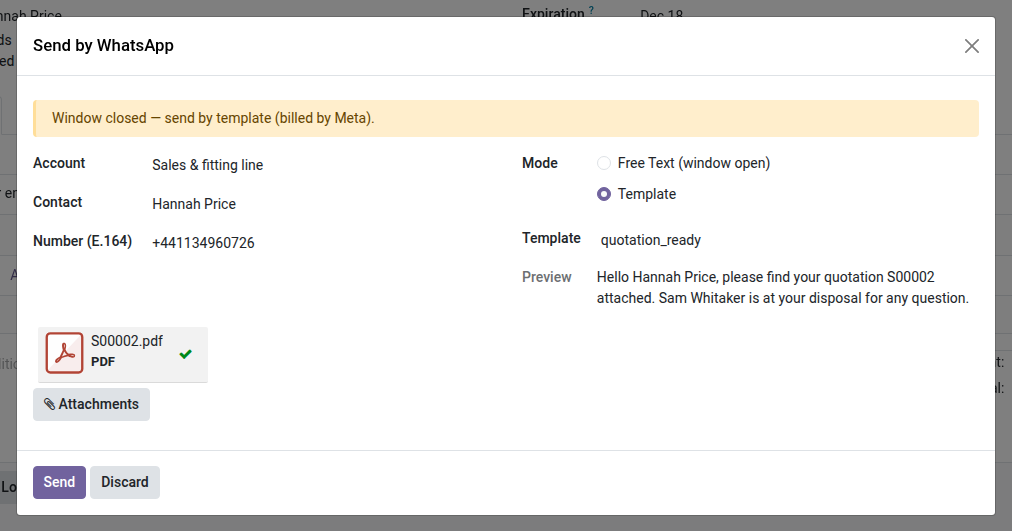
1. Send the quotation on WhatsApp
The WhatsApp button on a quotation attaches the PDF and fills the approved template with the customer, the number and the salesperson.
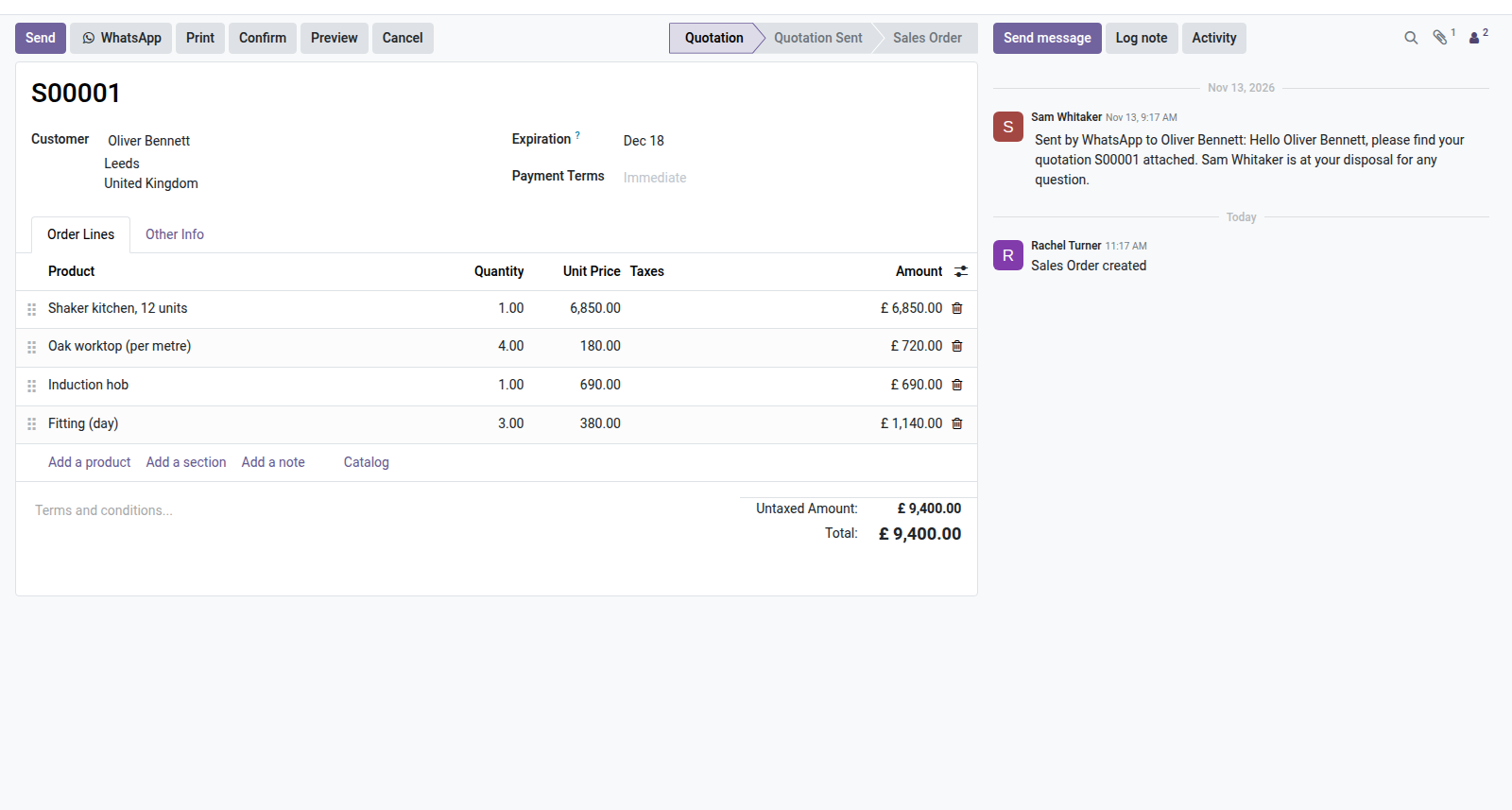
2. Traced on the quotation
The message sent is logged in the quotation chatter, with the text the customer received.
Why adopt it
- Open source — this bridge costs nothing; only the Meta connection (through the core module) is required.
- Zero re-entry — no copy-pasting numbers or regenerating PDFs; everything goes out from the quotation already open.
Requires the core module
This bridge depends on oski_whatsapp (core — WABA account, Meta API, templates, inbox, 24-hour window, $39). Complete it with oski_whatsapp_account (invoice bridge, open source) to cover the whole sales cycle. See the full suite on apps.odooskills.com.
LGPL-3 license — compatible with Odoo 19.0. Requires the core module oski_whatsapp. Support : apps@odooskills.com.
Discussion
Sign in to join the discussion.