WhatsApp for Invoicing
Open sourceSend invoices over WhatsApp.
| Technical name | oski_whatsapp_account |
|---|---|
| License | LGPL-3 |
| Author | OdooSkills |
WhatsApp — Invoicing Bridge
A “WhatsApp” button on every posted customer invoice: the PDF goes out instantly, without going through email.
The invoice is posted, but it sits in an email queue — and a payment reminder by email gets buried just as easily. On WhatsApp, the document lands directly in the conversation already open with the customer, with a much higher read rate.
What it brings
- 📎 “WhatsApp” button on the invoice — visible on customer invoices and credit notes in the Posted state, in the document's action bar.
- 📄 Invoice PDF attached automatically — the native Odoo report is attached, ready to send in one click.
- 🎯 Pre-filled composer — contact, number and a template filtered for the “invoice” model: faster than a regular email.
- 💬 Logged in the invoice chatter — the message is recorded directly on the accounting document.
In pictures
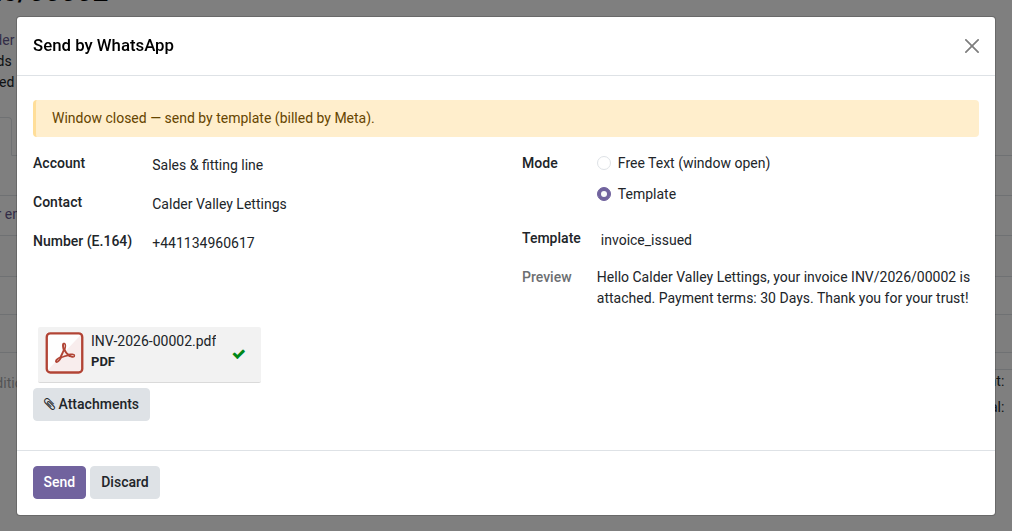
1. Send the invoice on WhatsApp
The WhatsApp button on an invoice attaches the PDF and fills the approved template with the customer, the number and the payment terms.
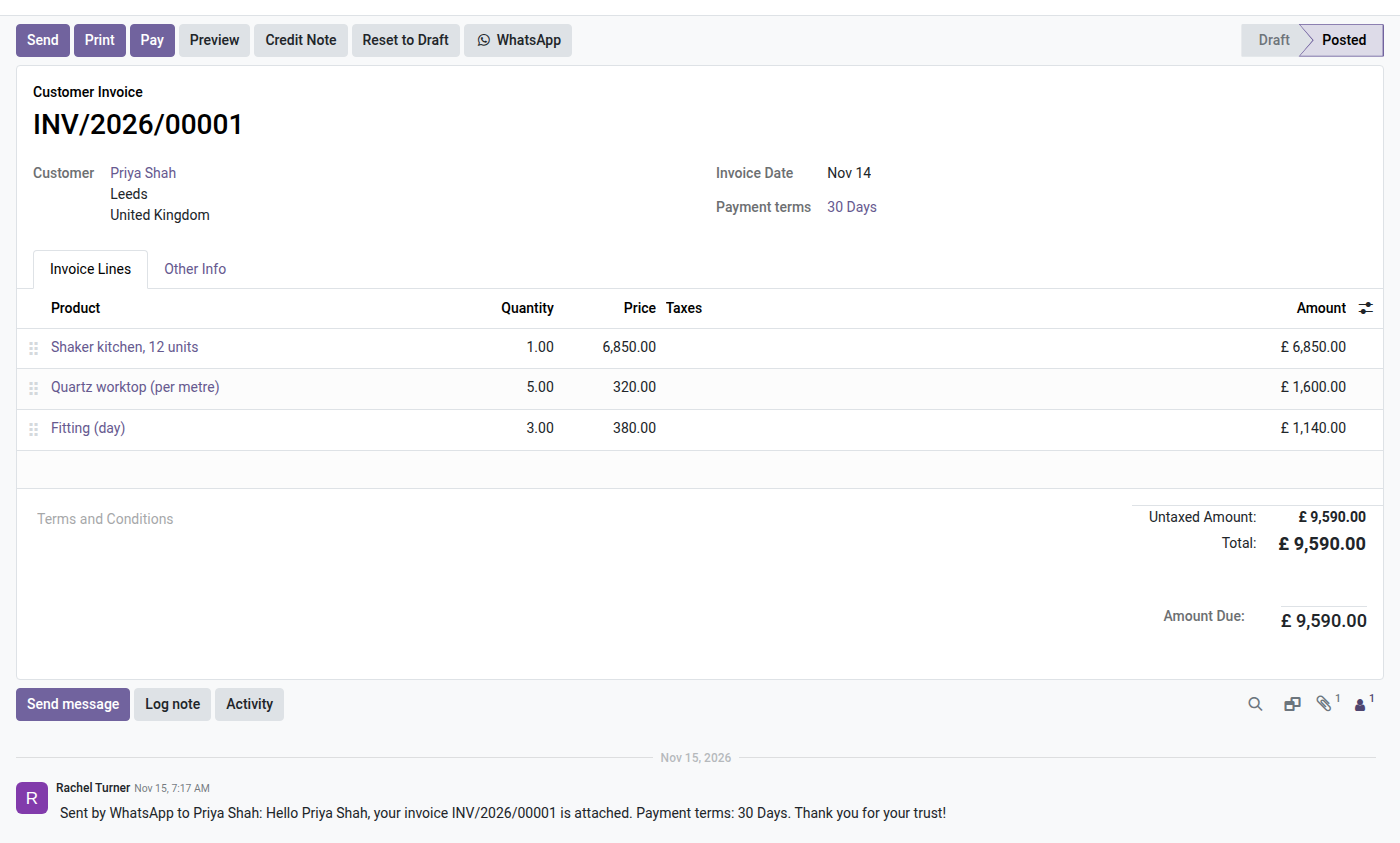
2. Traced on the invoice
The message sent is logged in the invoice chatter, so the whole team knows the customer got it.
Why adopt it
- Open source — this bridge costs nothing; only the Meta connection (through the core module) is required.
- Faster payments — an invoice seen within minutes gets paid faster than one buried in an email.
Requires the core module
This bridge depends on oski_whatsapp (core — WABA account, Meta API, templates, inbox, 24-hour window, $39). Complete it with oski_whatsapp_sale (quotation bridge, open source) to cover the whole sales cycle. See the full suite on apps.odooskills.com.
LGPL-3 license — compatible with Odoo 19.0. Requires the core module oski_whatsapp. Support : apps@odooskills.com.
Discussion
Sign in to join the discussion.