
School Teacher Space
Premium Launch −30%Today's roll call, grade entry and my classes in one menu, for every teacher
| Technical name | oski_school_teacher_portal |
|---|---|
| License | OPL-1 |
| Author | OdooSkills |
$ 39.00
$ 27.30
Launch price — 30% off until December 31, 2026
A ready-to-use Odoo database with demo data, deleted after 1 hour. Odoo 20, 19, 18.
Missing a feature or found a bug?
Request a change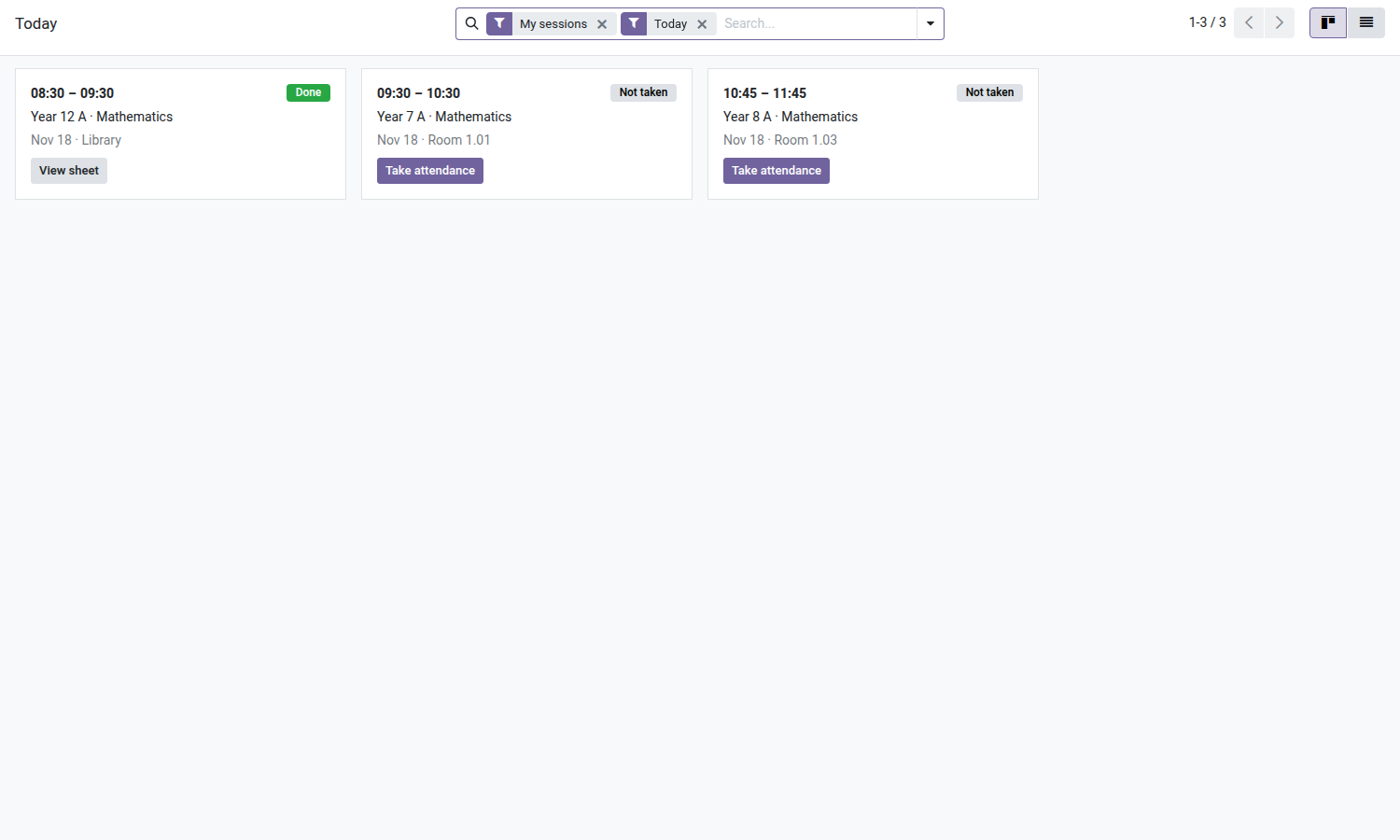
School — Teacher Space
A single menu for teachers: today's sessions, one-click roll call, exams to grade and their classes.
The School app is written for the school office: every class, every session, every exam in the institution. A teacher who logs in has to filter before finding their two hours on Tuesday, and start over the next day. The well-known result: roll call goes back to a loose sheet of paper and grades reach the office by email, at the end of the term, to be re-keyed. This module gives teachers their own menu, where they only see what concerns them — without granting them a single extra right.
What it brings
- 📅 A "My Classes" menu reserved for teachers — four entries, nothing else: Today, My week, My exams, Classes. The menu only appears for the Teacher group.
- ✅ One-click roll call from today's session — each card has a "Take attendance" button that opens the sheet already filled with the enrolled students; once roll call is done, the button becomes "View sheet".
- 🏷️ A roll-call status badge on each session — "Not done", "In progress" or "Done": teachers see at a glance what is left to do before leaving school.
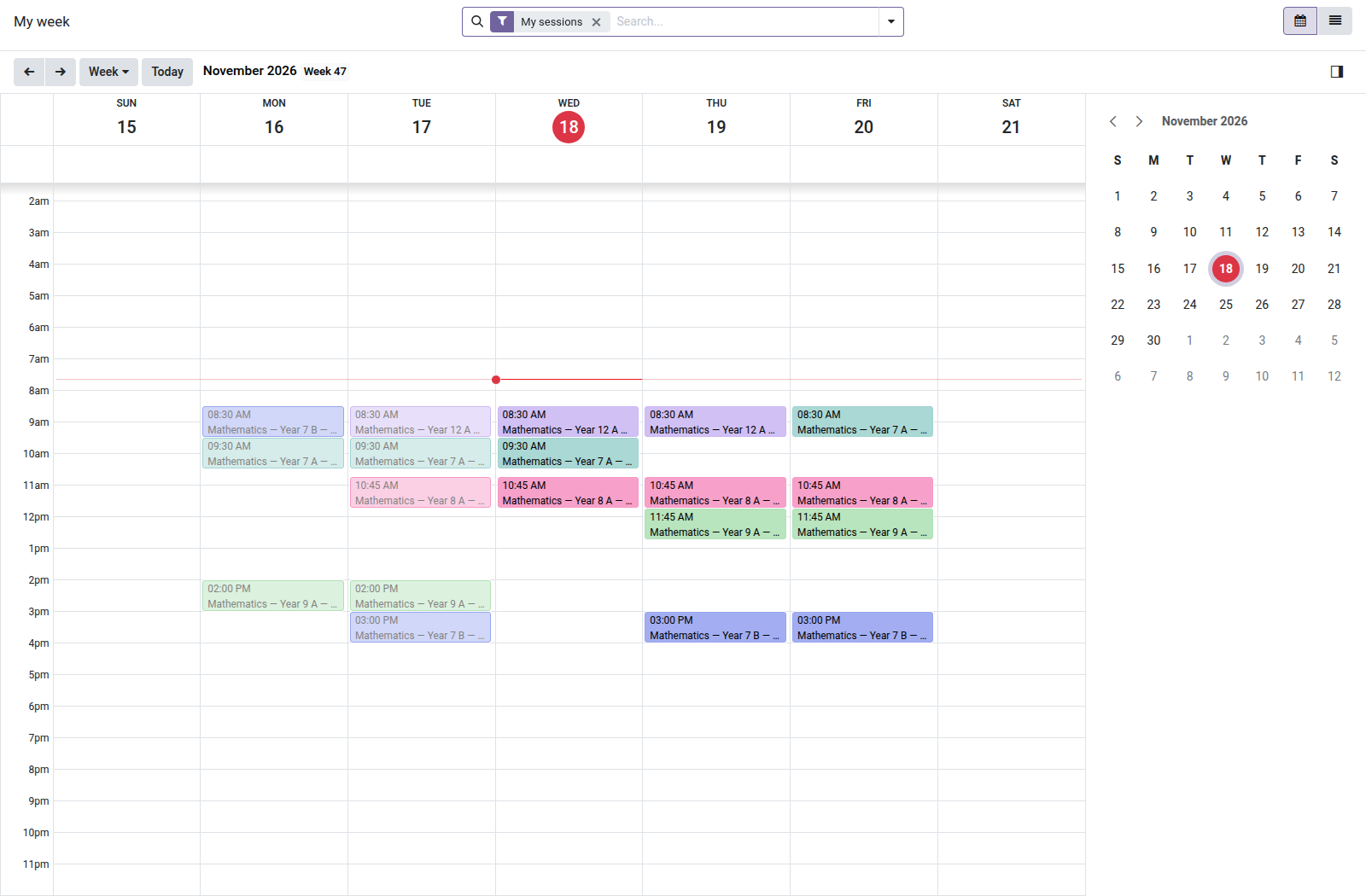
- 🗓️ My week as a calendar — their sessions for the week, one color per class, week-by-week navigation.
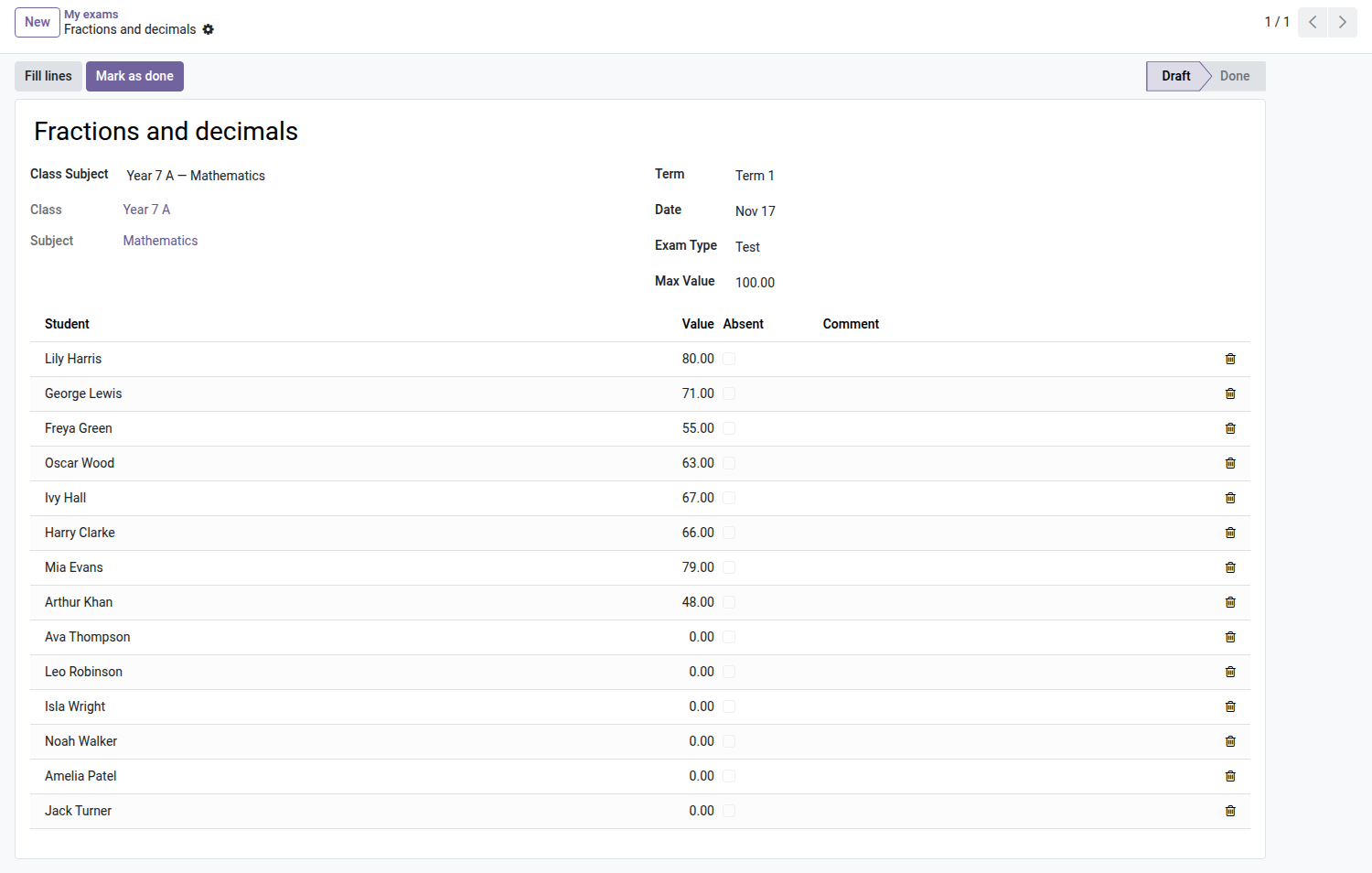
- 📝 Their exams, entered in a grid — the list opens already filtered on their exams to grade; on the form, lines are edited directly: student, grade, absent, comment. They can create their own exams, for their subjects only.
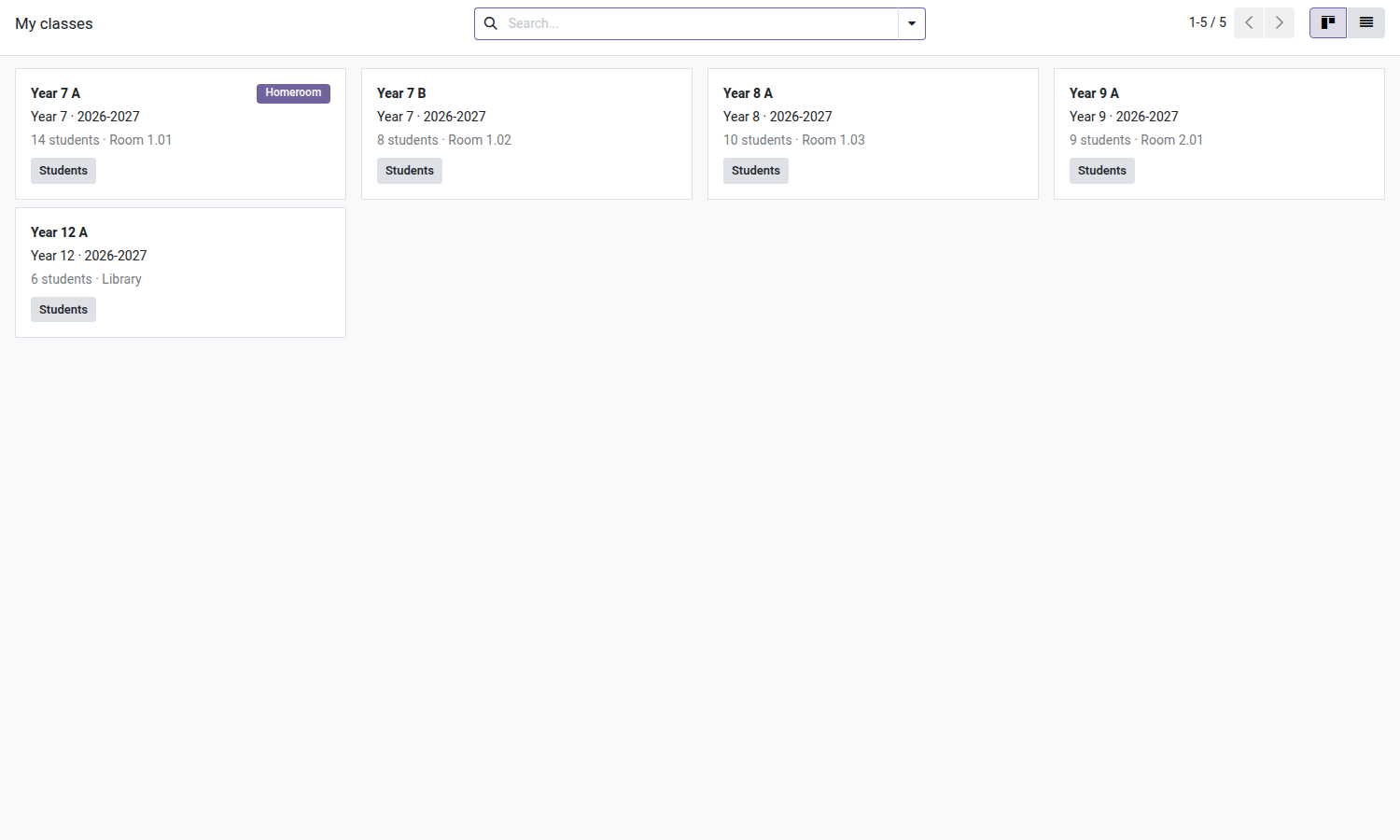
- 👥 Their classes and headcount — a "Homeroom" badge on the classes they are in charge of, and a "Students" button that opens the class list in read-only mode, with each student's primary guardian.
- 🔁 Substitutes are covered — as soon as a session is assigned to them, it shows up in their "Today" and they can take attendance, even if the subject is not theirs.
- 🔒 No new rights — not a single access rule added: the module only provides views, actions and menus. What a teacher sees here, they could already see; what they could not modify stays out of reach.
- 🇫🇷 French interface included — complete translation provided with the module.
In pictures
1. Today, at a glance
The teacher's sessions of the day, with attendance already taken or still to take.
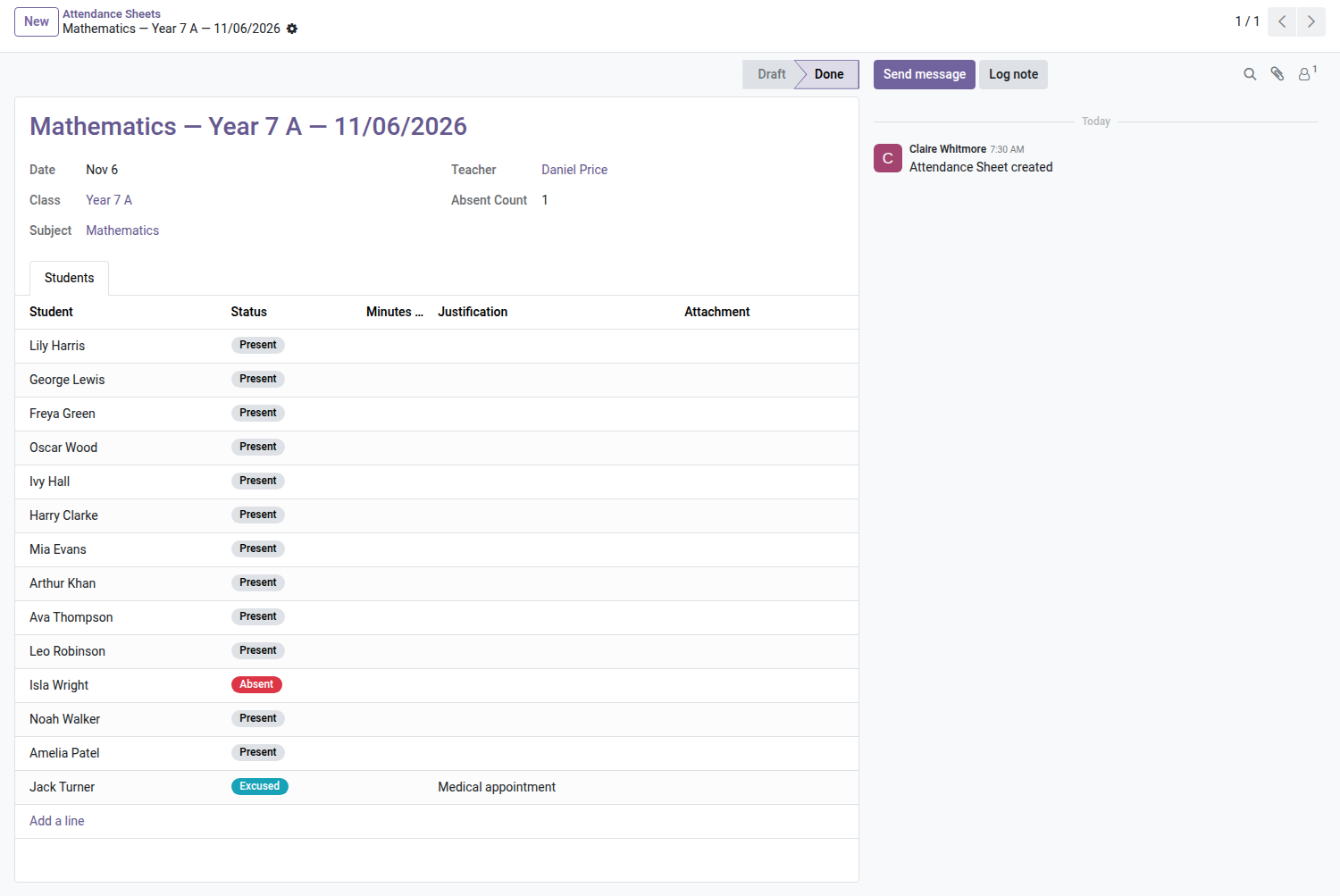
2. Attendance in under a minute
Everyone is present by default: mark the absent and the late, then close the sheet.
3. Enter marks for an exam
The class list is filled in automatically; type the marks, then Mark as done.
4. My classes
Only the classes the teacher teaches, homeroom first, with a shortcut to the students.
5. My week
The teacher's timetable for the week, each session at its real hour.
Why adopt it
- Attendance and grades are entered by the people who record them, on the day they record them — the end-of-term re-keying at the school office disappears.
- No training to plan: four menus, two buttons. A teacher who opens Odoo for only fifteen minutes a day has nothing else to learn.
- Nothing new to secure: no model, no access rule, no list of rights added. The rules of the Attendance and Grades modules remain authoritative, and the security audit of your installation does not change.
- A teacher without a record linked to their account does not see an error: just empty screens and a message explaining what is missing.
Part of the School suite
The School Management — students, classes, enrollments core is open source. This teacher space builds on Grades & Reports ($69) and Attendance ($39), which themselves bring in the Timetable ($39) and the Parent Portal ($29).
Complete the suite with Admissions ($49), Tuition Fees ($79), Announcements ($29) and the School Website ($59).
Full suite on apps.odooskills.com.
OPL-1 license — compatible with Odoo 19.0 Community. Requires School Grades & Reports (oski_school_grade) and School Attendance (oski_school_attendance). Support: apps@odooskills.com.
Discussion
Sign in to join the discussion.