
School Timetable
Premium Launch −30%Weekly slots per class, dated sessions generated without duplicates, timetable printing
| Technical name | oski_school_timetable |
|---|---|
| License | OPL-1 |
| Author | OdooSkills |
$ 39.00
$ 27.30
Launch price — 30% off until December 31, 2026
A ready-to-use Odoo database with demo data, deleted after 1 hour. Odoo 20, 19, 18.
Missing a feature or found a bug?
Request a change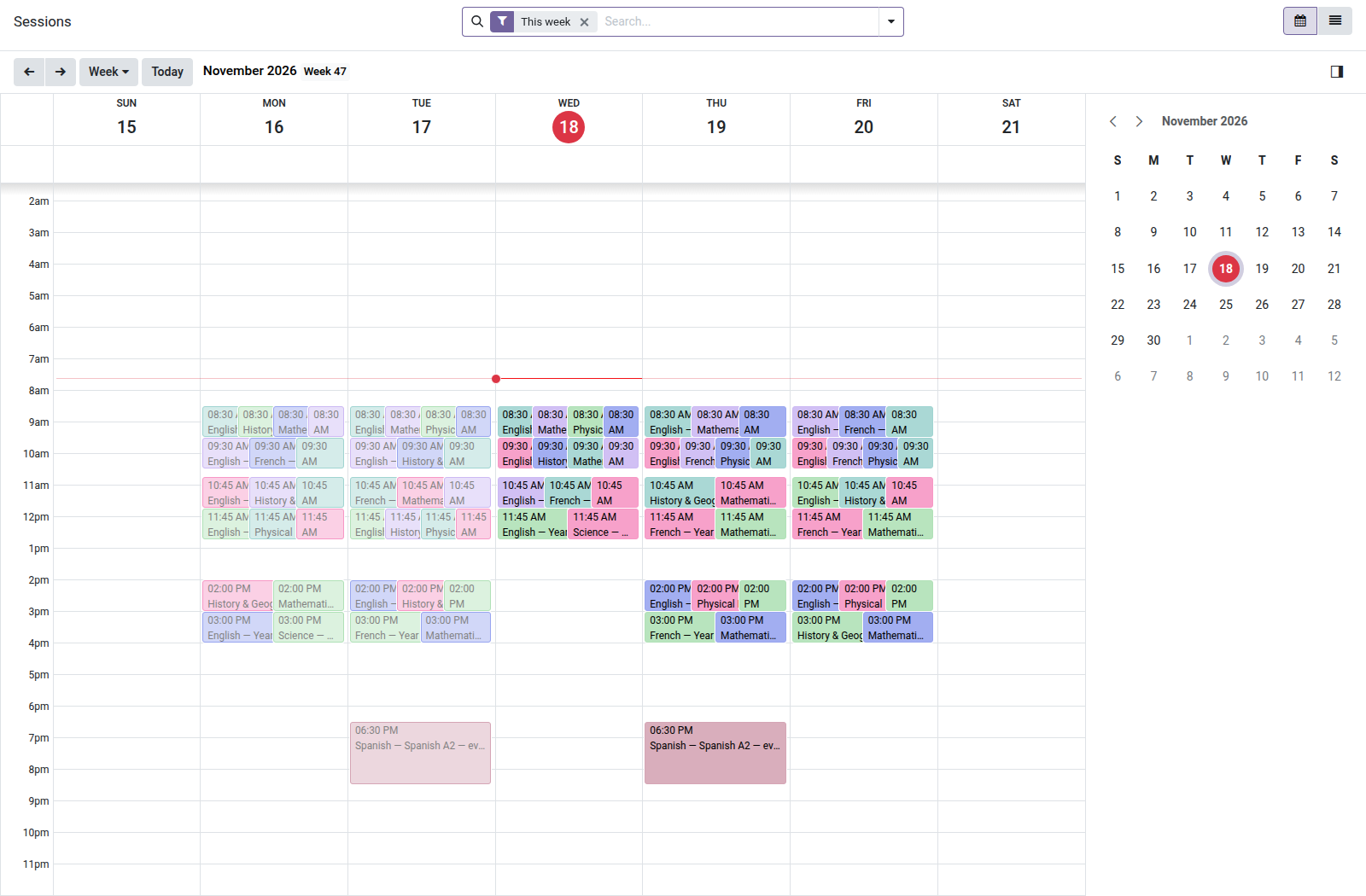
School — Timetable
Describe each class's typical week once: dated sessions are generated automatically, without duplicates, with room, teacher and class conflict checks — and the timetable prints by class, by teacher or by room.
The timetable lives in a spreadsheet: room 101 is booked twice on Tuesday and nobody notices until the first class; the teacher who was replaced last week is still replaced in the file; and every new school year, everything is re-entered. This module turns the typical week into living data — checked, dated, printable.
What it brings
- 📋 The typical week on the class record — each slot carries its subject, teacher, room, time and recurrence (weekly or every other week).
- 🚫 Zero conflicts — two overlapping slots for the same room, the same teacher or the same class cannot be saved; the message names the conflict. Changing a subject's teacher immediately re-checks all of their slots.
- 🔁 Sessions generated without duplicates — one click (or the daily cron) creates the upcoming dated sessions; running it again never recreates anything, and a canceled session stays canceled.
- 🧑🏫 Session-by-session substitutions — change the teacher of a single session without touching the slot or the rest of the year.
- 📅 Teacher's calendar (optional) — each session can appear on the teacher's own Odoo calendar; canceling removes it, even if the option has been turned off in the meantime.
- 🖨️ PDF printing — the weekly timetable by class, by teacher or by room, ready to post.
In pictures
1. The whole timetable in a calendar
Every session of the week at its hour, coloured by class; filter by class, teacher or room.
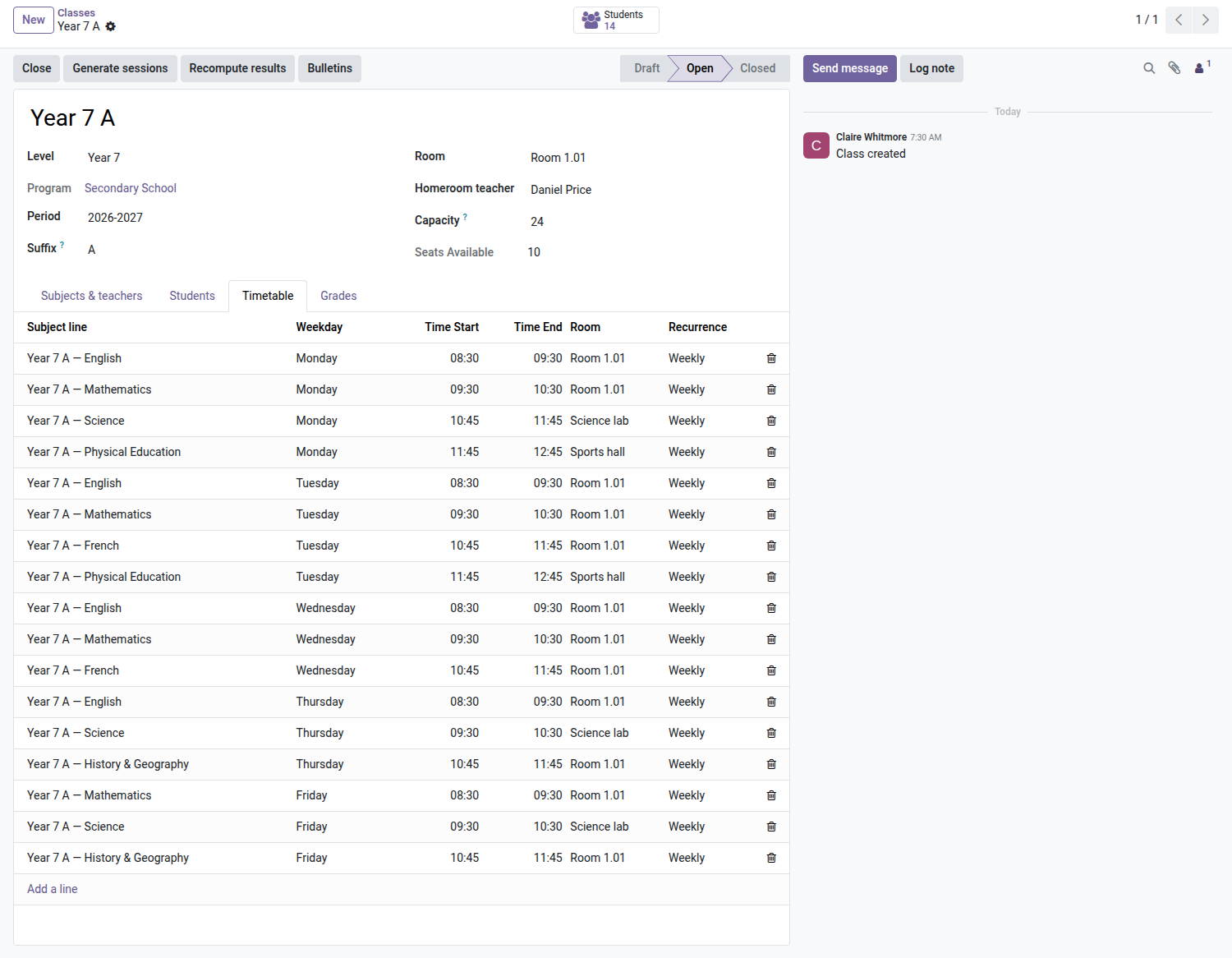
2. A class's weekly slots
Subject, day, hours and room for each slot; sessions are generated from them for the period.
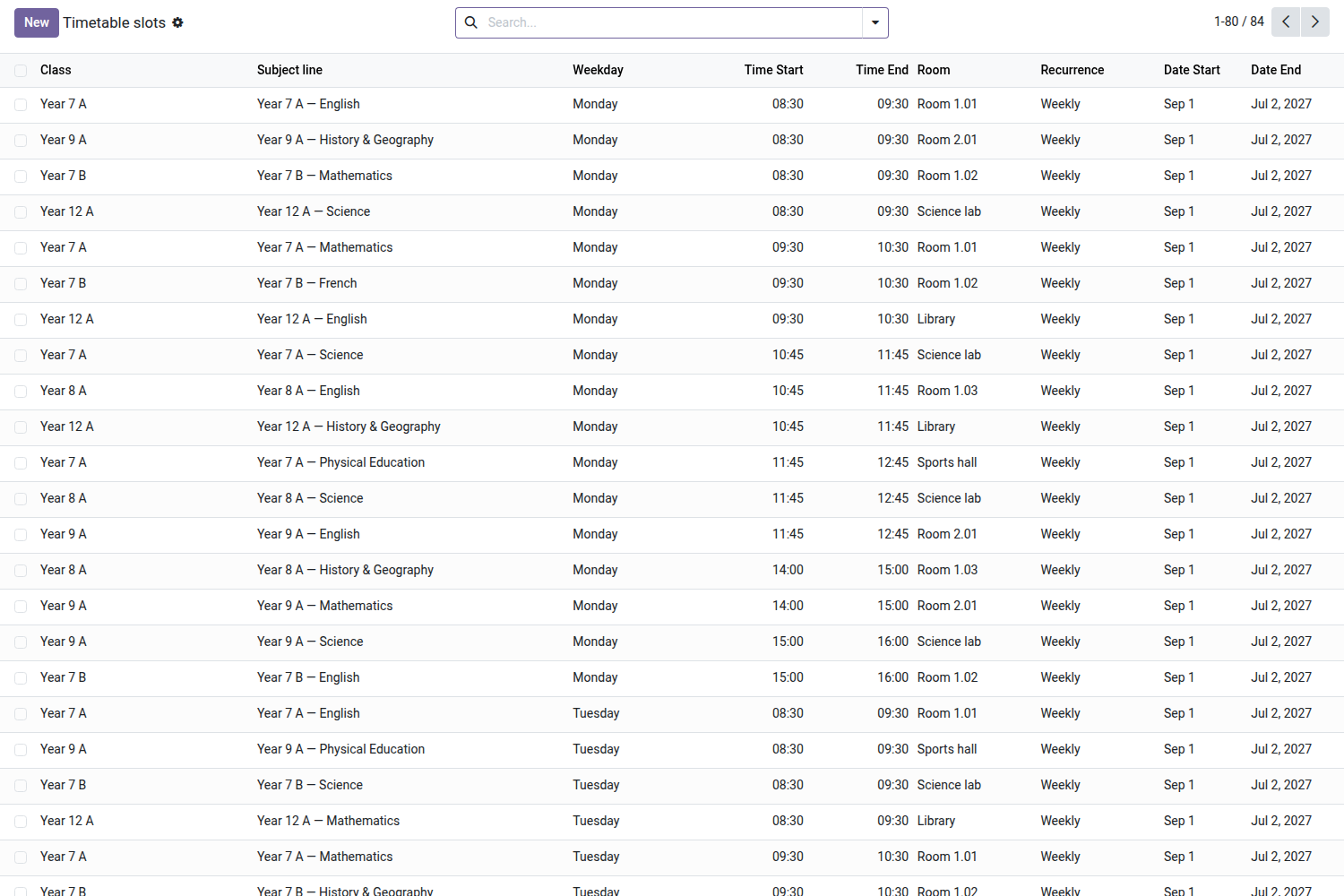
3. No double booking
A slot is refused if the class, the teacher or the room is already busy at that time.
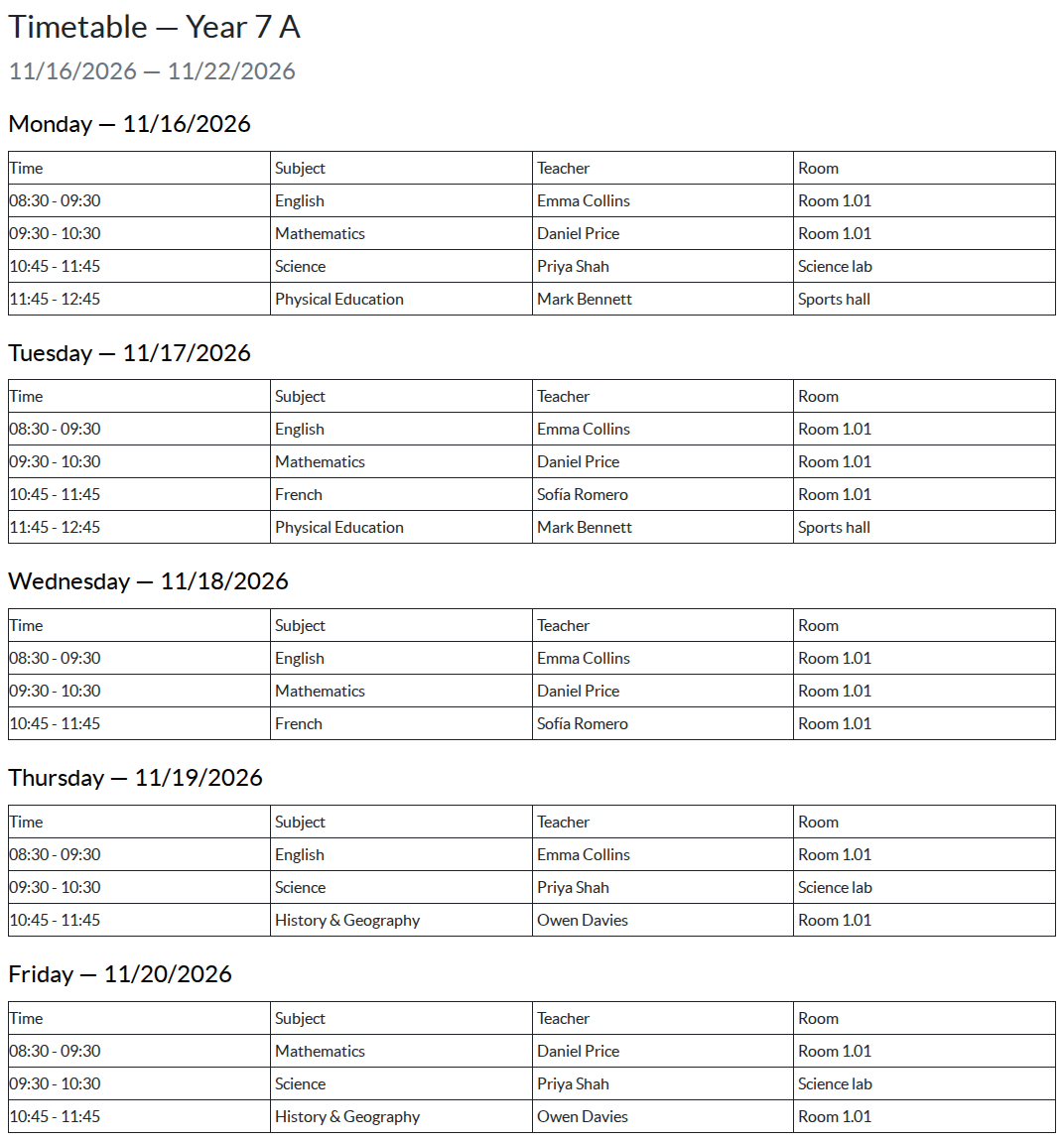
4. Printable weekly timetable
Print the week for a class, a teacher or a room, day by day.
Why adopt it
- Room and teacher conflicts show up at entry, not on the day of the class.
- Dated sessions become the foundation for the rest: the roll-call sheet (Attendance module) will build on them.
- Teachers in read-only mode: everyone checks their timetable, only the school office changes it.
Part of the School suite
Builds on the open-source core School Management — students, classes, enrollments. Complete it with Admissions, Tuition Fees and the Parent Portal. Full suite on apps.odooskills.com.
OPL-1 license — compatible with Odoo 19.0 Community. Requires the open-source School (core) module and the standard Calendar module. Support: apps@odooskills.com.
Discussion
Sign in to join the discussion.