HR Department Access
Premium Launch −30%Each HR user only sees the employees of their own departments — access separation without development, on Community.
| Technical name | oski_hr_department_security |
|---|---|
| License | OPL-1 |
| Author | OdooSkills |
$ 29.00
$ 20.30
Launch price — 30% off until December 31, 2026
A ready-to-use Odoo database with demo data, deleted after 1 hour. Odoo 20, 19, 18.
Missing a feature or found a bug?
Request a change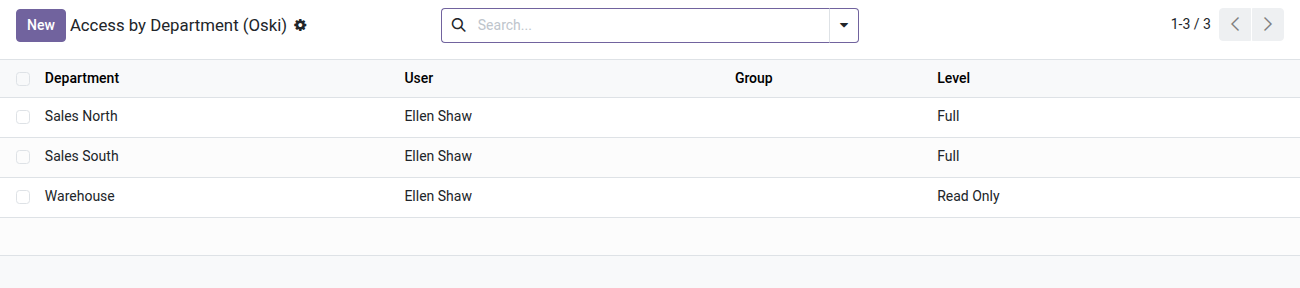
HR Access by Department
Each HR manager only sees the employees of their own departments — without a line of code, without technical configuration.
In Odoo Community, a user with access to the Employees app sees every employee record of every entity and every department by default. For organizations with sensitive units — payroll, management, R&D, subsidiaries — this is a real confidentiality problem: an operational HR officer has no business viewing executives' salary data, or another division's files. Setting up access rules by hand is a job for Odoo developers, costly and fragile to maintain.
What it adds
- 🔒 Separation by department — each user or group only sees employees from the departments explicitly allowed; the others are invisible.
- 📊 Two configurable access levels — read only or full actions (create, edit, delete) per department, to fine-tune rights by role.
- ✅ Hierarchy included automatically — granting a parent department covers all its sub-departments with no extra configuration.
- ⚡ Assignment by user or by group — manage rights by HR role (group) rather than person by person; team changes apply instantly.
- 🔒 Built-in safety net — Odoo blocks removing a restricted user's last department, preventing an accidental access gap ("you would no longer see any employee").
- ✅ 100% UI configuration — an "Allowed Departments" tab right on the user or group form; a dedicated menu for HR managers.
In screenshots
1. Who sees which department, at which level
One line per user or group: Full lets them act, Read Only lets them look. Lines can also be set from the user or group form.
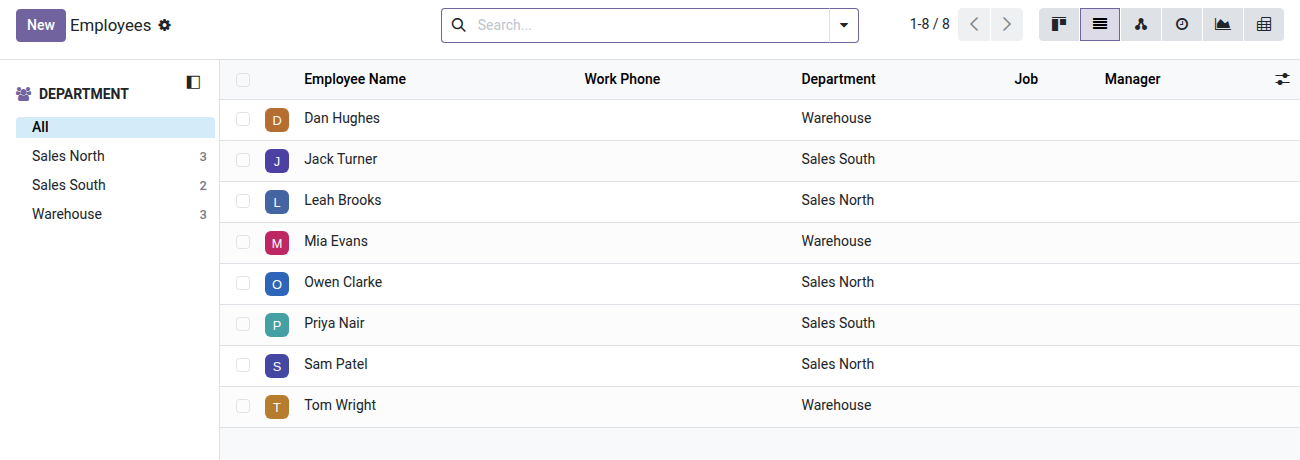
2. HR officer limited to their departments
The HR officer manages both sales departments and reads the warehouse team. Management files are out of reach.
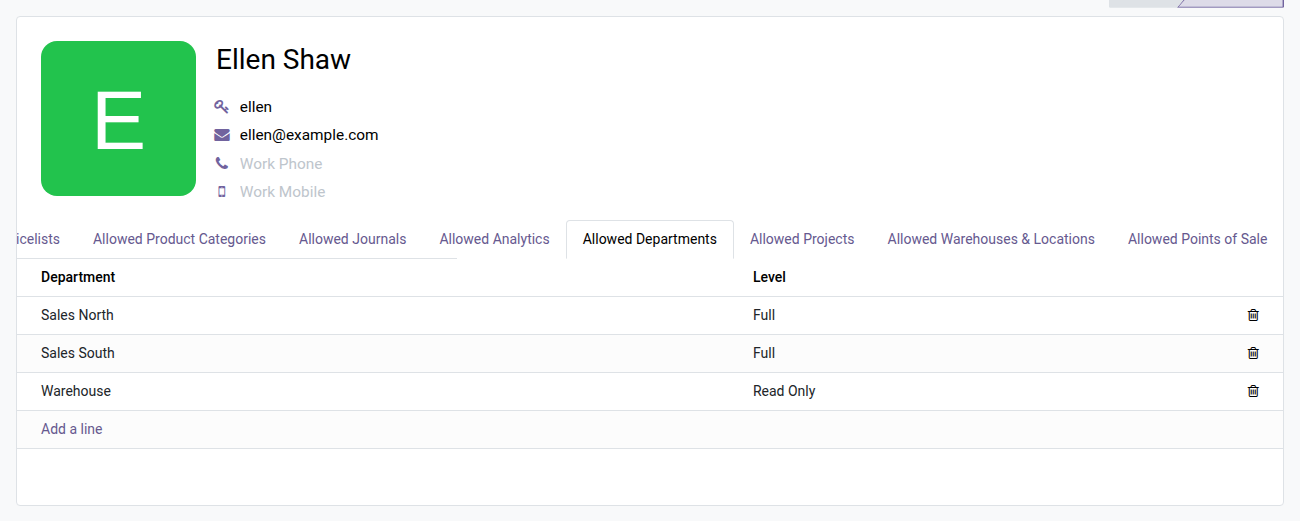
3. Set it from the user form
The Allowed Departments tab on the HR officer's form lists what they can see and do, line by line.
Why install it
- Advanced HR access separation, usually reserved for custom development or Odoo Enterprise, now available on Community Edition.
- No development: security rules are generated and maintained automatically — no regression when Odoo is updated.
- Built on oski_access_core (open-source module), a shared access-rights framework, tested and maintained across all OdooSkills security dimensions.
- Employees without a department remain visible to everyone ("shared" employees such as cross-functional assistants) — no disruption to existing workflows.
Part of the Security by Dimension suite
Add oski_analytic_security (restrict by analytic plan), oski_account_journal_security (separate by accounting journal) or oski_sale_team_security (limit by sales team) for a consistent access policy across your whole organization. The full suite (16 dimensions) is available as a bundle with a 54% discount. See the suite on apps.odooskills.com.
License OPL-1 — compatible with Odoo 19.0. Requires oski_access_core (open source). Support: apps@odooskills.com.
Discussion
Sign in to join the discussion.