Analytic Access Control
Premium Launch −30%Partition analytic accounts and plans by user or group — controlled visibility and posting, no Enterprise needed.
| Technical name | oski_analytic_security |
|---|---|
| License | OPL-1 |
| Author | OdooSkills |
$ 29.00
$ 20.30
Launch price — 30% off until December 31, 2026
A ready-to-use Odoo database with demo data, deleted after 1 hour. Odoo 20, 19, 18.
Missing a feature or found a bug?
Request a change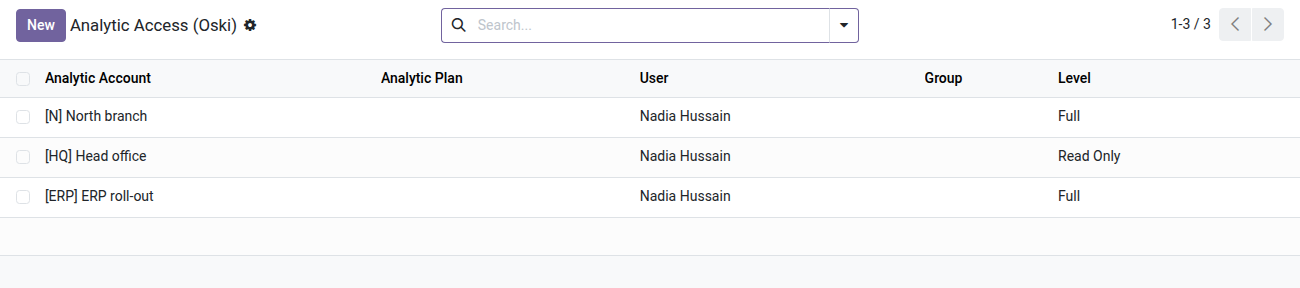
Analytic Account Access Control
Each user only sees and posts to their allowed analytic accounts — without touching the general chart of accounts.
In Odoo Community, any user with access to analytic accounting can see and post to any analytic account or plan. The result: a salesperson posts to the R&D budget, a project manager edits lines that are none of their business, and analytic reports mix data that should stay separate. There is no native mechanism to restrict this visibility without removing access to analytic accounting entirely.
What it adds
- 🔒 Partitioning by account or by plan — assign a specific analytic account or a whole plan (subplans included): the user only sees and posts there.
- 👥 Assignment by user or by group — set the rights once on an Odoo group and all its members inherit the permissions.
- ⚡ Two distinct access levels — read-only to view reports, full to create and edit analytic postings.
- 📊 Plan hierarchy respected — assigning a plan automatically covers all its subplans and the accounts that belong to them.
- ✅ Built-in safeguard — the last account of a restricted user cannot be removed: Odoo blocks it and shows a clear message before posting gets locked out.
- 🔁 Airtight on three models — the security rules cover analytic accounts, plans and analytic lines (no bypass possible through the ORM).
In screenshots
1. Who sees which analytic account, at which level
One line per user or group: Full lets them act, Read Only lets them look. Lines can also be set from the user or group form.
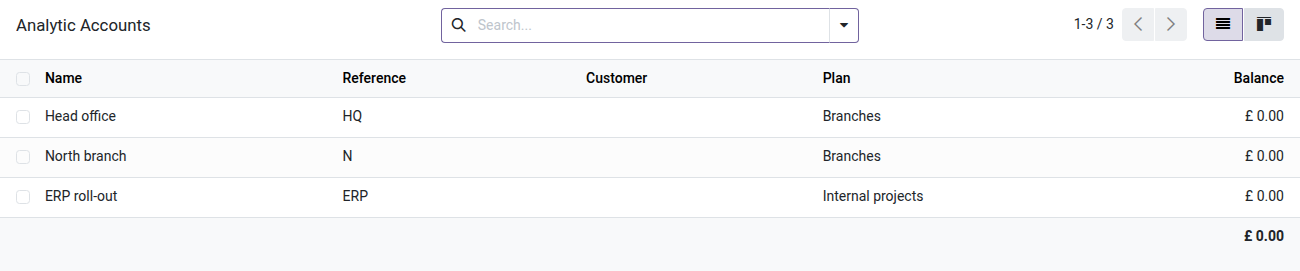
2. Analytic accounts by branch
The accountant follows the North branch and the ERP project, and reads head office figures. The South branch stays hidden.
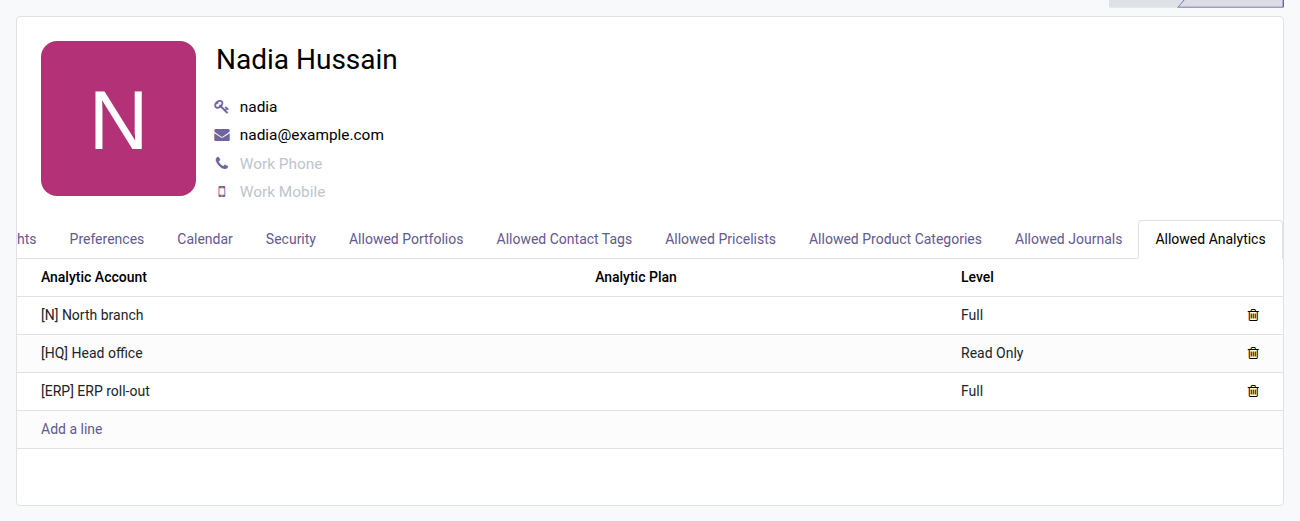
3. Set it from the user form
The Allowed Analytics tab on the accountant's form lists what they can see and do, line by line.
Why install it
- A feature missing from Community: get real analytic partitioning without moving to Enterprise.
- Centralized configuration through the Allowed analytic tab on the user form or the group form — no extra development.
- Unrestricted users are not affected: the rules only apply to members of the Restricted analytic access group.
- Full auditability: a dedicated view under Accounting > Analytic lists every permission at a glance.
Part of the Dimension Security Suite
Complete it with oski_account_journal_security (restriction by accounting journal), oski_project_security (restriction by project) or oski_sale_team_security (restriction by sales team) for consistent multi-dimension partitioning. The oski_access_core core is open source. See the full suite on apps.odooskills.com.
License OPL-1 — compatible with Odoo 19.0 Community. Requires the open-source oski_access_core module. Support: apps@odooskills.com.
Discussion
Sign in to join the discussion.