
Timesheet Reminder
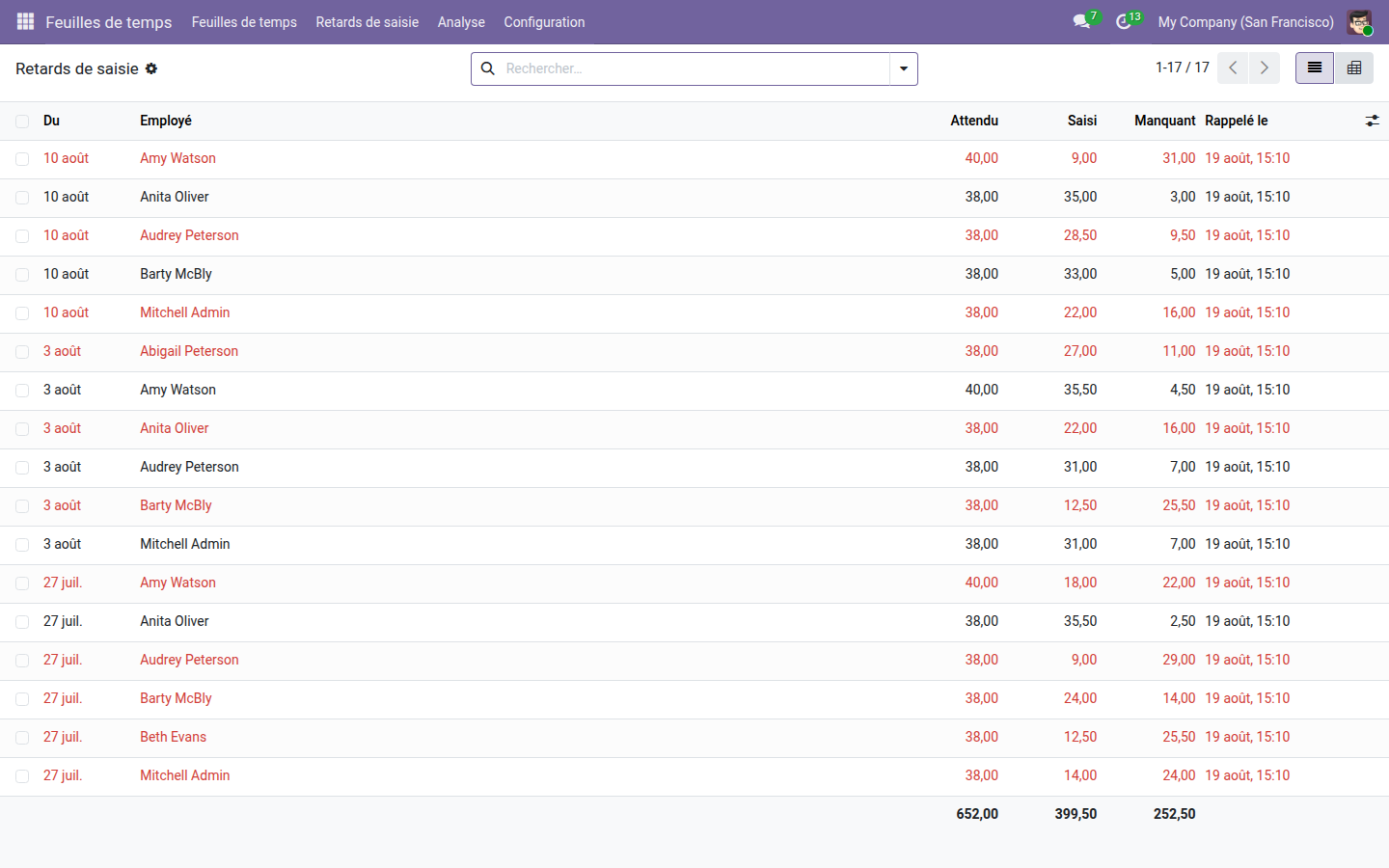
The table of missing timesheet hours, week by week, and the reminder that goes with it.
Odoo Community sends no reminders: the two timesheet reminder checkboxes are reserved for the Enterprise edition. An empty timesheet stays empty, and the project manager only notices at invoicing time, when nobody remembers what they did three weeks earlier.
What it brings
- 📊 Missing hours become data: you can review them, total them and compare them from one week to the next, in list and pivot views alike.
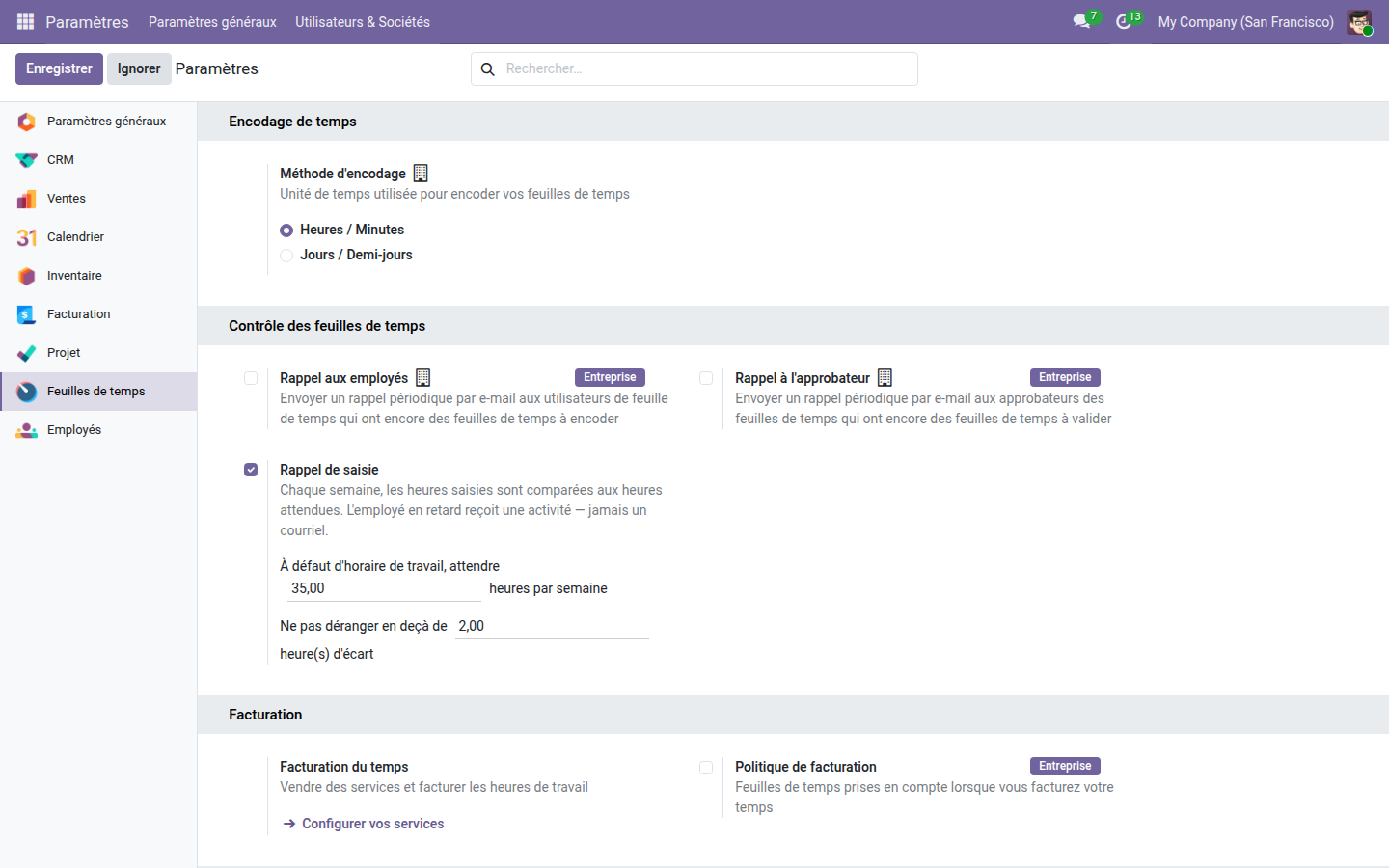
- ⏱️ The employee's working schedule is the reference — a part-timer checked against 35 hours would be behind every single week. The company setting is only a fallback.
- 🤫 A tolerance avoids bothering anyone over fifteen minutes.
- 🔔 An activity for the employee, never an email, and only once per week checked.
Real screenshots
1. Missing hours, week by week
Expected, logged, missing, for each employee and each week, with totals. The first row expects forty hours, not thirty-eight: that is this person's schedule, not a company average.
2. The setting, right where you look for it
Just below the two core reminders marked “Enterprise”, which do nothing on Community. The default expected hours and the tolerance are set in the same place.
Why adopt it
- The scheduled action checks the past week, Monday to Sunday: checking the current week would accuse everyone of a delay that does not exist yet.
- The reminder is set only once per week checked: running the action again must not stack reminders on the same person.
- An activity rather than an email: it stays in the employee's daily list until they have logged their time.
- Open source module, LGPL-3 license — it depends only on the core Timesheets app.
Going further
Collecting the hours is a start; planning and invoicing them comes next. The OdooSkills range covers resource planning, Gantt chart schedules for projects and manufacturing, and project segregation between teams. Full catalog: apps.odooskills.com.
LGPL-3 license — compatible with Odoo 19.0 Community and Enterprise. Support : apps@odooskills.com.
Discussion
Sign in to join the discussion.