Subscription Portal
Premium Launch −30%Give your subscribers a self-service portal to view and cancel their contracts — no support ticket needed.
| Technical name | oski_subscription_portal |
|---|---|
| License | OPL-1 |
| Author | OdooSkills |
$ 39.00
$ 27.30
Launch price — 30% off until December 31, 2026
A ready-to-use Odoo database with demo data, deleted after 1 hour. Odoo 20, 19, 18.
Missing a feature or found a bug?
Request a change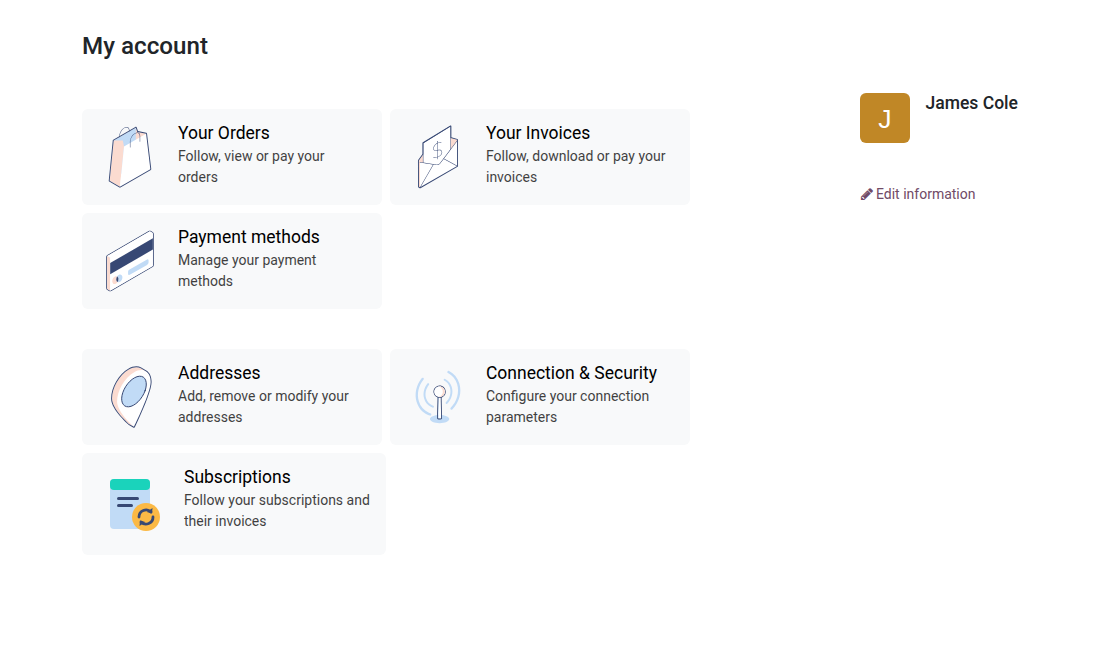

Self-Service Subscriber Portal
Your customers view their subscriptions and cancel on their own — no support ticket.
Without a dedicated portal, every subscriber who wants to know their next invoice date, review their contract lines or request a cancellation has to contact your team. These trivial exchanges clog up customer service, slow down operations and frustrate customers. Odoo Community includes no native customer interface for subscriptions — a gap that Enterprise fills at a high price. oski_subscription_portal brings it to Community, for $39.
What it brings
- 📋 Paginated list of all subscriptions — the customer sees reference, plan, next invoice date, MRR and status from /my account, with no intervention from your team.
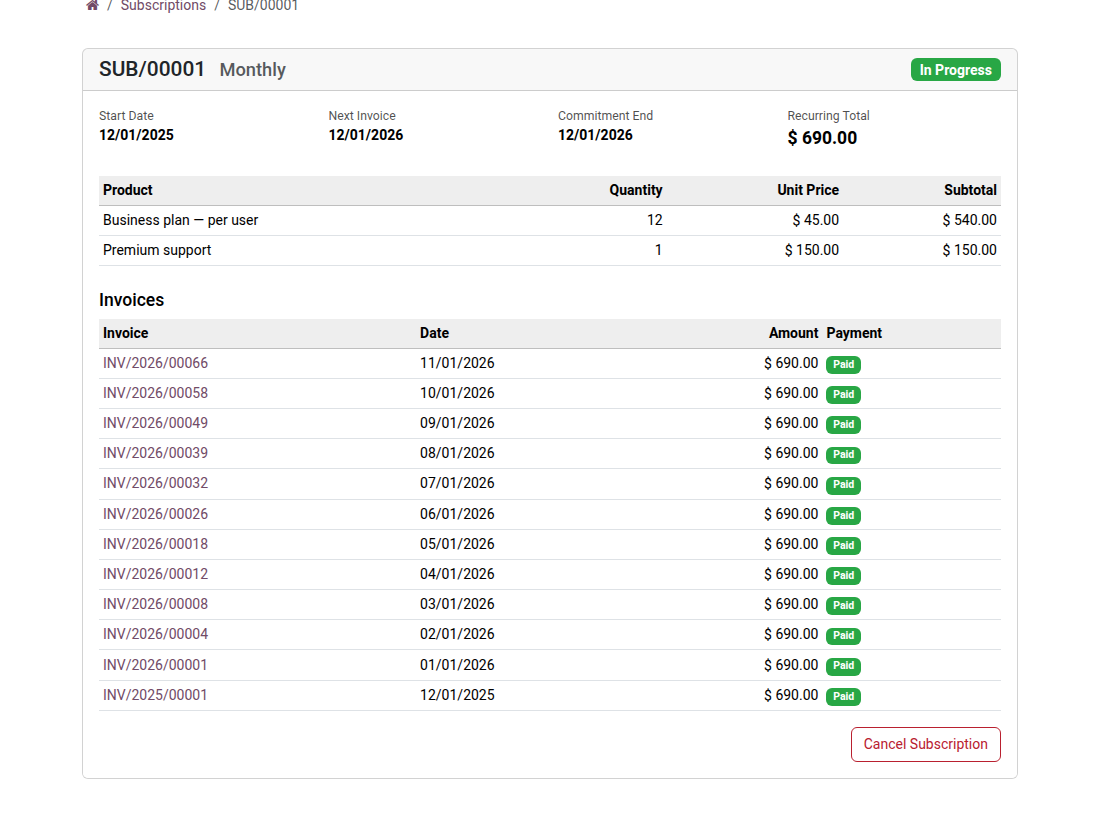
- 📄 Detailed page per subscription — plan, start date, next invoice, product lines with quantities, unit prices and subtotals, recurring total.
- 🔴 One-click cancellation from the portal — the “Cancel” button appears only for active or paused subscriptions; a confirmation is required before it runs, and a message is automatically posted in the back-office chatter.
- 🔒 Secure access by token or signed-in account — each subscription is protected by a unique token link; no cross-access between customers is possible.
- ⚡ Native integration with the Odoo portal — a “Subscriptions” counter appears on the portal home page, alongside orders and invoices.
Real screenshots
1. Subscriptions in the customer account
A Subscriptions entry joins orders and invoices in the customer portal.
2. The customer's subscriptions
Plan, next invoice, amount and status of each subscription.
3. Lines, invoices and cancellation
The customer sees what is billed, opens each invoice and can cancel the subscription online.
Why adopt it
- Removes repetitive support requests about viewing or cancelling subscriptions — your agents focus on real customer issues.
- Gives customers the same autonomy as the big SaaS platforms, without Odoo Enterprise or custom development.
- Every cancellation through the portal is tracked in the chatter (timestamped message) — a full audit trail with no manual work from the team.
- Works with every plan created in oski_subscription (the open-source core) — no extra configuration required.
Part of the Subscription Pro suite
Complete it with oski_subscription_payment (automatic recurring payment) and oski_subscription_renewal (renewal workflow with alerts) for a complete subscription lifecycle on Community. See the full suite on apps.odooskills.com.
📦 Need it all? The Subscriptions suite installs all five modules at once for $99 instead of $156.
OPL-1 license — compatible with Odoo 19.0. Requires the open-source module oski_subscription. Support : apps@odooskills.com.
Discussion
Sign in to join the discussion.