
Warehouse Access Control
Premium Launch −30%Segregate warehouses and locations by user or group — each warehouse operator sees and acts only on their own scope.
| Technical name | oski_stock_location_security |
|---|---|
| License | OPL-1 |
| Author | OdooSkills |
$ 29.00
$ 20.30
Launch price — 30% off until December 31, 2026
A ready-to-use Odoo database with demo data, deleted after 1 hour. Odoo 20, 19, 18.
Missing a feature or found a bug?
Request a change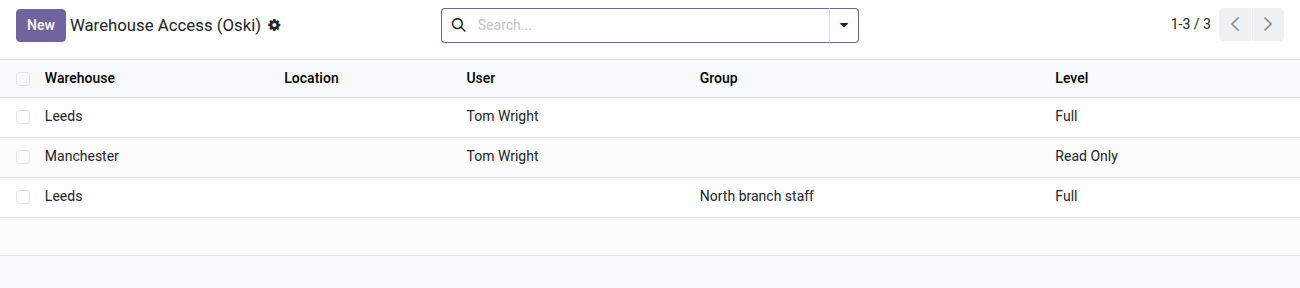
Warehouse & Location Restriction
Each warehouse operator sees and acts only on the stock they are responsible for — no code required.
In a multi-site or multi-warehouse company, every Inventory user sees, by default, all transfers, locations and on-hand stock — whatever their area of responsibility. A logistics operator in Lyon can view (or edit) the operations in Marseille. This overlap leads to validation errors, unintended adjustments and, in regulated industries, a real compliance risk. Odoo Community offers no native per-warehouse segregation: you either buy Enterprise or hand-craft access rules yourself.
What it brings
- 🔒 Per-warehouse segregation — assign each user or group the warehouses they can view or edit; everything else disappears from their Inventory dashboard.
- 📍 Fine-grained location targeting — on top of the warehouse level, allow specific locations (picking area, receiving area, external warehouse) down to the individual bin.
- ⚖️ Two distinct access levels — Read to consult without any risk of changing anything; Full to validate, create and delete. Combine both on the same user, warehouse by warehouse.
- 👥 Per-user or per-group assignment — configure rights once on the Odoo group; members inherit them automatically. No duplicates to maintain.
- 🛡️ Full coverage of the Inventory app — the rules apply to transfers, stock moves, detailed operations, on-hand stock, locations, scrap orders and replenishment rules.
- ✅ Lockout safeguard — Odoo refuses to remove the last warehouse of a restricted user and says so explicitly, so none of their operations get silently blocked.
Real screenshots
1. Who sees which warehouse, at which level
One line per user or group: Full lets them act, Read Only lets them look. Lines can also be set from the user or group form.
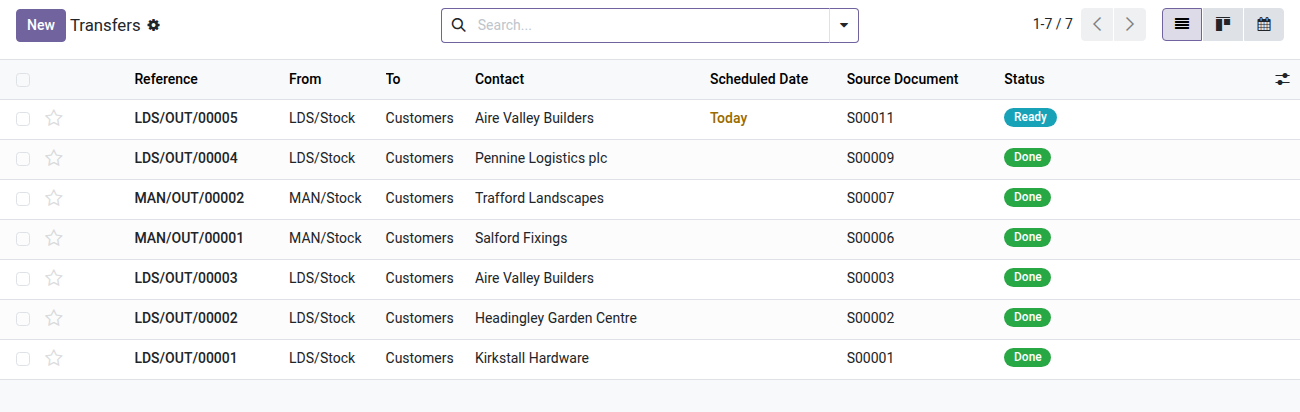
2. The warehouse lead's transfers
Leeds transfers can be processed; Manchester ones are read only. Other locations would not show.
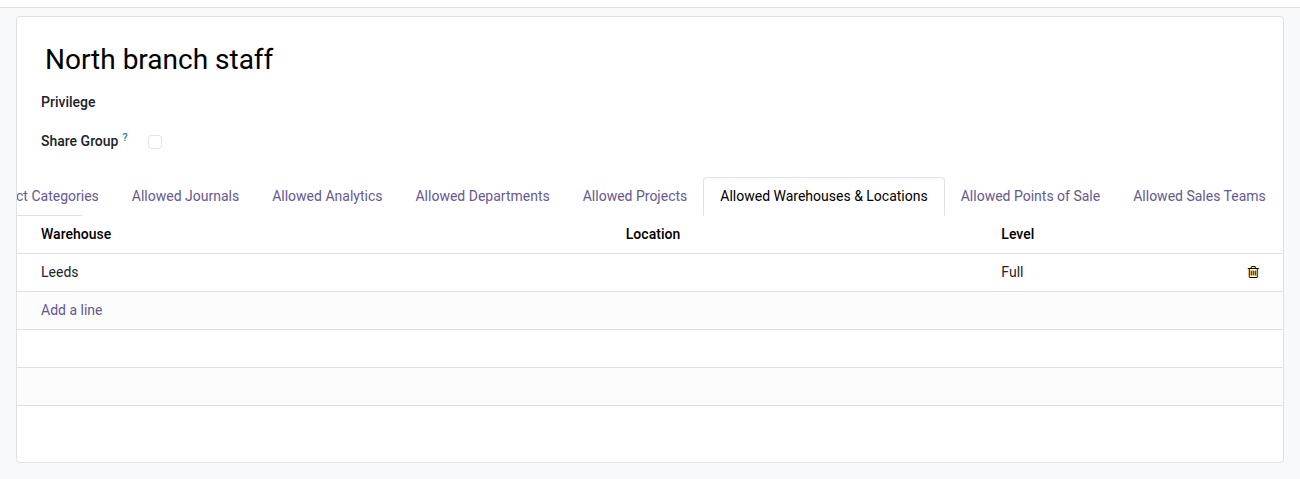
3. Or give it to a whole group
Lines carried by a group apply to all its members: here the North branch staff get the Leeds warehouse.
Why adopt it
- Get Odoo Enterprise-grade per-warehouse segregation without paying for an Enterprise subscription — on Community, in a single install.
- 100% configured from the interface: an Allowed Warehouses & Locations tab on every user and group form; no code, no SQL.
- Eliminates cross-site validation errors and reduces disputes between logistics teams.
- Part of the OdooSkills Dimension Security Suite: combine it with other modules of the suite to secure every business axis (accounting journals, product categories, costs & margins…).
Part of the Dimension Security Suite
Complete it with oski_cost_margin_security (hide purchase cost and margin from salespeople) and oski_product_category_security (restrict product visibility by category) to cover every access-control axis of your Odoo Community. See the full suite on apps.odooskills.com.
OPL-1 license — compatible with Odoo 19.0. Requires the open-source module oski_access_core.
Support : apps@odooskills.com.
Discussion
Sign in to join the discussion.