Stock Barcode
Receive, ship, count and transfer by scanning — five touch screens designed for the field, with any scanner or the phone's camera. No Enterprise license.
On the dock, the operator has neither a mouse nor a comfortable keyboard: they have a scanner and their hands full. Odoo's native stock views are still designed for the office — too many fields, too many clicks, no audio feedback when a scan goes through. The result: quantity errors, forgotten lines and an inventory count that drags on. What is missing is a full-screen touch interface that reacts to the beep.
What it brings
- 📦 Five dedicated screens — receipt, delivery, internal inventory count, transfer and lookup, each optimized for a single task.
- 🔊 Audio feedback and vibration — every valid scan beeps; an error makes a distinct sound, so eyes never leave the screen.
- ⌨️ Scan or manual entry — works with any keyboard-wedge scanner (USB/Bluetooth) or the camera; the code can also be typed in.
- 🔁 Automatic backorders — unprocessed quantities generate the remaining move without any extra handling.
- 🏷️ Location labels & delivery slip barcode — print location labels and find the delivery slip's barcode directly from the app.
- 🧾 "My session" log — each operator finds the timestamped history of their own scans for the day.
In pictures
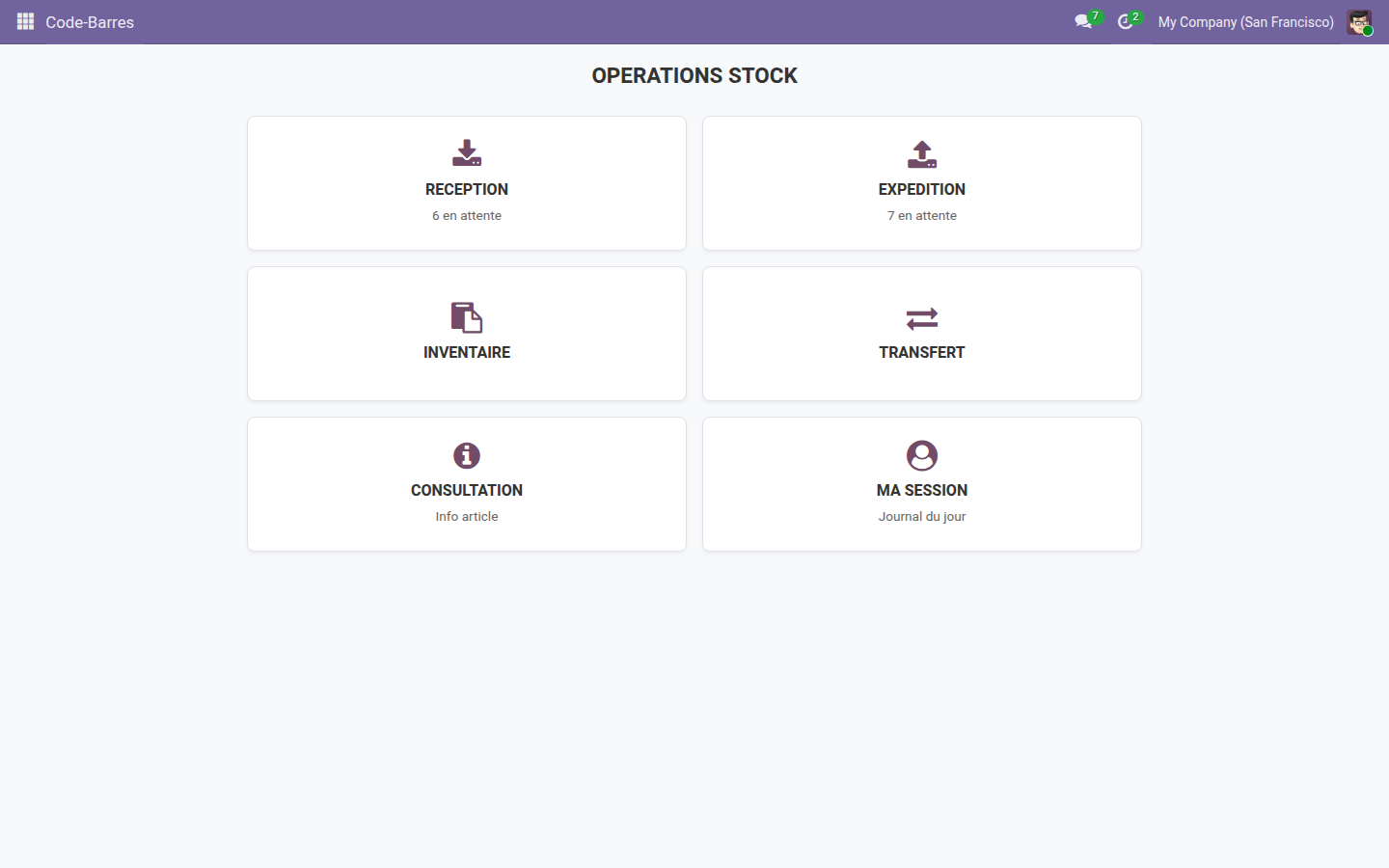
1. Home: choose an operation
A full-screen, finger-first menu: the operator taps the operation to perform and starts right away, without navigating through Odoo menus.
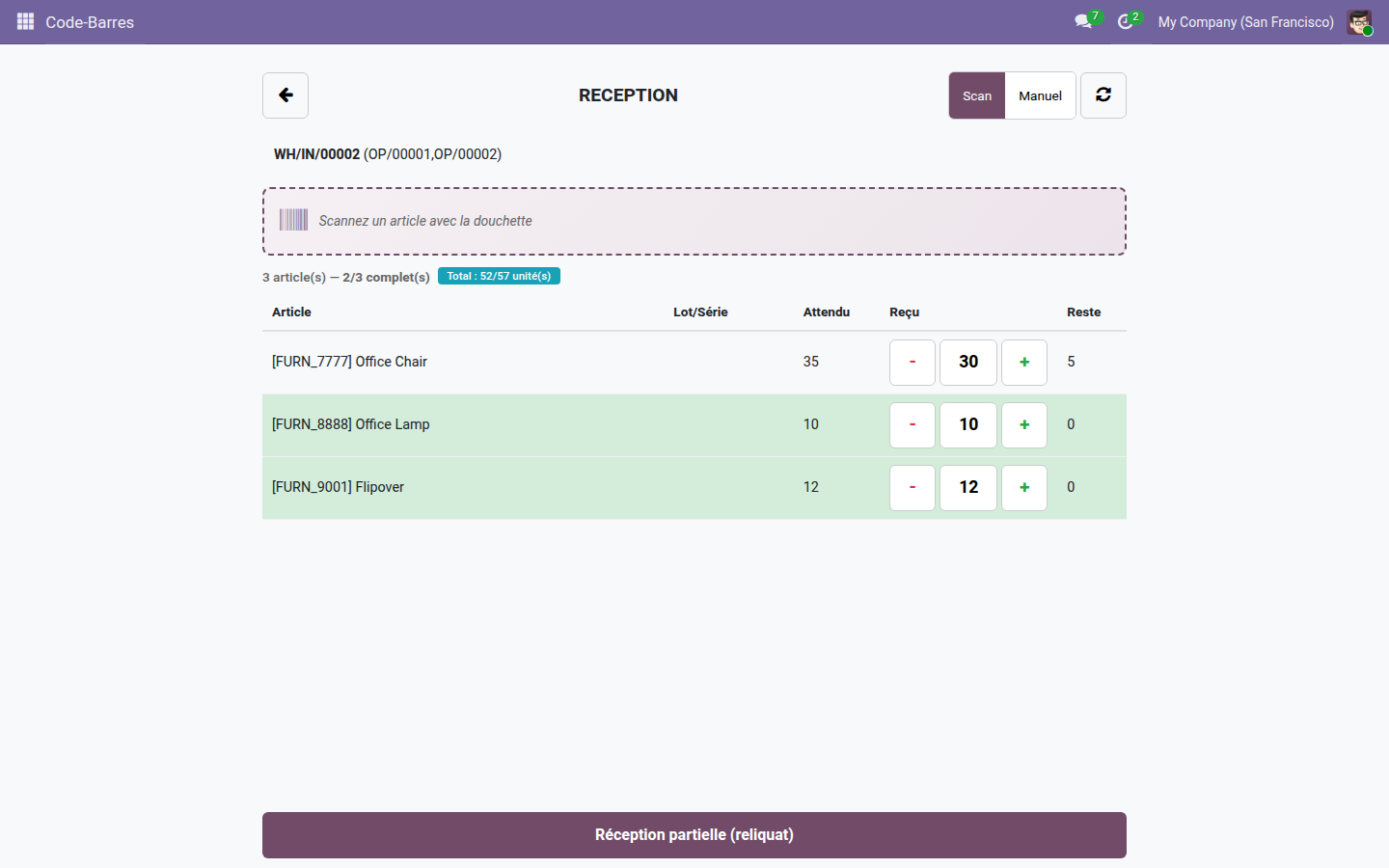
2. Receive by scanning
Scan the product, the line increments and the beep confirms. The done/expected counter stays visible at all times, and the backorder is computed automatically.
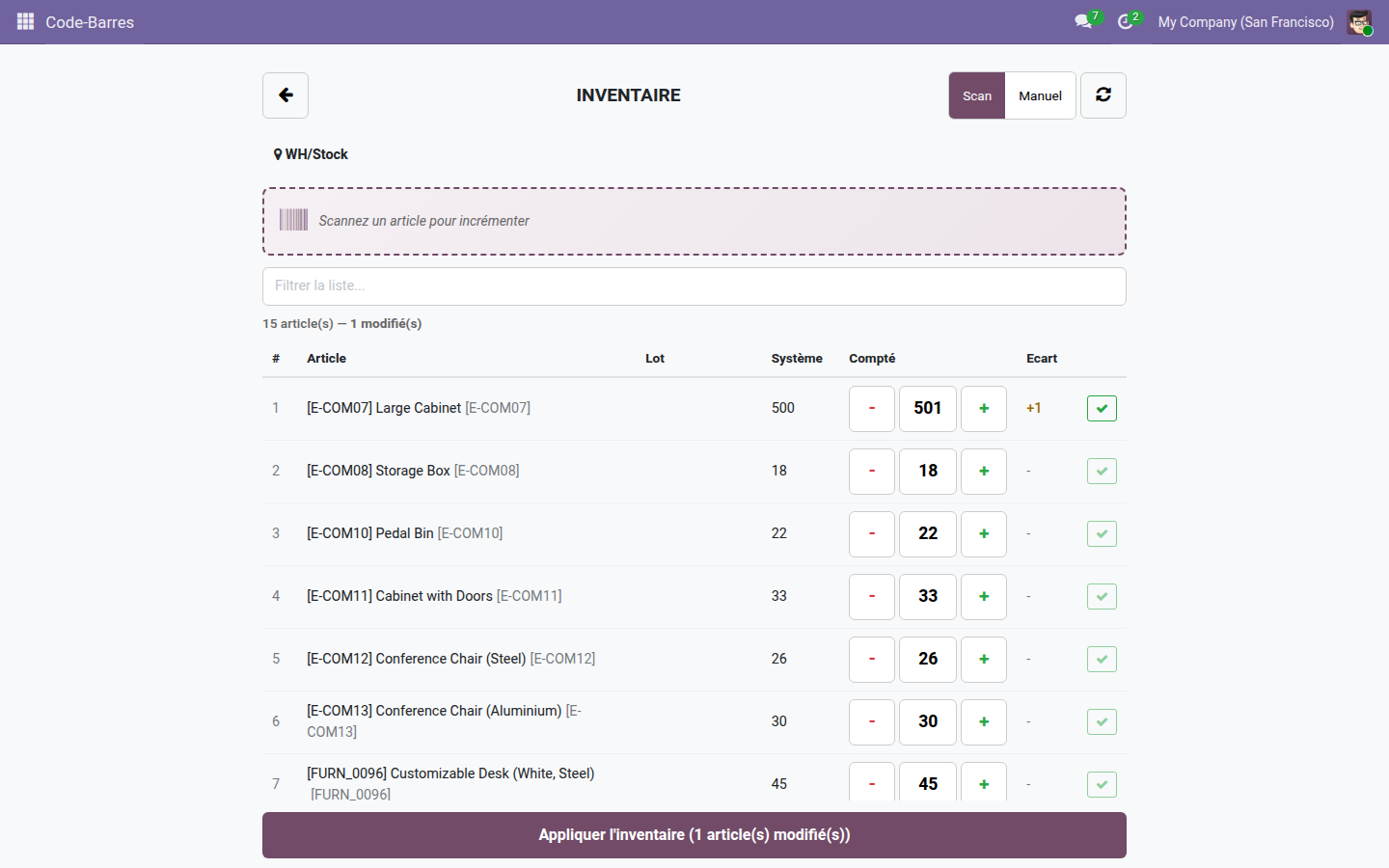
3. Touch inventory count
The +/- stepper corrects the counted quantity with one finger; validation applies the inventory adjustment to the scanned location.
Why adopt it
- Open source and standalone — relies only on Odoo's standard Inventory and Barcode modules.
- No imposed hardware: any keyboard-wedge scanner or the smartphone camera is enough.
- An interface designed for the field — big buttons, audio feedback, full screen, usable with gloves.
- Per-operator traceability through the session log, with no configuration.
Need lots & serial numbers?
The Stock Barcode — Lots & Serials extension adds to these same screens lot entry by scan, expiration dates, generation and pasting of serial numbers, scan-to-pick on delivery and Code128 PDF labels per lot.
LGPL-3 license — compatible with Odoo 19.0. Support: apps@odooskills.com.
Discussion
Sign in to join the discussion.