
Electronic Signature
Premium Launch −30%Have third parties sign your PDFs through a secure link: placed fields, multiple signers, proof of integrity.
| Technical name | oski_sign |
|---|---|
| License | OPL-1 |
| Author | OdooSkills |
$ 49.00
$ 34.30
Launch price — 30% off until December 31, 2026
A ready-to-use Odoo database with demo data, deleted after 1 hour. Odoo 20, 19, 18.
Missing a feature or found a bug?
Request a change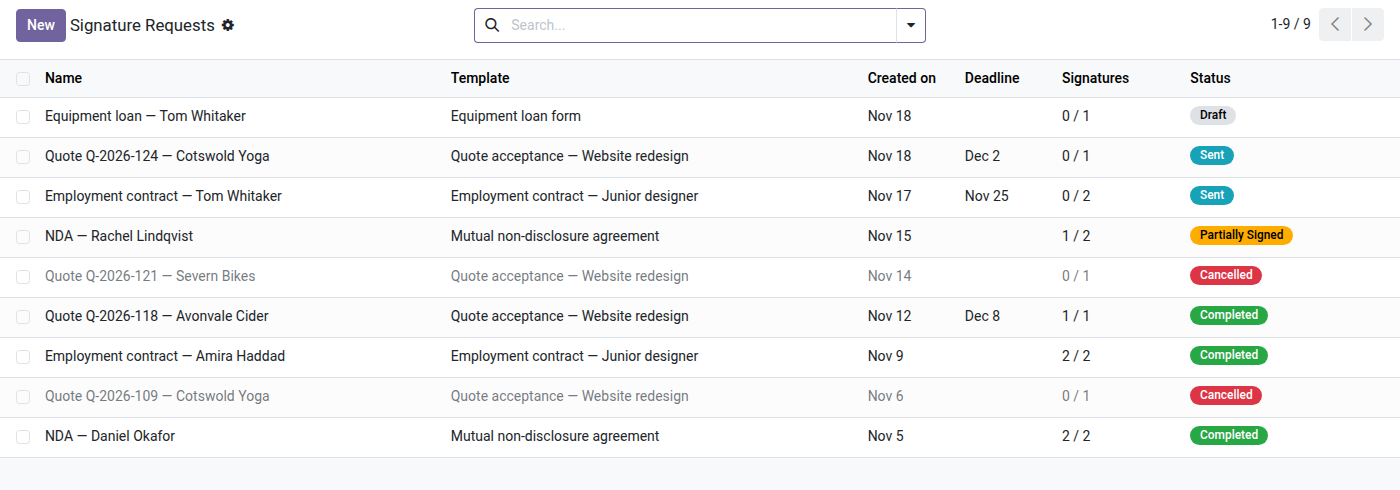
Electronic Signature
Have third parties sign your PDFs through a secure link — no account, no external dependency, with proof of integrity.
Getting a contract, a quotation or a release form signed still too often means printing, scanning and following up by email — without ever knowing who signed, when, or being able to prove the document has not changed since. The alternative, an external signature platform, adds a monthly subscription and takes your documents out of your Odoo.
What it brings
- ✍️ Reusable document template — upload a PDF, place the fields (signature, date, text) directly on the page by drag and drop, assign each field to a signer role.
- 👥 Multiple signers, in the order you want — send to several signers in parallel (all at once) or in sequence (one after another), each role seeing only its own fields.
- 🔗 Secure link, no account — each signer receives a unique tokenized link and signs from their browser, without creating an Odoo account.
- 🔒 Proof of integrity — the finalized document carries a SHA-256 hash and a certificate of completion page: timestamps, IP addresses, event log — an immutable audit trail.
- ⚡ 100% Odoo, zero external dependency — PDF rendering in the browser (embedded pdf.js), server-side stamping (reportlab + PyPDF2, already present in Odoo). No third-party service, no data leaving your server.
In pictures
1. Every request and where it stands
Template, creation date, deadline, how many signers have signed and the status, from draft to completed or cancelled.
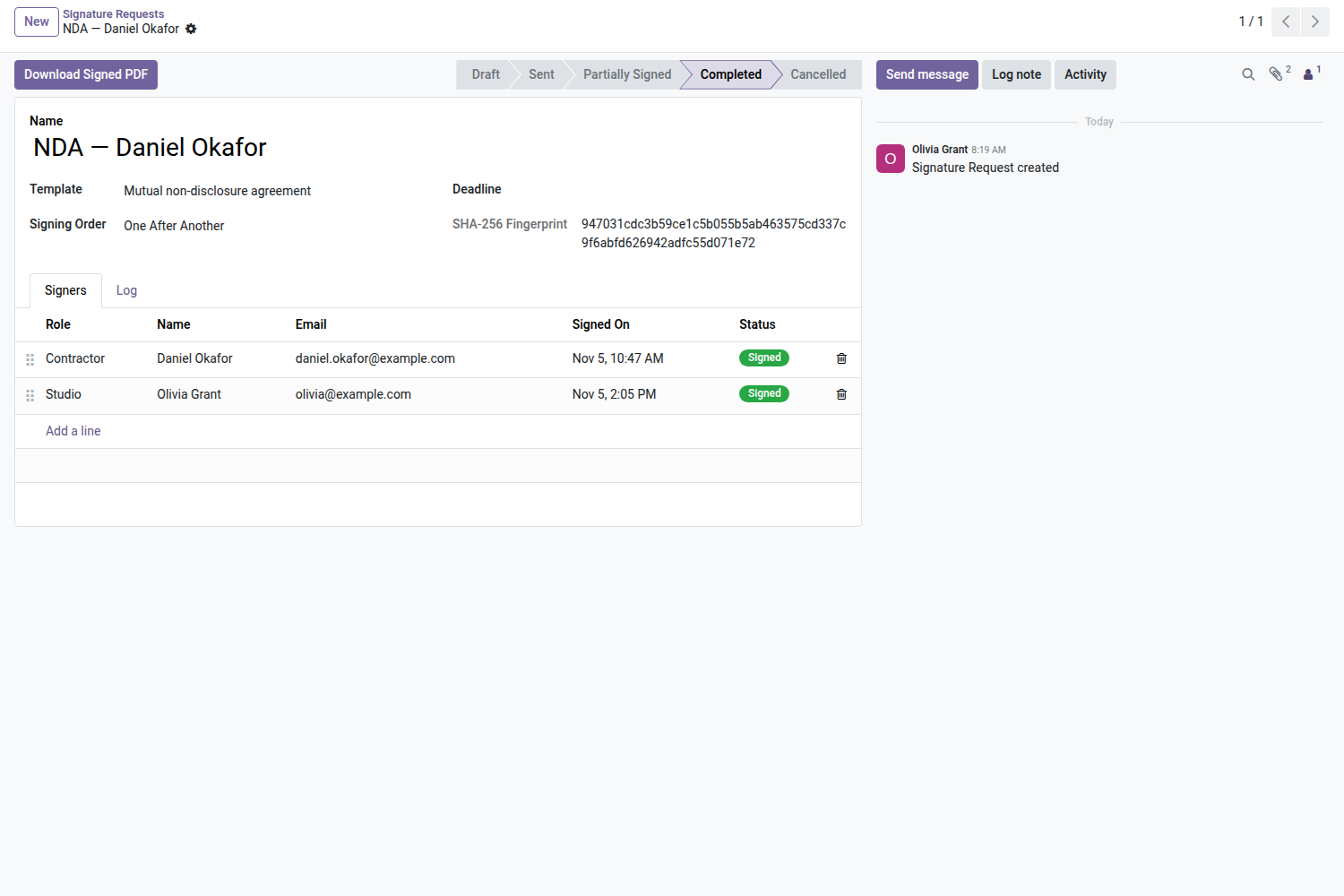
2. A completed request, sealed
Signers in their order with the date they signed; the final PDF carries a SHA-256 fingerprint and can be downloaded.
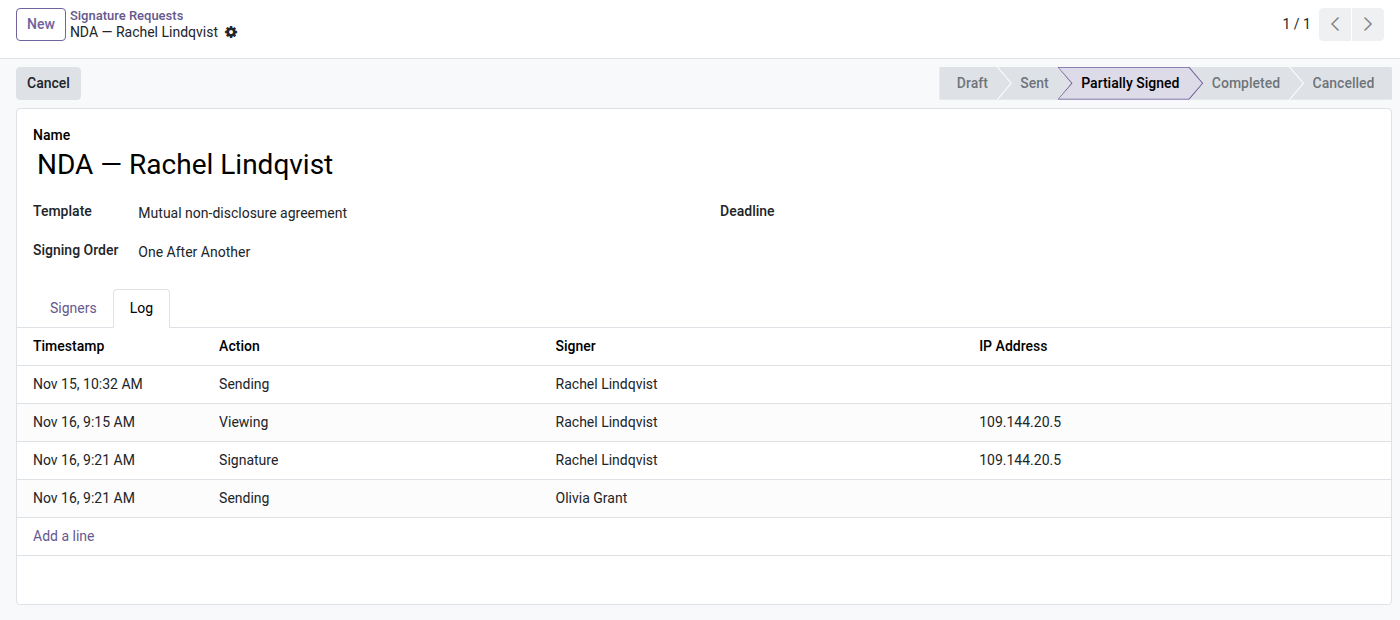
3. One signer after another
In sequential mode the next signer is invited only once the previous one has signed; the log keeps every step with its IP address.
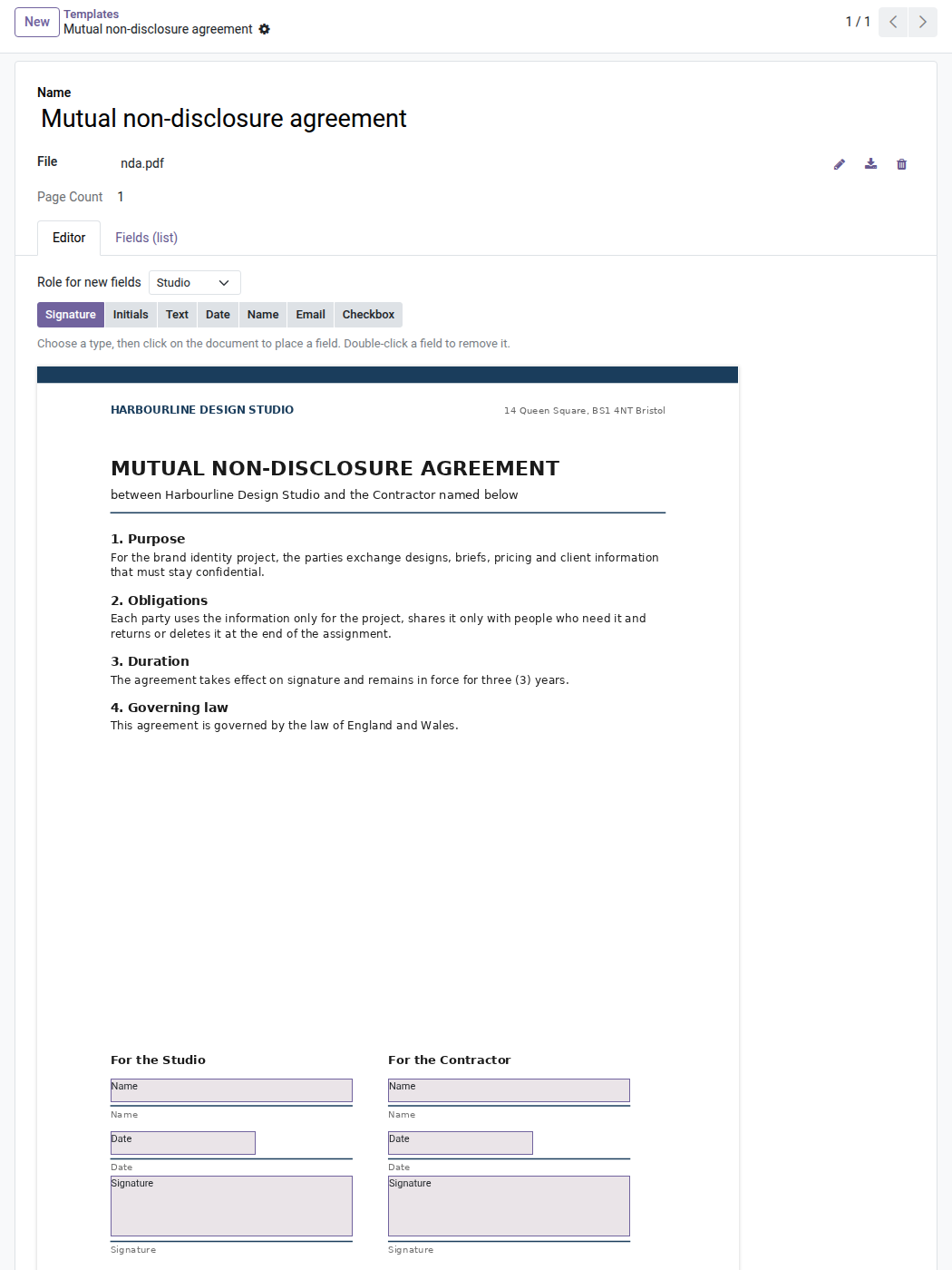
4. Place the fields on your own PDF
Pick a role and a field type, then click on the document: signature, initials, name, date, text, email or checkbox.
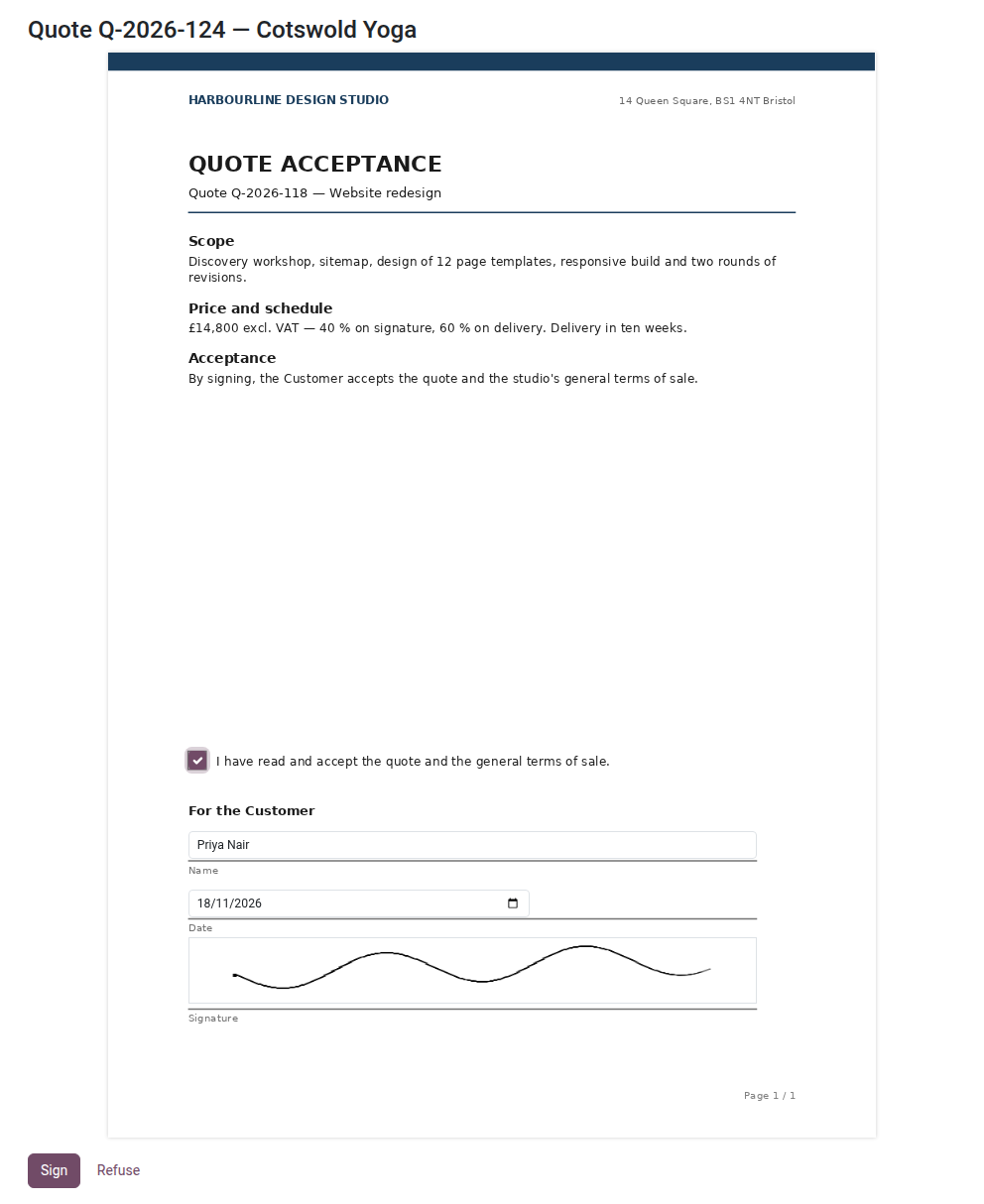
5. Signing from a secure link
No account needed: the signer reads the document, ticks the box, types their name and draws their signature, on a computer or a phone.
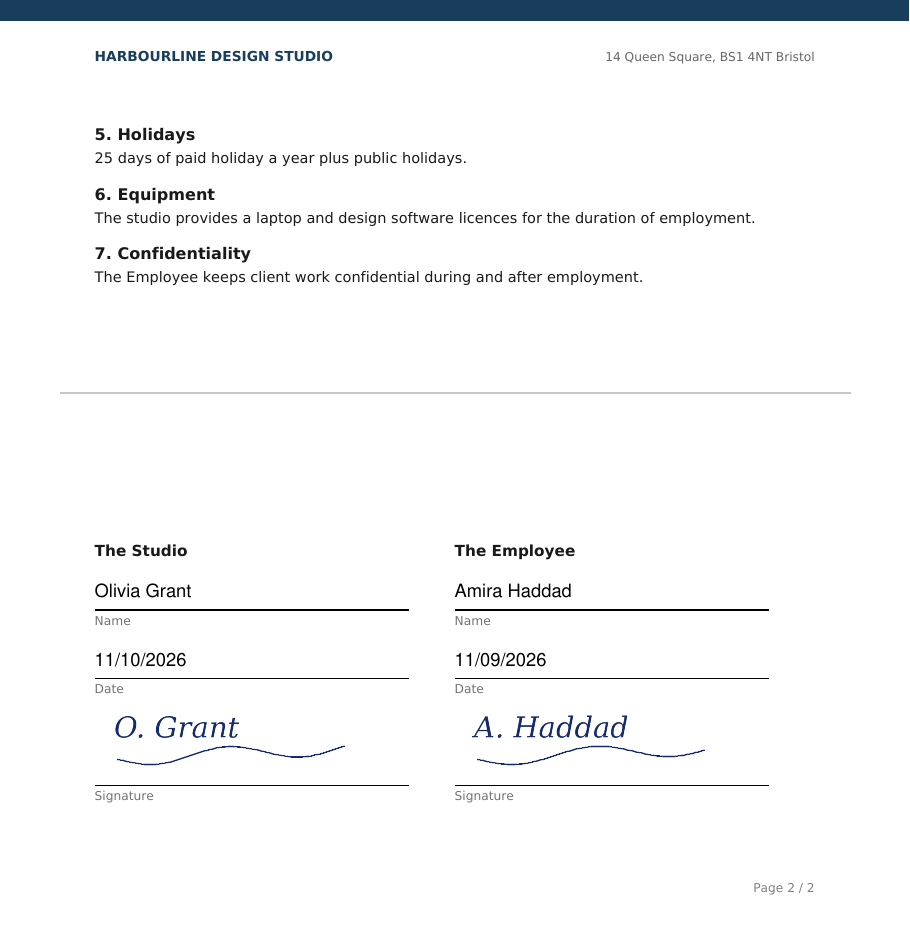
6. The signed PDF
Names, dates, signatures and initials are stamped where the fields were placed, on every page.
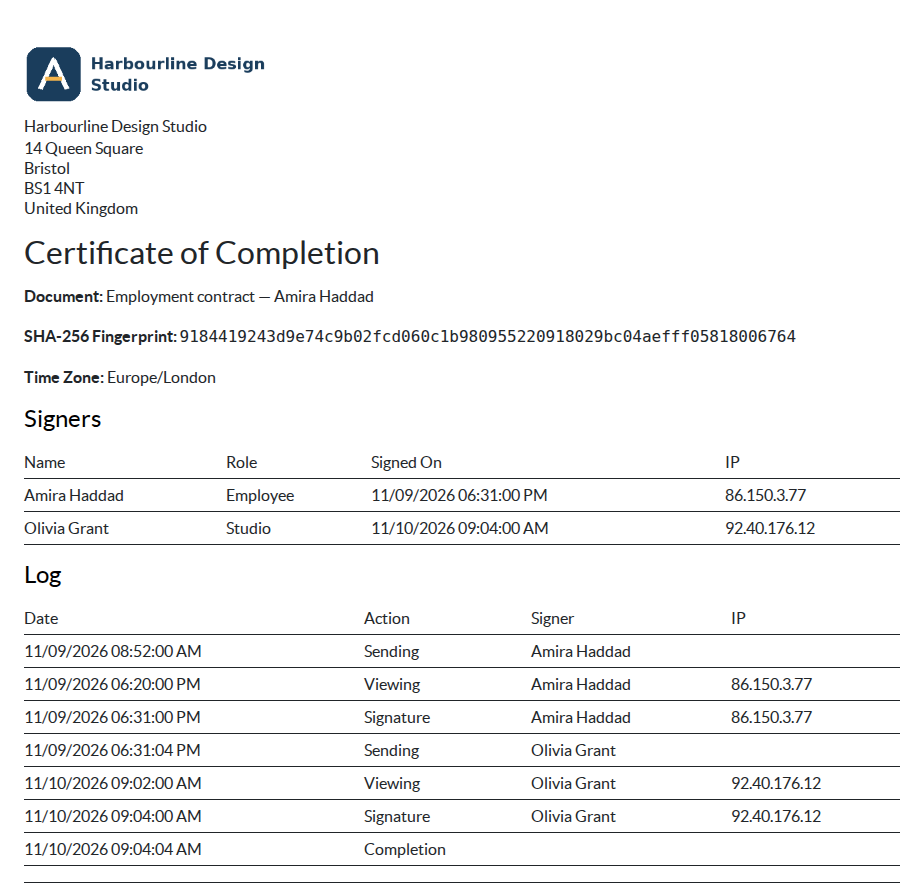
7. Certificate of completion
Appended to the signed PDF: fingerprint, time zone, signers and the full log with who did what, when and from which IP.
Why adopt it
- Odoo Enterprise's electronic signature, in Community — without an Enterprise license.
- No subscription to a third-party signature service: a one-time license, your documents stay with you.
- Sovereignty and traceability: every signature is timestamped, logged and sealed with a hash.
Part of the Documents & Sign suite
Pair it with oski_dms (document management system) to file and version your documents, and request signatures directly from your DMS. See the full suite on apps.odooskills.com.
OPL-1 license — Odoo 19.0 Community & Enterprise. Support: apps@odooskills.com.
Discussion
Sign in to join the discussion.