Shop Floor
Run your work orders by touch, on a tablet or phone, without ever opening a desktop view — the Shop Floor experience in Community.
On the production line, the operator has neither a mouse nor a large screen: they have a tablet sitting on the work center, sometimes with dirty or gloved hands. Odoo Community's native MRP views are still designed for a desk — dense lists, tiny buttons, no visible timer. The result: work orders started late, untracked stoppages and quantities entered approximately at the end of the day. What is missing is a finger-sized screen, designed to be touched from the work center, not from an office chair.
What it brings
- 🏭 Work center selection — the operator taps their work center and only sees the orders that concern them.
- ▶️ Start, pause, finish by touch — one large button per action, with no navigation or form to fill in.
- ⏱️ Real-time timer — the actual working time is displayed during execution, pauses included.
- 🔢 Produced quantity entered on screen — the quantity produced is entered directly on the current order, not after the fact.
- 📷 Component consumption by scan — each consumed component is recorded by scanning its code, without searching for the line in a list.
- 📱 Responsive on PC, tablet and phone — the same screen adapts from the fixed work center to the mobile operator's smartphone.
In pictures
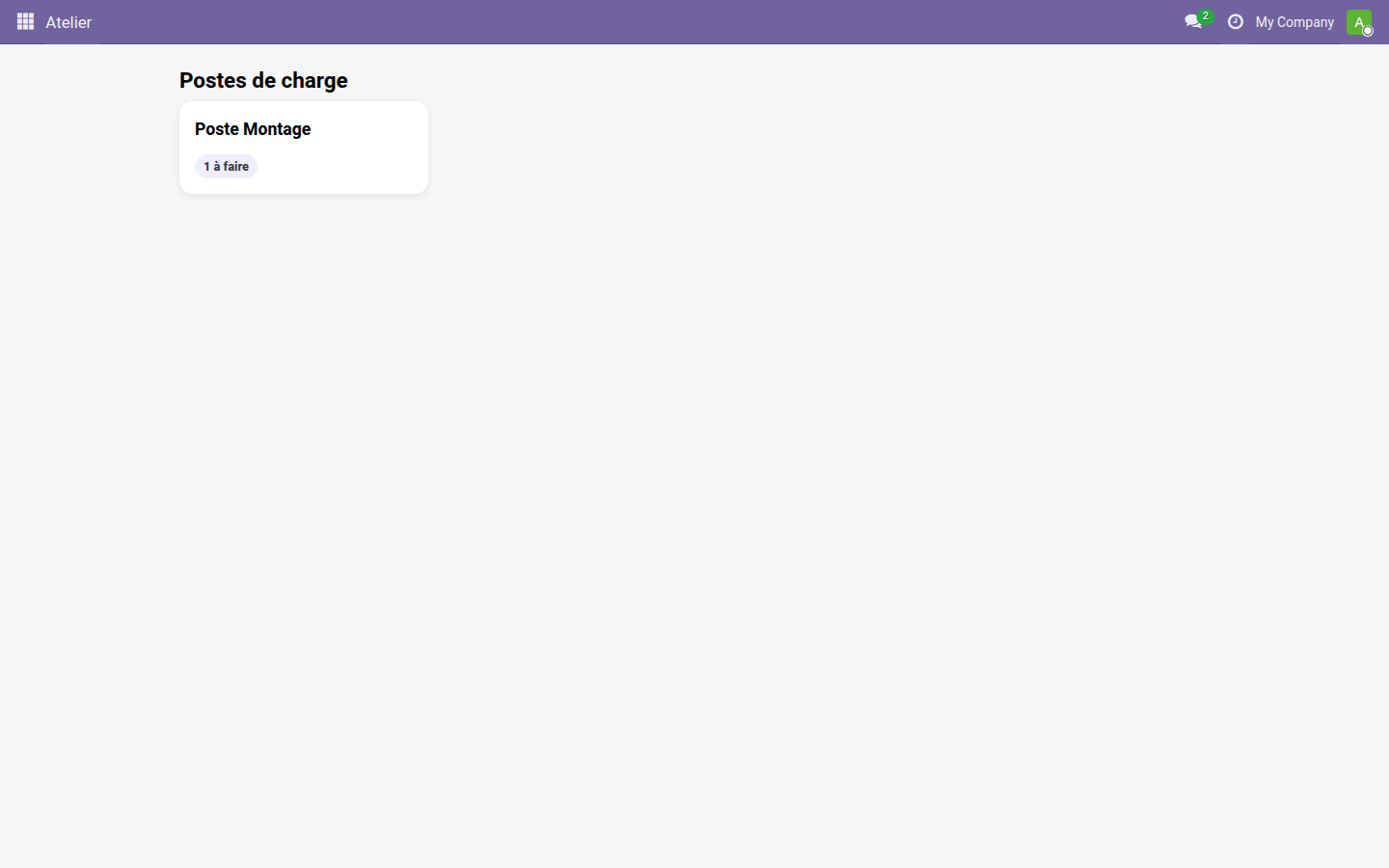
1. The work center grid
The operator taps their work center and only accesses their own work orders — no navigating through Odoo menus.
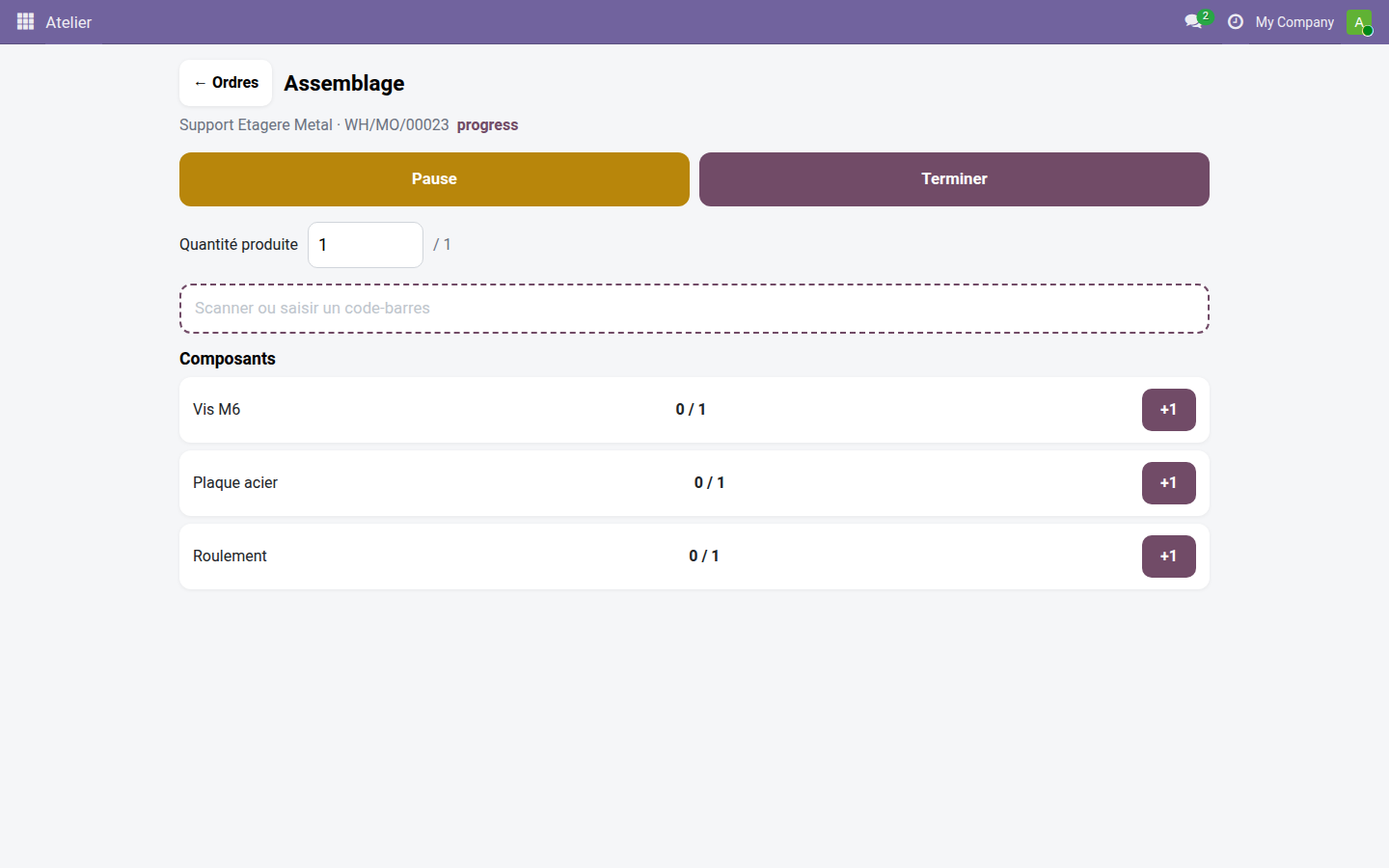
2. A work order in progress
Timer, produced quantity and pause/finish buttons stay displayed in large size throughout the execution of the order.
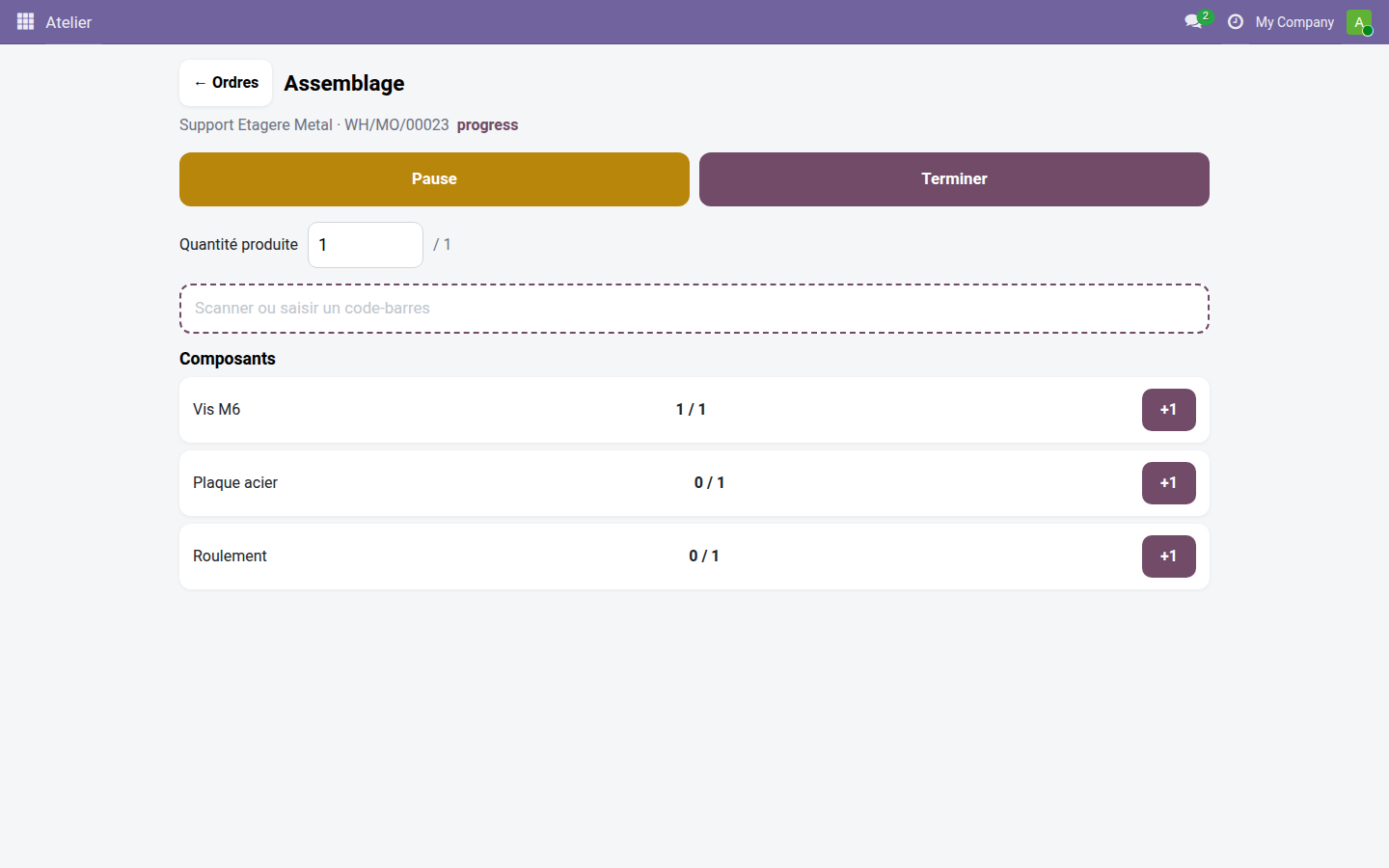
3. Consuming a component by scan
A scan finds the expected component and increments its consumption, without searching for the line in the bill of materials.
Why adopt it
- The Enterprise Shop Floor experience, in Community — with no per-user subscription.
- Responsive even beyond the Enterprise version: fixed work center, shop tablet or the mobile operator's phone.
- Driven by scanning, not by the mouse — designed for busy hands and a touch screen.
- Relies only on Odoo's standard Manufacturing and Barcode modules.
Coming soon: quality control at the work center & lots/serials by scan
Two extensions will enrich these same screens: Shop Floor — Quality Control will add quality control points directly on the current order if the Quality module is installed, and Shop Floor — Barcode will add lot or serial number entry by scan when consuming components.
LGPL-3 license — compatible with Odoo 19.0. Support: apps@odooskills.com.
Discussion
Sign in to join the discussion.