Record Audit Log
Who created, changed or deleted what — on the models you choose, without writing a line of code.
Odoo's native tracking only covers fields marked "tracking" on models that have a chatter. A price changed on a product form, a bank account rewritten, a line deleted from a technical table: none of it leaves a trace. The day you need to understand what happened, there is nothing to read.
What it adds
- 🔍 Any model you want — pick it, choose the tracked operations (create, update, delete), and it is in place.
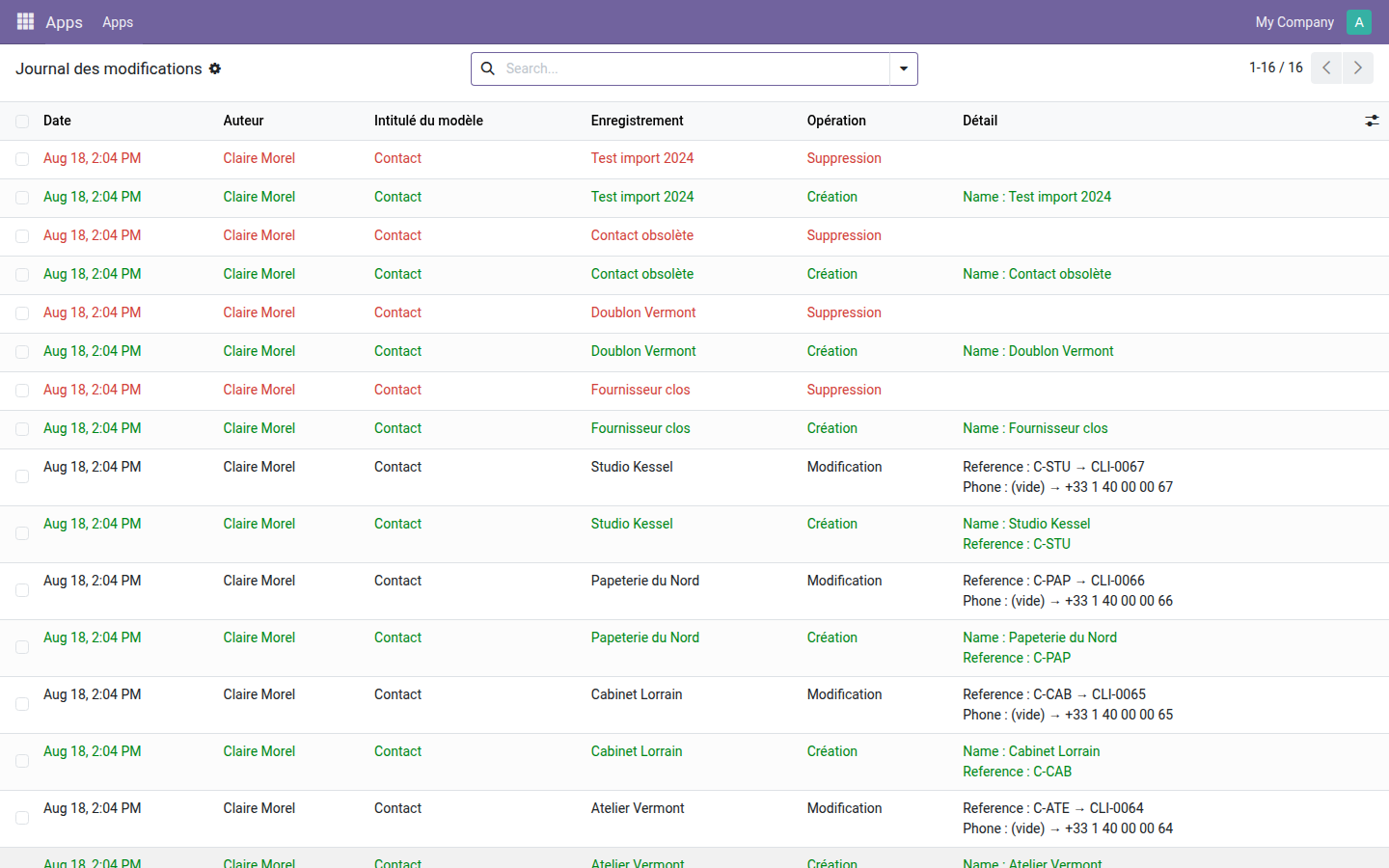
- ↔️ Before and after — every change is written out in plain words:
Reference : C-STU → CLI-0067. - 🎯 The fields that matter — limit monitoring to a list of fields, or leave it empty to track everything.
- 🧾 The name at the time of the action — a deletion keeps the ID and the display name, the only information that cannot be recovered afterwards.
- ⚙️ Without maintenance noise — operations run as superuser (installation, update, scheduled actions) are not logged.
Real screenshots
1. The log reads at a glance
Creations in green, deletions in red, changes written out with the old and the new value — and the author on every line.
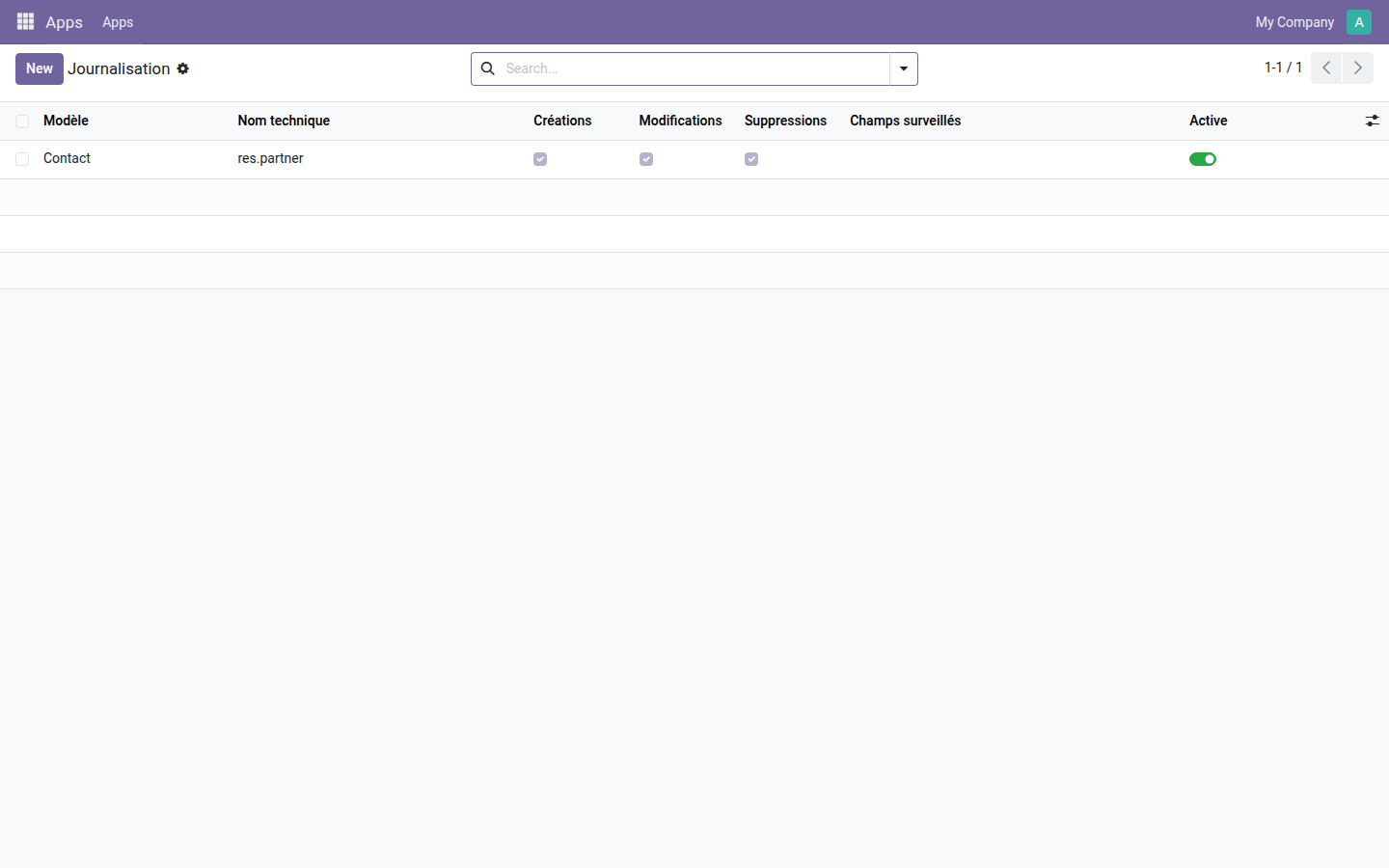
2. One rule per model, three checkboxes
Creations, changes, deletions: each operation is enabled separately. The "Tracked Fields" field narrows monitoring when tracking everything would be too noisy.
Why install it
- An answer to "who did this?" that does not depend on the chatter, and therefore works on technical models as well as business models.
- Attachments, images and related lists are deliberately ignored: their content does not fit on a log line, and forcing them in would make the log unreadable.
- Open source module, LGPL-3 license — no subscription, no external dependency.
Going further
Logging tells you what happened; access segregation prevents it from happening. The OdooSkills range includes some fifteen segregation modules — by sales team, by department, by project, by accounting journal, by warehouse. Full catalog: apps.odooskills.com.
License LGPL-3 — compatible with Odoo 19.0 Community and Enterprise. Support: apps@odooskills.com.
Discussion
Sign in to join the discussion.