
Queue Voice Clips
Premium Launch −30%Reliable voice announcements from pre-recorded audio clips, independent of the device.
| Technical name | oski_queue_voice |
|---|---|
| License | OPL-1 |
| Author | OdooSkills |
$ 29.00
$ 20.30
Launch price — 30% off until December 31, 2026
A ready-to-use Odoo database with demo data, deleted after 1 hour. Odoo 20, 19, 18.
Missing a feature or found a bug?
Request a change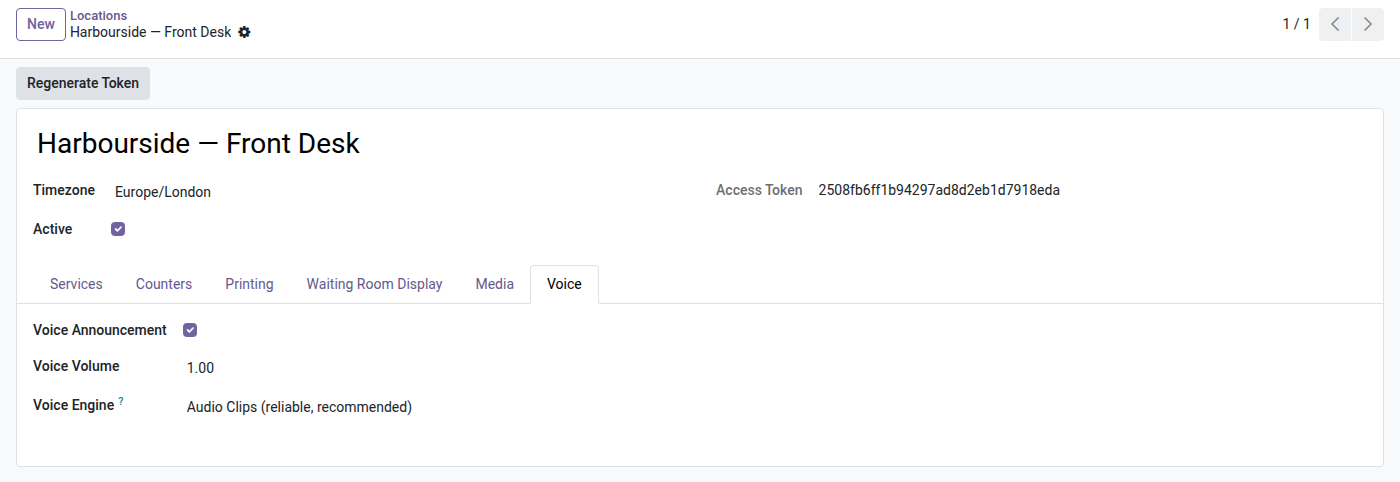
Voice by Audio Clips
A reliable voice announcement for your waiting room display — "Ticket C 0 0 3, counter 3" —, the same on any device, natural Arabic included, and never silent.
The basic voice announcement relies on the browser's speech synthesis: the voice comes from the voices installed on the device showing the display. On a Linux mini PC or set-top box, that link is unreliable — robotic voice, wrong language, or simply total silence. Arabic is often missing altogether. A waiting room display that calls nobody out loud means a clogged queue and visitors staring at the door. You need a voice that works everywhere, from day one, with nothing to install on the client side.
What it adds
- 🔊 Pre-recorded audio clips — the voice ships inside the module as audio files played on the display; nothing to install on the client side, no online service, works offline.
- 🖥️ Device-independent — the same clear voice whatever the machine: mini PC, set-top box, tablet. No more "it works on my PC but not on the waiting room screen".
- 🌍 Reliable Arabic — the Arabic announcement plays correctly where browser speech synthesis usually ignores it.
- 🎙️ Your own clips — replace any word or digit with your own recording (in-house voice, dialect) from the backend, without touching the code.
- 🛟 Never silent — if a clip is missing or fails, the announcement automatically falls back to the browser's voice; the display always speaks.
- 🔁 Follows the display's language and sound — clips follow the language actually shown and respect the existing 🔊/🔇 button.
In screenshots
1. Pick the voice engine per site
Audio clips for a reliable voice on any device, or the browser's voice — with the announcement volume.
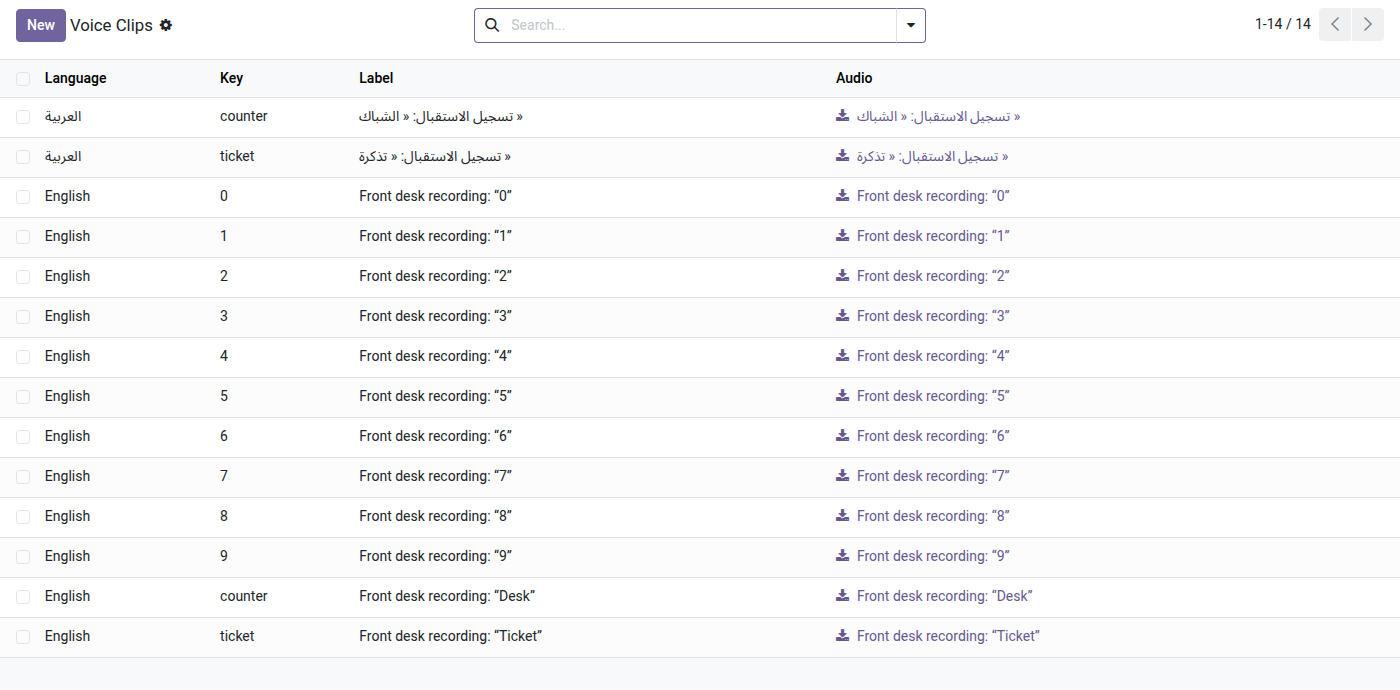
2. Your own recorded voice
Replace any built-in clip with a recording made on site — digits, “Ticket”, “Desk” — in each language, Arabic included.
Why install it
- ✅ Zero dependency on the client side — no speech engine to install, no cloud, no subscription.
- ✅ Reliable from the first call — the voice no longer depends on the luck of having the right speech synthesis on the display.
- ✅ Multilingual under control — French, English, Arabic, with the option to use your own voice.
- ✅ One-time purchase — one license per version, no recurring cost.
An add-on to the Queue Management module
This bridge adds to the OdooSkills Queue Management module (kiosk, real-time waiting room display, call console, QR tracking) and makes its voice announcement reliable. The Queue Management module is required.
License OPL-1 — compatible with Odoo 19.0 (Community & Enterprise). Requires the Queue Management module. Support: apps@odooskills.com.
Discussion
Sign in to join the discussion.