Project Access Control
Premium Launch −30%Partition projects and tasks per user or group — everyone sees only what concerns them (Community).
| Technical name | oski_project_security |
|---|---|
| License | OPL-1 |
| Author | OdooSkills |
$ 29.00
$ 20.30
Launch price — 30% off until December 31, 2026
A ready-to-use Odoo database with demo data, deleted after 1 hour. Odoo 20, 19, 18.
Missing a feature or found a bug?
Request a change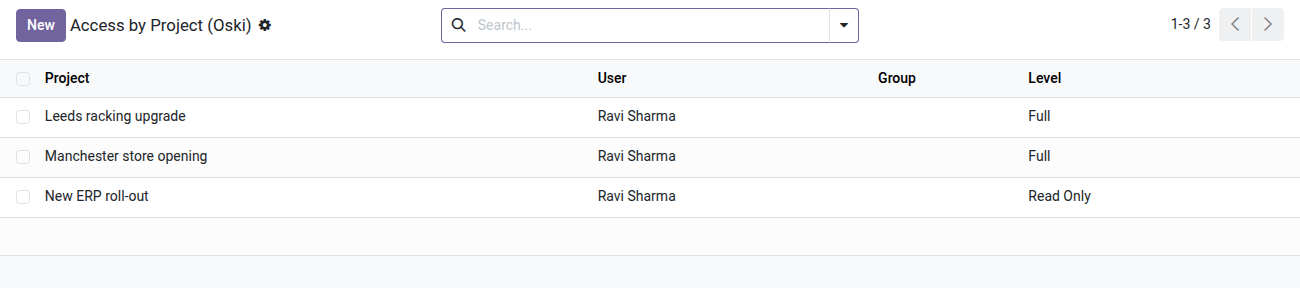
Project Access Control
Each user sees and works only on the projects that concern them — without touching existing rights.
In Odoo Community, as soon as a user has access to the Project app, they see all of the company's projects and tasks. For agencies working with several clients, teams partitioned by department or companies with confidential projects, that is a permanent information leak. Community has no native way to say "this user may only see the Acme project and its tasks". The result: extra instances, makeshift stage tricks, or living with everyone seeing everything.
What it adds
- 🔒 "Restricted Access" group — enable the restriction on a user or an entire group in one move; unrestricted users keep their full access with no regression.
- 📋 Two access levels per project — read-only (the project and its tasks are visible but cannot be edited) or full access (read, write, create, delete), configurable line by line.
- 👤 Per-user or per-group configuration — assign allowed projects from the user form ("Allowed Projects" tab) or from the group form, to manage entire teams in one place.
- ✅ Project manager always protected — the user responsible for a project ("Project Manager" field) automatically keeps full access, whatever rules apply to their account.
- 📊 Consistently filtered tasks and reports — private tasks (without a project) and tasks directly assigned to the user always remain visible; task analysis (Report view) follows the same rules as the project list.
- ⚙️ Central configuration view — a dedicated "Project Access" menu offers a list view of every authorization line, for quick auditing and maintenance.
Real screenshots
1. Who sees which project, at which level
One line per user or group: Full lets them act, Read Only lets them look. Lines can also be set from the user or group form.
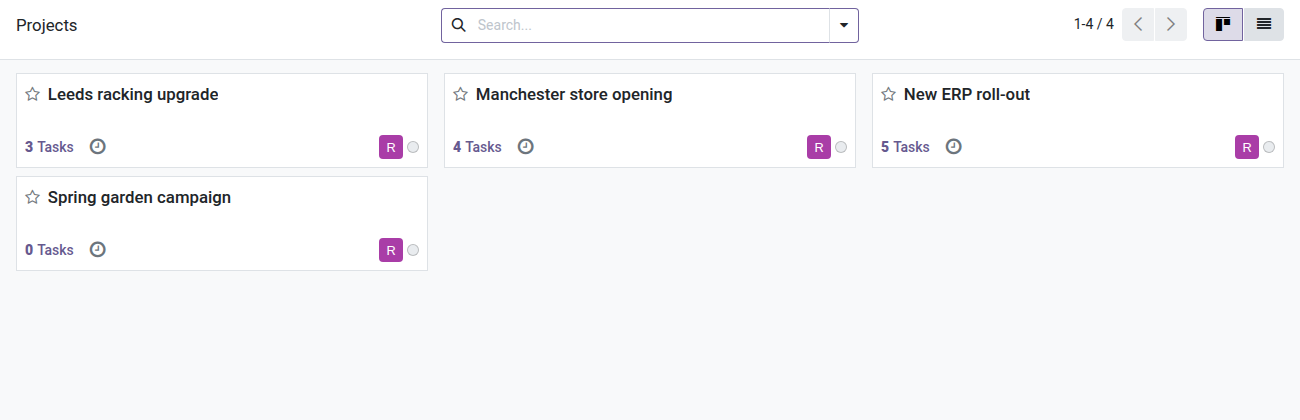
2. Projects of the project manager
Two projects to run, one to follow: the board strategy project stays private.
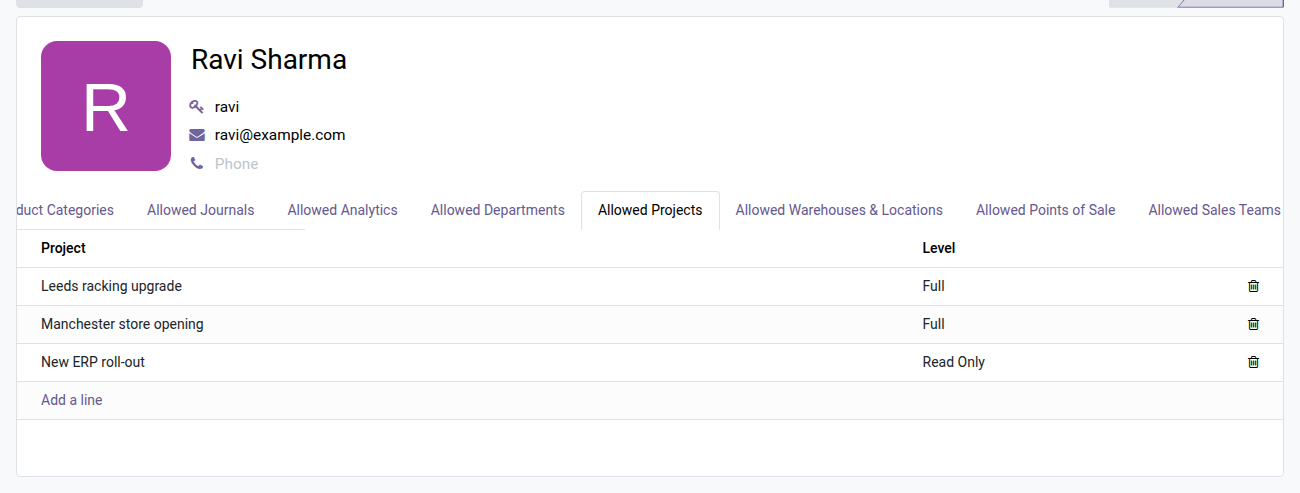
3. Set it from the user form
The Allowed Projects tab on the project manager's form lists what they can see and do, line by line.
Why install it
- Per-project partitioning, a feature reserved for Odoo Enterprise, now available in Community — without extra instances or patching the core.
- Ideal for multi-client agencies: each consultant sees only their own clients' projects, and everyone else's data stays invisible.
- GDPR compliance and internal policy: reduce the exposure of project data without making Odoo rights administration more complex.
- Zero impact on unrestricted users: administrators and project managers keep full visibility, and the transition is seamless.
Part of the Dimension Security Suite
This module is built on oski_access_core (open source), the core shared by every restriction dimension. Combine it with oski_analytic_security (restriction by analytic plan) and oski_sale_team_security (restriction by sales team) for complete multi-dimension partitioning of your Odoo Community. See the suite and the "Security" bundle on apps.odooskills.com.
License OPL-1 — compatible with Odoo 19.0 Community. Support: apps@odooskills.com.
Discussion
Sign in to join the discussion.