Project Gantt View
Premium Launch −30%Editable Gantt chart for your tasks and projects — an Enterprise feature in Community.
| Technical name | oski_project_gantt |
|---|---|
| License | OPL-1 |
| Author | OdooSkills |
$ 29.00
$ 20.30
Launch price — 30% off until December 31, 2026
A ready-to-use Odoo database with demo data, deleted after 1 hour. Odoo 20, 19, 18.
Missing a feature or found a bug?
Request a change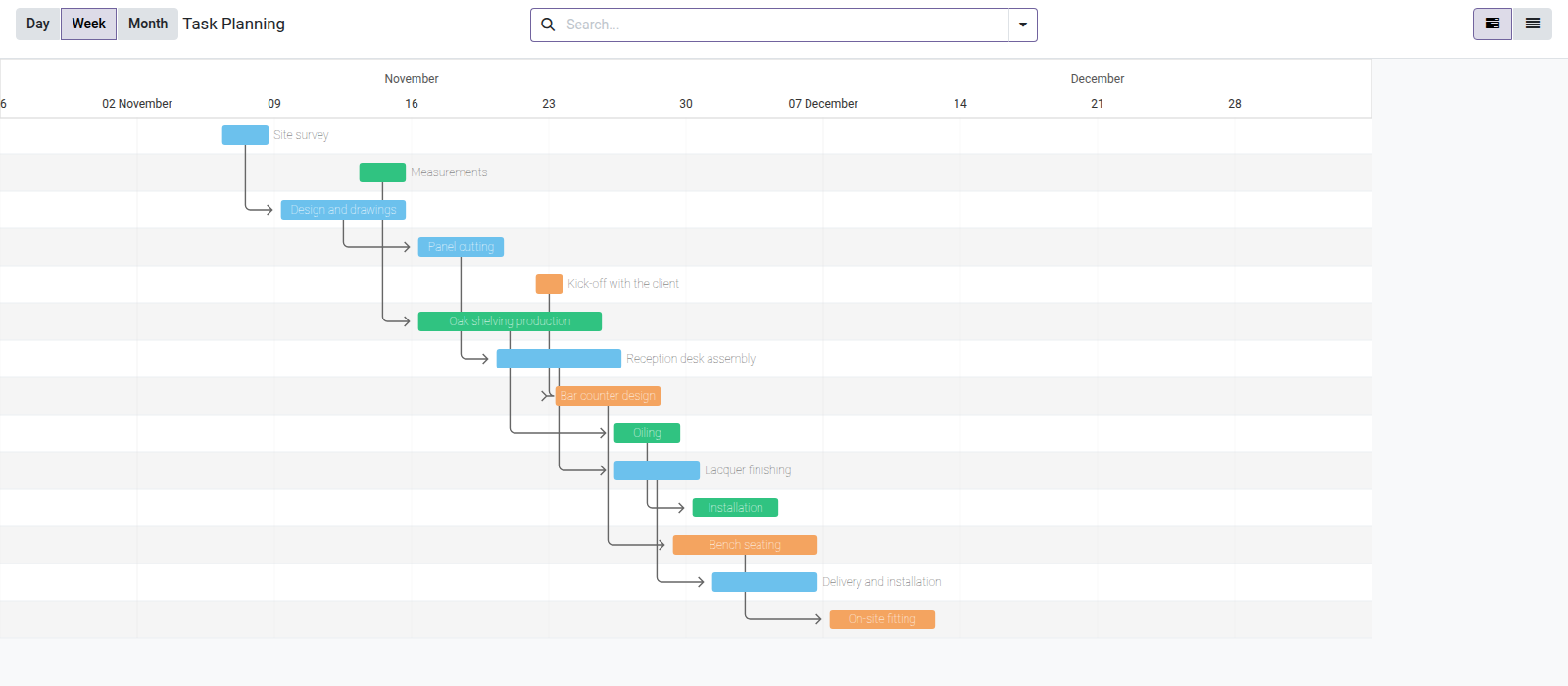
Gantt View — Project
Plan and reschedule your tasks by drag and drop on an interactive Gantt chart, without moving to Odoo Enterprise.
In Community, the Gantt view is reserved for Enterprise. Your teams juggle a task list and a Kanban board without ever seeing how the work actually unfolds over time. As soon as a task slips, finding the blocked dependencies and shifting the schedule means editing every task by hand — a daily friction that wastes precious time and lets delays go unnoticed.
What it adds
- 📅 Weekly task Gantt — see every task of your projects on a weekly timeline: start date, deadline and progress at a glance.
- 🖱️ Drag and drop to reschedule — move or stretch a bar to change the dates instantly, without opening each task form.
- 📊 Automatic progress bar — each task shows its completion percentage, computed from the completed subtasks.
- 🔗 Visible task dependencies — dependency arrows (`depend_on_ids`) link blocking tasks to the tasks they block.
- 🎨 Color coding by stage — bars are colored according to the task's stage, so you can spot at once what is in progress, waiting or done.
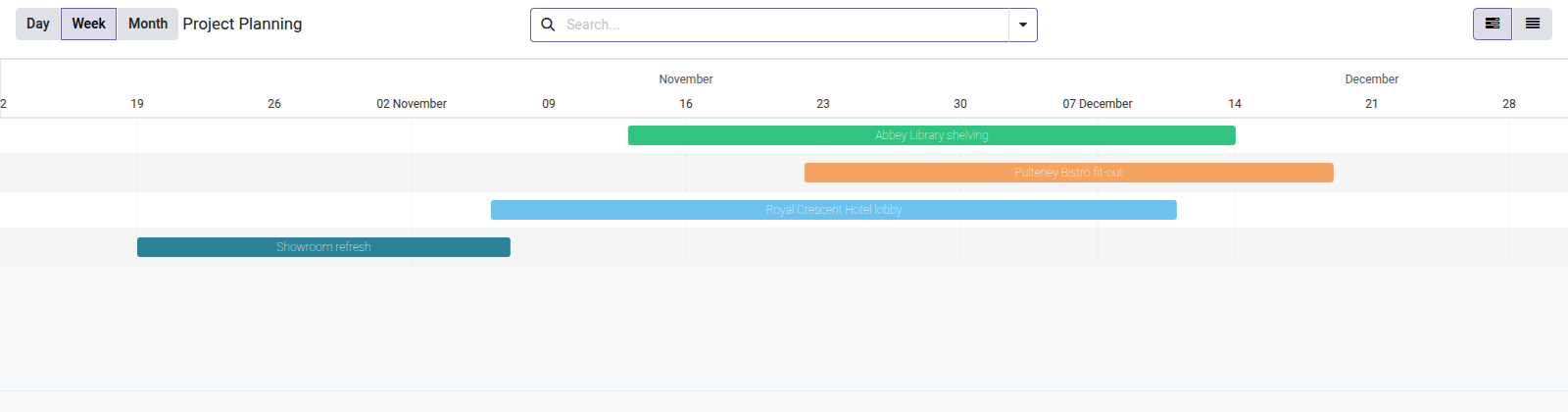
- 📁 Monthly project Gantt — a second chart gives an overview of all projects (start date, end date), ideal for portfolio management.
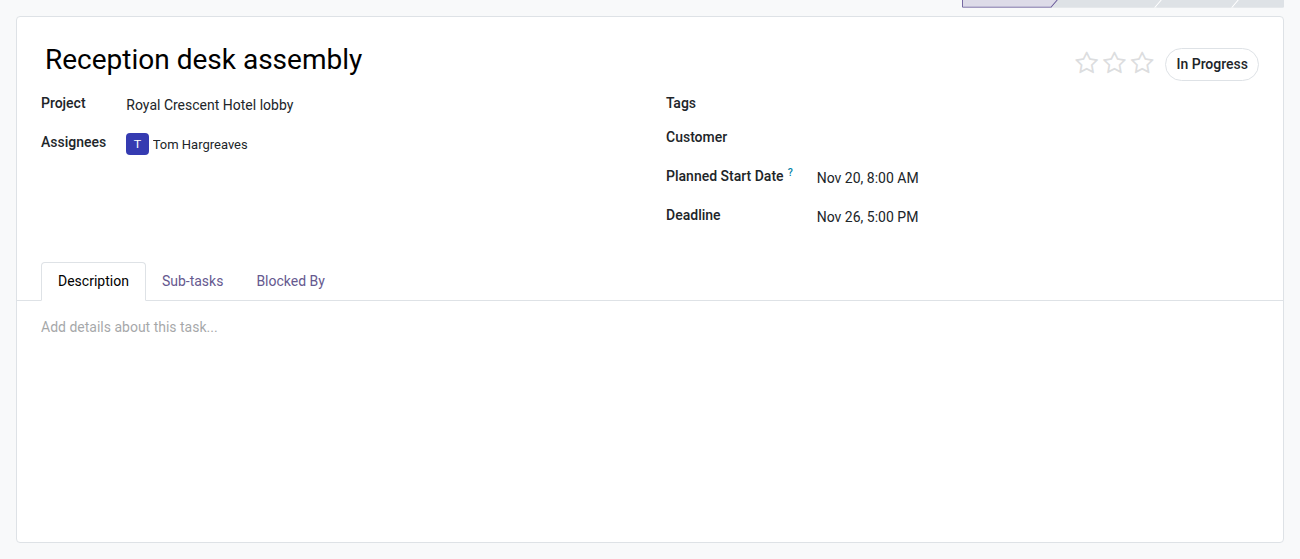
- ⚡ Start date added to Community tasks — a "Planned Start Date" field is created on each task (missing in Community), essential to anchor the bars on the timeline.
In screenshots
1. Plan project tasks on a Gantt
Each task gets a planned start date. The chain of dependencies shows what must finish first; colours tell the projects apart.
2. All projects on one timeline
The Project Planning menu shows every project from its start date to its end date.
3. A planned start date on the task
Odoo Community has only a deadline: the module adds the planned start date that draws the bar.
Why install it
- The editable Gantt view is an Odoo Enterprise-only feature; this bridge brings it to Community for a one-time $29, with no subscription.
- Two planning levels covered: tasks (week) and projects (month) — from the detail to the big picture in the same app.
- Installs in minutes: enable
oski_gantt(core) then this bridge — two menus, "Task Planning" and "Project Planning", appear in the Project app. - Drag and drop is saved on the server: the new dates are stored as soon as you release the bar, with no extra step.
Part of the OdooSkills Gantt Suite
This module is a bridge — it requires oski_gantt (the editable Gantt engine, $89) to work. Add oski_mrp_gantt (Manufacturing Gantt, $29) to plan your manufacturing orders as well. Buy the complete suite at a reduced price on apps.odooskills.com.
License OPL-1 — compatible with Odoo 19.0. Requires the oski_gantt module. Support: apps@odooskills.com.
Discussion
Sign in to join the discussion.