Product Lifecycle (PLM)
Premium Launch −30%The Enterprise PLM feature (ECO + bill of materials versioning) in your Odoo Community
| Technical name | oski_plm |
|---|---|
| License | OPL-1 |
| Author | OdooSkills |
$ 89.00
$ 62.30
Launch price — 30% off until December 31, 2026
A ready-to-use Odoo database with demo data, deleted after 1 hour. Odoo 20, 19, 18.
Missing a feature or found a bug?
Request a change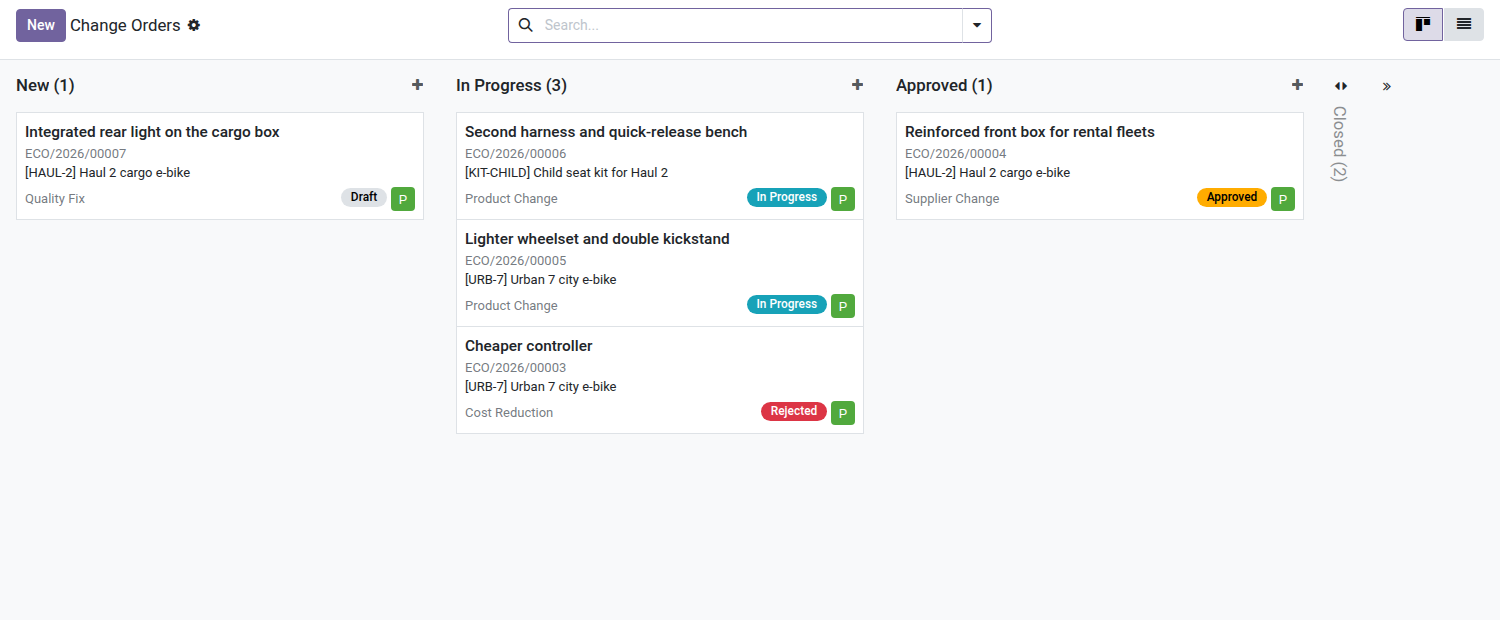
PLM — Product Lifecycle Management
Manage bill of materials changes with a structured approval pipeline — the Enterprise PLM feature, available in Community.
In Odoo Community, changing a manufacturing bill of materials comes down to overwriting the existing data — with no traceability, no approval, no version history. When an engineer adjusts a component, who approves the change before it goes into production? Who can find the bill of materials from three weeks ago if a lot turns out to be defective? The Enterprise mrp_plm module answers this question — but it is reserved for Enterprise licenses. oski_plm brings exactly this workflow to Odoo Community.
What it adds
- 📋 Engineering Change Orders (ECO) — every change goes through a numbered file, with subject, responsible, type and justification. The kanban pipeline sorts ECOs by stage (Draft → In Progress → Approved → Applied).
- 🔀 Bill of materials versioning — applying an ECO automatically creates a new version of the bill of materials and archives the previous one. The full chain of revisions remains available at any time.
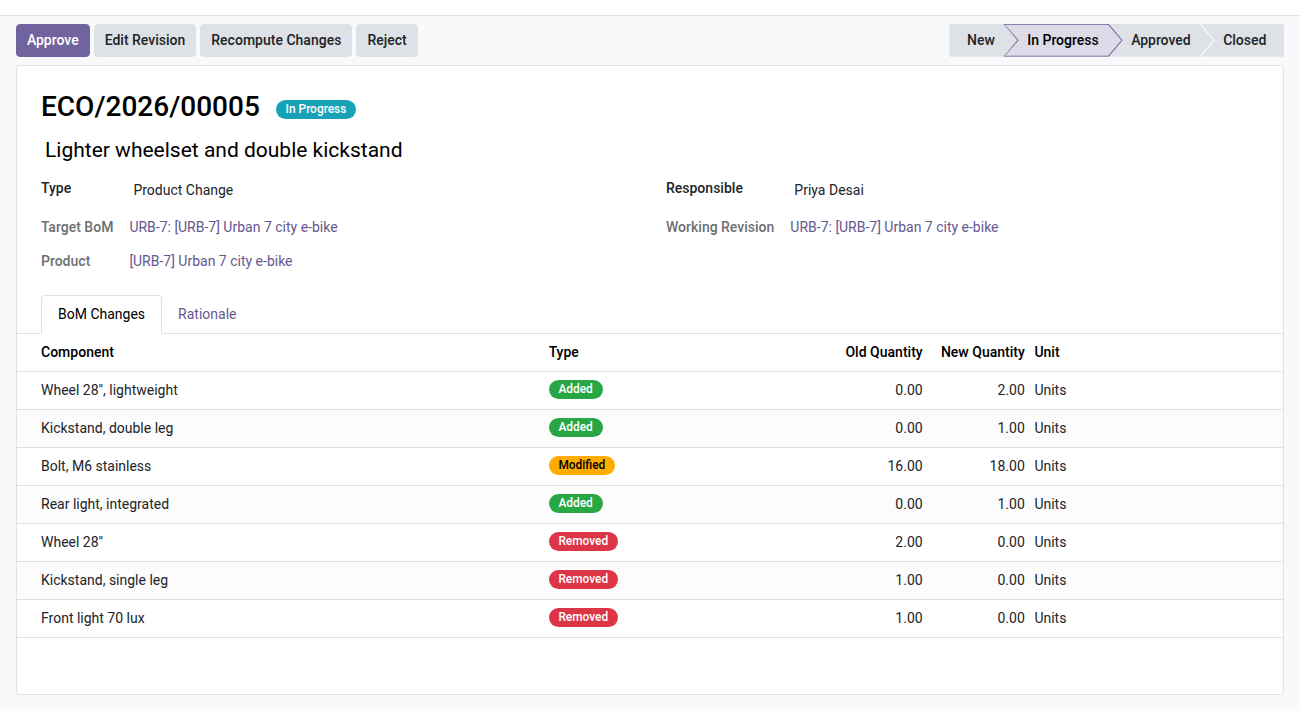
- 🔍 Automatic component diff — before approving, see exactly what changes: components added, removed or whose quantity was modified, with the before/after values.
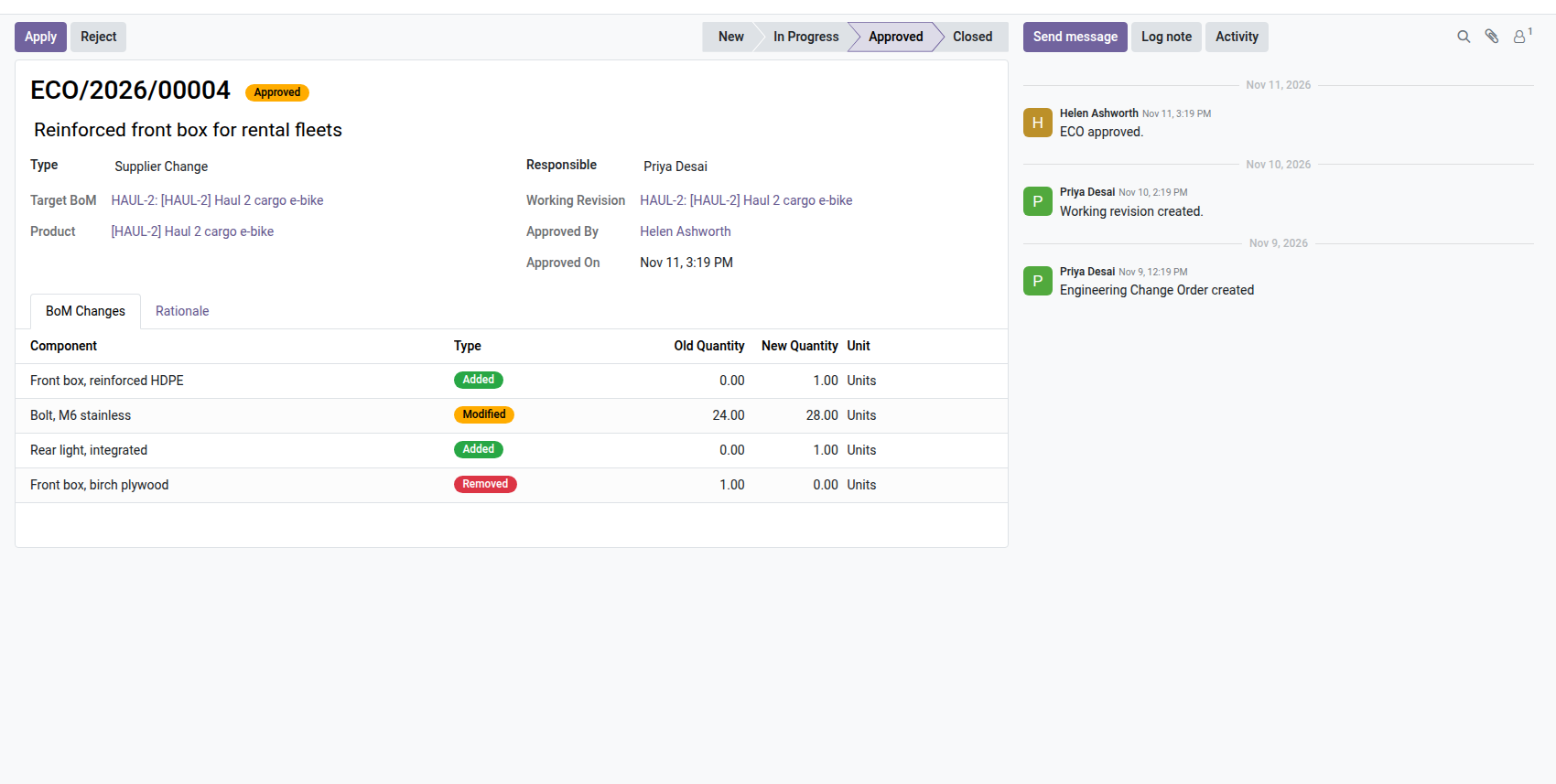
- 🔒 Role-based approval guard — only PLM Managers can approve and apply an ECO. Other users initiate and edit the working revision without being able to validate it unilaterally.
- 💬 Full traceability through the chatter — every state transition (start, approval, application, rejection) is timestamped and logged in the ECO's discussion thread.
Real screenshots
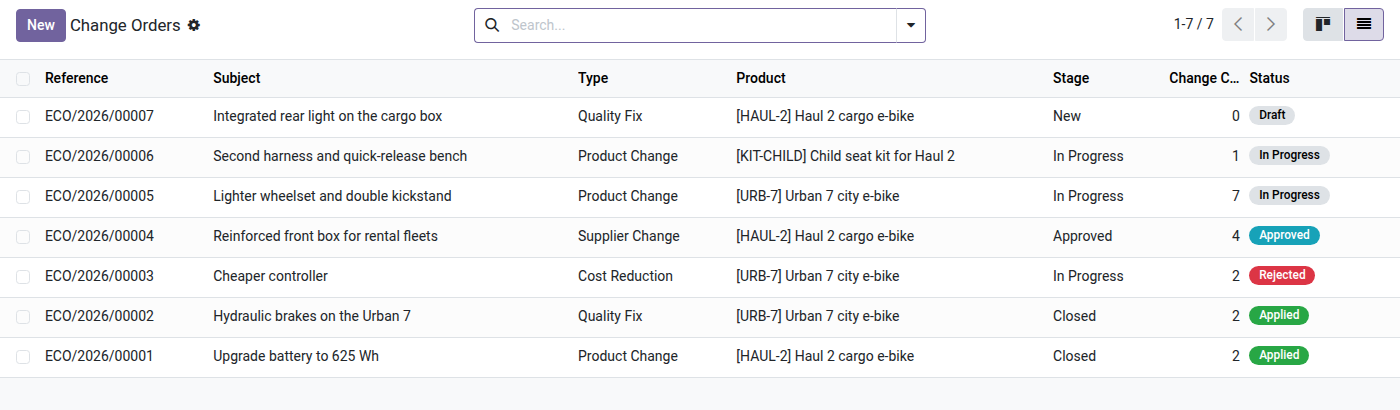
1. Every change order in one pipeline
Engineering change orders move from New to Closed. Each card shows the product, the type, the status and the engineer in charge.
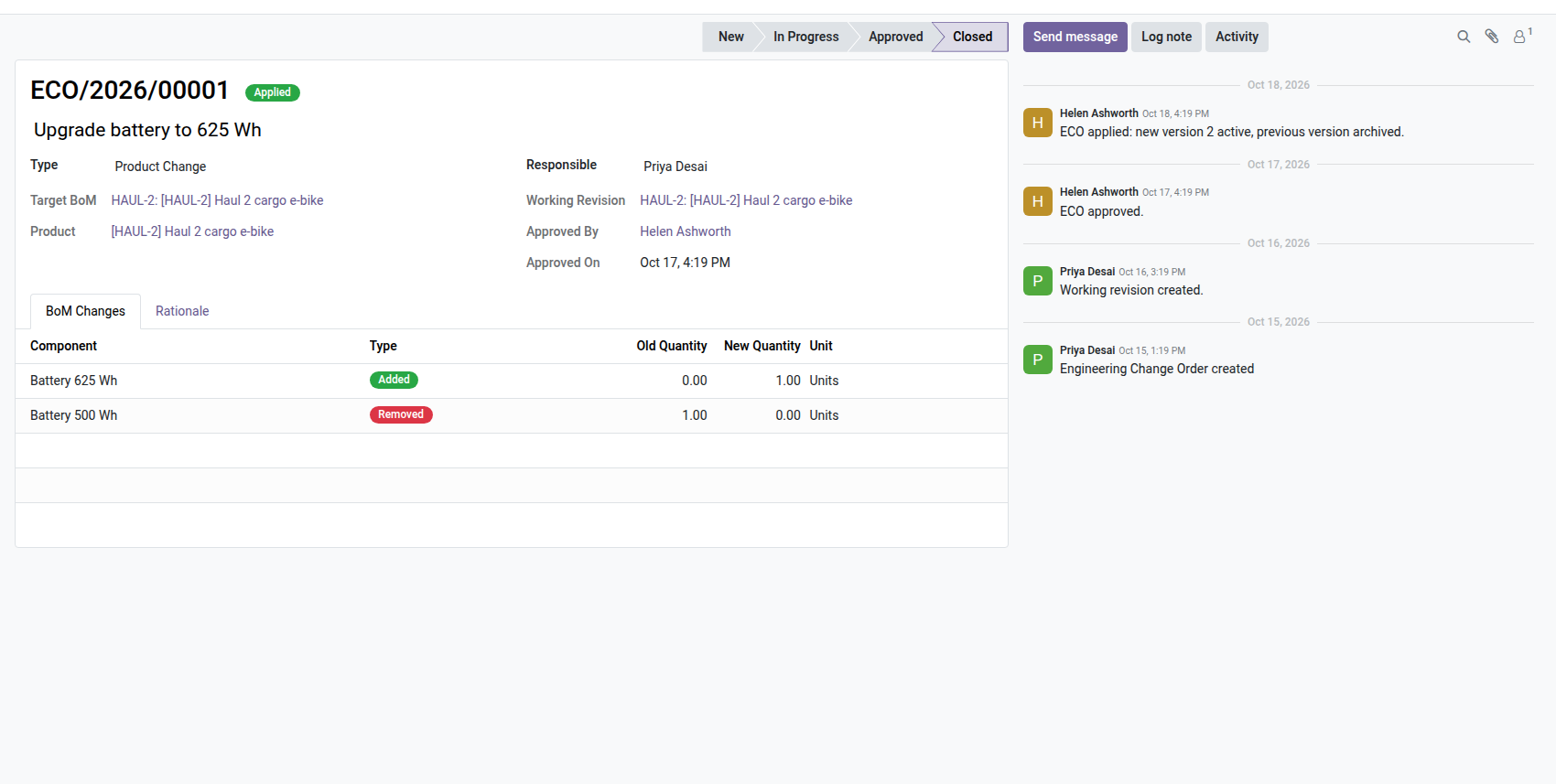
2. See exactly what changes
Starting an ECO creates a working revision of the bill of materials. The diff lists components added, removed or changed, before and after.
3. Approval by a PLM manager
Only a PLM manager approves and applies. Once approved, the revision is locked: what was approved is what will be applied.
4. Status of every change order
Draft, in progress, approved, applied or rejected, with the number of component changes of each order.
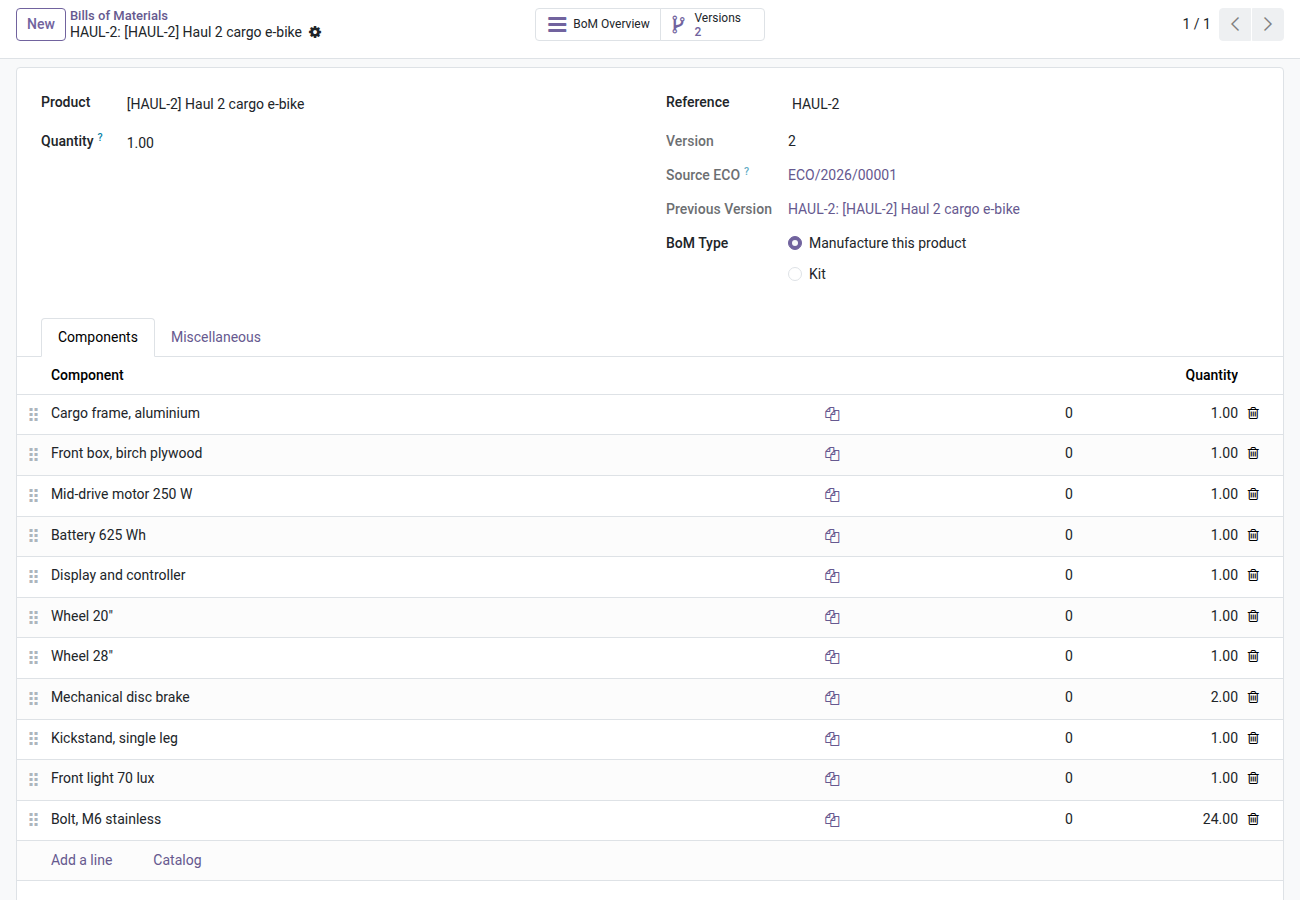
5. Versioned bills of materials
Each bill of materials shows its version, the change order that produced it and the version it replaced.
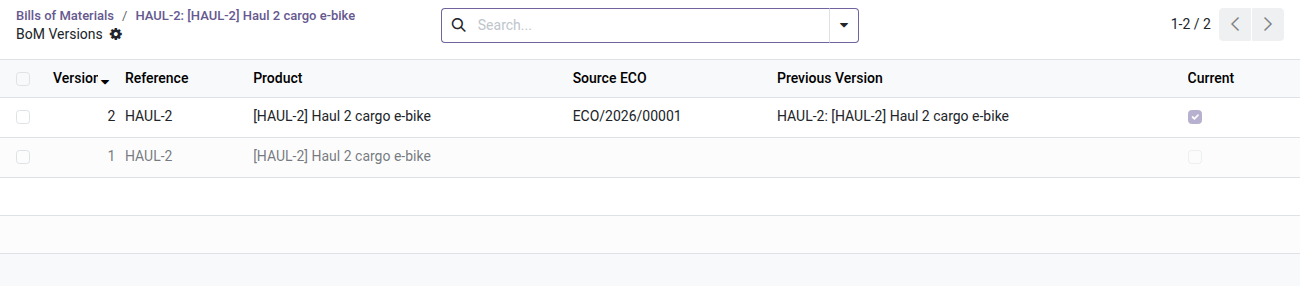
6. Full version history
The Versions button lists every version of the bill of materials: the current one and the archived ones, never overwritten.
7. Applied, traced, archived
Applying the ECO activates the new version and archives the previous one. The history keeps who did what and when.
Why install it
- ⚡ An Enterprise feature in your Community — Odoo's
mrp_plmmodule is reserved for Enterprise subscriptions (~2 000 €/year per user). Oski PLM offers the same ECO workflow for a one-time lifetime license. - 📦 Zero accidental overwrites — the working revision is an isolated copy of the bill of materials. The production version is only changed at the moment of the approved application.
- 🔎 Audit and compliance — in the event of a production incident, instantly find which bill of materials version was active on a given date and who approved it.
- 🏭 Native integration with Manufacturing — the ECO directly targets an existing bill of materials (
mrp.bom). No extra configuration: versioning applies to subsequent manufacturing orders as soon as it is enabled.
OPL-1 license — compatible with Odoo 19.0. Requires the Manufacturing module (mrp). Support: apps@odooskills.com.
Discussion
Sign in to join the discussion.