Contact Access by Tag
Premium Launch −30%Partition contacts by segment: each user only sees the contacts carrying their allowed tags (Community).
| Technical name | oski_partner_category_security |
|---|---|
| License | OPL-1 |
| Author | OdooSkills |
$ 29.00
$ 20.30
Launch price — 30% off until December 31, 2026
A ready-to-use Odoo database with demo data, deleted after 1 hour. Odoo 20, 19, 18.
Missing a feature or found a bug?
Request a change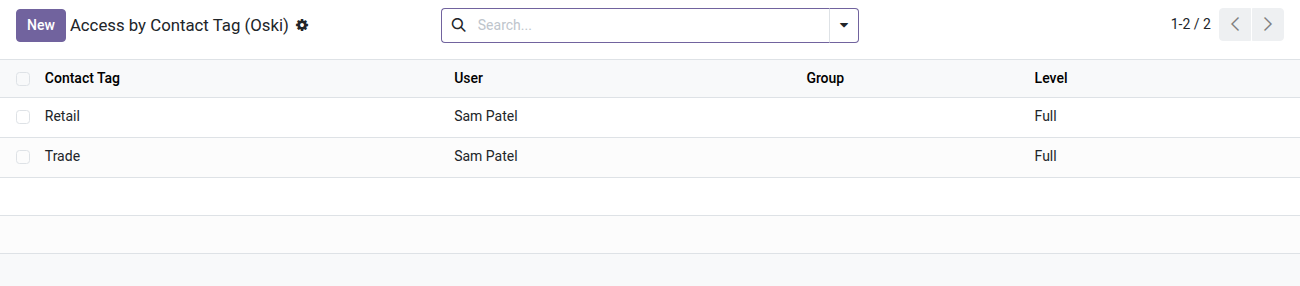
Contact Access Restriction by Tag
Each salesperson only sees the contacts in their segment — without any Enterprise configuration.
In Odoo Community, every internal user sees all the contacts in the database: VIP customers, another team's prospects, distributors reserved for a specific channel. The result: a salesperson reaches out to an account that belongs to another territory, a subcontractor browses confidential contacts, and you cannot partition portfolios without moving to Enterprise. The segmentation exists in your tags — but it has no effect on visibility.
What it adds
- 🔒 Visibility filtered by tag — members of the restricted group only see the contacts carrying one of their allowed tags. Contacts without a tag (vendors, parent companies) remain accessible to everyone; a contact without a tag follows its company.
- ⚡ Two distinct access levels — read-only (viewing) or full access (write, create, delete) per tag and per user.
- 📊 Sub-tag inheritance — assigning the "Customers" tag automatically covers "VIP Customers", "SMB Customers" and any child sub-tag, with no extra configuration.
- 👥 Assignment per user or per group — configure once on an Odoo group so that all its members inherit the same tag permissions.
- ✅ Built-in safeguard — a user cannot be added to the restricted group without at least one tag: Odoo blocks it with a clear message, preventing a user who would see zero contacts.
Real screenshots
1. Who sees which contact tag, at which level
One line per user or group: Full lets them act, Read Only lets them look. Lines can also be set from the user or group form.
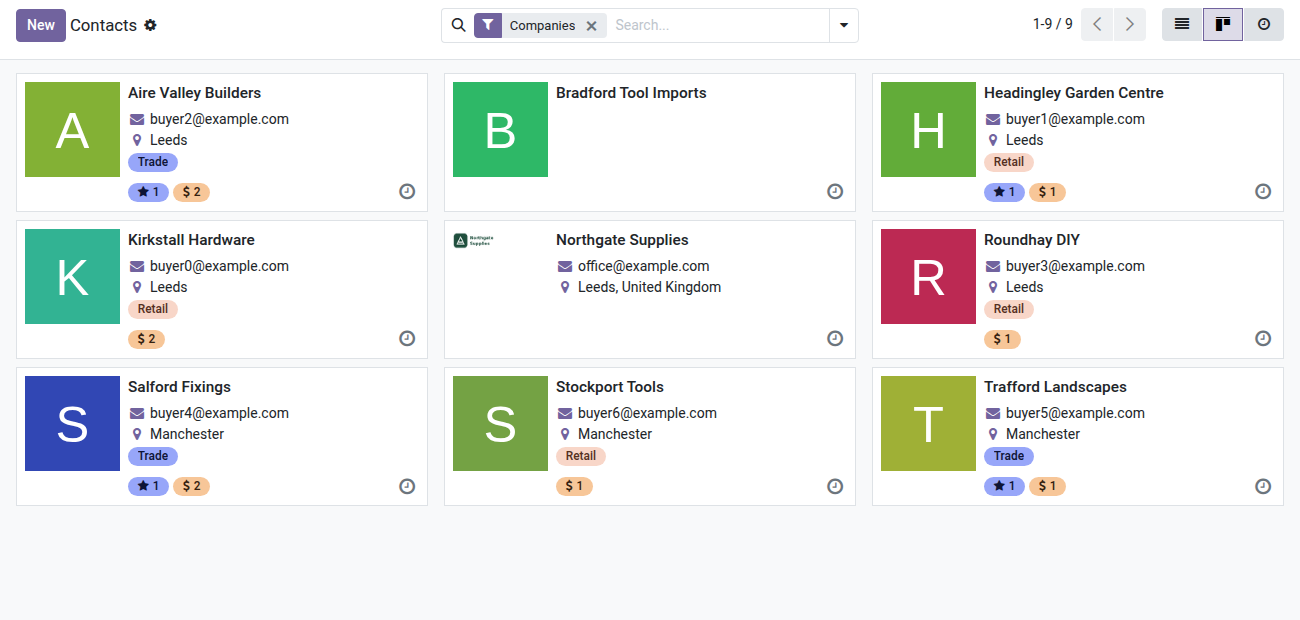
2. Contacts filtered by tag
Retail and Trade companies are visible; contacts tagged Key account or Board contact are not.
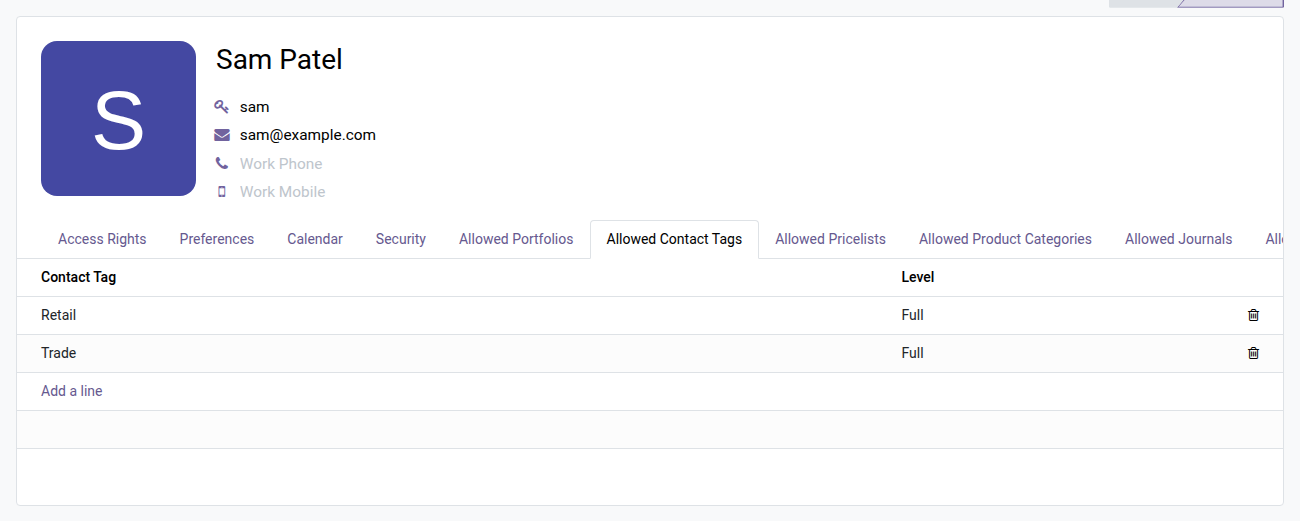
3. Set it from the user form
The Allowed Contact Tags tab on the rep's form lists what they can see and do, line by line.
Why install it
- Partitioning of customer portfolios without an Enterprise subscription — the record rules are enforced natively by Odoo, no custom development.
- The existing segmentation of your contact tags becomes effective immediately: create a "South Team" group, assign it the "Région Sud" tag, and each member only sees their contacts.
- GDPR compliance and internal privacy policy: limit access to contact data to authorized people only, without changing Odoo's global access rights.
- Centralized administration from the user form and the group form: a dedicated tab lists all the allowed tags, editable at any time.
Part of the Security by Dimension suite
Complete your partitioning with other dimensions of the suite:
- oski_partner_portfolio_security — restrict by sales portfolio
- oski_sale_team_security — restrict by sales team (+ CRM bridge)
- oski_account_journal_security — restrict by accounting journal
The oski_access_core core module is open source. See the full suite on apps.odooskills.com.
OPL-1 license — compatible with Odoo 19.0 (Community and Enterprise). Depends on oski_access_core (open source). Support: apps@odooskills.com.
Discussion
Sign in to join the discussion.