
Hidden Menus per User
Remove menus from one specific user's screen, without creating a group or touching access rights.
A user only needs part of what their role opens up to them. The usual answer is to invent a group for every exception: the access-rights matrix swells, nobody knows any more what each group carries, and the slightest update becomes risky. For mere screen clutter, that is a disproportionate price.
What it adds
- 🙈 On the user form — one tab, one list of menus, and you are done. No group created, no access right changed.
- 🌿 The whole branch follows — hiding a menu also hides everything it contains, without having to list the submenus.
- 👤 Strictly individual — the hiding never spills over to a colleague sharing the same groups.
- ↩️ Reversible in one click — removing the tag brings the menu back, immediately.
Real screenshots
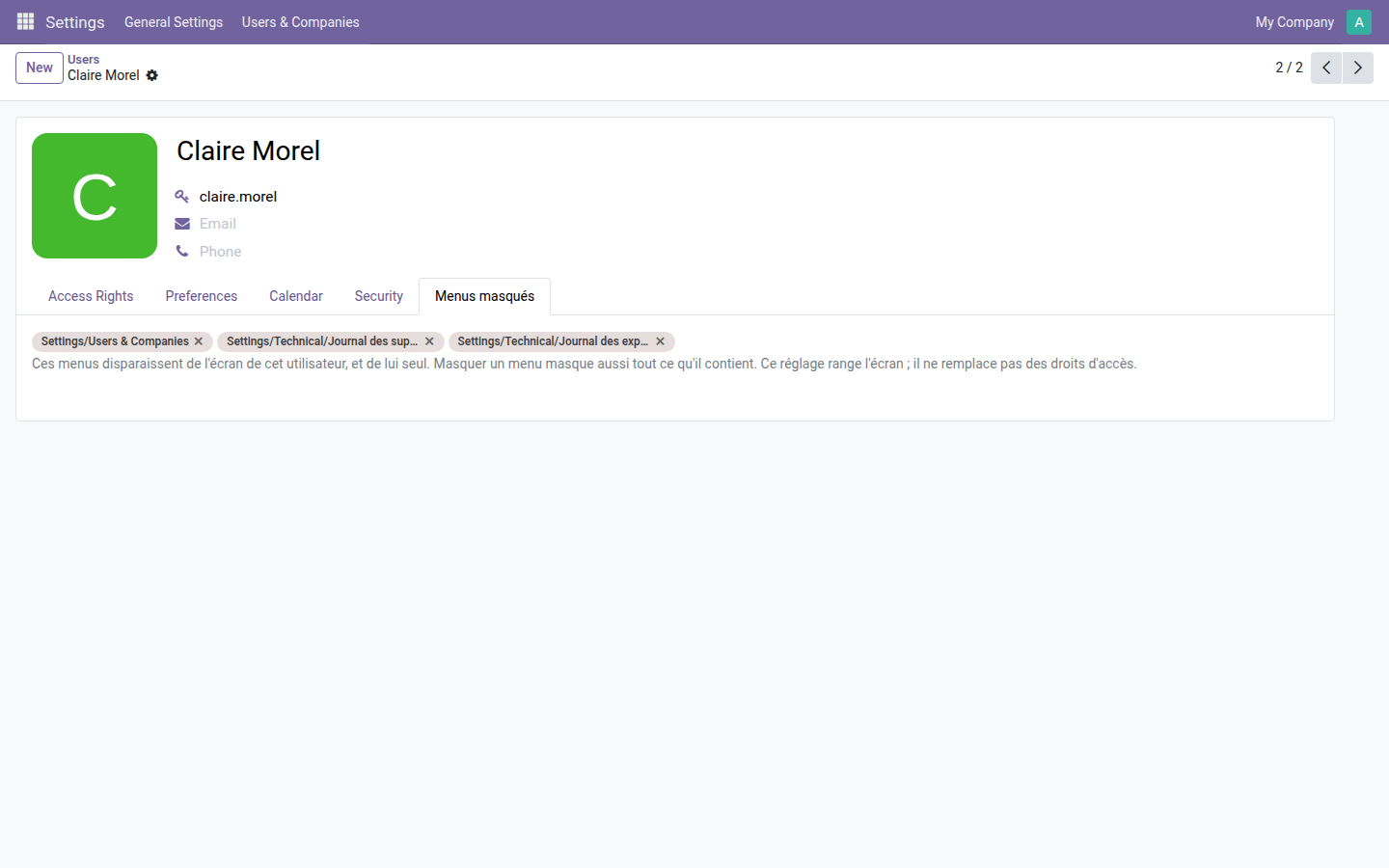
1. The setting lives on the user's form
Three menus removed for Claire Morel: two technical logs and the "Users & Companies" section. The full path is shown, so that no namesake can cause confusion.
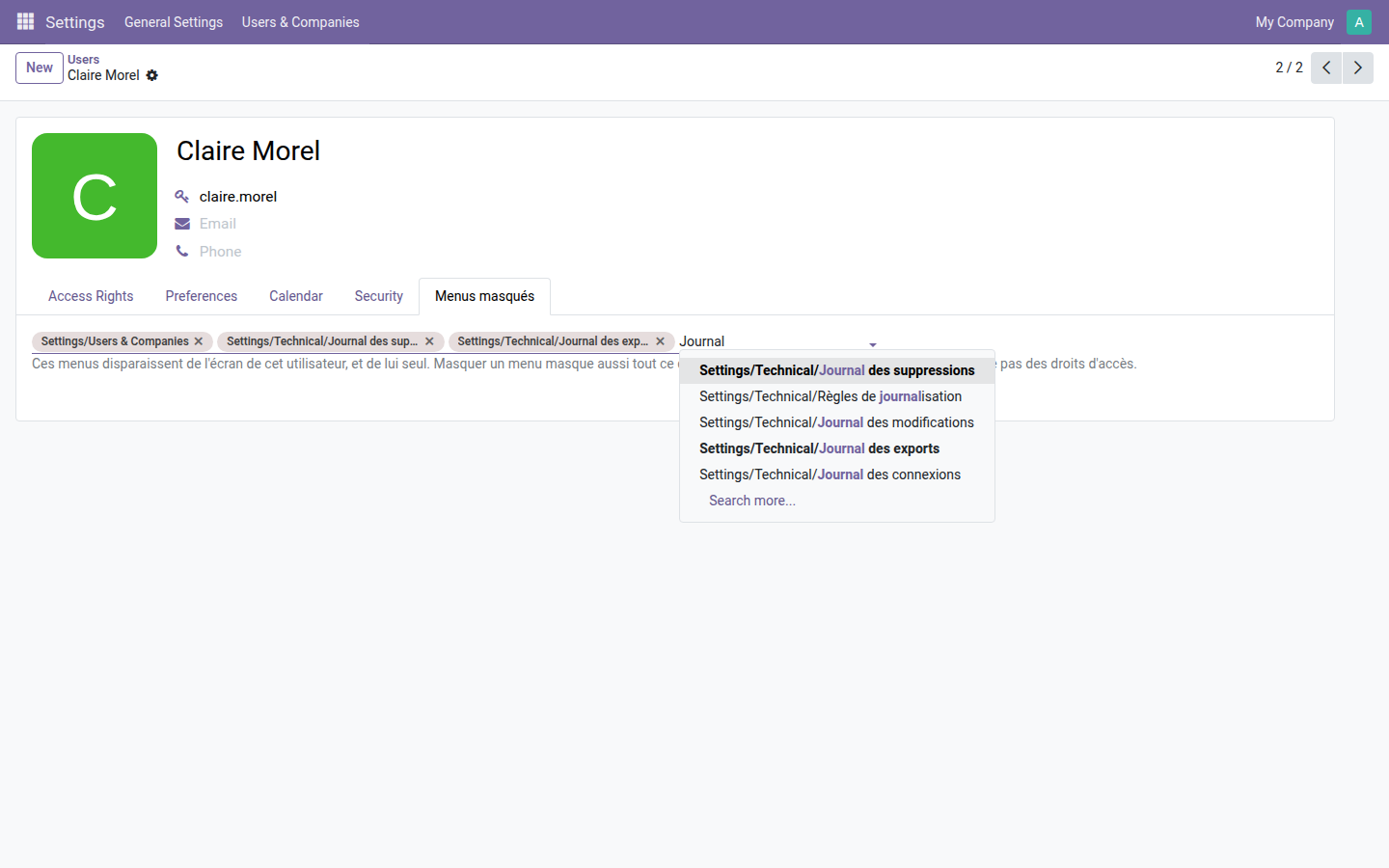
2. The choice is made by search, on the full path
Typing a word is enough: the list suggests the matching menus with their tree, from the root down to the entry.
Why install it
- A lighter screen with no configuration debt: nothing to undo in the groups the day the user changes jobs.
- The filtering hooks in at the exact place where a personal setting stays personal — an implementation detail that avoids serving one user's hidden menus to everyone who shares their groups.
- Open source module, LGPL-3 license — no subscription, no external dependency.
Going further
Good to know: this module tidies the screen, it does not lock the data. A hidden menu remains reachable through its direct URL. To really forbid access, you need access rights: the OdooSkills range includes about fifteen partitioning modules — by sales team, by department, by project, by accounting journal, by warehouse. Full catalog: apps.odooskills.com.
LGPL-3 license — compatible with Odoo 19.0 Community and Enterprise. Support: apps@odooskills.com.
Discussion
Sign in to join the discussion.