
Mass Edit
Change a field on an entire selection from the list view, without opening each record.
Fixing the same mistake on two hundred contacts, setting a salesperson on a whole batch of orders, clearing a field that has become obsolete: Odoo asks you to open each record, one by one. The only native alternative is to export, edit in a spreadsheet, then re-import — three chances to get it wrong for a one-second fix.
What it adds
- ✏️ One field, the whole selection — tick your rows, open "Mass Edit" in the Actions menu, choose the field and the value.
- 🧩 On the model of your choice — an administrator declares the relevant models once; the entry then appears in their list view, without touching the views.
- 🔤 All common types — text, long text, HTML, selection, integer, decimal, monetary, boolean, date, datetime and single relation.
- 🧹 Clear as well as fill — the "Clear the field" operation blanks it out without going through a dummy value.
- 🔒 Your access rights apply — the write goes through the current user's access rights and record rules. The module never uses
sudo().
Real screenshots
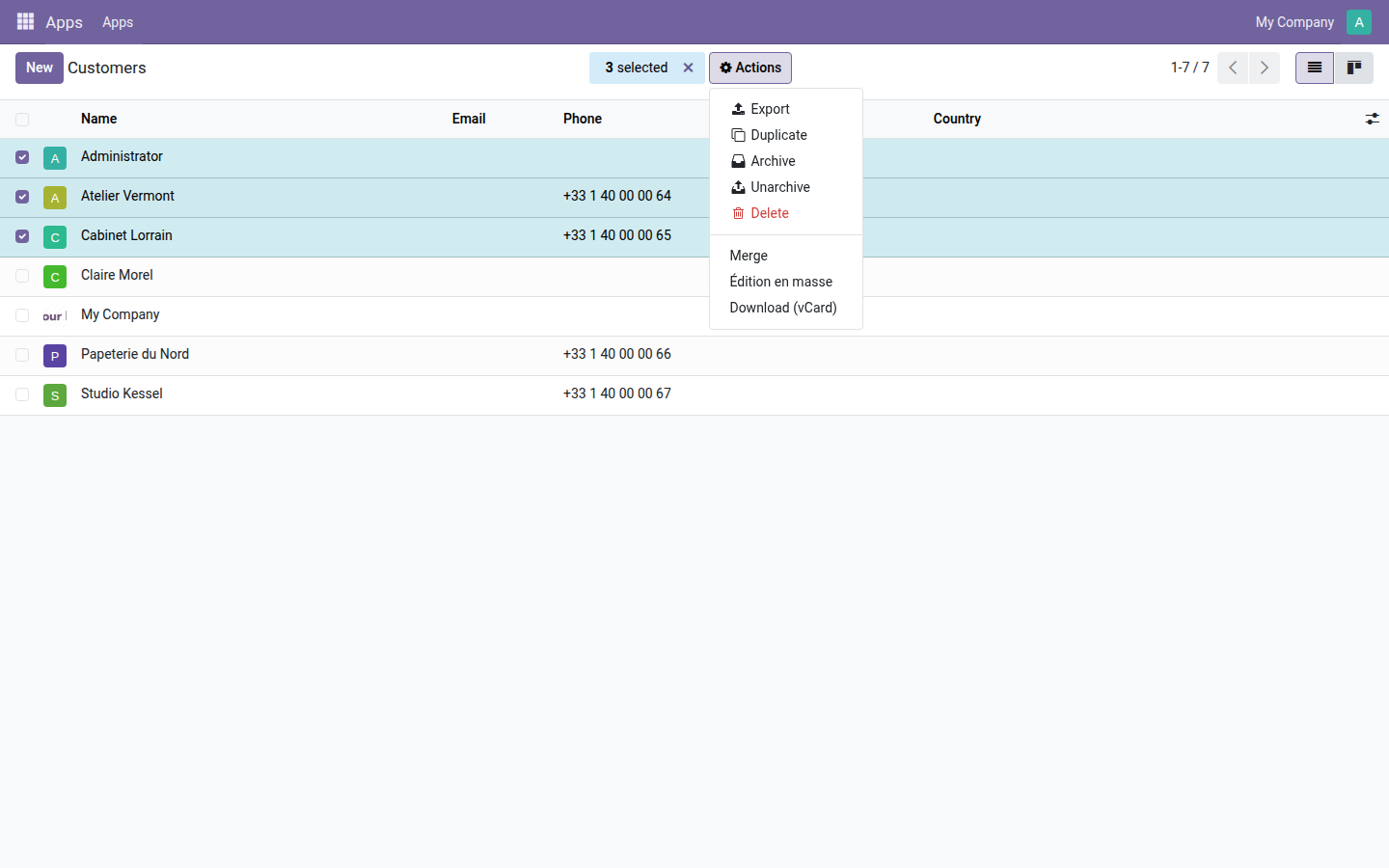
1. The entry is added to the list's Actions menu
Three contacts ticked: "Mass Edit" takes its place among Odoo's native actions (Export, Duplicate, Archive, Delete), without moving anything.
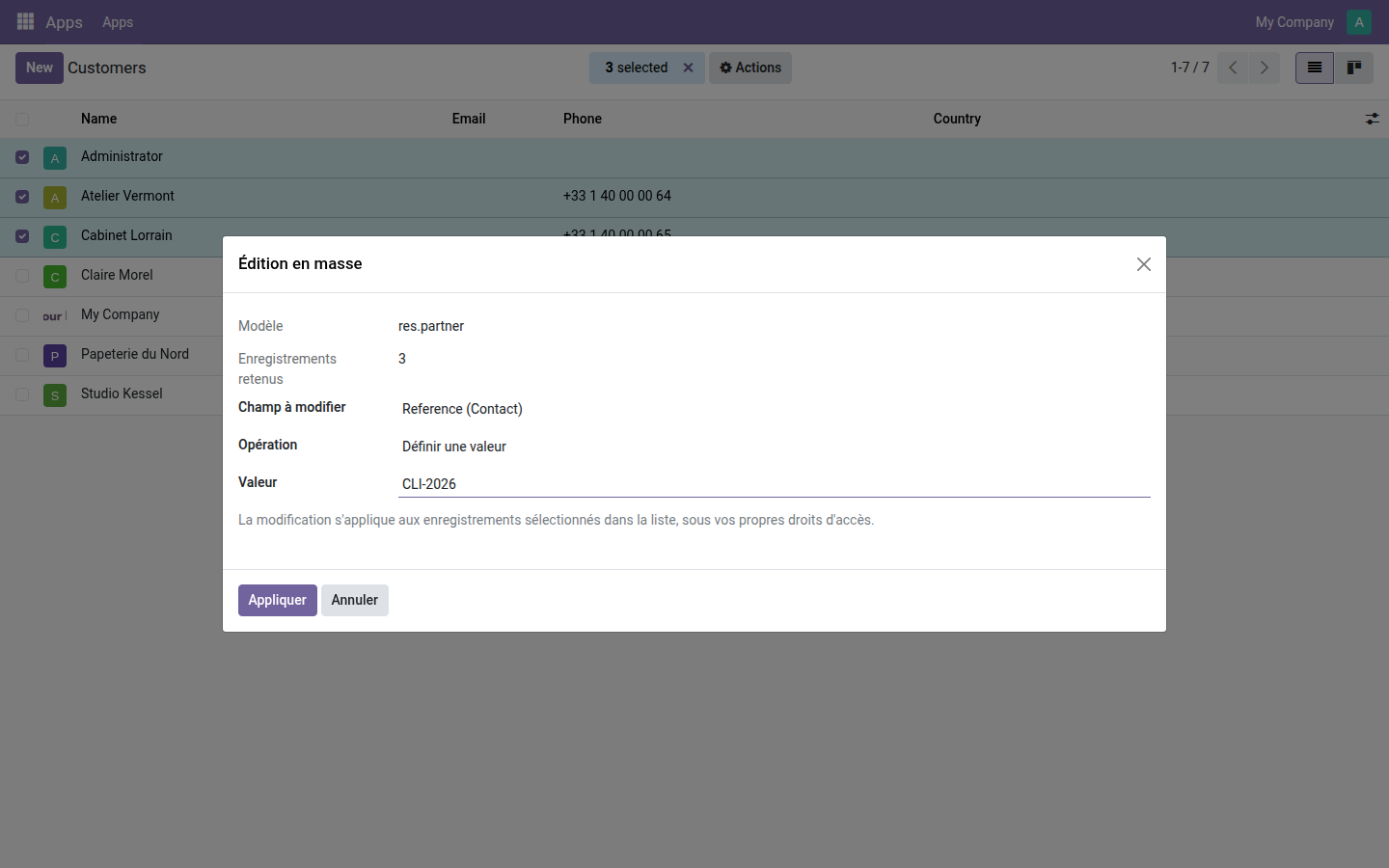
2. The wizard, stripped to the essentials
The model and the number of selected records are shown plainly; the field is chosen from the model's writable fields, here "Reference" on three contacts.
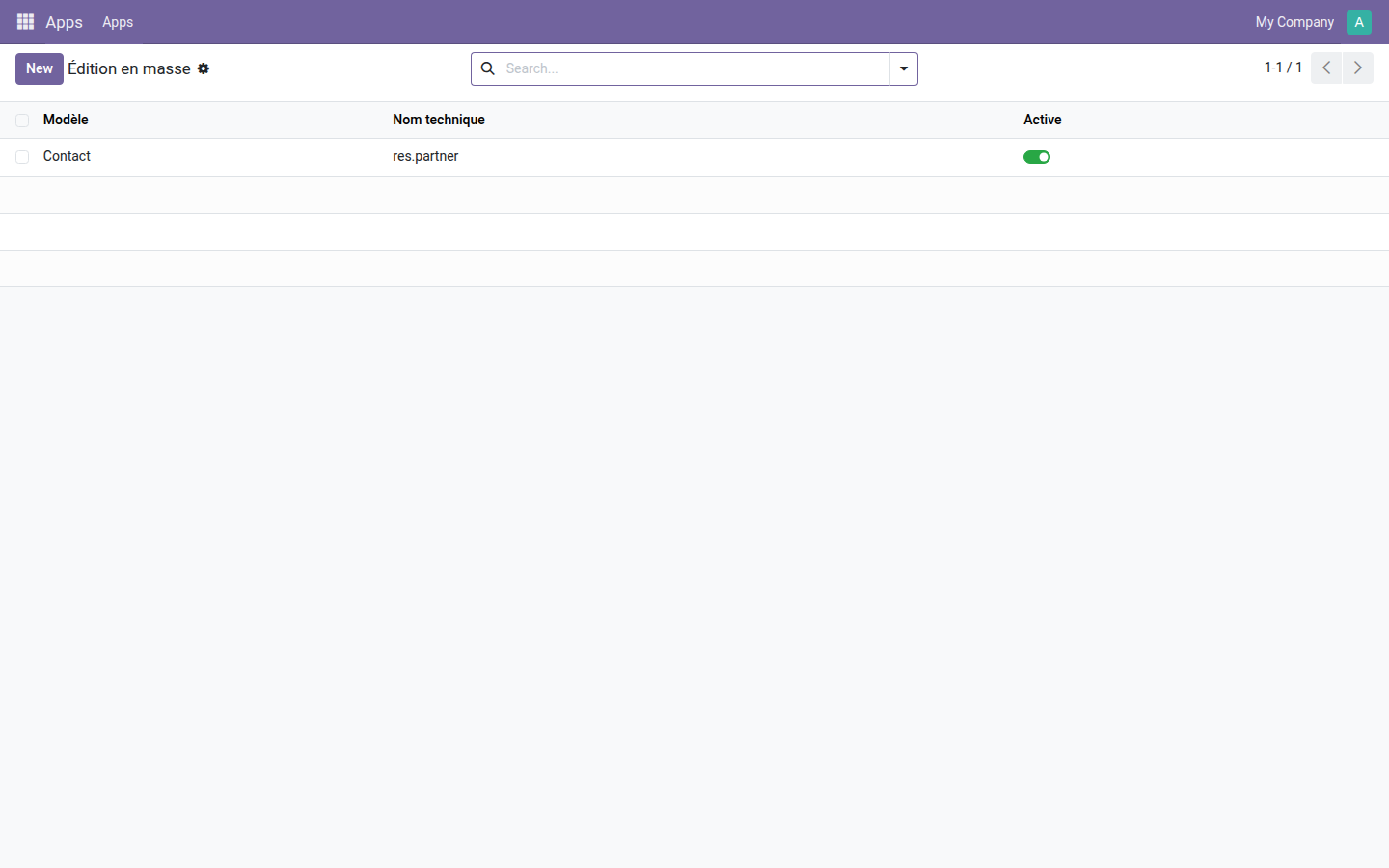
3. The enabled models, on one screen
An administrator adds or removes a model in one line. Deactivating it removes the entry from the Actions menu without losing the configuration.
Why adopt it
- A bulk correction becomes a correction again, instead of an export followed by a re-import.
- Unsupported types are rejected with an explicit message rather than roughly converted: no wrong value is written to a thousand records.
- Open source module, LGPL-3 license — no subscription, no external dependency.
Going further
If your need is less about data entry than about controlling what each person can see and change, the OdooSkills range includes some fifteen access-partitioning modules — by sales team, by department, by project, by accounting journal, by warehouse. Full catalog: apps.odooskills.com.
License LGPL-3 — compatible with Odoo 19.0 Community and Enterprise. Support: apps@odooskills.com.
Discussion
Sign in to join the discussion.