
List Row Colors
Highlight your urgent orders, overdue invoices or critical products — without touching a single line of code.
In Odoo, coloring a list row requires editing XML and knowing the syntax of the decoration-* attributes — a job for developers. The result: operational teams see uniform lists and have to open each record to tell urgent cases from normal ones. Sorting is not enough: you need to read the status instantly from the color.
What it adds
- 🎨 Visual rules without code — define a simple Python condition (
state == 'done',amount_total > 1000) and pick the color: blue, green, orange, red or gray. - ⚡ Instant application on any model — sales, purchases, invoices, inventory, projects… every Odoo list can be configured from a single interface, without editing the existing XML views.
- 🔁 Inherited view generated and managed automatically — when a rule is saved, the module creates (or updates) the matching inherited view; when it is deleted, the view is cleanly removed.
- ✅ On-the-fly activation/deactivation — switch a rule off without deleting it using the toggle button, ideal for seasonal coloring or one-off campaigns.
- 📊 Rules ordered by sequence — drag and drop the rules to control priority when several conditions apply to the same model.
Real screenshots
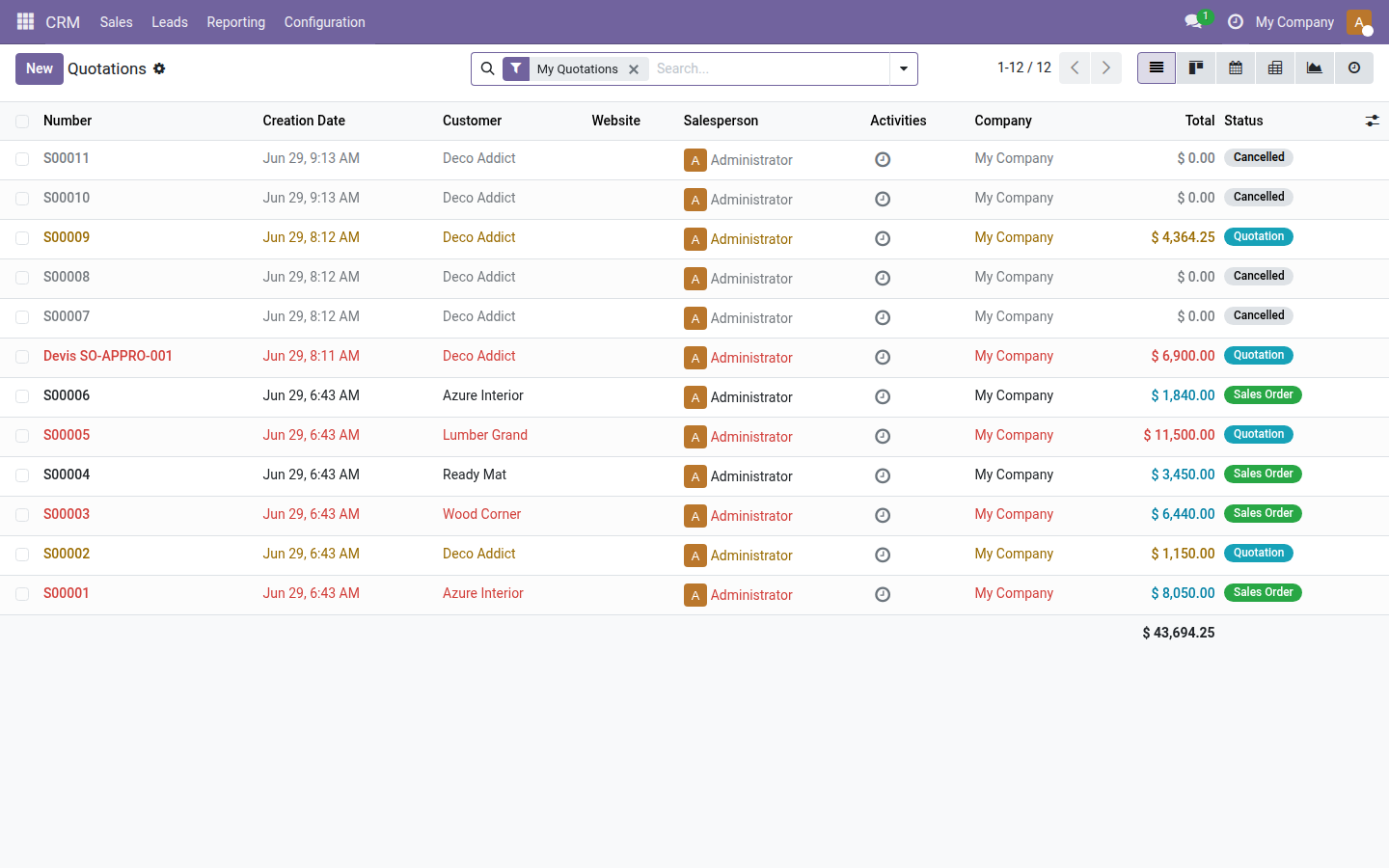
1. Quotation list colored by two business rules
In red, orders above €5,000 (Wood Corner, Lumber Grand, Azure Interior); in orange, quotations still in the Quotation state (S00002, S00009) — instant visual spotting with no extra filter.
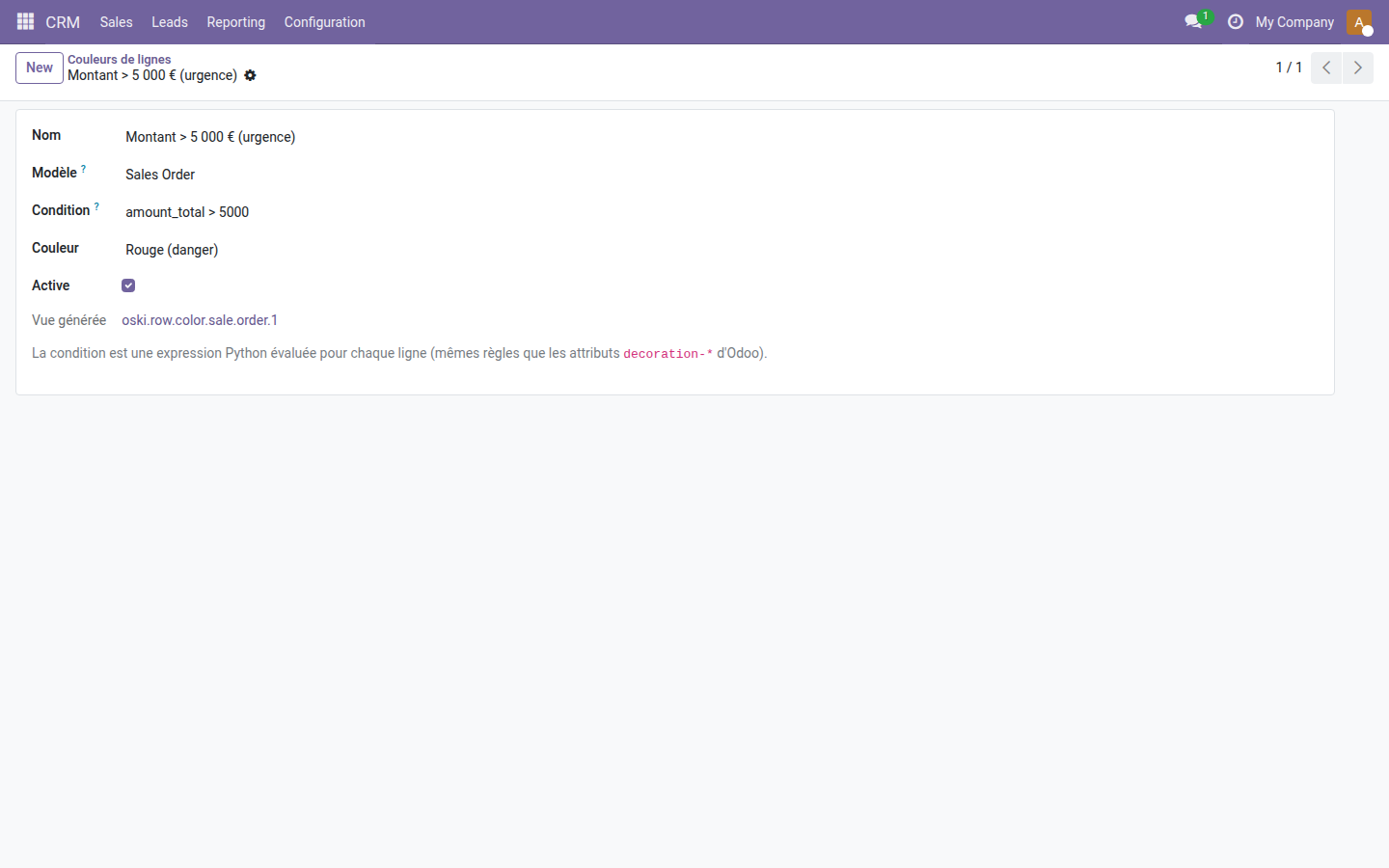
2. Rule configuration form
Three fields are enough: the target model (Sales Order), the triggering Python expression (amount_total > 5000) and the color — the inherited view is created automatically and shown read-only.
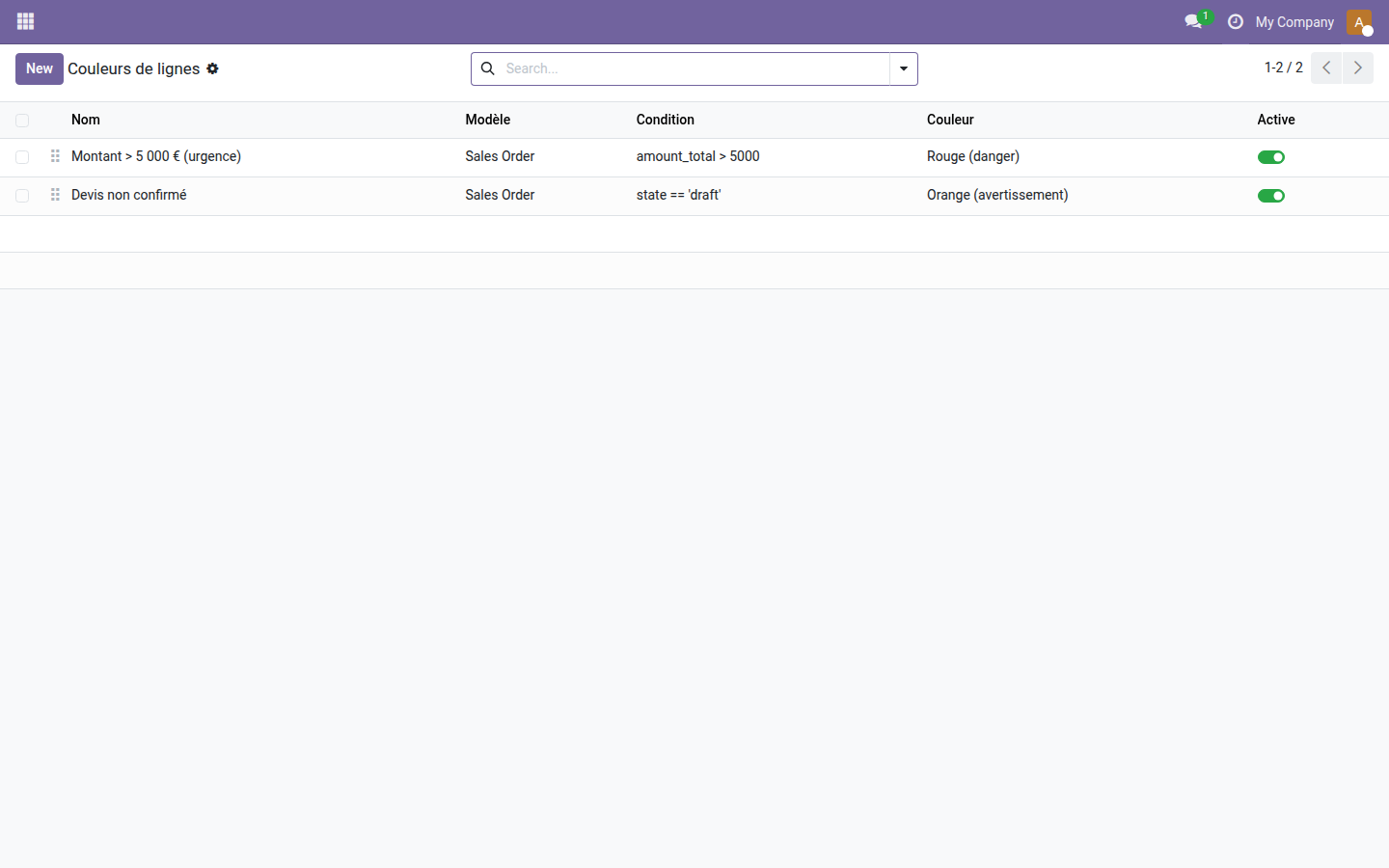
3. Overview of active rules
The interface lists all rules with their model, condition and color — each rule can be enabled or disabled in one click without deleting it.
Why install it
- Save a round trip to a developer for every coloring request — set it up yourself in 30 seconds from Settings.
- Reduce processing errors: teams visually spot the records to handle before even opening a filter.
- No external dependency — the module only uses Odoo's native
decoration-*mechanism, guaranteed compatible with every list view of the platform. - Open source module — works on Community and Enterprise with no extra subscription.
License LGPL-3 — compatible with Odoo 19.0. Support: apps@odooskills.com.
Discussion
Sign in to join the discussion.