Knowledge Base Pro
Premium Launch −30%Per-article permissions, public sharing by link, version history, article templates and PDF export for Knowledge Base
| Technical name | oski_knowledge_pro |
|---|---|
| License | OPL-1 |
| Author | OdooSkills |
$ 29.00
$ 20.30
Launch price — 30% off until December 31, 2026
A ready-to-use Odoo database with demo data, deleted after 1 hour. Odoo 20, 19, 18.
Missing a feature or found a bug?
Request a change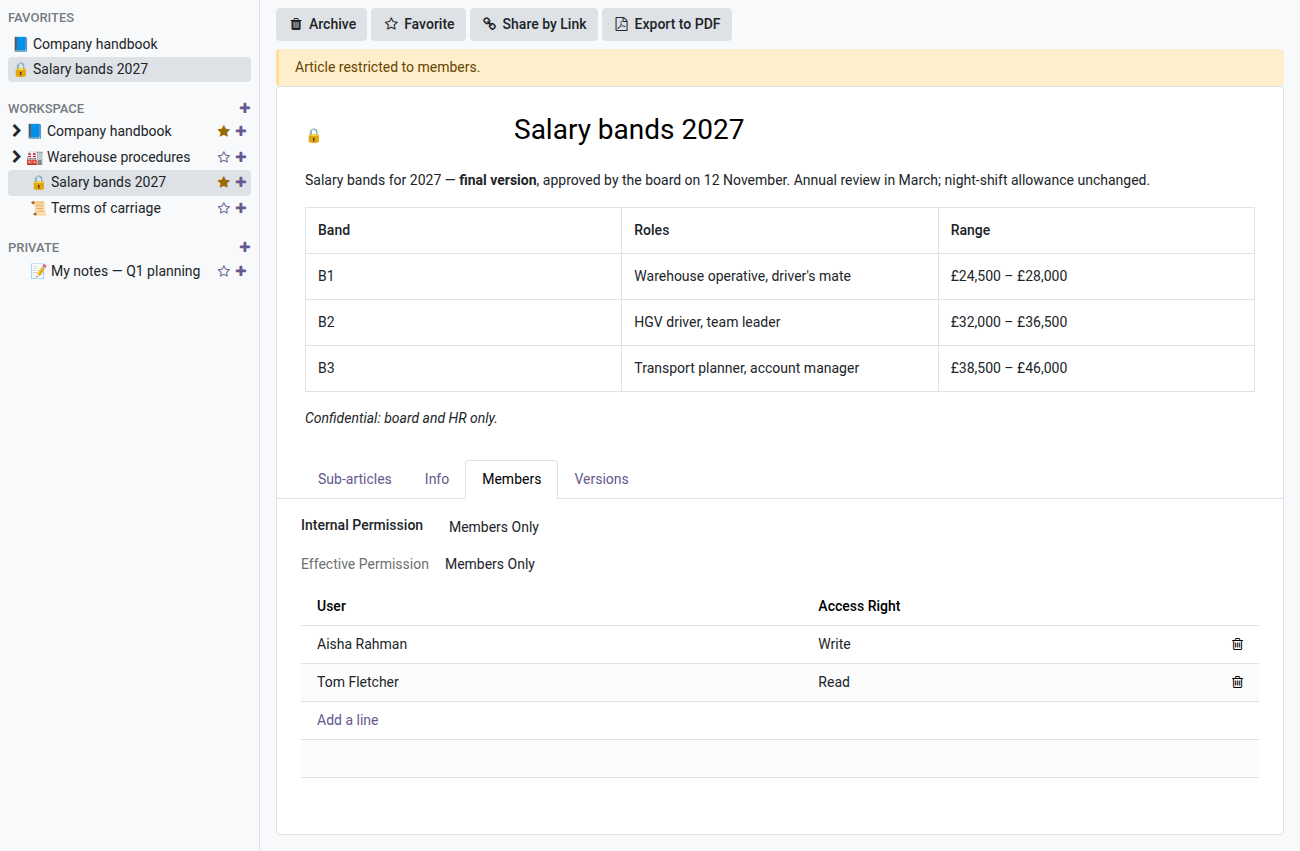
Knowledge Base Pro
Fine-grained permissions per article, public sharing by link, version history, templates and PDF export — for a knowledge base that grows with the team.
A growing knowledge base quickly raises three questions: who is allowed to edit a given article, how to share it with a customer without creating an account for them, and how to get yesterday's version back after an unfortunate edit. The open-source Knowledge Base core does not cover these needs — this Pro extension does.
Requires the open-source "Knowledge Base" module
This Pro extension builds on the open-source Knowledge Base app (oski_knowledge). Install it first.
Pro features
- 🔐 Permissions per article — three levels: everyone can edit, everyone can read, or restricted to members.
- 👥 Read or write members — with automatic downward inheritance: rights set on an article apply to its children.
- 🔗 Public sharing by link — a read-only page accessible by token, not indexed by search engines.
- 🕓 Version history — every change is kept, with one-click restore.
- 📋 Article templates — duplicate a template (and its children) to start a new structured article.
- 📄 PDF export — generate a clean PDF of an article to send or archive.
Real screenshots
1. Restrict an article to its members
Salary bands are restricted to members: Finance can edit, Operations can only read. Everyone else no longer sees the article, and its sub-articles inherit the rule.
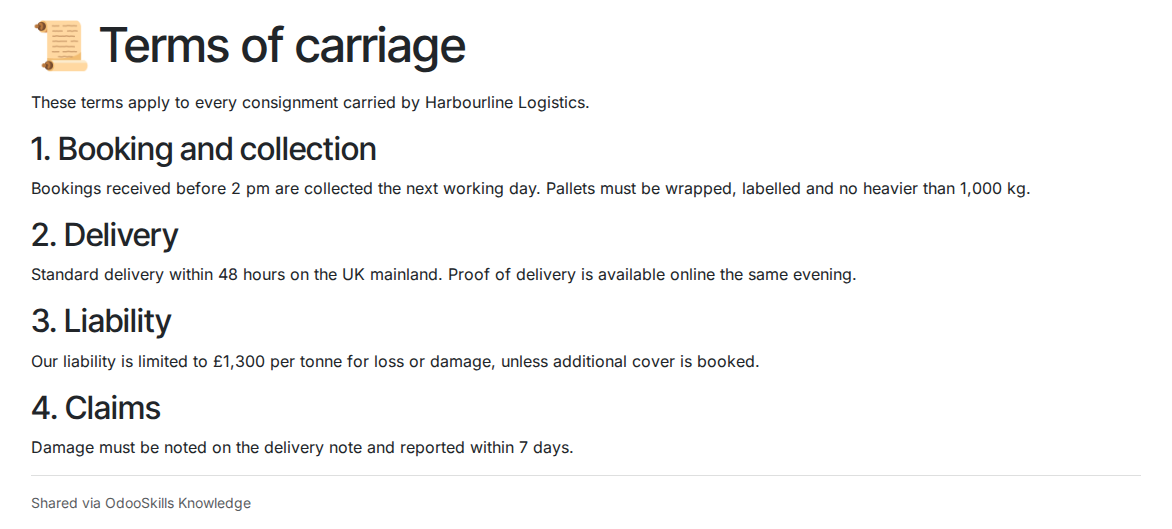
2. Share an article by public link
Share by Link publishes a read-only page, without login. Revoking the share makes the old link invalid for good.
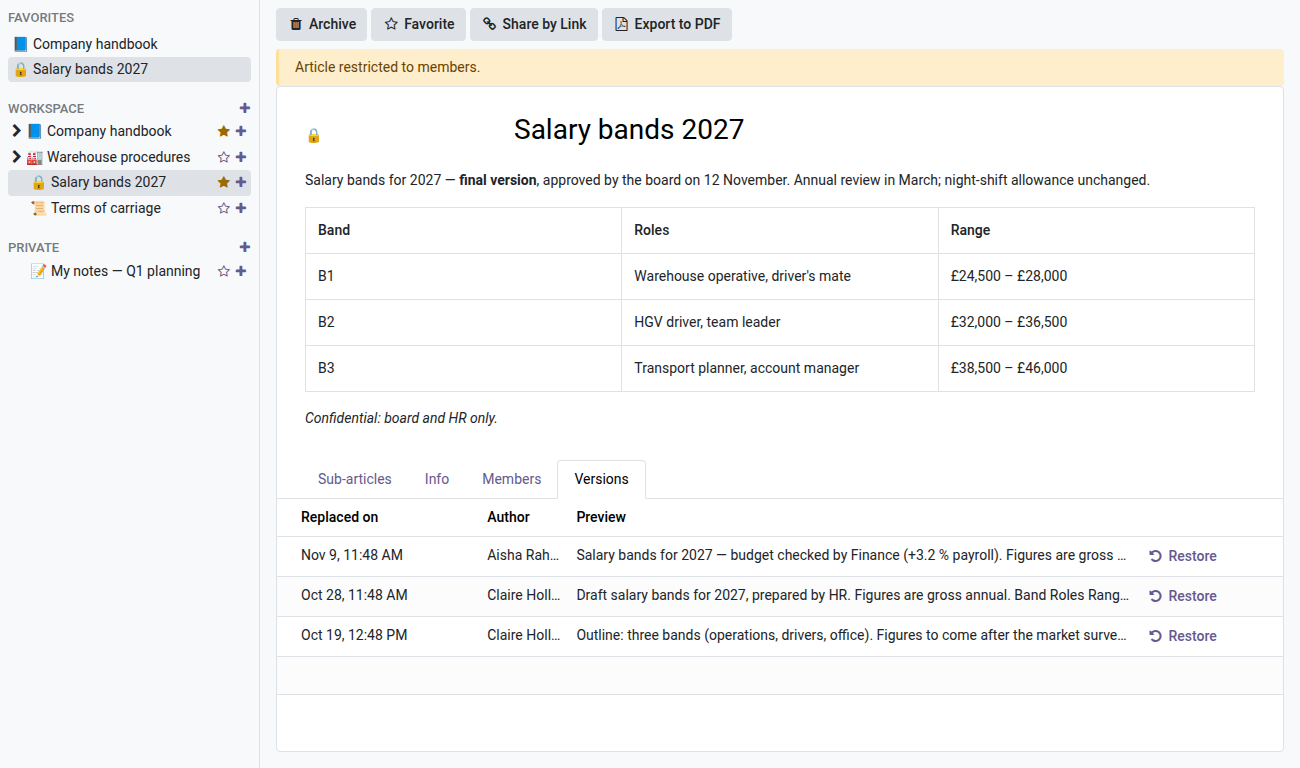
3. Every version, with its author
Each change keeps the previous content, with who wrote it and the start of the text. One click restores an older version.
4. Start from a template
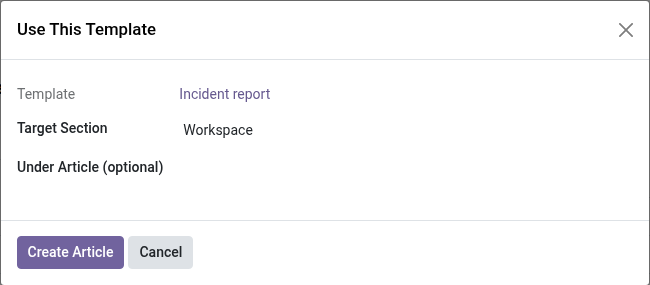
Meeting minutes, incident reports, onboarding: templates have their own menu. Use This Template copies the article and its sub-articles where you choose.
5. Export to PDF
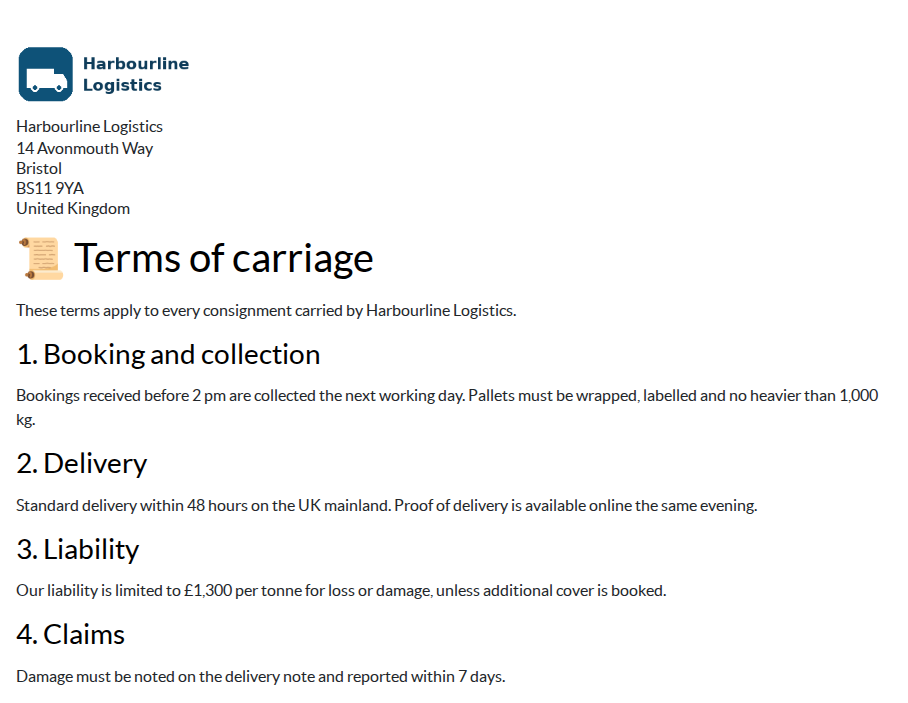
The article is printed with the company letterhead, ready to send or archive.
v1 scope (in all honesty)
No inline comments anchored in the text, no properties or custom fields, no embedded views or items, no cover image, no drag-and-drop in the sidebar (moving is done with a button). Public sharing is an anonymous, non-indexed link — no authenticated portal sharing. Article members are internal users only (no portal contacts or external people). Search stays simple (title and content, without weighting). These items are planned for a later version.
Part of the Knowledge Base suite
Combine with Knowledge Base (oski_knowledge, the required open-source core) and Documents — DMS (oski_dms) for complete document management. See the full suite on apps.odooskills.com.
License OPL-1 — Odoo 19.0 Community & Enterprise. Support: apps@odooskills.com.
Discussion
Sign in to join the discussion.