
Invoice Comment Templates
No more manual copy-paste: insert your recurring notes in one click, printed directly on the invoice PDF.
Late payment penalties, early payment discount, VAT legal notices, delivery instructions… The same notes come back on all your invoices, and every accountant retypes them their own way. The result: inconsistent wording, notices sometimes forgotten, and time lost on every entry. A badly worded text on a sent invoice means one more reminder or dispute to handle.
What it adds
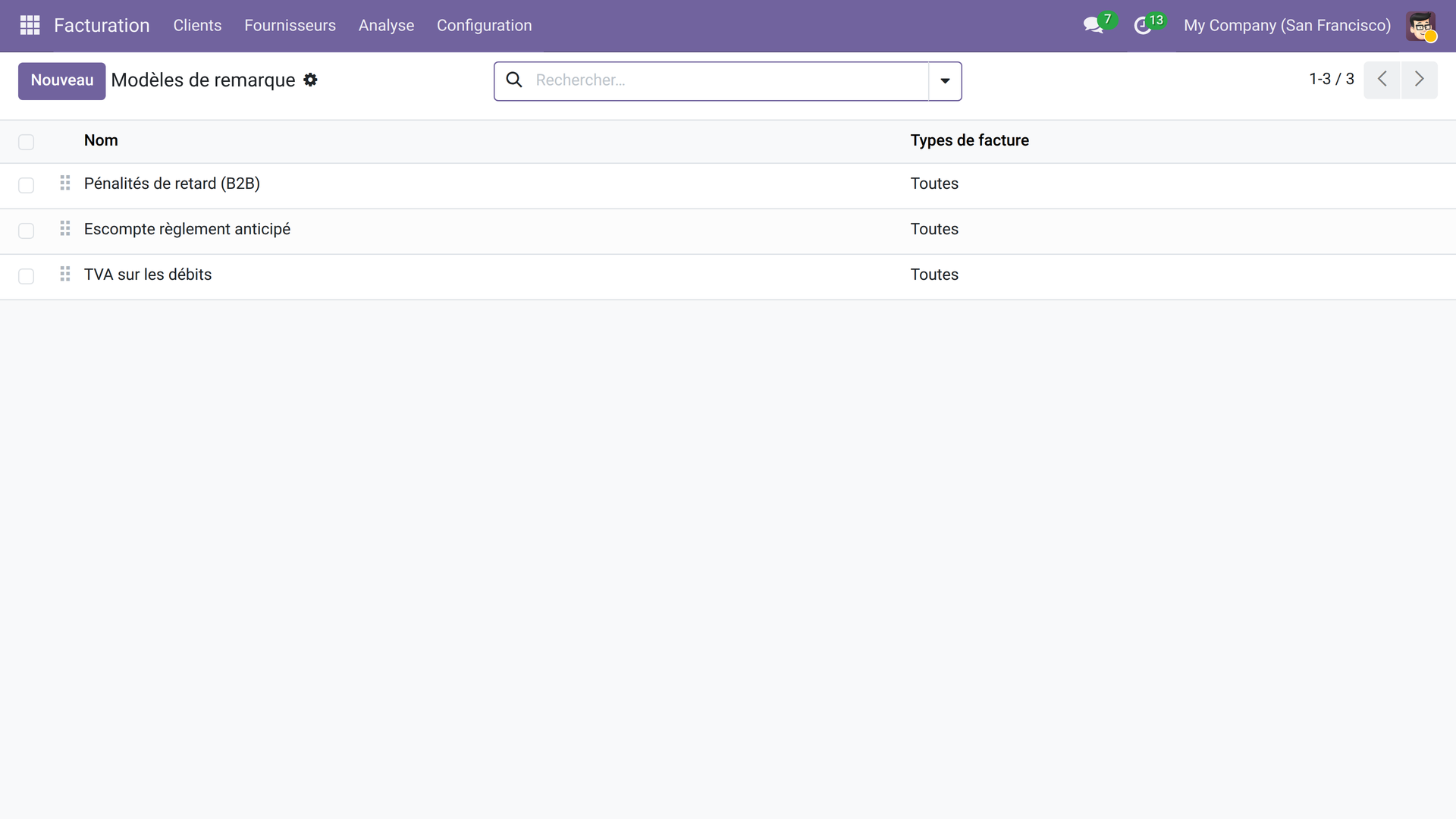
- 📋 A library of approved templates — write each note only once (rich HTML: bold, lists, formatting) and manage them from Accounting → Configuration → Comment Templates.
- 🎯 Targeting by invoice type — each template can be limited to customer invoices, vendor bills, or open to both: the right text in the right place.
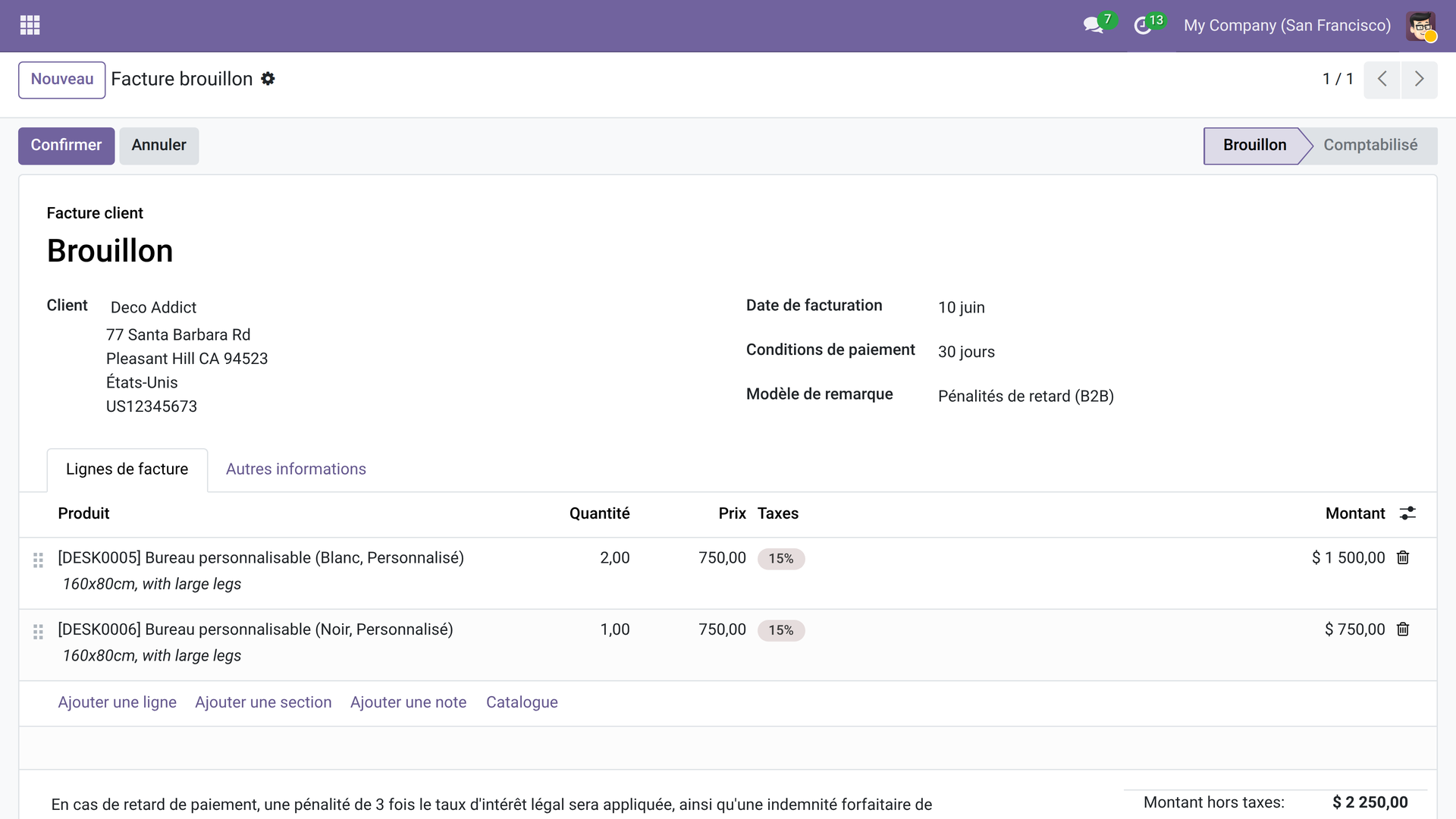
- ⚡ Automatic one-click insertion — a dropdown field on the invoice is all it takes; the note is instantly copied into the terms (narration), editable case by case if needed.
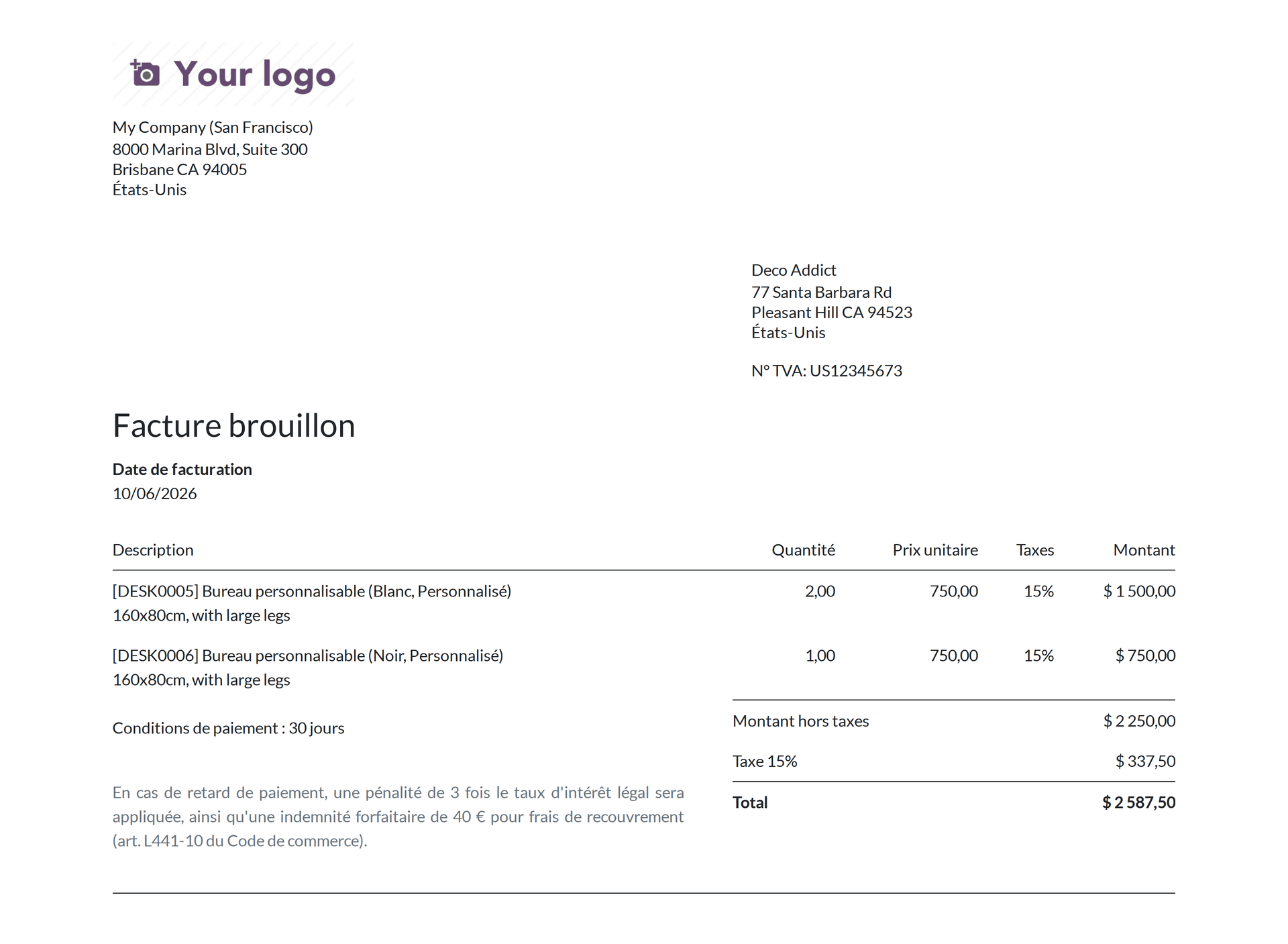
- 📄 Native printing in the PDF — the Odoo narration is already printed at the bottom of the invoice; no QWeb report customization required.
- 🗂️ Archiving without deletion — deactivate seasonal templates to hide them without losing their content; reactivate them with a checkbox.
In screenshots
1. Build the comment library
Create and order your standard templates — late payment penalties, discount, legal notices — from the dedicated configuration menu.
2. Select the template on the invoice
A dropdown field appears directly on the invoice form; choosing a template immediately copies the text into the note.
3. The comment printed in the PDF
The narration shows at the bottom of the invoice in the PDF generated by Odoo — without any change to the QWeb report.
Why install it
- Guaranteed consistency: the whole team uses the same approved wording — no more variations from one accountant to another.
- Zero development: works with the native Odoo PDF, without touching QWeb reports or layout views.
- Immediate rollout: install, create your first templates in 5 minutes, and the accounting team saves time from the very first invoice.
- Open-source module (LGPL-3): open source code, usable without restriction on your Community or Enterprise instance.
License LGPL-3 — compatible with Odoo 19.0. Support: apps@odooskills.com.
Discussion
Sign in to join the discussion.