Export Log
Know who takes which data out of your database: model, fields, number of rows, date.
Odoo offers only an on/off switch: the export permission is granted, or it is not. Once granted, nothing more is known — not which model was dumped, not how many rows went out, not when. The day a customer file circulates outside, there is no way to know where it came from.
What it adds
- 📤 Every export logged — author, model, requested fields, number of rows produced, date.
- 📊 Both formats — Excel and CSV go through the same method: neither one slips under the radar.
- 🚫 Nothing to block, nothing to slow down — the module prevents no export and changes nothing in your teams' experience.
- ✅ Only what actually went out — an export refused for lack of rights produces no line.
Real screenshots
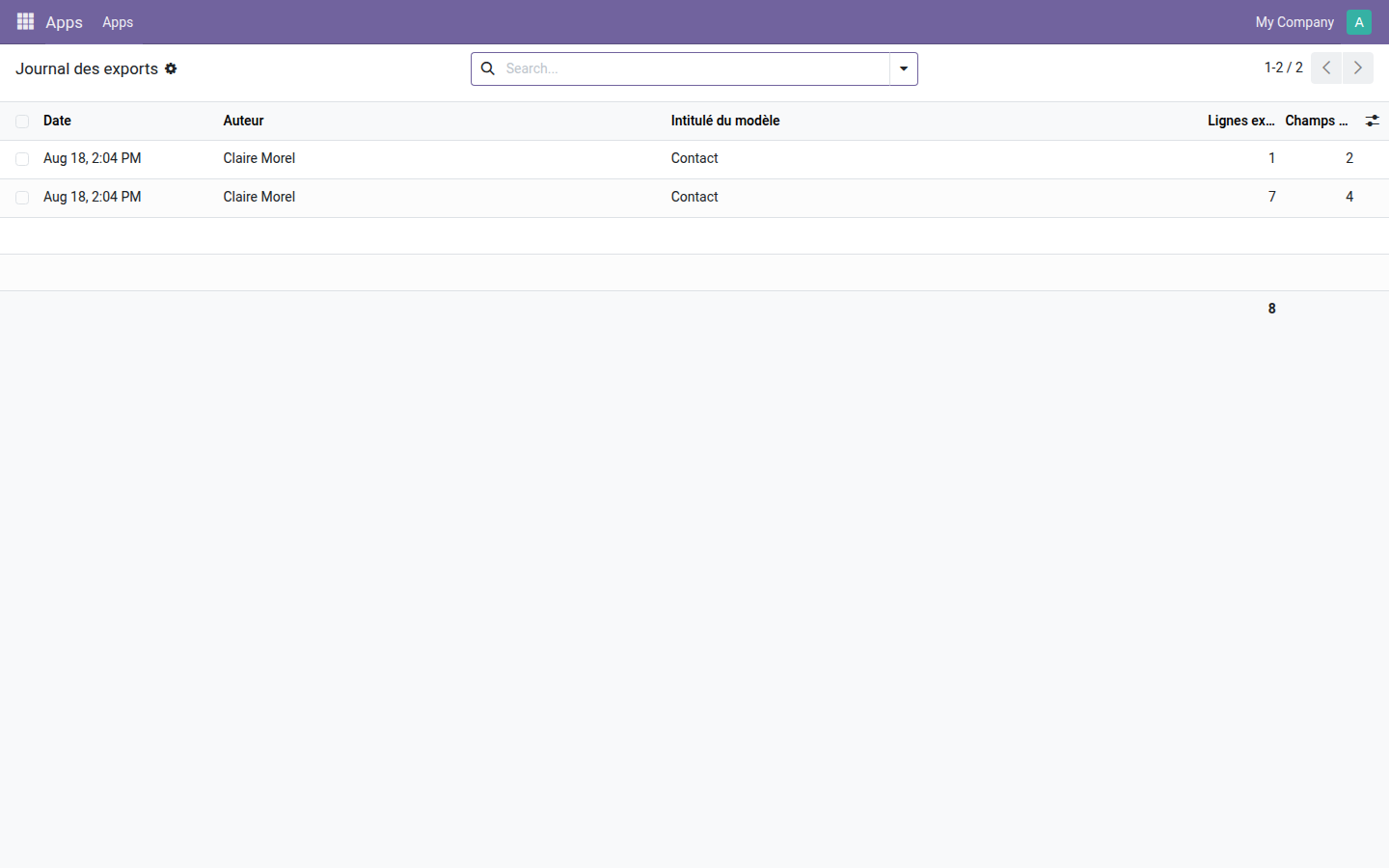
1. What went out, and how much
Two exports of the same model: seven rows over four fields, then one row over two fields. The rows column adds up, so you can measure at a glance what left the database over a period.
Why adopt it
- The question "who took this file out?" no longer goes unanswered, without taking anything away from anyone.
- The log does not log itself: viewing it or exporting it does not fill it.
- Open source module, LGPL-3 license — no subscription, no external dependency.
Going further
A log tells you what went out; it does not restrict what is visible. So that a salesperson only sees their own portfolio, a project manager only their projects, a cashier only their register, the OdooSkills range includes some fifteen access-restriction modules — by sales team, by department, by project, by accounting journal, by warehouse. Full catalog: apps.odooskills.com.
License LGPL-3 — compatible with Odoo 19.0 Community and Enterprise. Support: apps@odooskills.com.
Discussion
Sign in to join the discussion.