Scheduled Action Monitor
Every run: duration, success, error, and the history that goes with it.
Odoo keeps the date of a scheduled action's last run in lastcall, and the number of consecutive failures in failure_count. Neither appears in any view. An action that fails every night — customer reminders, synchronization, stock computation — therefore only shows up in the server log, if someone thinks to open it.
What it adds
- ⏱️ Every run recorded — start, duration to the millisecond, success or failure, full error message.
- 🔴 Failures survive the failure — the log is written on a separate transaction, because the action's own transaction is rolled back when it fails. The failure is precisely what must be kept.
- 📈 Duration becomes data — the column totals up, and slow actions are spotted before they turn into an incident.
- 🧹 Automatic cleanup — runs older than 30 days go away with Odoo's cleanup; the delay is set by a system parameter.
Real screenshots
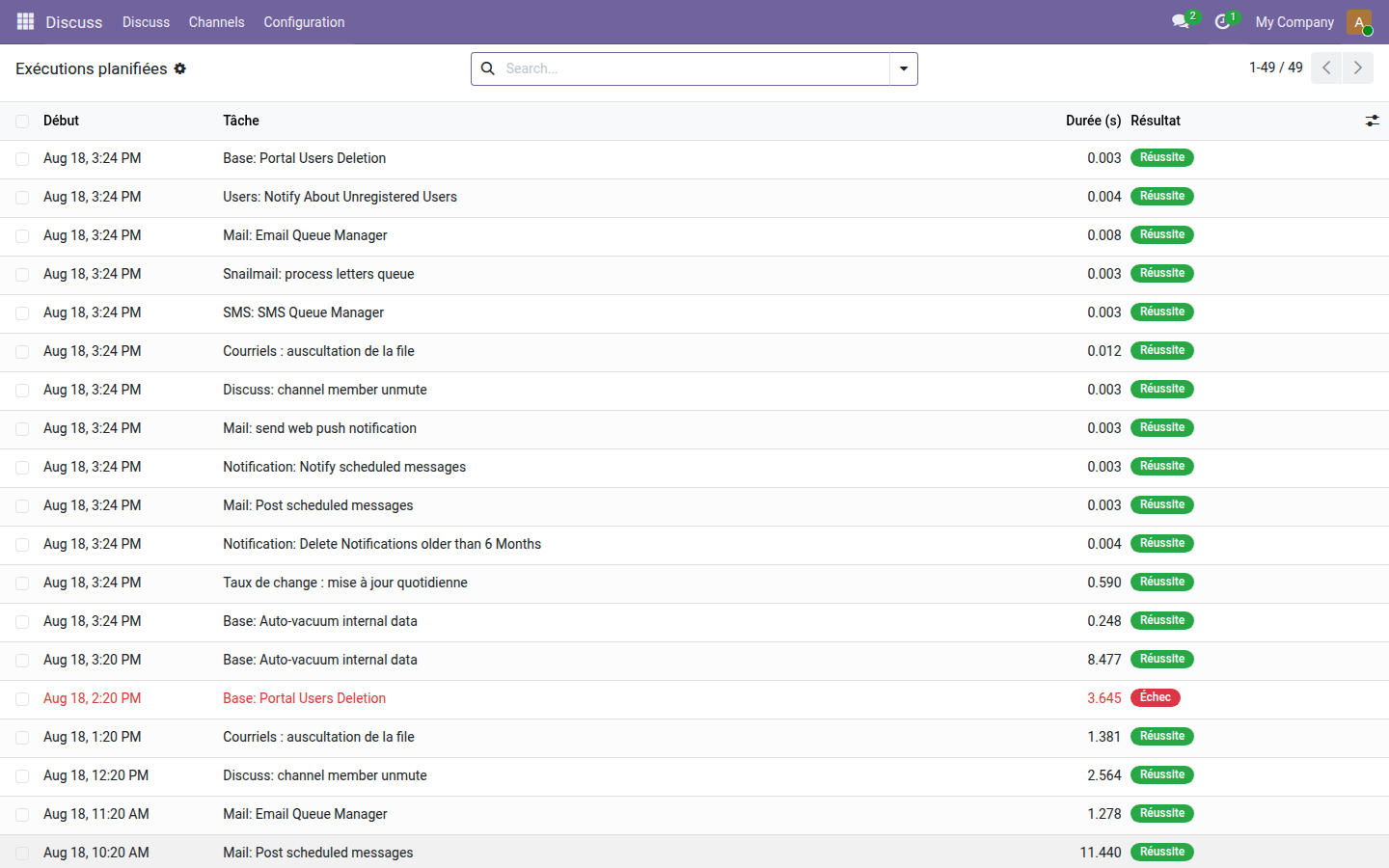
1. Everything that ran last night
Forty-nine runs, one of them failed, flagged in red among the successes. Without this log, that line would have left no visible trace.
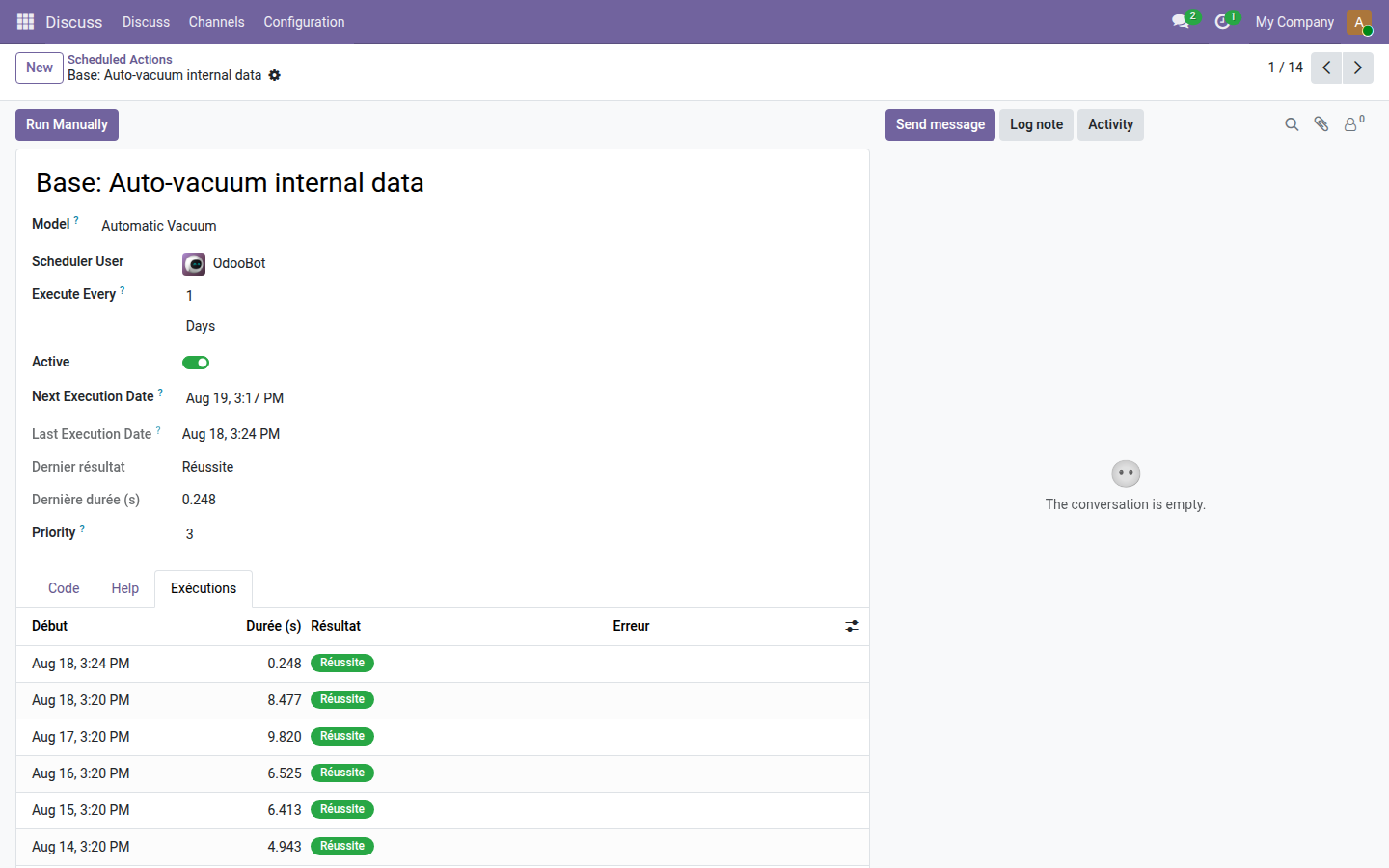
2. The history, on the action itself
The scheduled action form gains the date of the last run, its result, its duration, and a tab that lists its past runs.
Why install it
- The log can never make a successful action fail: a write failure goes to the server log, and the action completes.
- No configuration: install the module and the first action that runs is already recorded.
- Open source module, LGPL-3 license — no subscription, no external dependency.
Going further
Knowing that an action failed is a start; seeing the activity of the whole instance comes next. The OdooSkills range offers operations dashboards, access and change logs, and email queue monitoring. Full catalog: apps.odooskills.com.
LGPL-3 license — compatible with Odoo 19.0 Community and Enterprise. Support: apps@odooskills.com.
Discussion
Sign in to join the discussion.