Cost & Margin Hiding
Premium Launch −30%Restrict visibility of product cost to authorized managers only, with no development.
| Technical name | oski_cost_margin_security |
|---|---|
| License | OPL-1 |
| Author | OdooSkills |
$ 39.00
$ 27.30
Launch price — 30% off until December 31, 2026
A ready-to-use Odoo database with demo data, deleted after 1 hour. Odoo 20, 19, 18.
Missing a feature or found a bug?
Request a change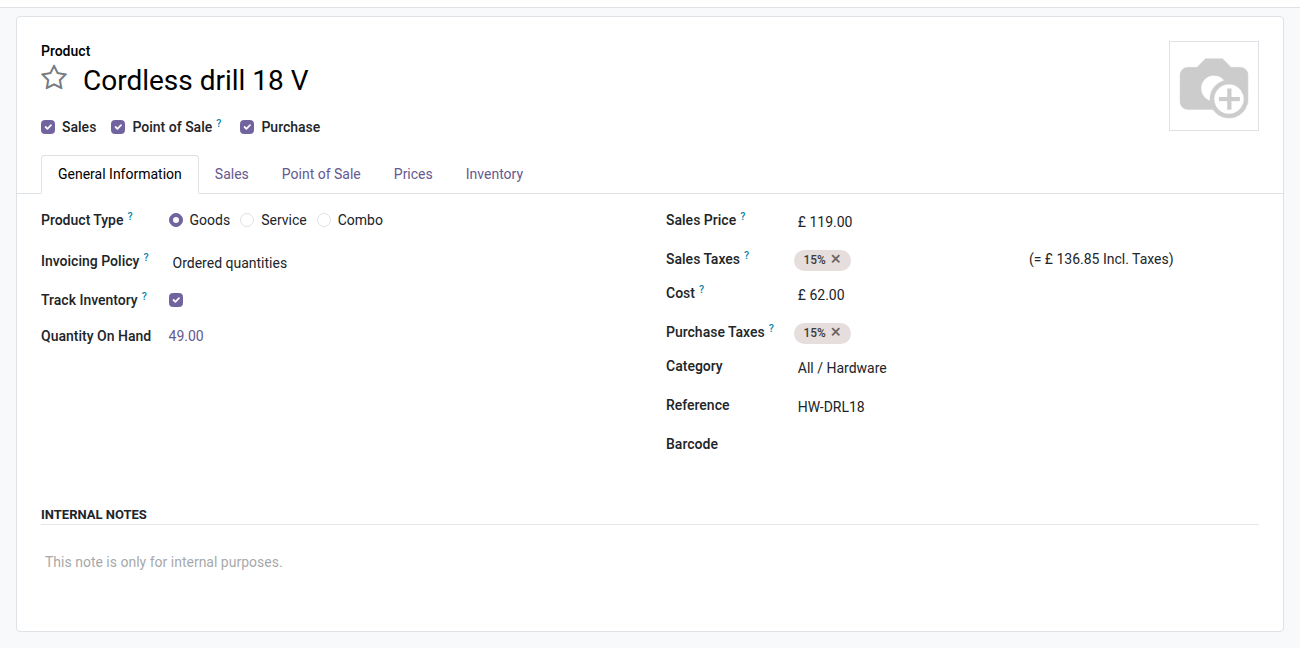
Cost & Margin Hiding
Restrict access to product cost to authorized staff only — without touching the code.
In Odoo Community, the cost price (standard_price) is visible by default to every internal user — salespeople, cashiers, assistants. The result: a salesperson can read a product's cost before negotiating its sales price, and your catalog margins do not stay confidential. Odoo Enterprise offers finer controls, but in Community this restriction does not exist natively.
What it adds
- 🔒 Cost hidden by default — the Cost field disappears from product forms and lists for any user who does not belong to the "View cost & margin" group.
- ✅ Targeted access through a dedicated group — a simple drag-and-drop in the user configuration is enough to grant or revoke visibility, without changing existing rights.
- 🛡️ Administrators protected automatically — the system group inherits the "View cost & margin" right from installation; no admin gets locked out.
- 📊 Extensible to sales and point of sale — the optional bridges oski_cost_margin_security_sale and oski_cost_margin_security_pos extend the restriction to the margin on orders and to the checkout screens.
- ⚡ Zero complex configuration — no access rule record to write, no computed field to override; the module only overrides the
groupsattribute of the standard field.
In pictures
1. Cost visible to authorised people
Managers and members of View Cost & Margin see the product cost as usual.
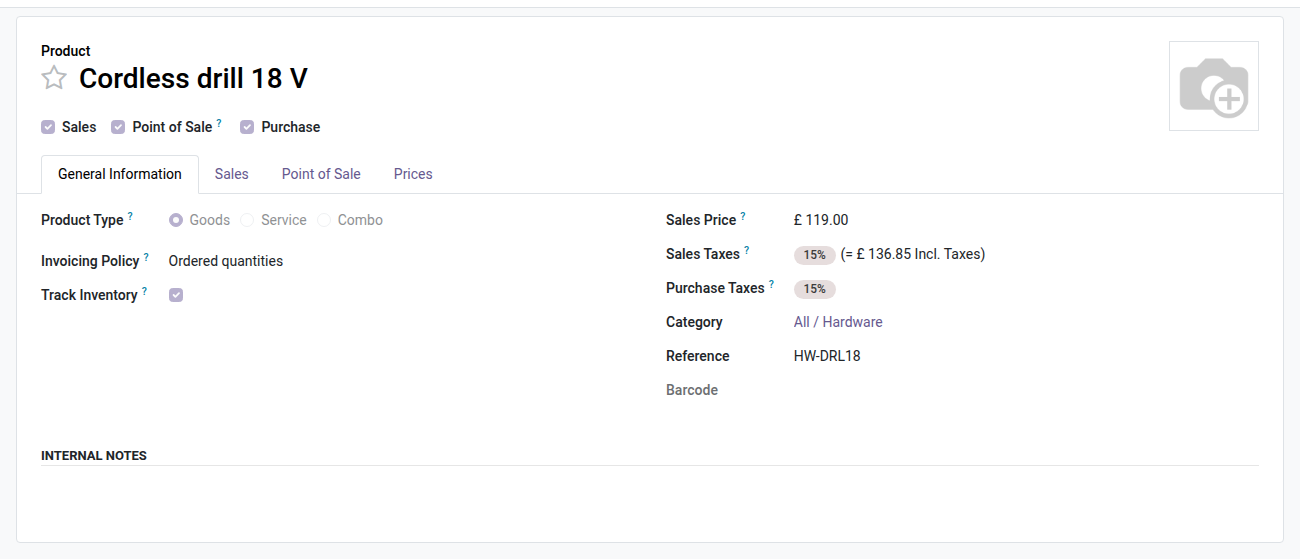
2. Gone for everyone else
For the salesperson the Cost row disappears from the form, lists, exports and searches, and the layout stays clean.
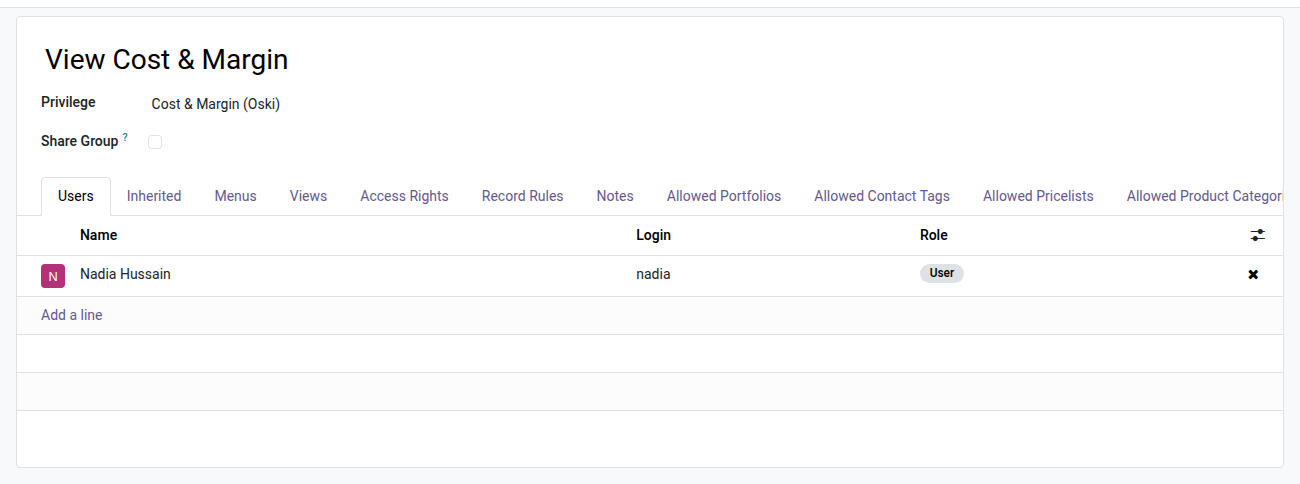
3. One group decides
Add someone to View Cost & Margin to show them costs; administrators are in it by default.
Why install it
- Protect your profitability data: purchase costs, manufacturing costs and margins are only accessible to managers and leadership.
- Avoid skewed negotiations: a salesperson who does not know the cost cannot use it as an implicit floor when granting a customer discount.
- Get in Community Edition a confidentiality feature that usually calls for an Enterprise setup or custom development.
- Install in under two minutes: no data migration, no view to modify — hiding is active as soon as the module is installed.
Part of the Dimension Security Suite
This module is the core of the cost/margin restriction. Complete it with:
- oski_cost_margin_security_sale — also hides the Margin column on sales orders ($19).
- oski_cost_margin_security_pos — hides cost and margin in point of sale sessions ($19).
- oski_account_journal_security, oski_sale_team_security, oski_project_security and other modules of the suite to secure every business dimension.
See the full suite on apps.odooskills.com.
OPL-1 license — compatible with Odoo 19.0 Community & Enterprise. Support: apps@odooskills.com.
Discussion
Sign in to join the discussion.