
Clinic Surgery
Premium Launch −30%Operating room for a private clinic: theatres, procedures, surgery schedule without double booking, safety checklist, operative report and statement line.
| Technical name | oski_clinic_surgery |
|---|---|
| License | OPL-1 |
| Author | OdooSkills |
$ 79.00
$ 55.30
Launch price — 30% off until December 31, 2026
A ready-to-use Odoo database with demo data, deleted after 1 hour. Odoo 20, 19, 18.
Missing a feature or found a bug?
Request a change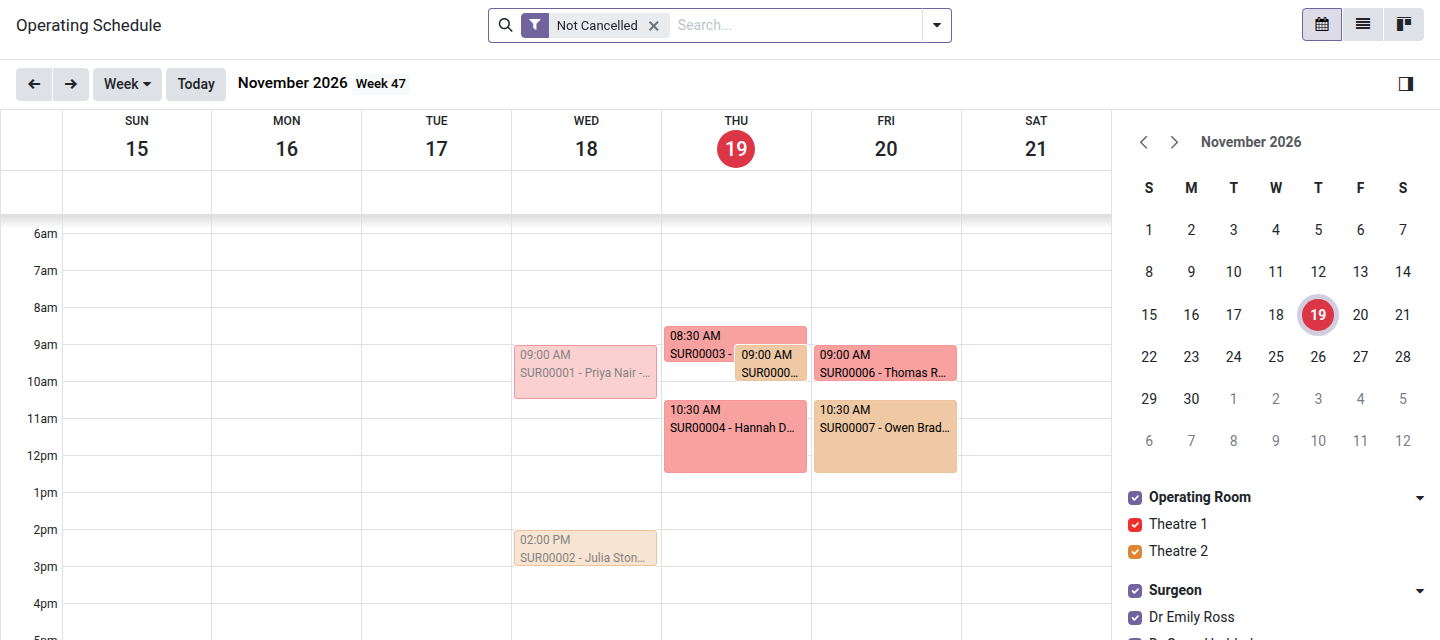
Clinic Surgery
The operating schedule, the safety checklist and the operative report in one place.
The theatre schedule is a shared spreadsheet until two surgeons turn up for the same room. The safety checklist is a paper form that nobody can find afterwards, and the operative report is typed elsewhere. This module schedules surgeries against real constraints and keeps the checklist and the report with the stay.
What it does
- 🗓️ Operating schedule — week view per theatre and per surgeon; a room or a surgeon cannot be booked twice at the same time.
- 📚 Procedure catalog — procedures by specialty with their usual duration and the product billed.
- ☑️ Safety checklist — three phases (before induction, before incision, before the patient leaves the room); who checked each item and when. An option blocks the start while the first phase is incomplete.
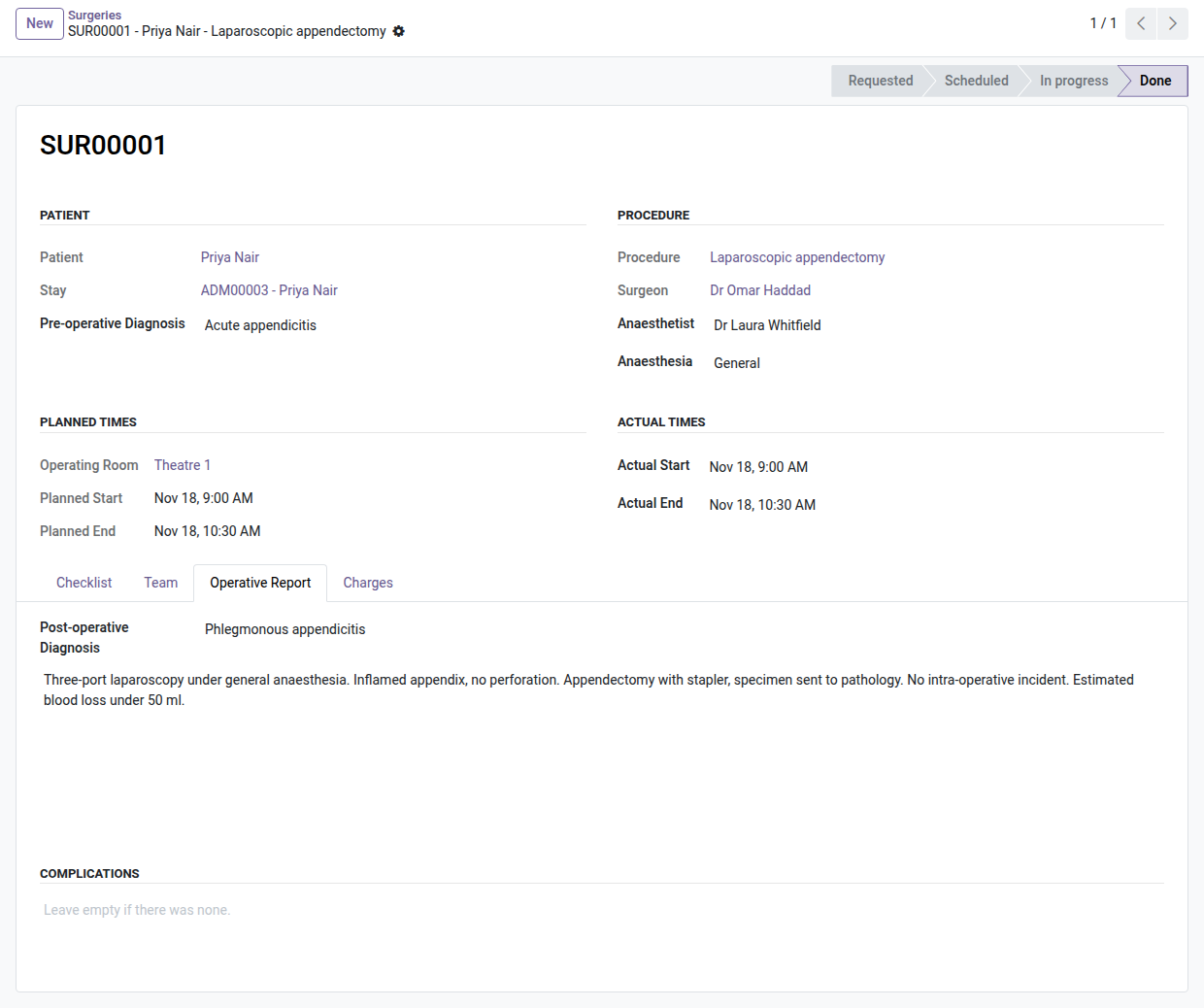
- 👥 The team — surgeon, anaesthetist, scrub nurse and assistants on the record.
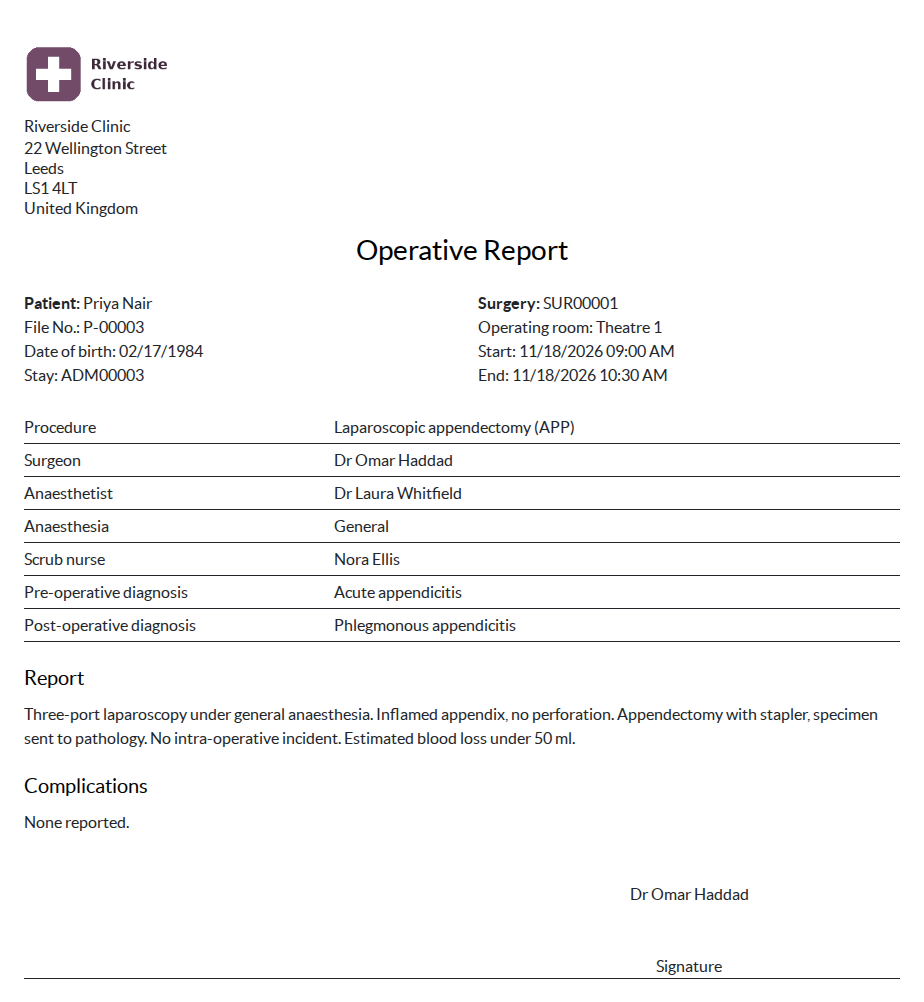
- 📝 Operative report — pre and post-operative diagnosis, report, complications, printed for the patient file.
- 🧮 On the stay statement — a completed surgery adds its procedure to the charges of the stay.
- 🖨️ Operating list — the day's list per theatre, printed for the team.
In screenshots
1. The operating schedule
The week per theatre and per surgeon; a double booking is refused when you schedule.
2. The surgery
Patient, procedure, team and times, with the checklist, the operative report and the charges.
3. The operative report
Team, diagnoses, report and complications, printed for the patient file.
Why install it
- Double bookings are refused when you schedule, not discovered the morning of the surgery.
- The checklist is kept with names and times.
- The operative report is in the patient's stay, one click away.
- What was done in theatre reaches the bill without retyping.
Part of the OdooSkills Clinic family
Each module plugs into the stay and installs alone or with the others:
- 🏥 Clinic Management — $99: departments, rooms and beds, the stay from admission to discharge, live bed board, discharge summary.
- 🩺 Clinic Nursing — $59: vital signs, care plans, medication rounds, handover notes and the nurse worksheet.
- 🧾 Clinic Billing — $59: room nights, acts and packages, estimate, advances, interim and final invoices.
- 🛡️ Clinic Insurance — $59: insurers and plans, pre-authorizations, patient and insurer invoices, claim follow-up.
- 💊 Clinic Pharmacy — $59: prescriptions to dispense, stock and lots, returns, every dispense on the stay statement.
- 🚑 Clinic Emergency — $59: arrival, five-level triage, emergency board with overdue waits, care, outcome, admission.
- 🎫 Clinic Queue — $29: tickets linked to the patient and the stay, admission desk, patient transfer between services.
📦 Need it all? The Clinic Management Suite installs the eight Clinic modules and the six Medical Practice and Queue modules they build on (14 in all) for $449 instead of $756.
Compatibility and license
Odoo 18, 19 and 20, Community and Enterprise. OPL-1 license. Requires Clinic Management (oski_clinic, $99). English interface, French translation included; nothing specific to one country; multi-company. A specific need? The “Request a change” button on this page sends it to us. Support: apps@odooskills.com.
Discussion
Sign in to join the discussion.