
Appointment Payment
Premium Launch −30%Require payment before confirmation: eliminate no-shows and release abandoned slots automatically.
| Technical name | oski_appointment_payment |
|---|---|
| License | OPL-1 |
| Author | OdooSkills |
$ 39.00
$ 27.30
Launch price — 30% off until December 31, 2026
A ready-to-use Odoo database with demo data, deleted after 1 hour. Odoo 20, 19, 18.
Missing a feature or found a bug?
Request a change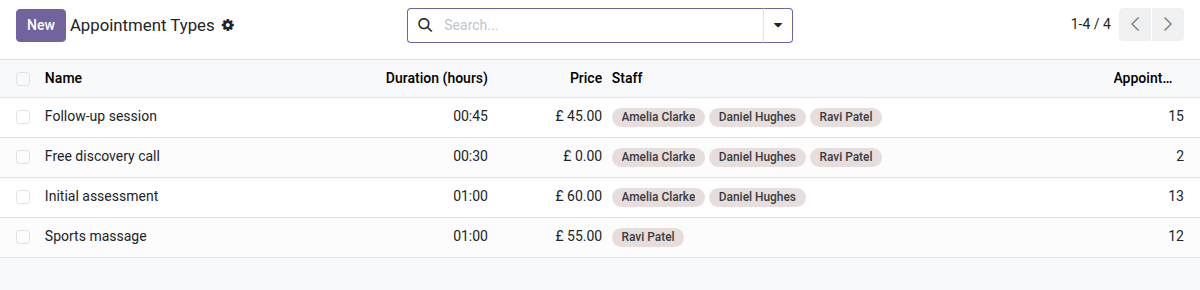
Paid Appointments
Require payment before confirmation — zero no-shows, a calendar that stays full.
A slot booked with no financial commitment is an empty box on paper: the customer may never show up, leaving you with a blocked calendar and a lost hour. Manual reminders are not enough, and the native Odoo module requires no payment at booking. The result: repeated no-shows, slots released too late to be filled, and uncertain revenue.
What it adds
- 💶 Price per appointment type — set an amount (and the currency) directly on each type: only types with a price > 0 trigger the paid flow.
- 🔒 Slot held during payment — the booking moves to the "Awaiting payment" state: the slot is blocked without being confirmed, so no other customer can take it while the first one pays.
- 💳 Payment through native Odoo providers — Stripe, PayPal, Mollie or any other acquirer configured in Odoo: no third-party integration, no extra account.
- ✅ Automatic confirmation after payment — as soon as the transaction is validated, the event moves to "Booked" and the confirmation email goes out with no human action.
- 🗑️ Automatic cleanup of abandoned bookings — a cron job every 15 minutes deletes unpaid bookings past the grace period (30 min by default, configurable), freeing slots for new customers.
In screenshots
1. A price per appointment type
Free or paid: the price is shown on the website before booking.
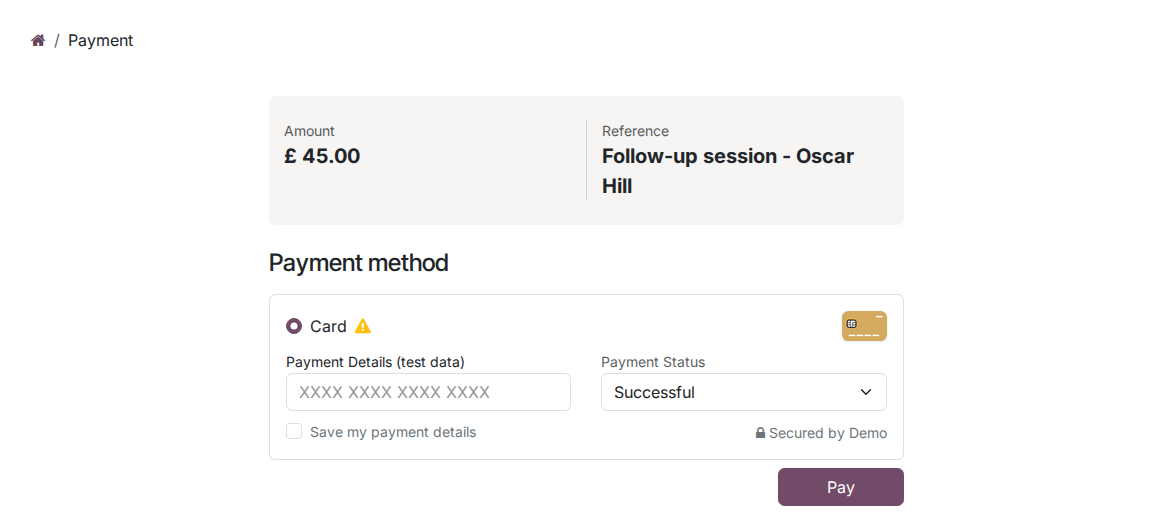
2. Paid online when booking
A paid appointment waits for payment; your payment providers handle the card.
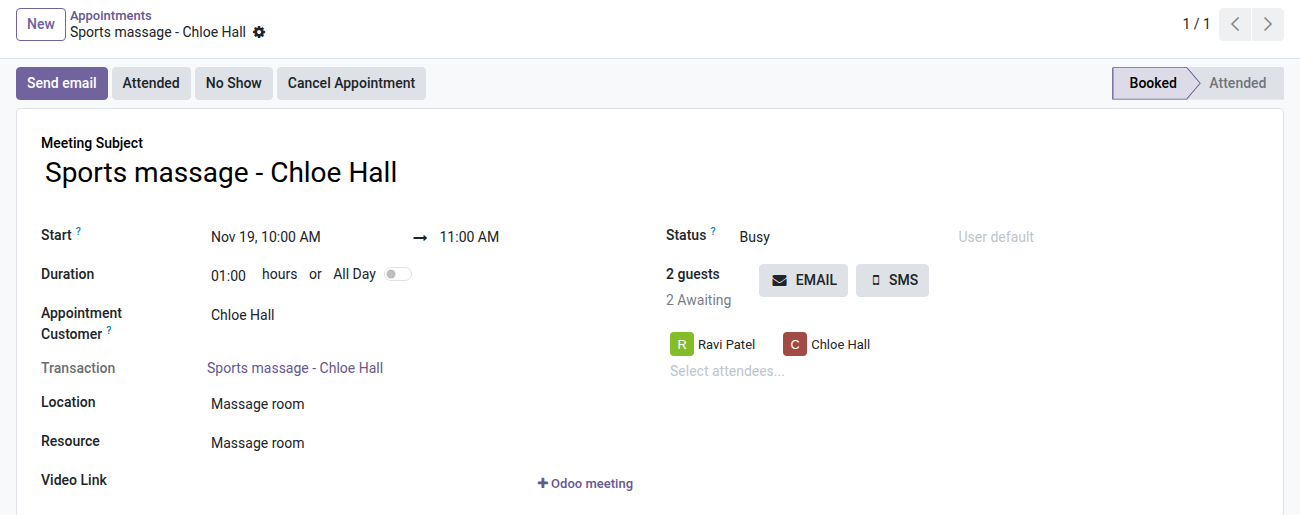
3. Confirmed by the payment
Once paid, the appointment is booked and linked to its transaction.
Why install it
- A feature usually reserved for specialized booking platforms (Calendly, SimplyBook…), available directly in Odoo 19 Community — with no external subscription.
- A customer who has paid shows up: the financial commitment mechanically reduces no-shows, with no reminders or penalties to manage by hand.
- The whole chain (public booking → payment → confirmation → cleanup) is automated; your team only steps in for disputes.
- The server-side security token locks the amount and currency: the customer cannot change the price before paying.
- Compatible with any payment provider already configured in your instance — no duplicate setup.
Part of the Appointment Pro suite
Complete it with oski_appointment_website (public online booking, a prerequisite of this module) and oski_appointment_resource (management of rooms, booths or equipment with capacity) for a complete appointment booking solution in Odoo Community. See the full suite on apps.odooskills.com.
📦 Need it all? The Appointments suite installs all four modules at once for $79 instead of $117.
License OPL-1 — compatible with Odoo 19.0. Requires oski_appointment_website. Support: apps@odooskills.com.
Discussion
Sign in to join the discussion.