
Field Service Portal
Premium Launch −30%Let customers follow their interventions and ask for a new one, without phoning the office.
| Technical name | oski_fsm_portal |
|---|---|
| License | OPL-1 |
| Author | OdooSkills |
$ 29.00
$ 20.30
Launch price — 30% off until December 31, 2026
A ready-to-use Odoo database with demo data, deleted after 1 hour. Odoo 20, 19, 18.
Missing a feature or found a bug?
Request a change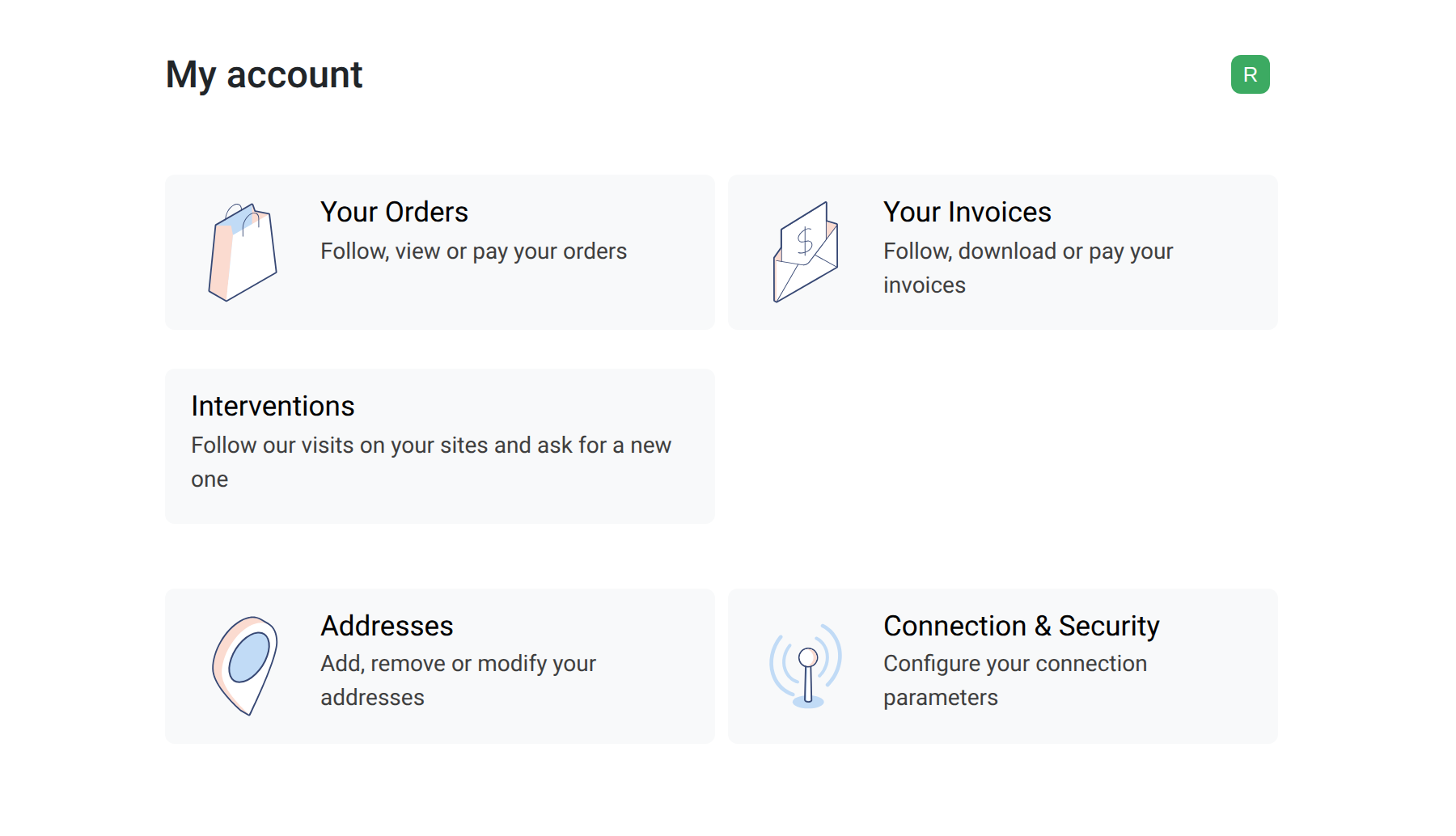
Field Service Portal
Let customers follow their interventions and ask for a new one, without phoning the office.
Property managers and shop owners phone the office to ask when the technician comes, what was done last month, or to report a breakdown. Someone answers, writes it down and passes it on. This module gives each customer a page in the portal where they see their interventions and send their requests themselves.
What it does
- 🌐 Interventions — each contact with portal access of a customer company sees the interventions of their company: state, planned date, site, problem reported and work done.
- 🙋 Request an intervention — the customer picks one of their addresses, describes the problem and gives a preferred date; with Field Service Equipment, they can also pick the machine concerned.
- 📥 Straight to the dispatcher — the request arrives as a New intervention, with an activity for the person in charge of the requests, if one is set on the company.
- ❌ Cancel while it is new — the customer can cancel their own request while it is still new, with a reason.
- 📄 The report — with Field Service Reports, the customer downloads the report of a finished intervention (signed, if you require a signature).
- 🔒 Careful with what is shown — no price, no internal note, no chatter on the pages; the technician appears by first name only. The downloadable PDF report is the one your office sends: it shows the technicians' full names, and part prices unless you untick “Prices on the Intervention Report” on the company. The portal user has no access right on interventions: the pages show a fixed list of fields.
- 🛑 Protected against abuse — 5 requests per customer and per day by default; you can change the limit on the company form or switch the requests off.
In screenshots
1. A page for the customer
The customer's portal home, with the Interventions card.
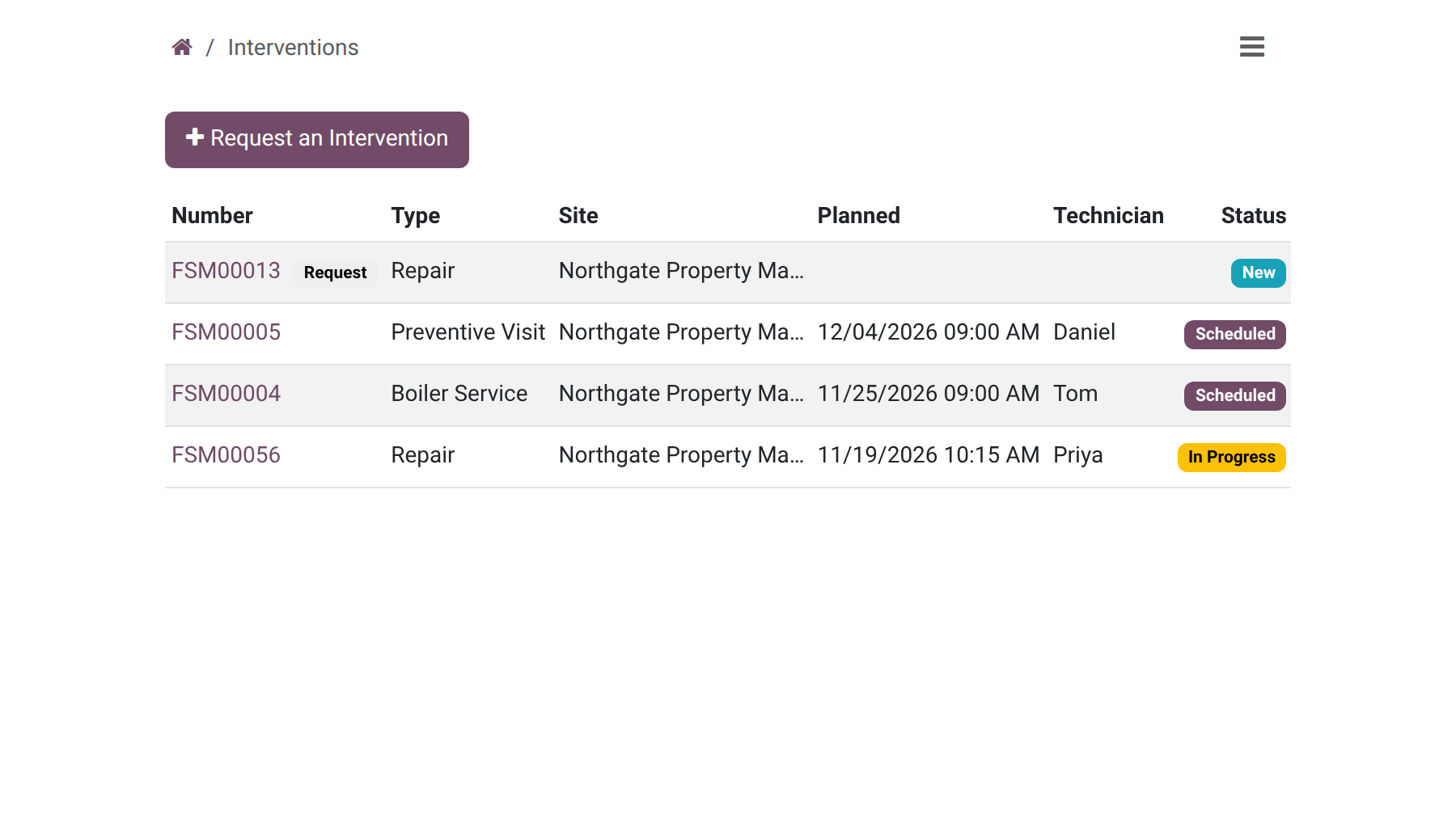
2. Follow every visit
The list of the company's interventions in the portal.
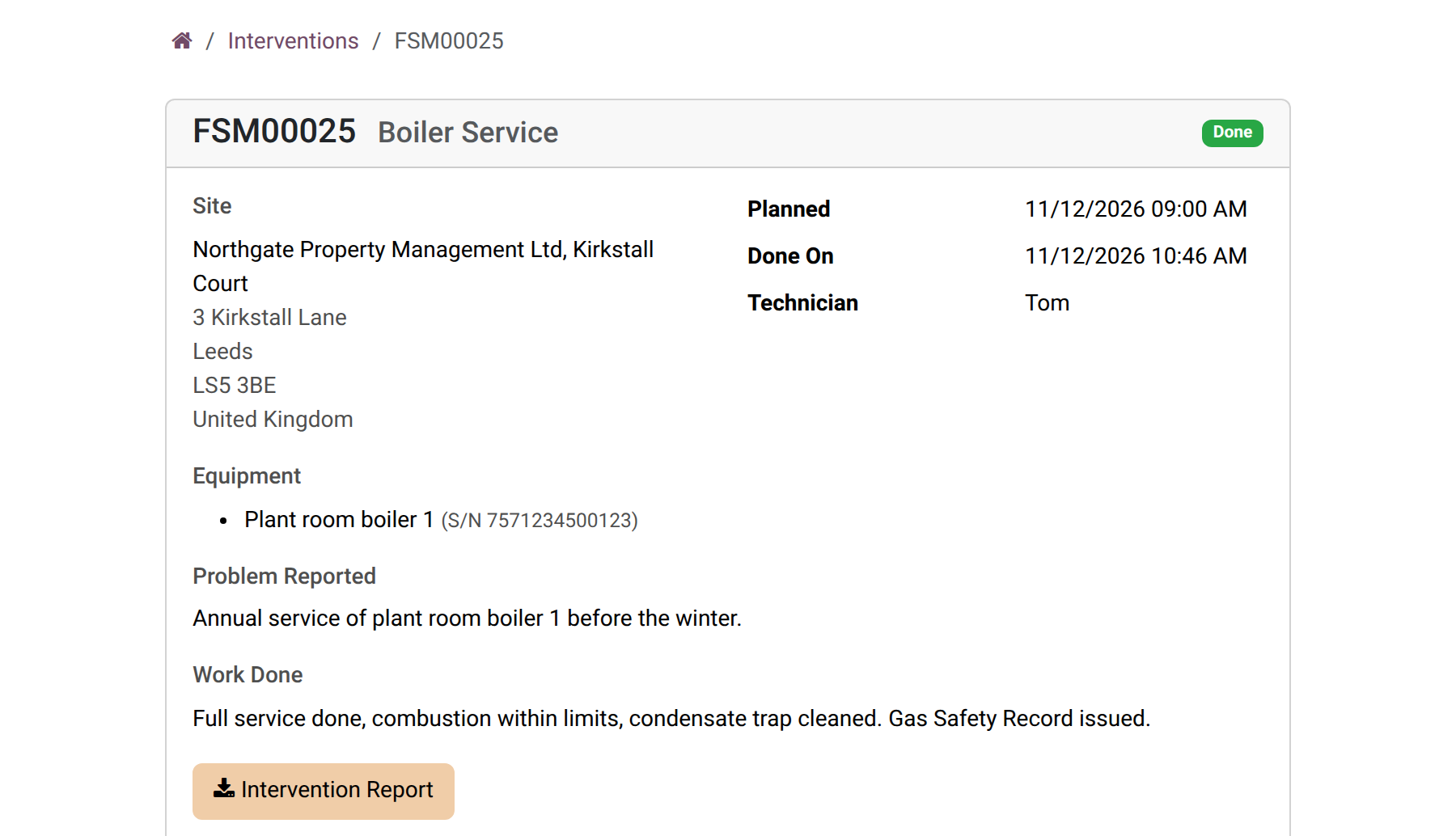
3. The detail of a done intervention
Site, equipment, problem, work done, the technician's first name and the report button.
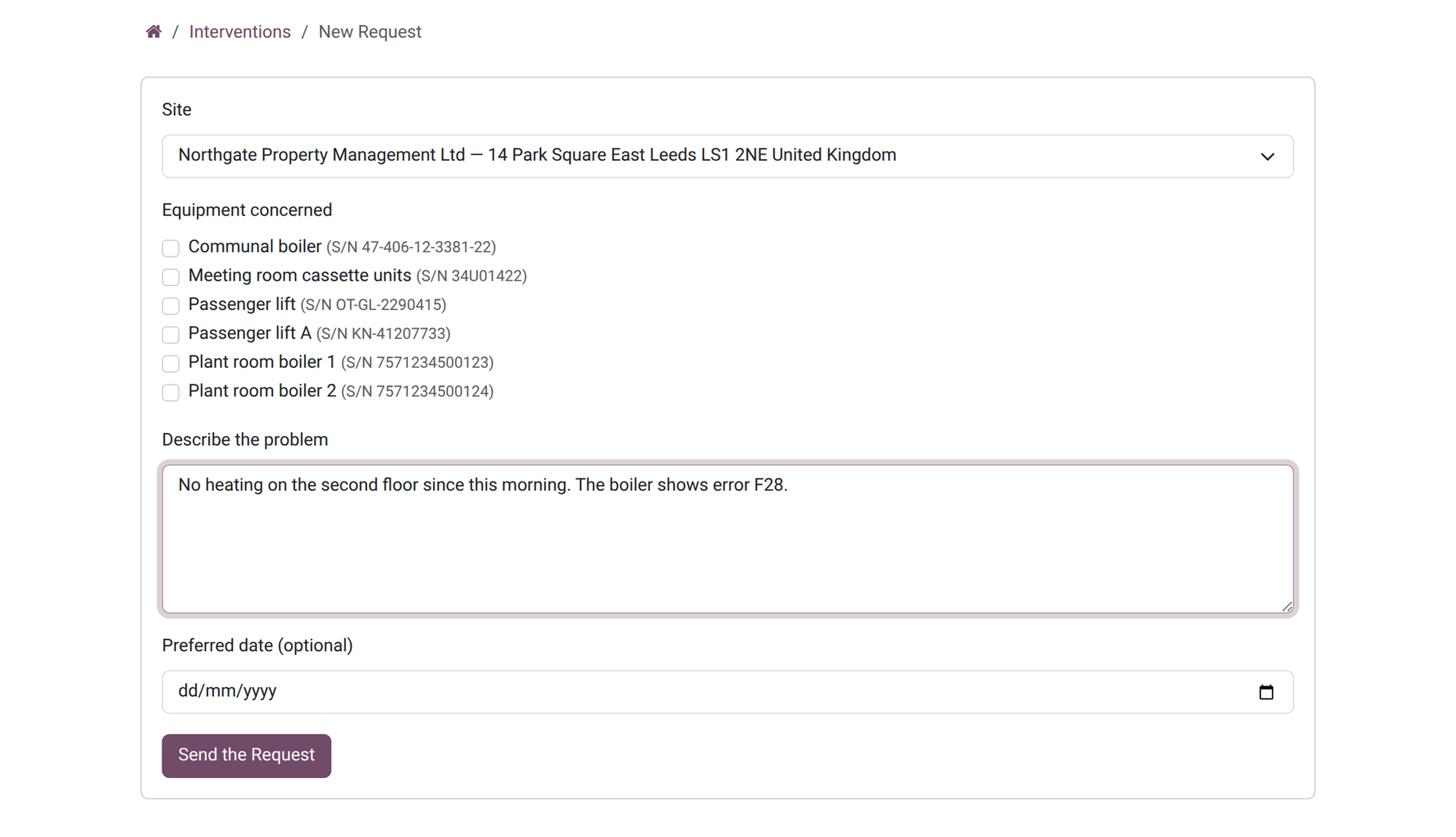
4. Ask for an intervention
The request form: site, equipment checkboxes, description and preferred date.
Why install it
- Fewer calls to the office: the customer looks it up.
- Requests are written by the customer, with the site and the problem, not retyped by you.
- A customer only ever sees the interventions of their own company.
- The number of requests per day protects your planning.
Part of the OdooSkills Field Service family
Field Service is the base and the other modules plug into it, some with a prerequisite: Contracts needs Equipment, Planning needs Gantt View (sold separately), Helpdesk needs the free Helpdesk module:
- 🛠️ Field Service — $89: intervention orders, schedule, the technician's phone, on-site timer, time and parts.
- ✍️ Field Service Reports — $39: the customer signs on the technician's screen; the intervention report leaves as a PDF by email.
- 🚐 Field Service Van Stock — $39: a van per technician; the parts used leave it when the intervention is done.
- 🧾 Field Service Sales — $39: a sales order opens the intervention; invoice the time and parts, or mark it as not billable.
- 🔧 Field Service Equipment — $39: the machines installed at each customer: serial number, warranty, history.
- 🔁 Field Service Contracts — $39: maintenance contracts that create the preventive visits on schedule.
- ✅ Field Service Worksheets — $39: a check-list per intervention type: checks, measures, notes and photos, filled on site.
- 📅 Field Service Planning — $29: a planning board by the hour, one row per technician; drag to reschedule or reassign (needs Gantt View, sold separately).
- 🎧 Field Service Helpdesk — $19: a ticket becomes an intervention, and the ticket moves to the stage your team chose when the work is done.
📦 Need it all? The Field Service Suite installs the ten modules for $249 instead of $400. The planning board and the suite also require Gantt View ($89), sold separately; the helpdesk link and the suite use the free Helpdesk module.
Compatibility and license
Odoo 18, 19 and 20, developed and tested on Community. OPL-1 license. Requires Field Service (oski_fsm, $89) and the Odoo Portal (installed automatically). Interface available in English and French. A specific need? The “Request a change” button on this page sends it to us. Support: apps@odooskills.com.
Discussion
Sign in to join the discussion.