
Field Service Helpdesk
Premium Launch −30%Send a technician from a helpdesk ticket, and move the ticket to the stage of your choice when the work is done.
| Technical name | oski_fsm_helpdesk |
|---|---|
| License | OPL-1 |
| Author | OdooSkills |
$ 19.00
$ 13.30
Launch price — 30% off until December 31, 2026
A ready-to-use Odoo database with demo data, deleted after 1 hour. Odoo 20, 19, 18.
Missing a feature or found a bug?
Request a change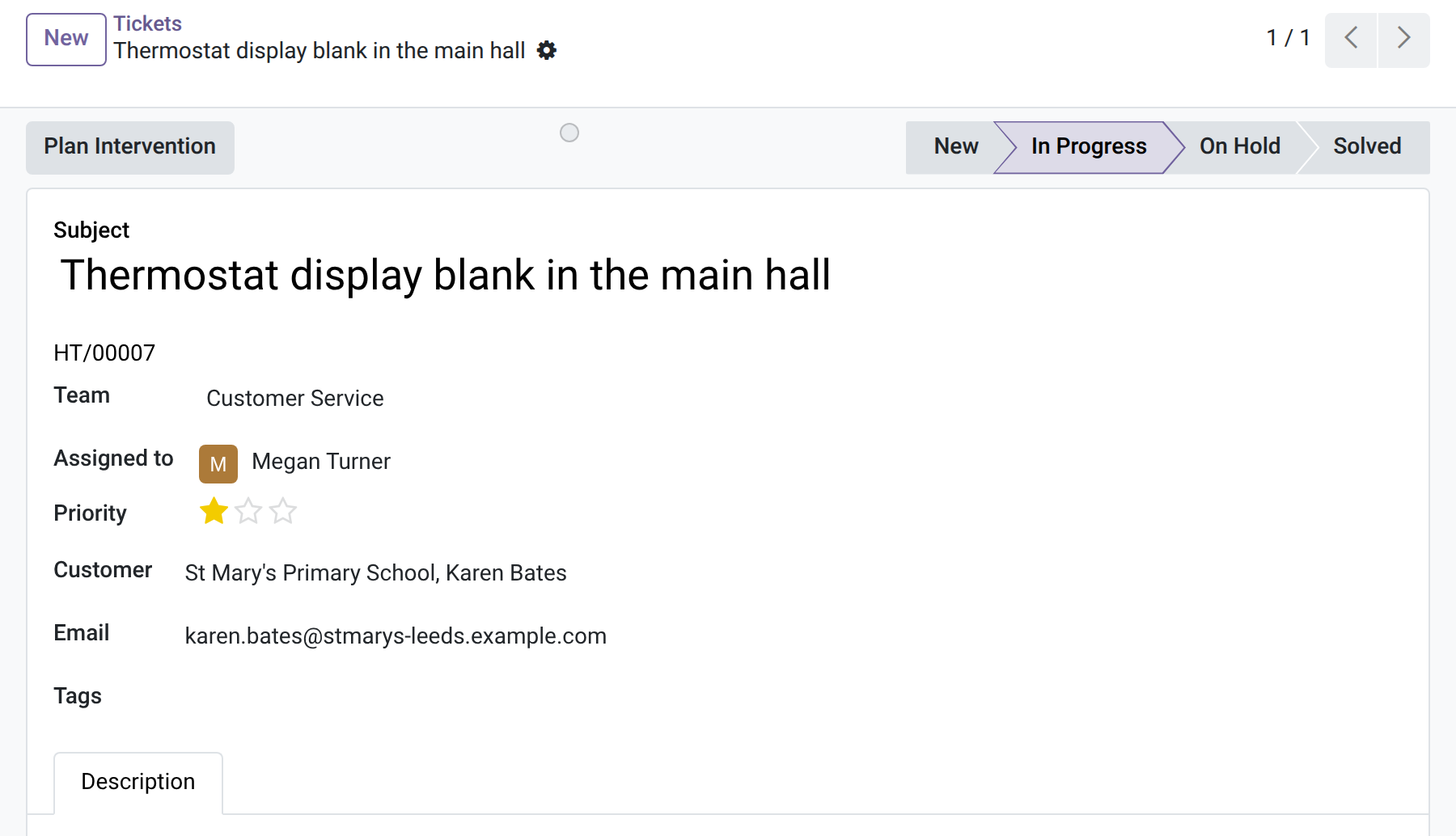
Field Service Helpdesk
Send a technician from a helpdesk ticket, and move the ticket to the stage of your choice when the work is done.
A customer writes that the boiler is leaking. The support agent answers, then phones the dispatcher or writes an email, and nobody links the ticket to the visit. The customer asks for news, and the agent has to find out. This module plans the intervention from the ticket and brings the result back to it.
What it does
- 🎧 One button on the ticket — “Plan Intervention” opens a short form: site, type and start (a dispatcher also picks the technician); customer, problem and the link to the ticket are carried over. The ticket needs a customer.
- 🔑 No Field Service rights needed — the agent does not need access to interventions: the intervention is created by the server.
- 👀 State on the ticket — every agent sees the Intervention Status on the ticket; users of Field Service also get a button with the number of interventions.
- 📝 A note when the work is done — when an intervention is done or cancelled, a note is posted on the ticket, with the work done or the reason.
- ✅ Solved when the work is done — choose a stage on the helpdesk team; when all the ticket's interventions are done or cancelled, and at least one is done, the ticket moves to it. No stage chosen: the ticket is never moved.
In screenshots
1. Plan the visit from the ticket
A ticket in progress with the Plan Intervention button.
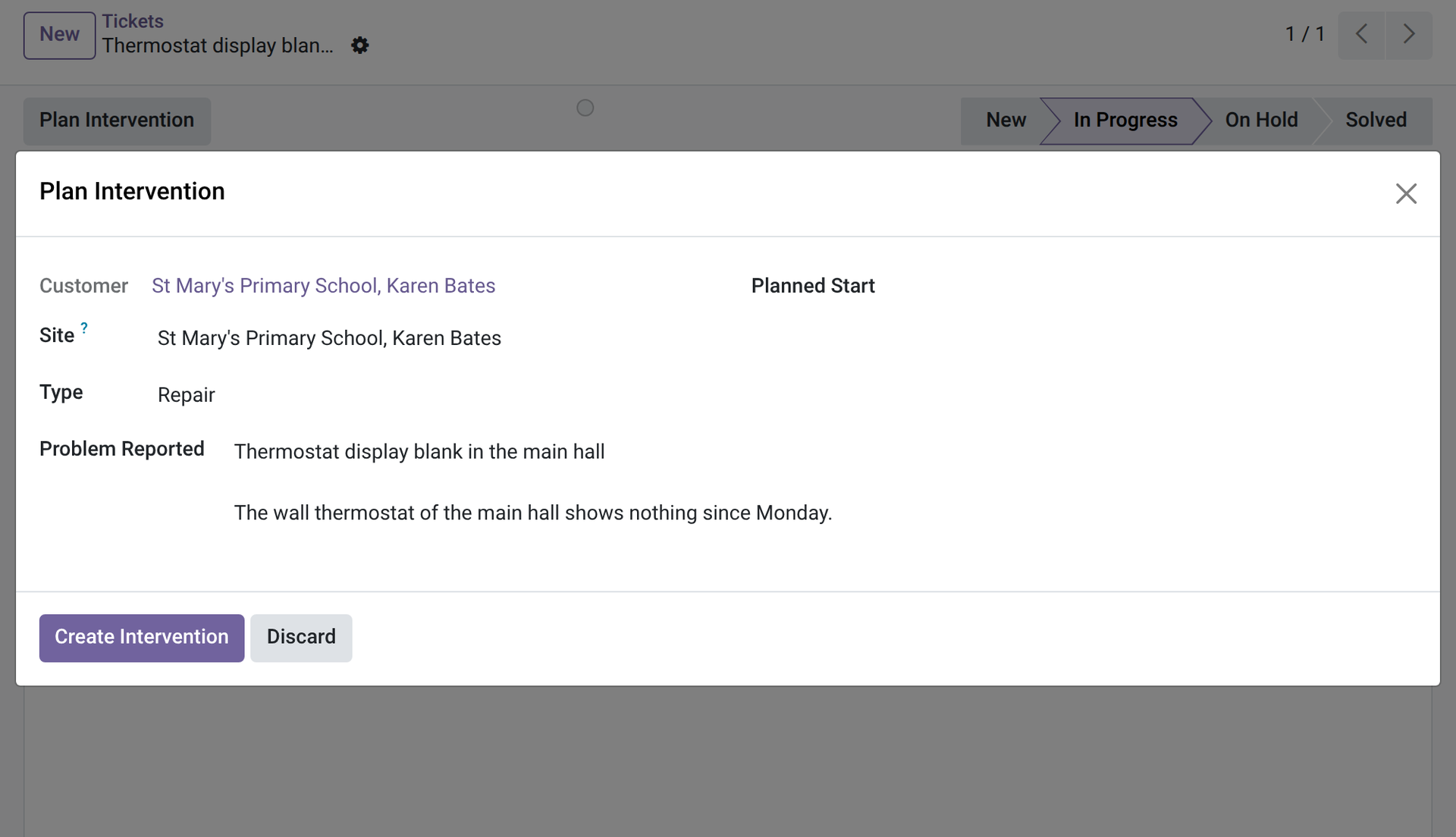
2. A short form
The Plan Intervention dialog as an agent sees it: customer, site, type and problem; no technician field.
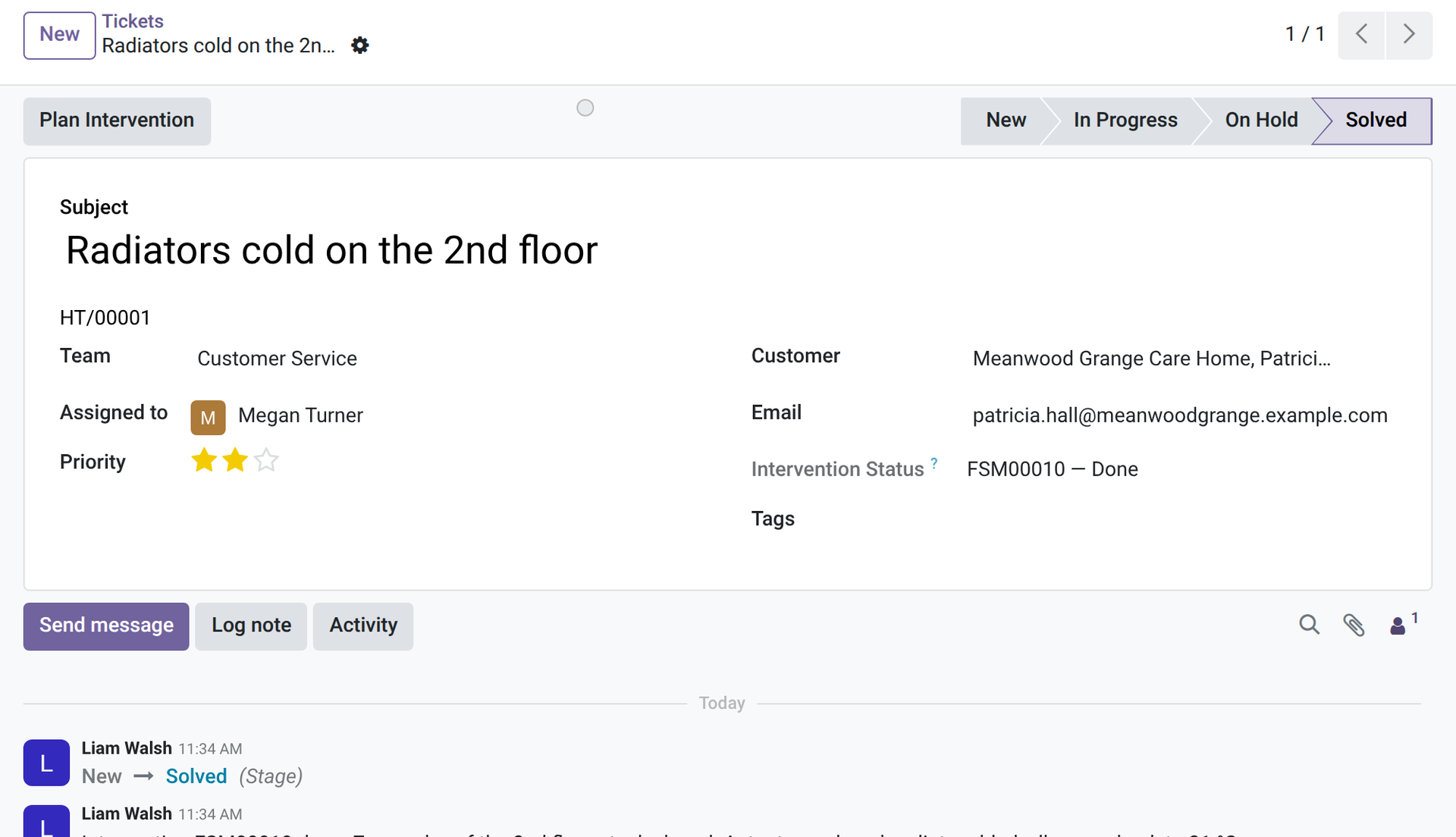
3. The state, back on the ticket
After the intervention is done: the Intervention Status, the note in the chatter and the ticket in the Solved stage. The ticket moved because the team chose that stage.
Why install it
- The agent sees where the visit stands without asking the dispatcher.
- The ticket and the intervention stay linked: customer, problem, outcome.
- The stage is set by the team: the ticket is not closed by surprise.
- Support and field teams work in the same Odoo.
Part of the OdooSkills Field Service family
Field Service is the base and the other modules plug into it, some with a prerequisite: Contracts needs Equipment, Planning needs Gantt View (sold separately), Helpdesk needs the free Helpdesk module:
- 🛠️ Field Service — $89: intervention orders, schedule, the technician's phone, on-site timer, time and parts.
- ✍️ Field Service Reports — $39: the customer signs on the technician's screen; the intervention report leaves as a PDF by email.
- 🚐 Field Service Van Stock — $39: a van per technician; the parts used leave it when the intervention is done.
- 🧾 Field Service Sales — $39: a sales order opens the intervention; invoice the time and parts, or mark it as not billable.
- 🔧 Field Service Equipment — $39: the machines installed at each customer: serial number, warranty, history.
- 🔁 Field Service Contracts — $39: maintenance contracts that create the preventive visits on schedule.
- ✅ Field Service Worksheets — $39: a check-list per intervention type: checks, measures, notes and photos, filled on site.
- 🌐 Field Service Portal — $29: customers follow their interventions and ask for a new one from their portal.
- 📅 Field Service Planning — $29: a planning board by the hour, one row per technician; drag to reschedule or reassign (needs Gantt View, sold separately).
📦 Need it all? The Field Service Suite installs the ten modules for $249 instead of $400. The planning board and the suite also require Gantt View ($89), sold separately; the helpdesk link and the suite use the free Helpdesk module.
Compatibility and license
Odoo 18, 19 and 20, developed and tested on Community. OPL-1 license. Requires Field Service (oski_fsm, $89) and the free Helpdesk module (oski_helpdesk). Interface available in English and French. A specific need? The “Request a change” button on this page sends it to us. Support: apps@odooskills.com.
Discussion
Sign in to join the discussion.