School Grades & Reports
Premium Launch −30%Grading scales, exams, averages and report cards for the School suite.
| Technical name | oski_school_grade |
|---|---|
| License | OPL-1 |
| Author | OdooSkills |
$ 69.00
$ 48.30
Launch price — 30% off until December 31, 2026
A ready-to-use Odoo database with demo data, deleted after 1 hour. Odoo 20, 19, 18.
Missing a feature or found a bug?
Request a change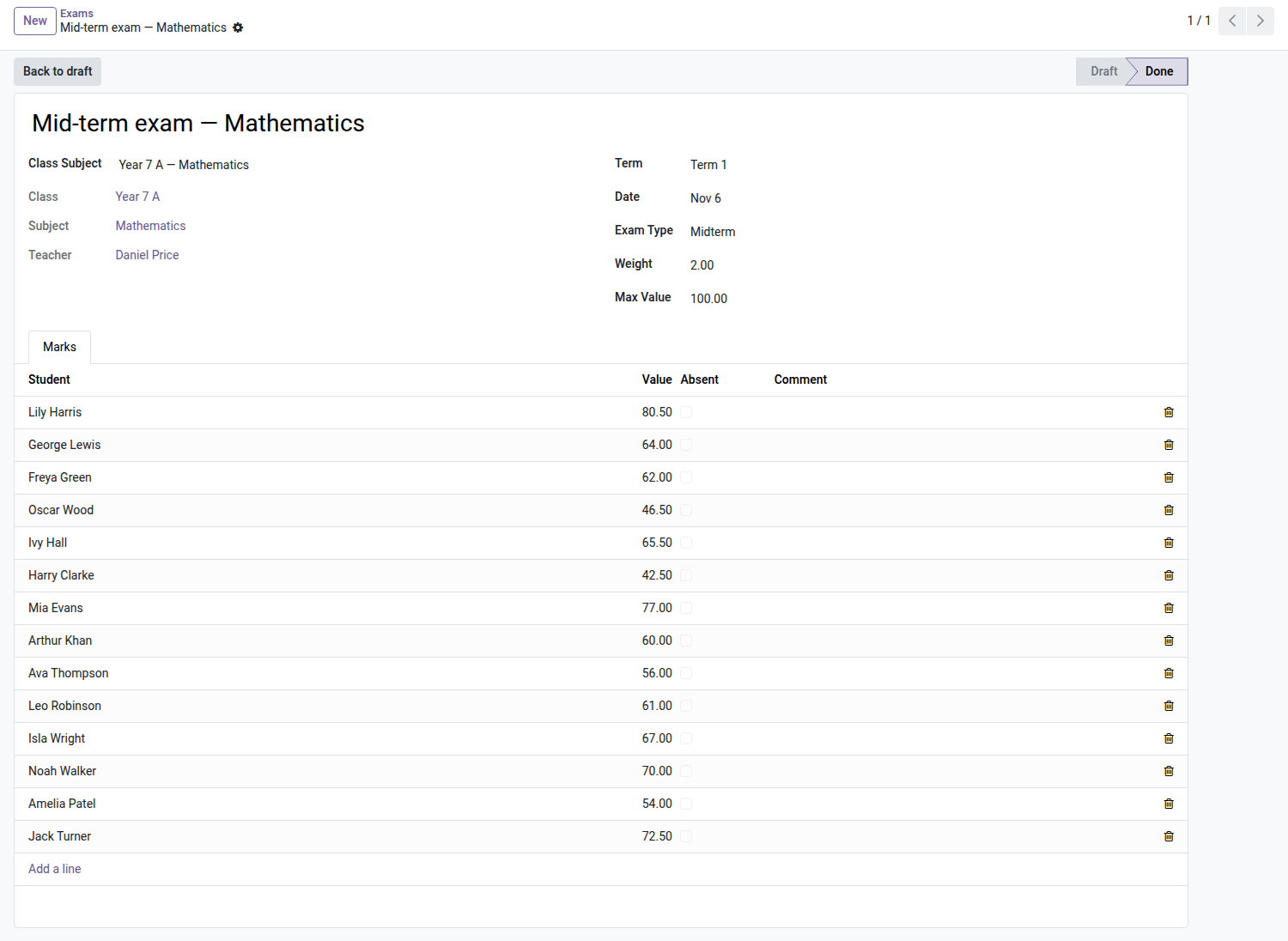

School — Grades & Reports
Each teacher enters their exams, the school recalculates weighted averages, ranks and credits in one click, and the PDF report cards go out to the parents' portal — frozen, published, sent.
Grades live in each teacher's spreadsheets. At every class council, the office copies them over, weights them, gets a coefficient wrong, starts again — and the report card goes out with an average that no longer matches the grades in the file. This module makes the grade a piece of school data: entered at the source, calculated by the machine, published once and for all.
What it brings
- 📝 Grid entry — an exam, its weight, its grading scale; the grid is pre-filled with the students enrolled in the class; each teacher only touches their own exams.
- 🔒 Grades frozen after closing — an exam marked "done" can no longer be changed (no edits, no added lines) without going back through the office: published averages never drift silently.
- 🧮 Averages calculated, not copied — weight per exam, coefficient per subject, general average, rank (ties share their place) and credits earned — recalculated in one click per class.
- 📐 Grading scales of your choice — /20, /100, letters A-F, CEFR: delivered ready to use, refinable per program.
- 📄 PDF report cards in bulk — generated and published per class and per term, with comments per subject and overall, sent to the guardian in one click — only once, with no duplicates.
- 👨👩👧 Parents see the published results — the Grades tab of the family area shows the average, rank and the downloadable PDF report card; nothing is displayed until the school has published.
- 🎓 Year-end promotion becomes automatic — the core's promotion wizard proposes "promoted" or "repeating" based on the average (or the credits), instead of ticking everything by hand.
In pictures
1. Marks per exam
Each exam has its type, weight and maximum; once closed, subject and term averages are recalculated.
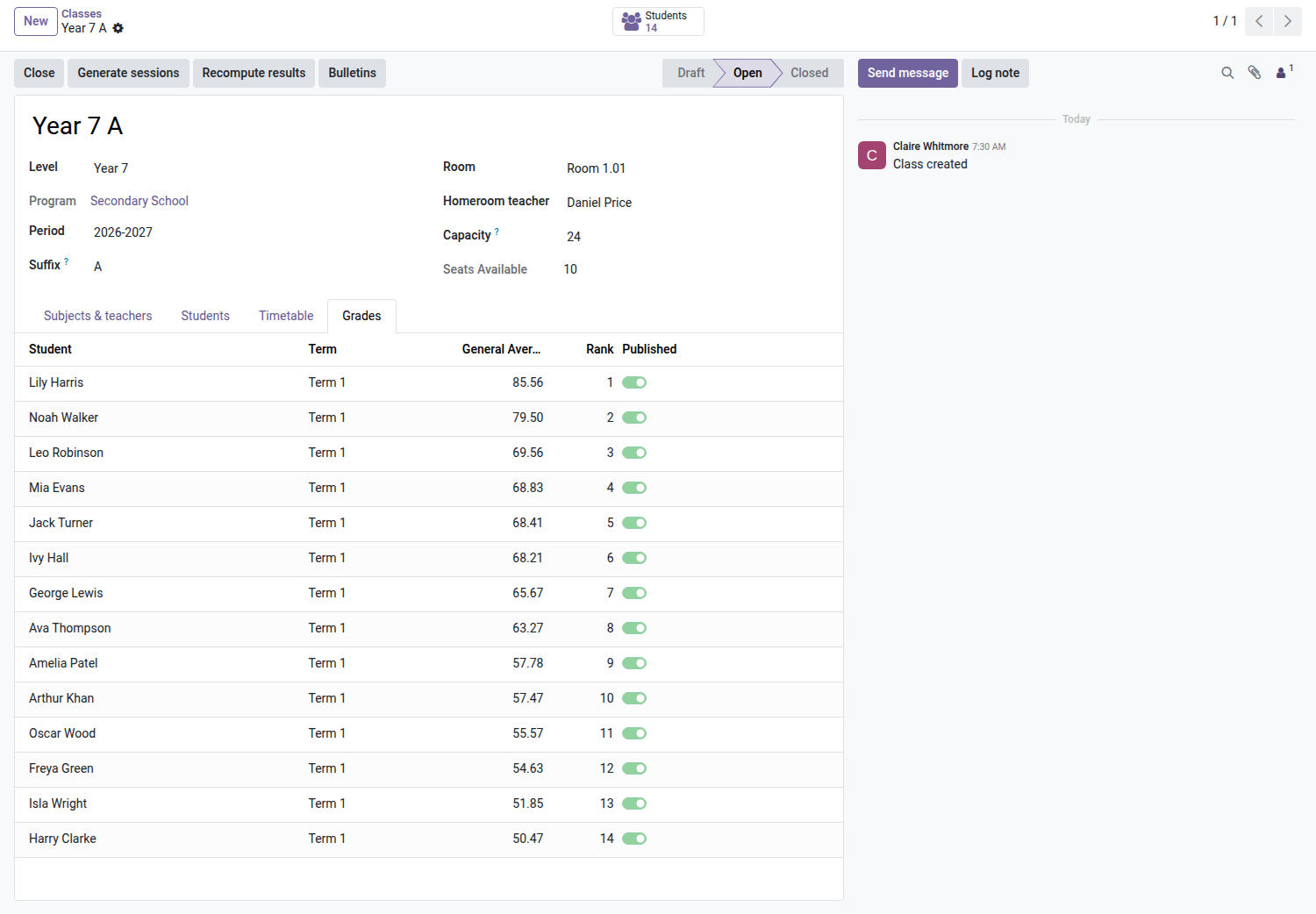
2. Term results and rank
General average weighted by coefficients, rank in the class and publication status, per term.
3. Report cards on the portal
Once published, the average, the rank and the PDF report card are on the family portal.
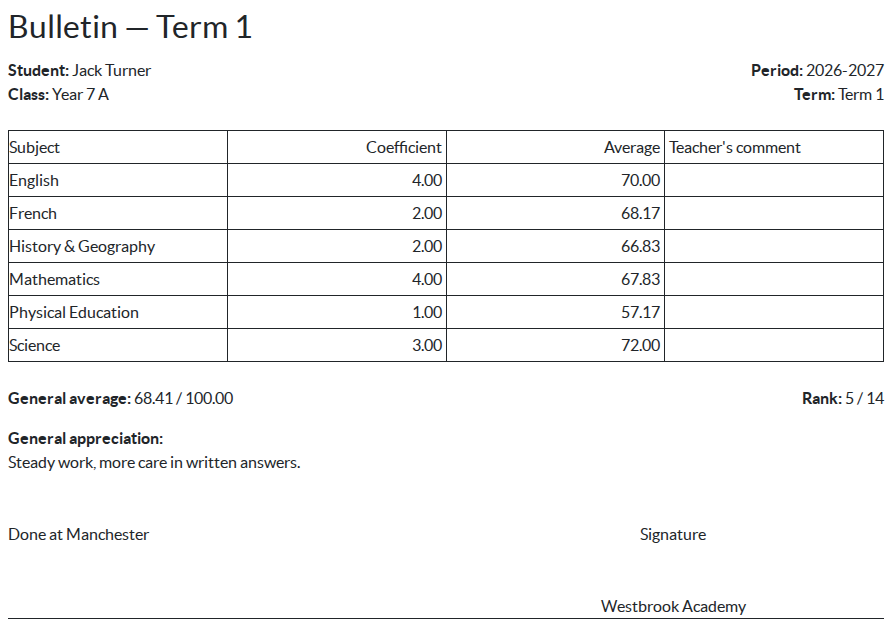
4. The report card
Average per subject with coefficients, general average on the program's scale, rank and the homeroom teacher's comment.
Why adopt it
- The class council relies on calculated, traceable averages, not on copies of spreadsheets.
- The report card sent to the parent is identical to the archived one: published once, frozen, regenerable without duplicates.
- Real partitioning: each teacher enters only their own exams, the office recalculates, management publishes.
Part of the School suite
Builds on the open-source core School Management — students, classes, enrollments and the Parent Portal (required). Add Admissions, Tuition Fees and the Timetable. Full suite on apps.odooskills.com.
OPL-1 license — compatible with Odoo 19.0 Community. Requires the open-source School module (core) and the Student & Parent Portal. Support: apps@odooskills.com.
Discussion
Sign in to join the discussion.