
Queue Management
Premium Launch −30%Manage your queues: kiosk, real-time waiting room display, call console and web tracking by QR code. Configurable for any business.
| Technical name | oski_queue |
|---|---|
| License | OPL-1 |
| Author | OdooSkills |
$ 49.00
$ 34.30
Launch price — 30% off until December 31, 2026
A ready-to-use Odoo database with demo data, deleted after 1 hour. Odoo 20, 19, 18.
Missing a feature or found a bug?
Request a change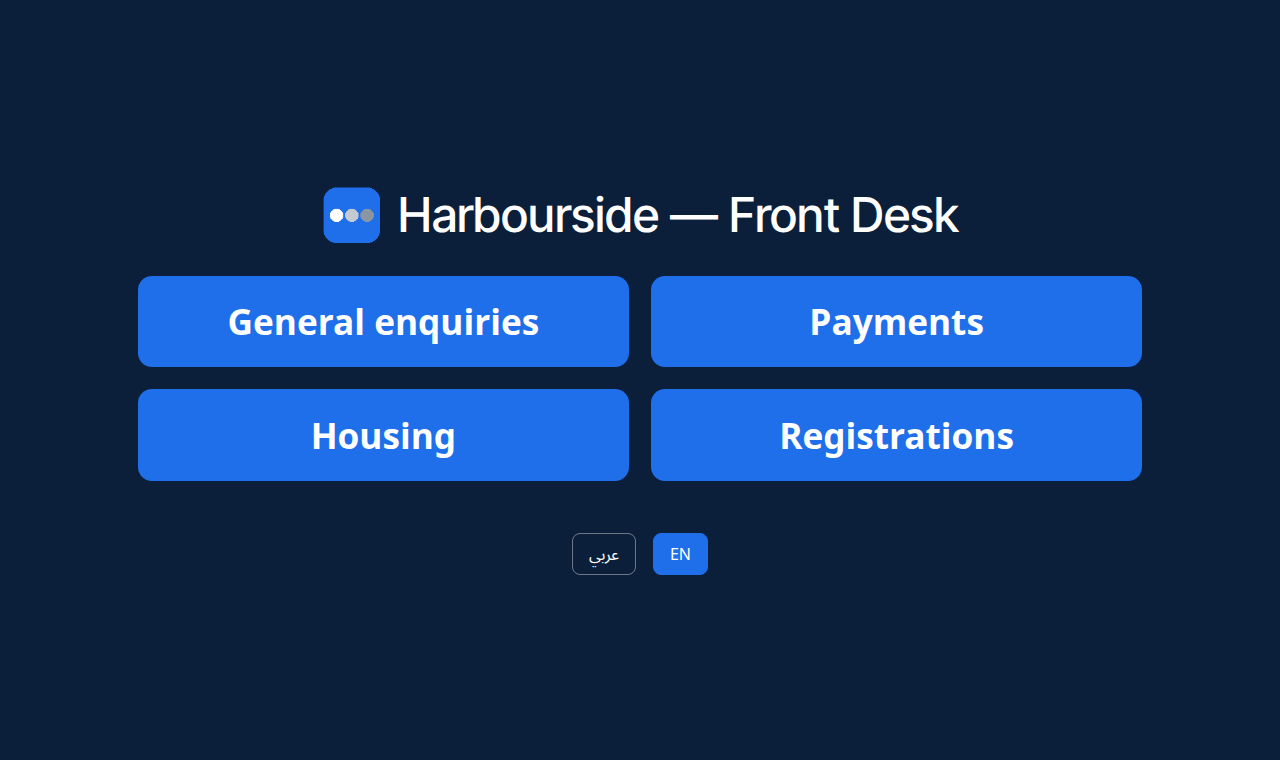
Queue Management
Organize how you welcome visitors: touch kiosk, real-time waiting room display, call console for agents and web tracking by QR code — configurable for any business, without a single line of code.
Without a system, a queue runs on paper tickets or a "next!" shouted across the room: nobody knows how long to wait, counters call at the same time, and visitors keep their eyes glued to the door for fear of missing their turn. The result: tension at the front desk, forgotten visitors and no data to size the teams. What is missing is a clear display for the room, a simple calling tool for the agent, and a ticket the visitor can follow from their phone.
What it adds
- 🎫 Full-screen touch kiosk — the visitor takes a ticket with one tap; one number sequence per service (
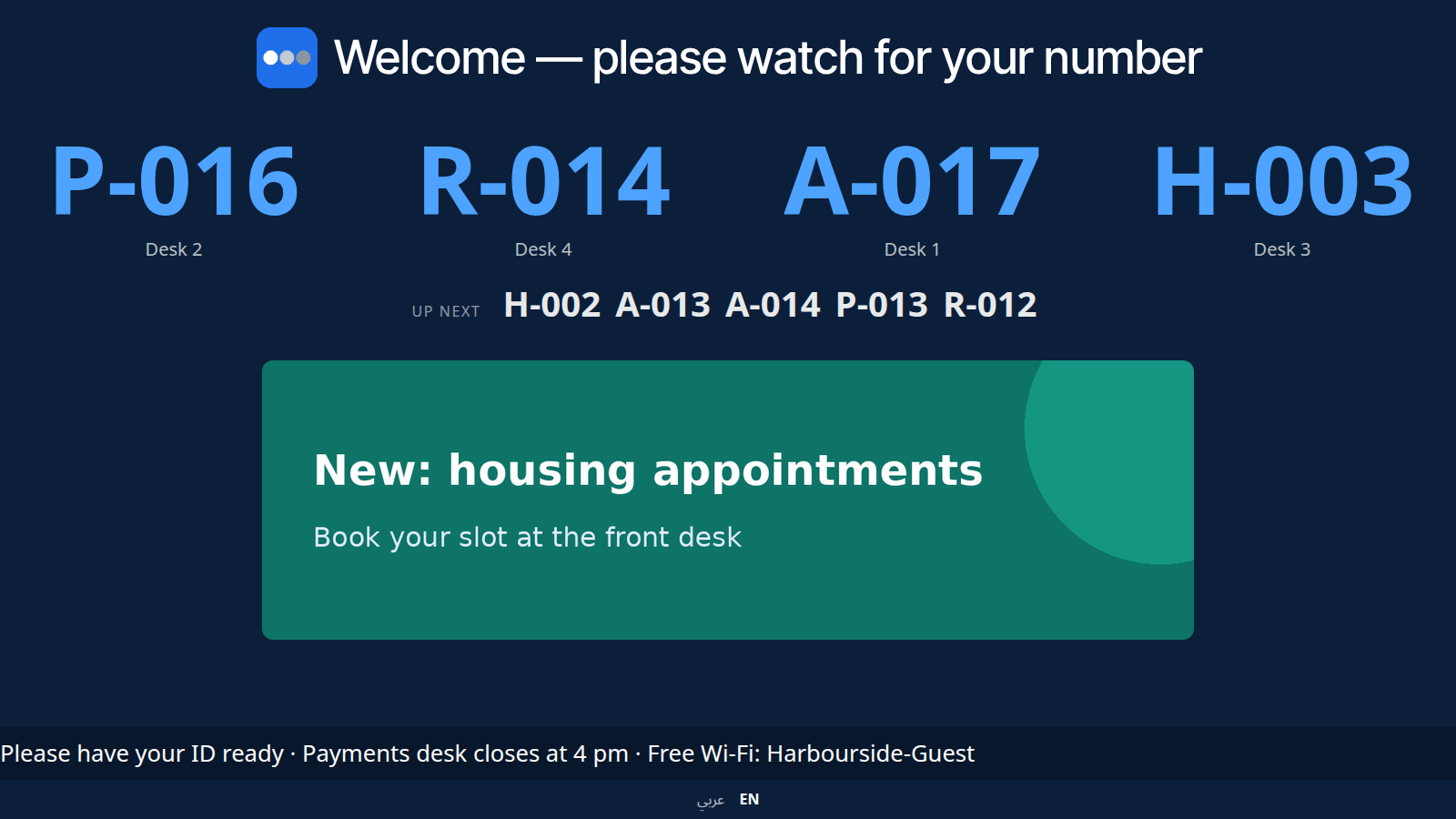
A-001,C-014), reset every day in the site's time zone. - 📺 Real-time waiting room display — calls appear instantly (websocket), with the next numbers, an image slideshow and a voice announcement: "Ticket C 0 0 3, counter 3".
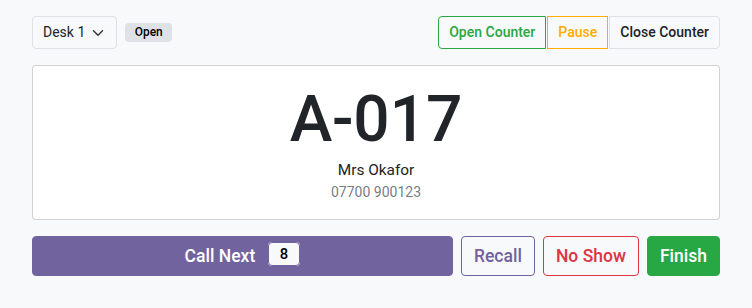
- 🧑💼 Call console for the agent — call next, recall, start, close or mark as no-show in one click, with the service queue right in front of you.
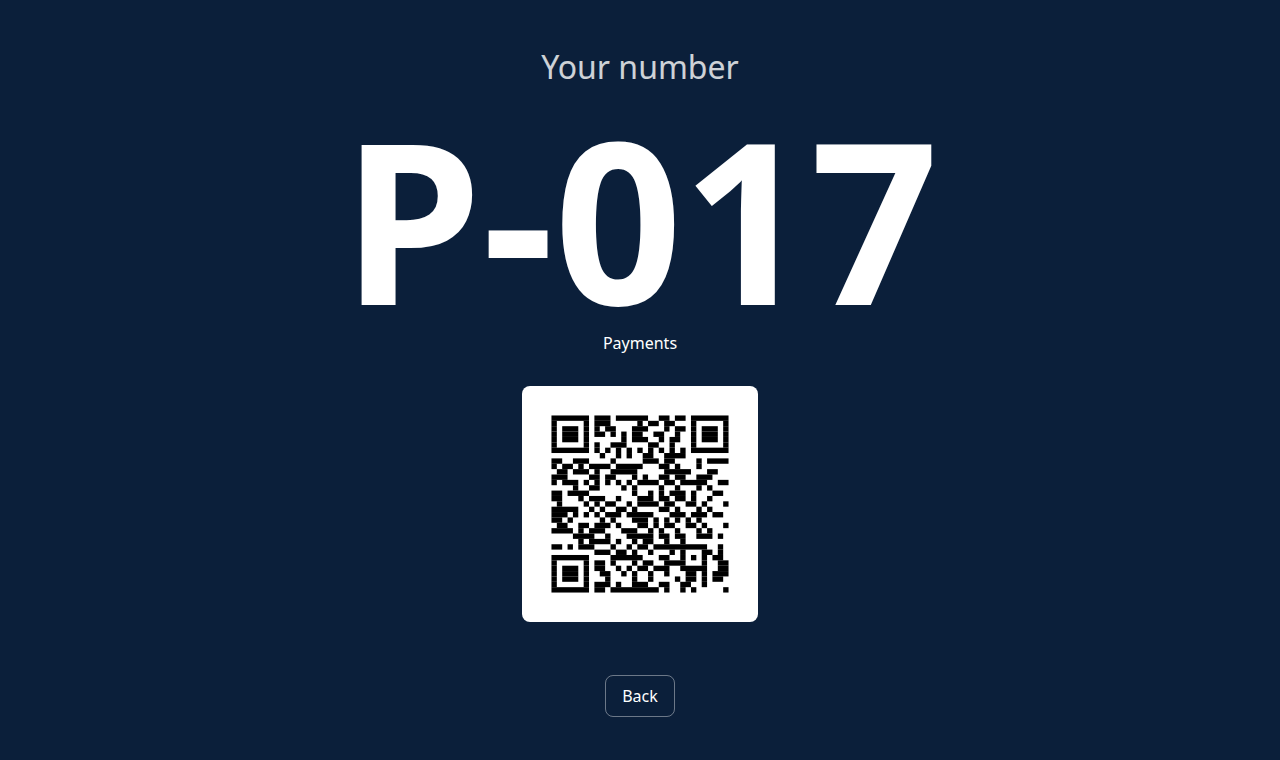
- 📱 Web tracking by QR code — the ticket carries a QR code; visitors see their position live on their phone and can step away without missing their turn.
- 🛠️ Configurable without code — sites, services and counters are set up from the backend; fits a town hall, a clinic, a bank, an after-sales workshop or a store.
- 🌍 Multilingual FR / EN / Arabic — kiosk and display follow the chosen language, Arabic right-to-left reading included.
- 🖨️ Configurable printed ticket — 80 or 58 mm format for thermal printers, with optional logo, QR code and footer.
In screenshots
1. The touch kiosk at the entrance
Visitors pick their service with one tap — no keyboard, no staff. Arabic and English one tap away.
2. The ticket, right away
The number of the day for the chosen service, with a QR code to follow the queue from a phone.
3. The waiting room display, live
Four counters calling at once, the next numbers, your own slides and a scrolling message — updated in real time.
4. The agent's call console
The visitor in front of the desk, the number still waiting, and one click to call next, recall, mark absent or finish.
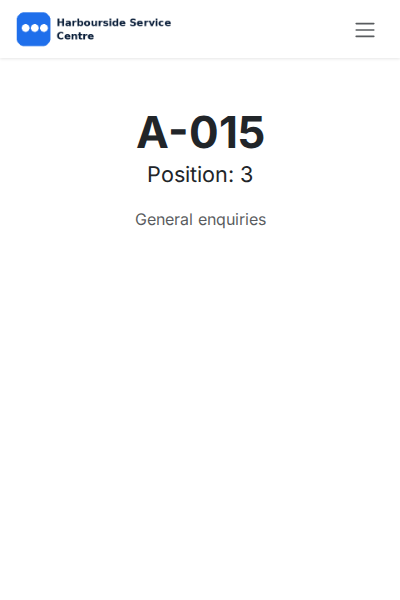
5. Follow your place from your phone
Scanning the QR code opens the ticket page: the number, the position in the queue and the service.
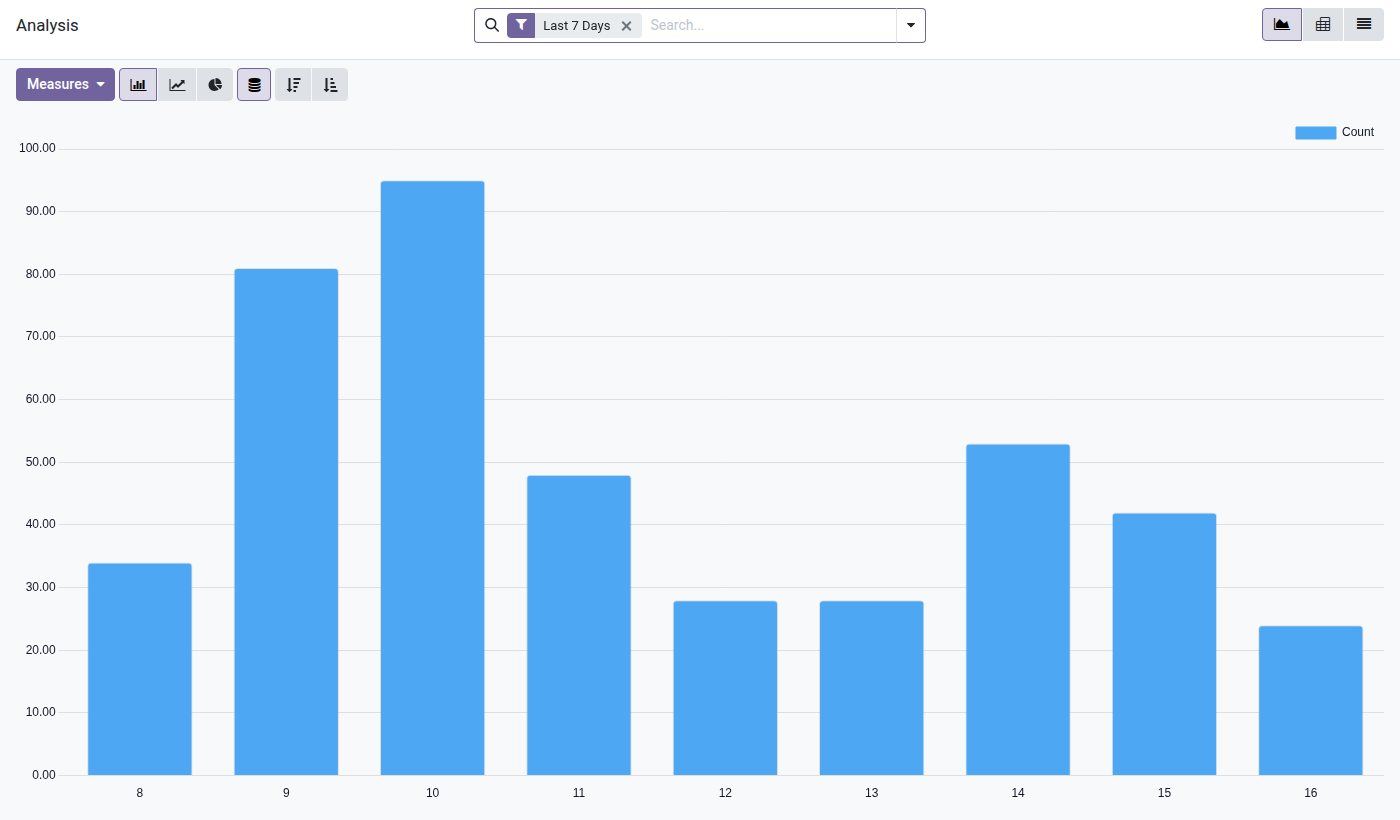
6. Footfall by hour
Seven days of arrivals by hour of the day: the morning peak and the early afternoon rush, to size the teams.
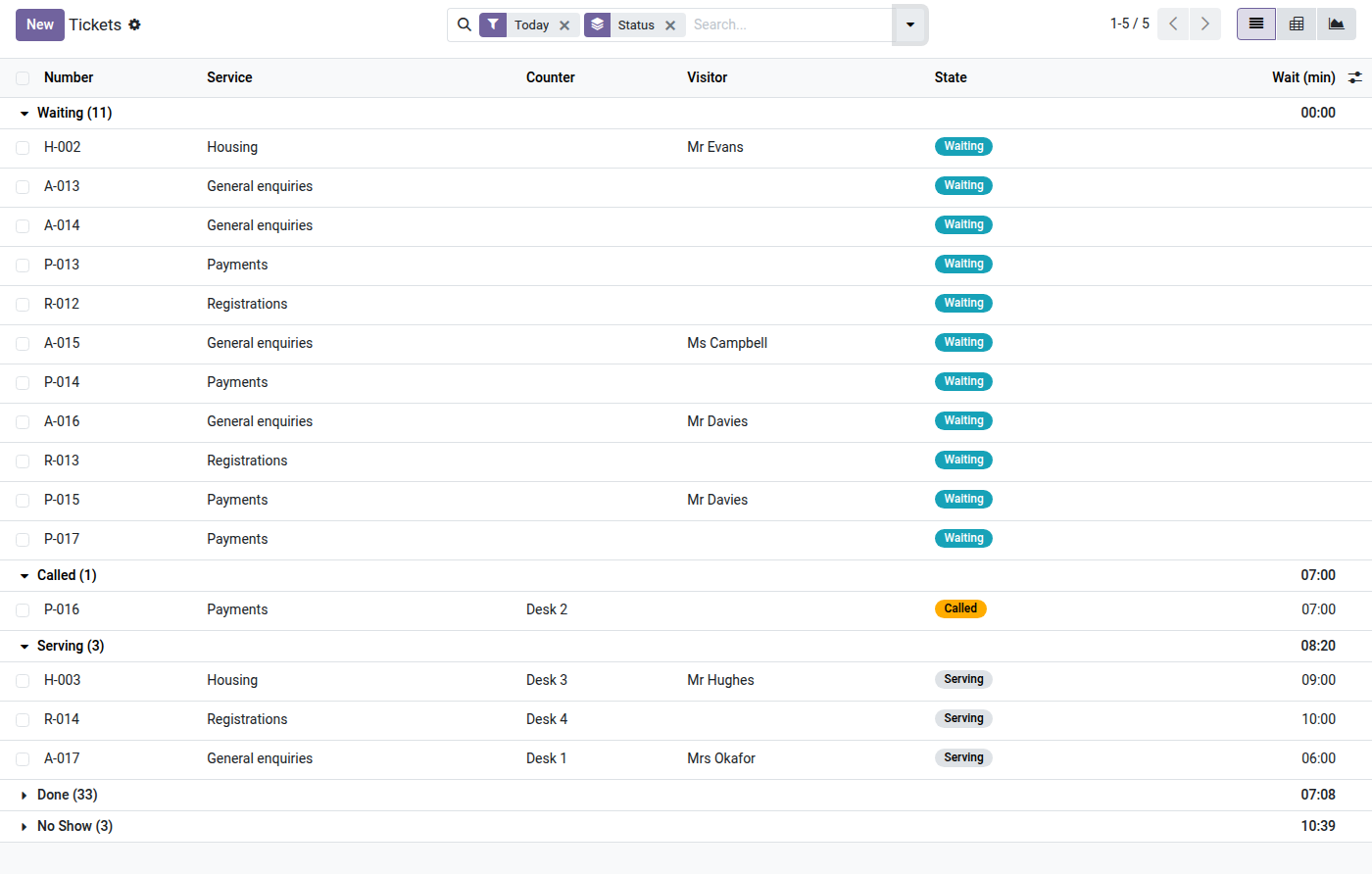
7. Today's tickets, in queue order
Waiting, called, being served, done: each ticket with its service, desk, visitor and waiting time.
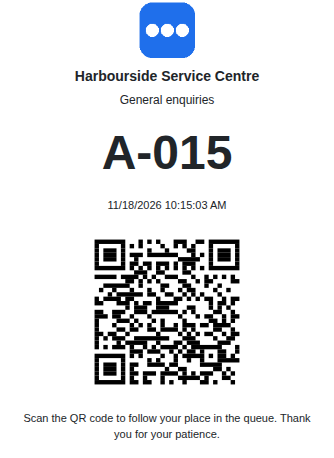
8. The printed ticket
80 or 58 mm for thermal printers: logo, header, service, number, local time, tracking QR code and footer.
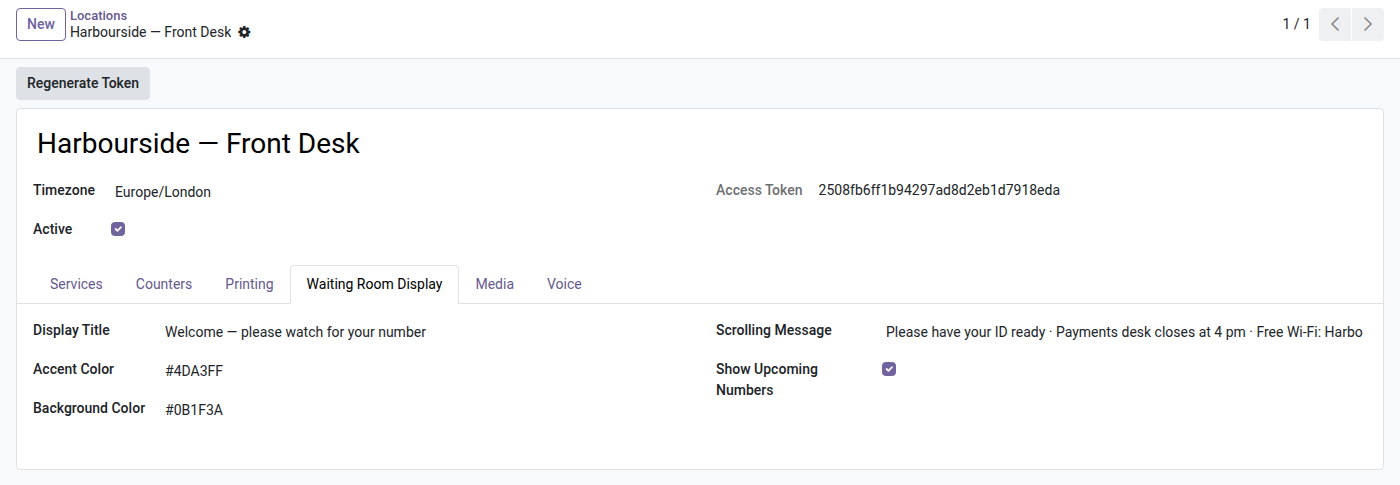
9. Your display, your colours
Title, accent and background colours, scrolling message and upcoming numbers — set per site, without code.
Why install it
- ⚡ Native real time — waiting room display and visitor tracking over websocket, with no manual refresh and no third-party service.
- 💶 No per-agent license — a one-time purchase per version, no recurring cost per counter or per visitor.
- 🖥️ Runs on any device — kiosk and display open in a plain web browser (mini PC, tablet, smart TV).
- 🧩 Generic and extensible — a business-neutral foundation, ready to take bridges (voice, SMS, appointments) without rethinking what is already there.
Go further with the Queue suite
This module is the foundation. Add bridges to it as you need them:
- 🔊 Voice by audio clips — a reliable, device-independent voice announcement (natural Arabic included), where the browser's voice is unreliable or silent. ($29)
License OPL-1 — compatible with Odoo 19.0 (Community & Enterprise). Support: apps@odooskills.com.
Discussion
Sign in to join the discussion.