
Resource Planning
Premium Launch −30%The Enterprise Planning view in Community: editable Gantt, resources, roles and a draft/published flow.
| Technical name | oski_planning |
|---|---|
| License | OPL-1 |
| Author | OdooSkills |
$ 89.00
$ 62.30
Launch price — 30% off until December 31, 2026
A ready-to-use Odoo database with demo data, deleted after 1 hour. Odoo 20, 19, 18.
Missing a feature or found a bug?
Request a change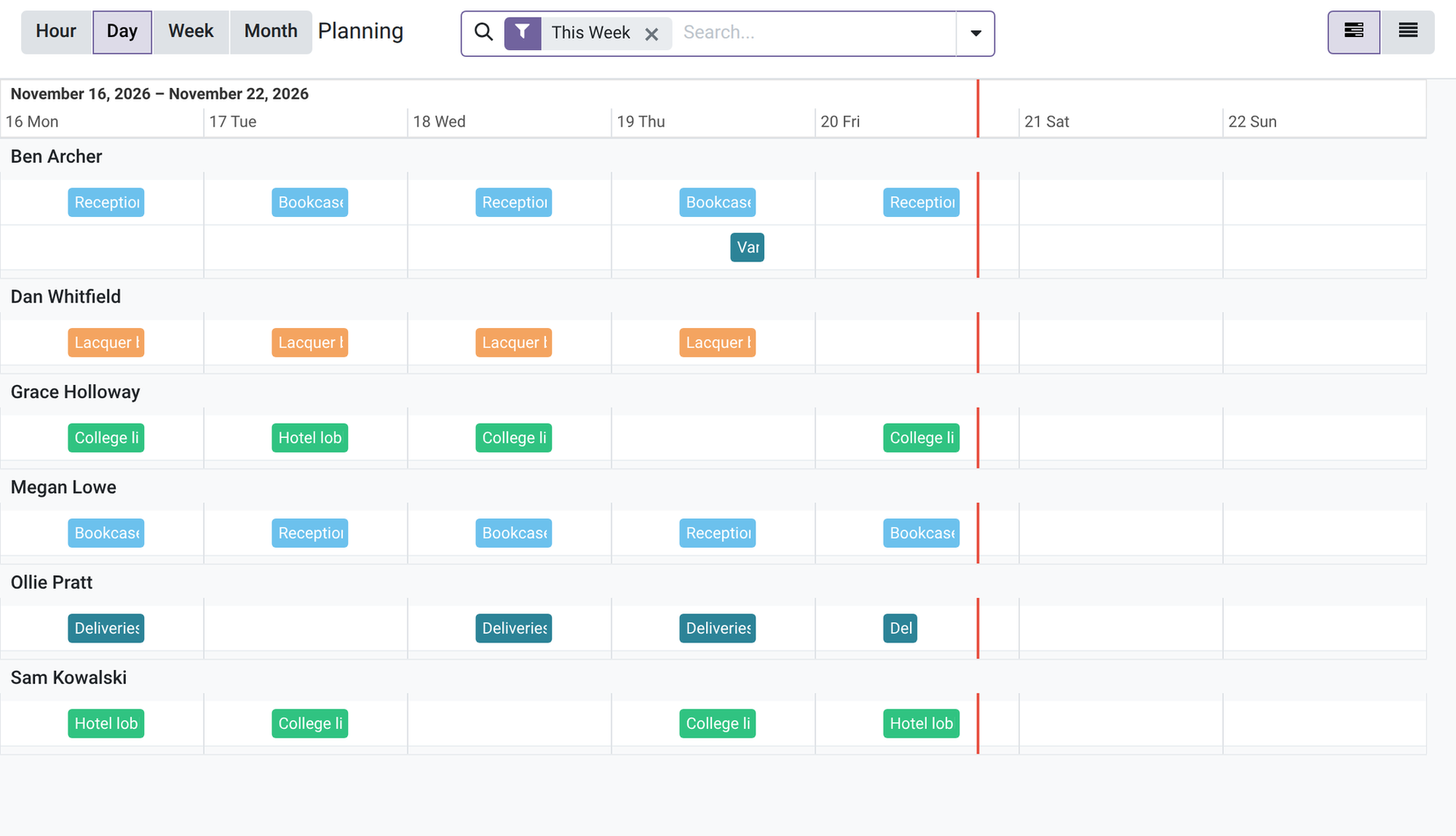
OdooSkills Planning
Assign your resources on an editable Gantt — the Enterprise Planning view, available in Community.
In Odoo Community, planning who does what and when is done by hand: a shared spreadsheet, a generic calendar, or a comment in a task. The result: overlaps go unnoticed, unfilled needs are discovered too late, and sharing an approved schedule remains a manual operation. The Odoo Enterprise Planning view solves this problem — but it is reserved for Enterprise subscribers. oski_planning brings this capability to your Community instance, with conflict detection and open-shift management on top.
What it adds
- 🗓️ Editable Gantt with swimlanes per resource — drag and drop or resize a shift directly on the timeline, each resource (employee or equipment) on its own row.
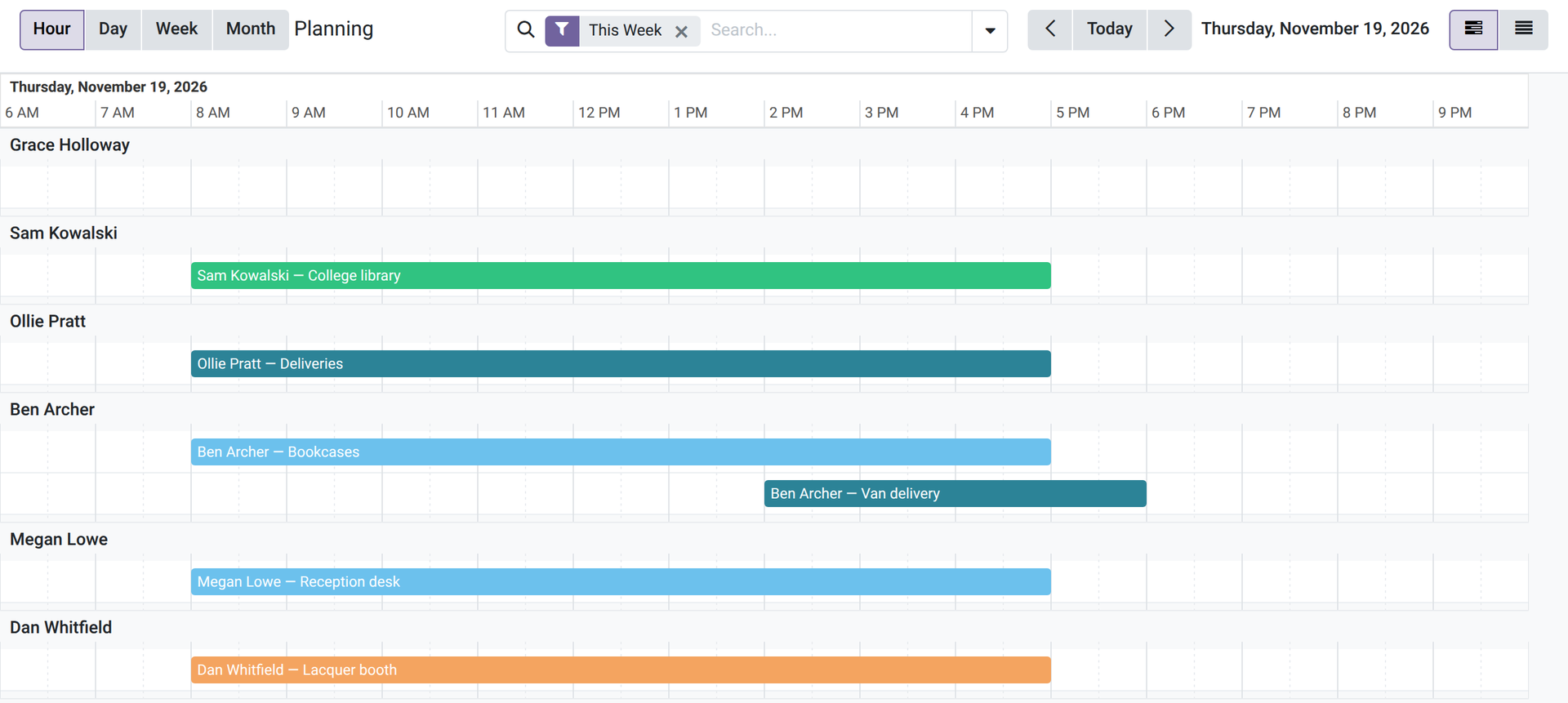
- ⏱️ Hour scale — open one day hour by hour, with previous day and next day buttons; a shift snaps to the quarter hour when you drag it.
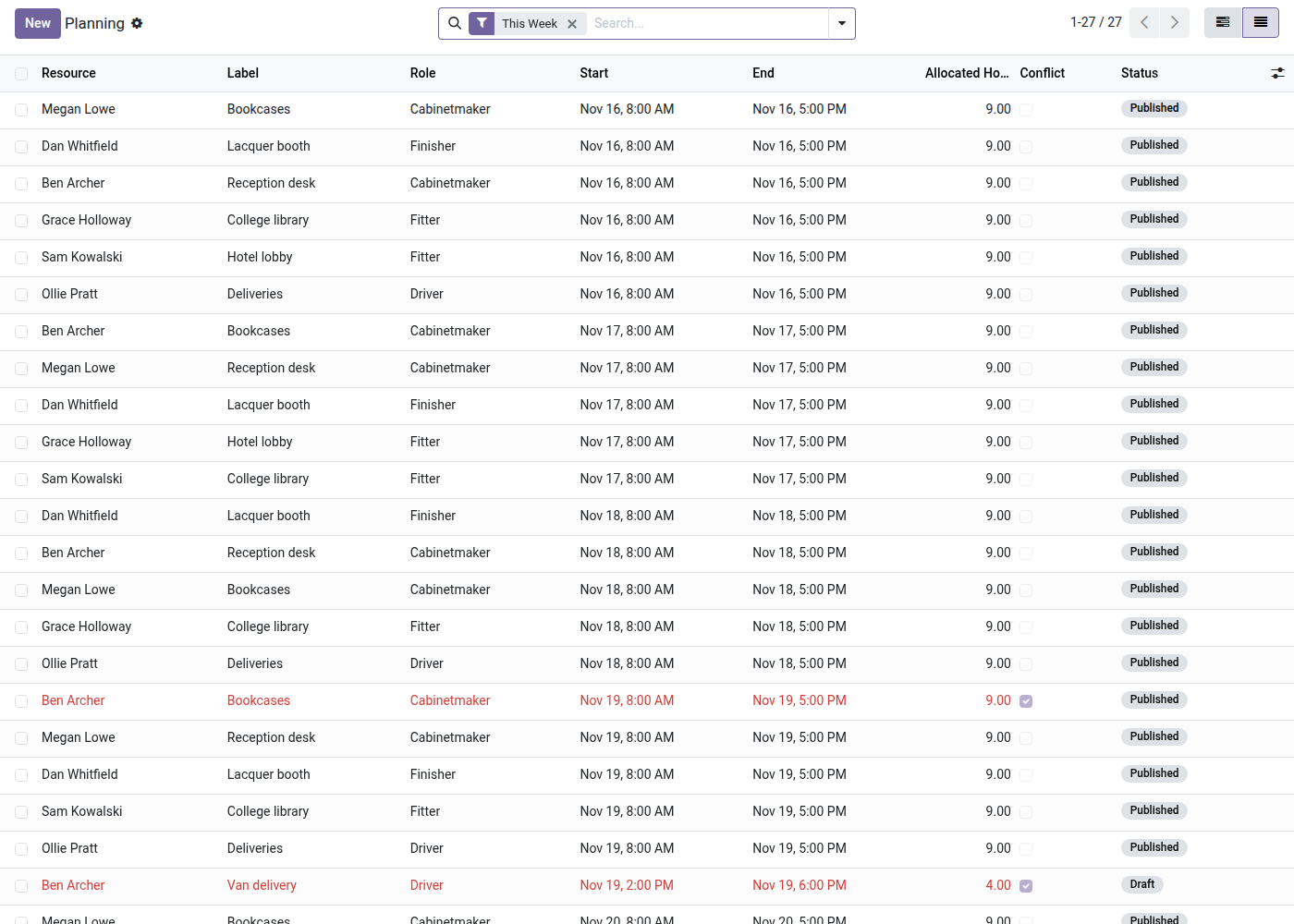
- 🚨 Conflict detection — an overlap on the same resource is flagged in red in the list, by an alert in the form, and through a dedicated "Conflicts" filter.
- 🟡 Open shifts (to be filled) — plan the need before knowing who will cover it; the shift stays in draft and highlighted as long as no resource is assigned.
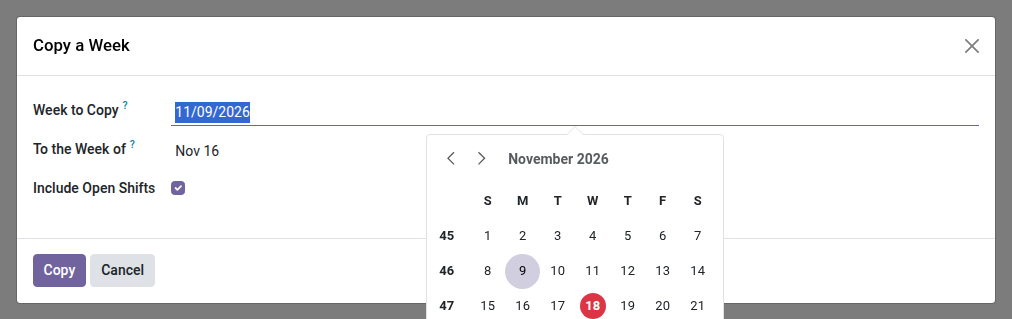
- 📋 Copy a week — duplicate a whole week's schedule to another in one click, with copies always in draft for approval.
- 🔁 Repeat a shift — generate all the weekly occurrences of an on-call duty or a recurring job at once.
- ✅ Draft → published flow with chatter and change tracking (resource, dates, role, status) — prepare, then share with a single "Publish" click.
In screenshots
1. Your team's week at a glance
One lane per person, one column per day over the whole screen, one bar per shift, coloured by role. The planning opens on the current week.
2. Conflicts stand out
Overlapping shifts for the same person are shown in red, open shifts in orange, with the total hours.
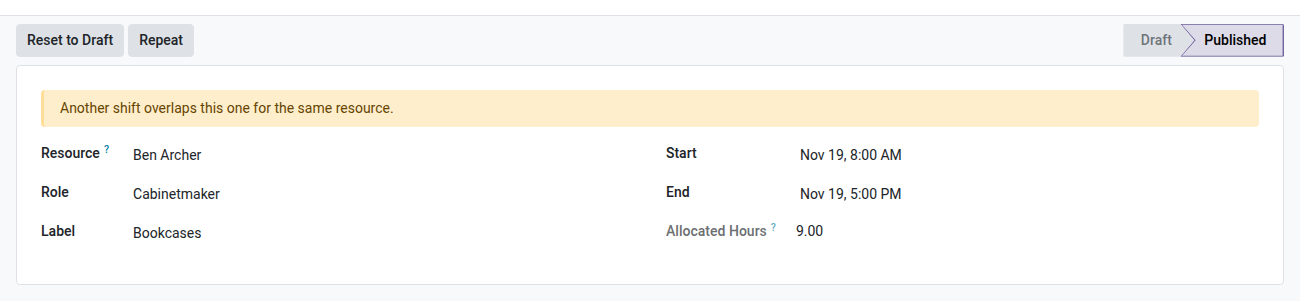
3. Warned before publishing
The shift form says when another shift overlaps it for the same resource.
4. Copy a whole week
Copy last week's shifts to another week, with or without the open shifts. Copies are drafts.
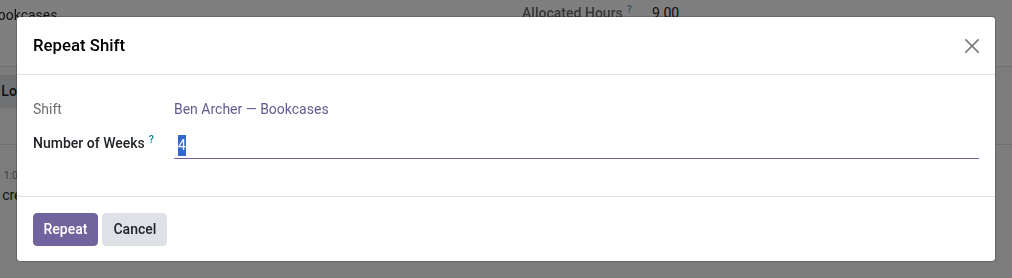
5. Repeat a shift
Repeat a shift on the following weeks in one go.
6. One day, hour by hour
Switch the Gantt to the Hour scale to see a single day hour by hour, one lane per person; the arrows go to the previous or next day. Dragging a shift snaps it to the quarter hour.
Why install it
- The interactive Planning view is reserved for Odoo Enterprise — oski_planning brings it to Community, with conflict detection and open shifts as a bonus, two mechanisms that even the Enterprise app does not offer natively in this form.
- One-time license per major version: you pay once for Odoo 19, not a monthly subscription.
- Built on oski_gantt, the OdooSkills Gantt engine (included as a dependency): if you already use Gantt for your projects or your manufacturing, Planning shares the same proven mechanics.
- Immediate gain: drop the shared spreadsheet and centralize resource planning — with its conflicts and unfilled needs visible — directly in Odoo.
Built on the OdooSkills Gantt suite
oski_planning requires oski_gantt (editable Gantt engine, core of the suite, included in the installation). Add oski_project_gantt to view your projects on the same Gantt, or oski_mrp_gantt for manufacturing scheduling. See the full suite on apps.odooskills.com.
OPL-1 license — compatible with Odoo 19.0 Community Edition. $89, one-time license per major version. Support: apps@odooskills.com.
Discussion
Sign in to join the discussion.