
Balance on Invoices
Premium Launch −30%Previous balance and total overdue recalled on the customer invoice, on screen and on the PDF sent to the customer.
| Technical name | oski_partner_balance_invoice |
|---|---|
| License | OPL-1 |
| Author | OdooSkills |
$ 39.00
$ 27.30
Launch price — 30% off until December 31, 2026
A ready-to-use Odoo database with demo data, deleted after 1 hour. Odoo 20, 19, 18.
Missing a feature or found a bug?
Request a change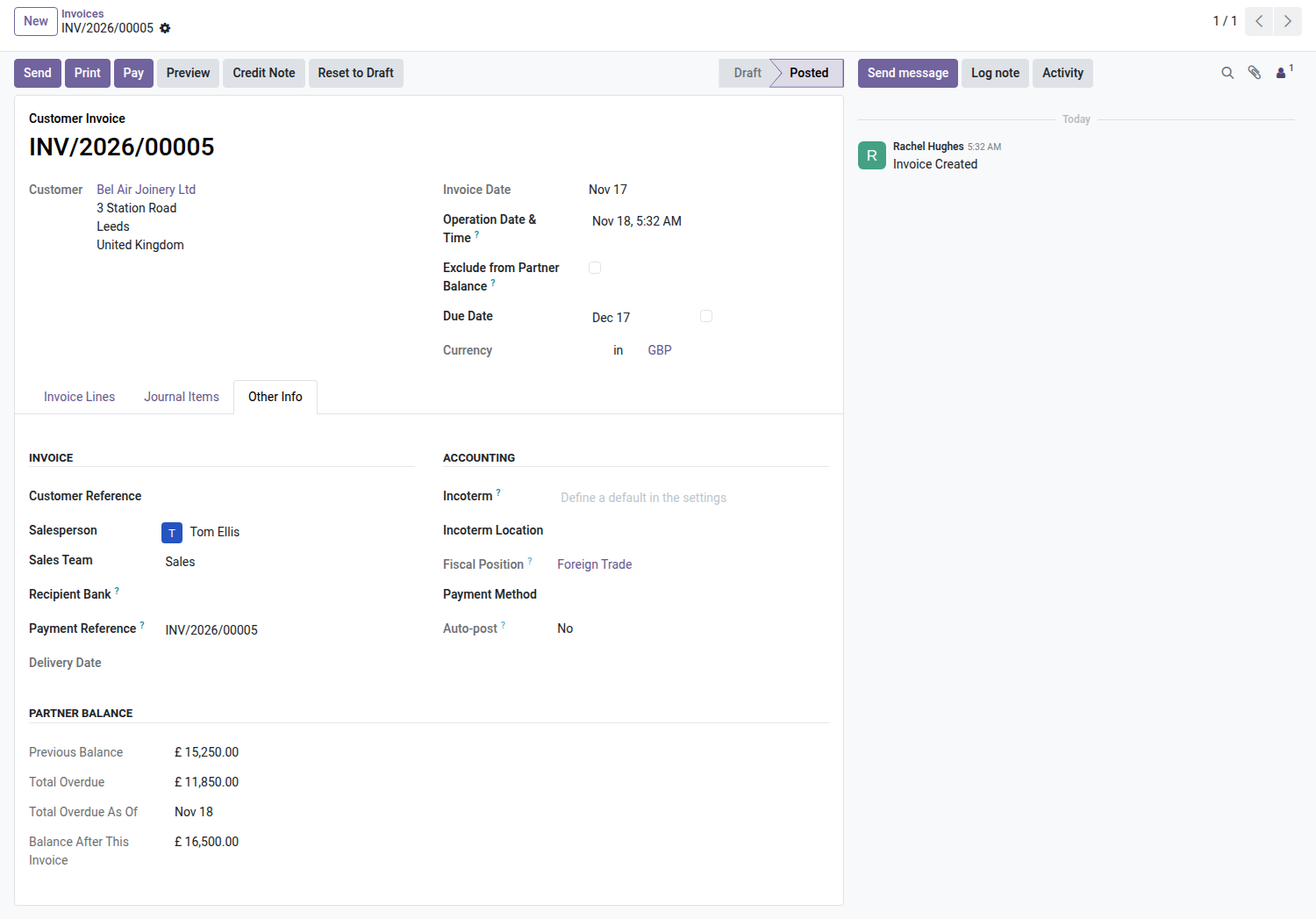
Balance on Invoices
The previous balance and total overdue, recalled right on the customer invoice — on screen, and above all on the PDF the customer receives.
An Odoo invoice goes out to the customer without reminding them what they already owe. So the customer pays this month's invoice — the one right in front of them — and lets the previous three sit. It's almost never bad faith: it's the absence of a reminder at the exact moment they open their chequebook. One line is enough to change that.
What it adds
- 🧾 Previous balance as of the invoice date — the invoice itself excluded from the computation, otherwise the figure would count twice.
- ⏰ Total overdue, computed on documents whose due date has already passed, with the as-of date printed alongside.
- ➕ Balance after this invoice — the amount actually owed once this document is taken into account.
- 🎮 Per-company switches — show the previous balance, the total overdue, or neither; with a per-partner override for the customer you'd rather not remind.
- 🔄 Optional net scope — when the partner is both customer and vendor, the printed balance can net the two sides instead of inflating the receivable.
In screenshots
1. The figures on the invoice
In the "Other Info" tab, a "Partner Balance" block for accounting profiles: previous balance, total overdue, as-of date, balance after this invoice.
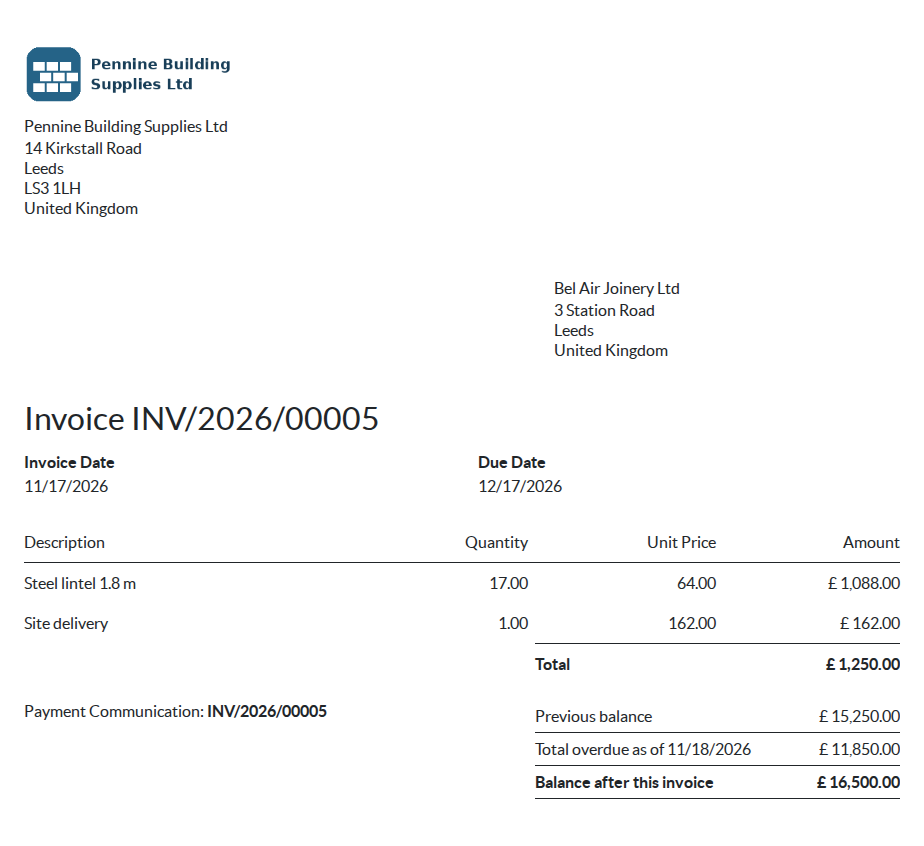
2. And on the PDF sent to the customer
Under the totals: previous balance 15,250, total overdue 11,850, balance after this invoice 16,500. The customer sees where the account stands on the document itself.
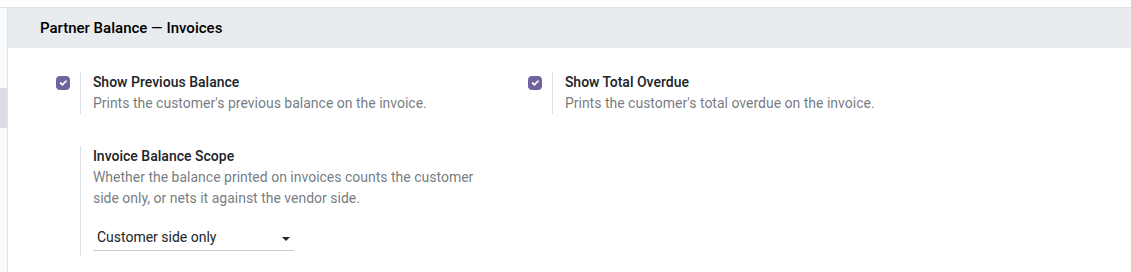
3. Two switches and a scope
Previous balance, total overdue, and whether the vendor side is netted. Each customer can override the company choice.
Why install it
- The cheapest follow-up there is: it travels inside a document you're already sending.
- No new habit to build: there's nothing extra to do, the reminder prints itself.
- The figures belong to the document, not to the session opening it: in multi-company, the invoice always describes its own company's books.
- A document marked "excluded" on the open-source module stays excluded from this computation too: the two screens tell the same story.
Part of the Partner Balance suite
Requires the open-source Partner Balance core. Add Aged Balance to know since when, and Statement Mailing for periodic follow-up. Part of the Partner Balance suite — nine paid modules and two open-source add-ons, built on the open-source Partner Balance core. See the family on apps.odooskills.com.
License OPL-1. Compatible with Odoo 19, 18, 17. Support: apps@odooskills.com.
Discussion
Sign in to join the discussion.