Medical Procedure Billing
Premium Launch −30%Turn a consultation into a customer invoice in one click, from a catalog of procedures.
| Technical name | oski_medical_sale |
|---|---|
| License | OPL-1 |
| Author | OdooSkills |
$ 39.00
$ 27.30
Launch price — 30% off until December 31, 2026
A ready-to-use Odoo database with demo data, deleted after 1 hour. Odoo 20, 19, 18.
Missing a feature or found a bug?
Request a change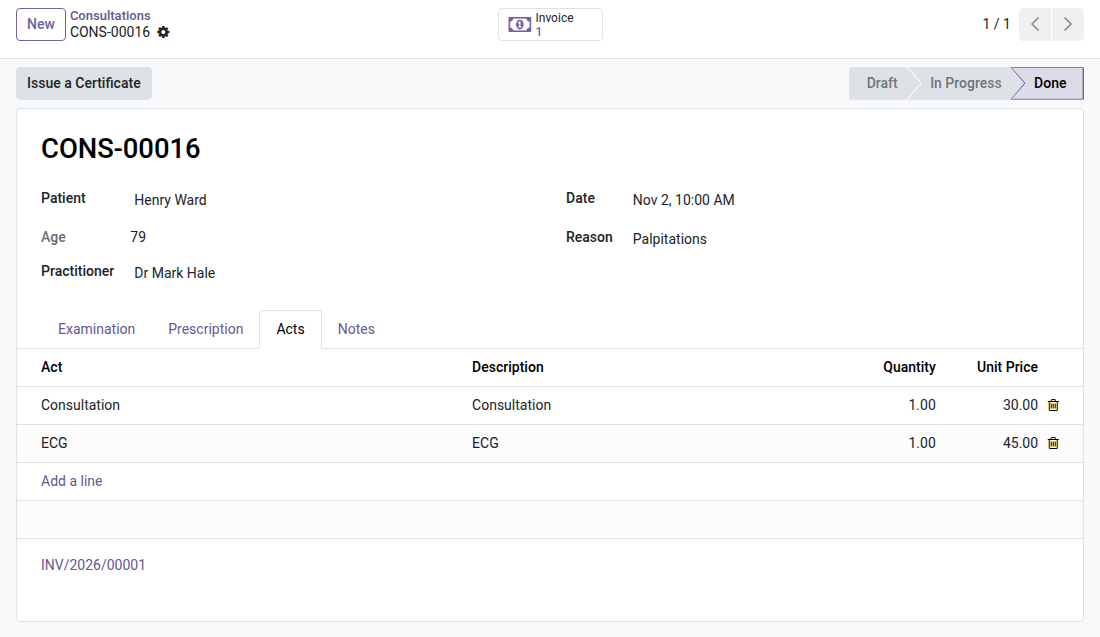
Medical Practice — Procedure Billing
Once the consultation is over, the customer invoice goes out in one click — from a catalog of priced procedures, with no re-entry.
The consultation is over, the diagnosis and the prescription are recorded — but every procedure performed still has to be re-entered in a separate quotation or invoice, on another screen, sometimes in another software. This double entry costs time between two patients and it is a source of omissions: a procedure not carried over is an invoice that never goes out. The OdooSkills Medical Practice module manages the patient record, but does not invoice — the bridge to accounting is missing.
What it adds
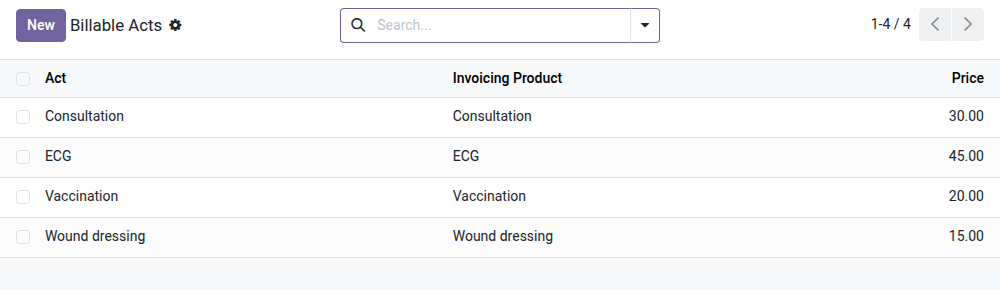
- 📋 Catalog of priced procedures — define your billable procedures once (standard consultation, specialist consultation, technical procedure...), each linked to an Odoo service product that carries the price and the tax.
- 🩺 Procedures added directly on the consultation — a new "Procedures" tab on the consultation form: pick from the catalog, adjust quantity and price if needed, nothing to enter anywhere else.
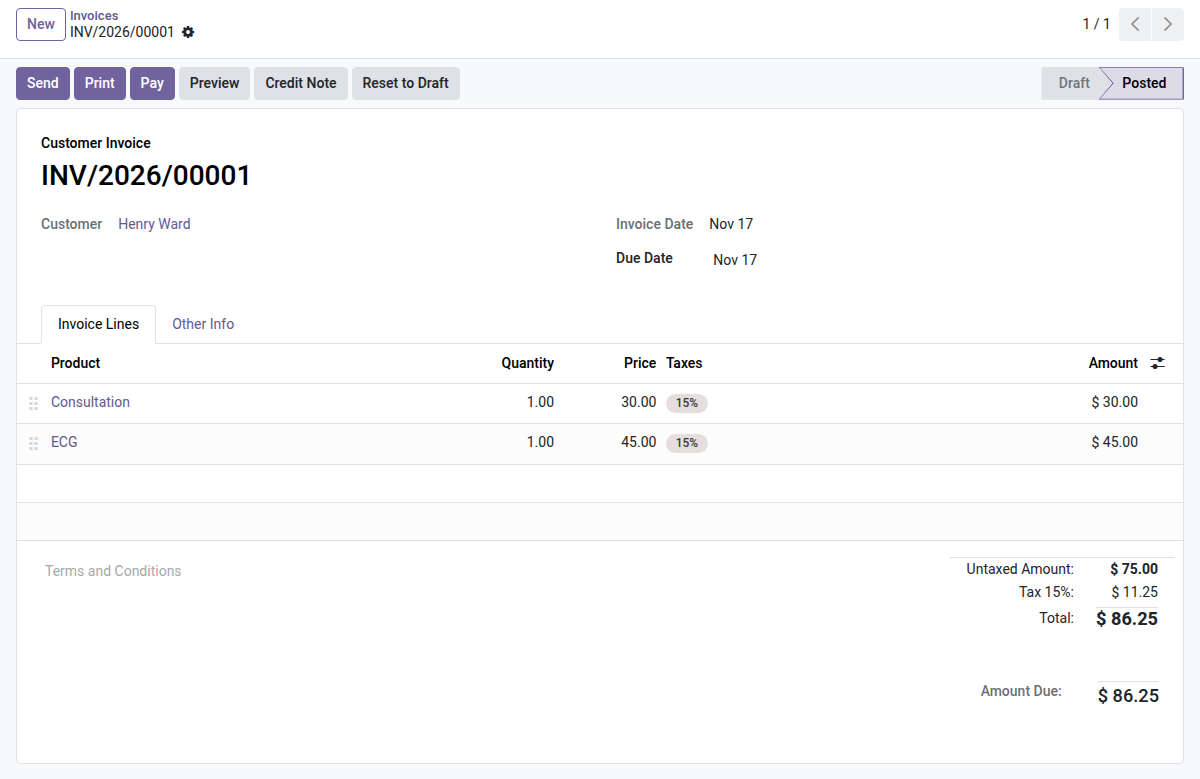
- 🧾 Invoice generated in one click — the "Invoice" button creates the patient's customer invoice (sales account) with the lines, quantities and prices of the procedures; taxes are computed automatically from the product.
- 🔁 Idempotent, zero double billing — a second click on "Invoice" reopens the invoice already created instead of generating a new one; the same consultation cannot be invoiced twice.
- 🔘 "Invoice" smart button — as soon as an invoice exists, a stat button at the top of the consultation links straight to it, to track the payment without leaving the patient record.
In screenshots
1. Procedures on the consultation
The practitioner adds the procedures performed; prices come from the catalog and the invoice is linked to the consultation.
2. The invoice in one click
A standard Odoo customer invoice, addressed to the patient: payment, reminders and accounting work as usual.
3. Your procedure catalog
Each procedure points to an invoicing product: price, taxes and accounts are set once.
Why install it
- No more re-entry between the patient record and accounting: what is treated is what is invoiced, with no gap.
- The idempotent safeguard removes the risk of double billing, even when several practitioners or assistants work on the same record.
- Taxes are computed by Odoo's native accounting engine from the product — no manual calculation, no VAT errors.
- The procedure catalog centralizes pricing: a price change on the service product applies immediately, without revisiting each procedure.
Part of the OdooSkills Medical Practice suite
This bridge relies on oski_medical (records & consultations — $69, required) for its patient record. Complete the suite with:
- 🩺 oski_medical — Medical Practice — $69 (the core, required)
- 🎫 oski_medical_queue — Medical Practice Queue — $29
- 📅 oski_medical_appointment — Medical Appointments — $39
- 🔒 oski_medical_portal — Medical Patient Portal — $29
See the full suite on apps.odooskills.com.
📦 Need all of it? The Medical Practice Suite installs the six modules in one go for $169 instead of $254.
OPL-1 license — compatible with Odoo 19.0. Requires oski_medical and Accounting (account). Support: apps@odooskills.com.
Discussion
Sign in to join the discussion.