Medical Practice Queue
Premium Launch −30%Connects the medical practice to the queue: patient arrival → ticket → call → consultation.
| Technical name | oski_medical_queue |
|---|---|
| License | OPL-1 |
| Author | OdooSkills |
$ 29.00
$ 20.30
Launch price — 30% off until December 31, 2026
A ready-to-use Odoo database with demo data, deleted after 1 hour. Odoo 20, 19, 18.
Missing a feature or found a bug?
Request a change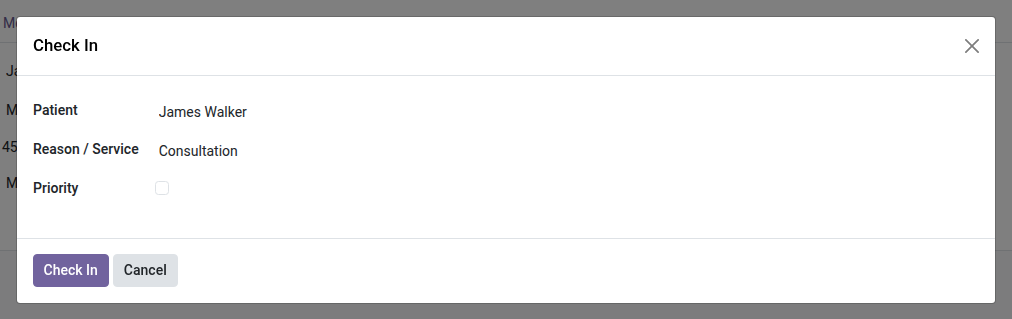
Medical Practice Queue
From the patient's arrival to an open consultation, with no re-entry — the front desk checks in, the waiting-room screen displays, the practitioner opens the record in one click.
The medical practice module manages patient records, the queue module manages tickets — but nothing connects the two. The front desk logs arrivals in a notebook or a spreadsheet while the waiting room fills up: who has been called? who is still waiting? And when the practitioner finally calls a patient in, they have to reopen the record by hand, without knowing for sure who it is or which counter they called from. Two modules doing their job, but no bridge between them.
What it adds
- 🎫 Check in an arrival in one click — a simple wizard at the front desk: patient, reason/service, optional priority. A queue ticket is created instantly, with no double entry.
- 📺 Visibility in the waiting room — the patient's ticket appears directly on the screen and in the call console of the Queue module, like any other visitor.
- 🩺 Open the consultation in one click — from the called ticket, an "Open consultation" button creates (or resumes) the patient's consultation, already linked to their record.
- 👨⚕️ Practitioner inferred automatically — each practitioner is assigned to a counter; the consultation opens pre-filled with the right practitioner, without selecting them again.
- 🔗 Ticket ↔ consultation traceability — each consultation keeps track of its originating ticket, each ticket keeps track of its consultation: the patient's full journey remains available.
In screenshots
1. Check the patient in
From the patient record, the front desk picks the reason and gives the patient a ticket — with a priority flag when needed.
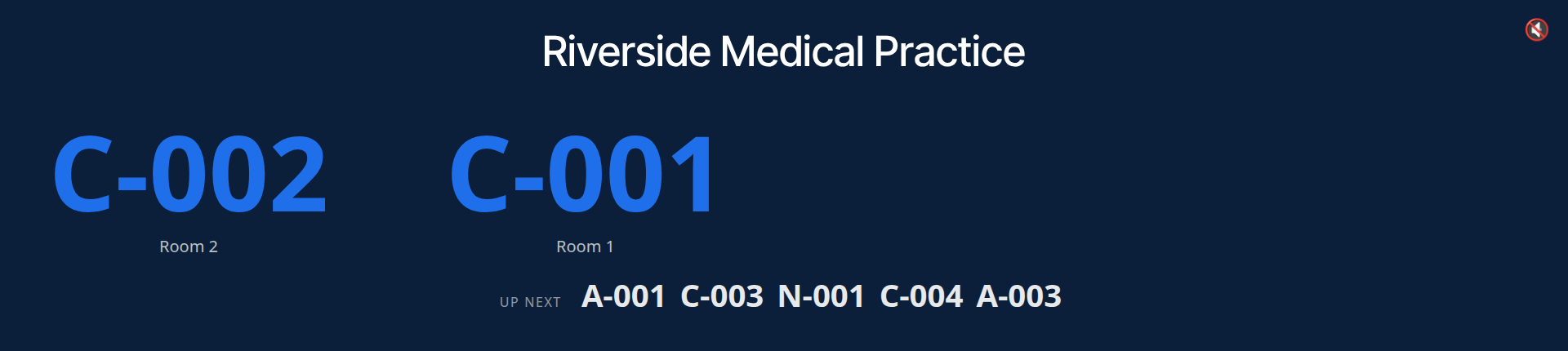
2. The waiting-room screen
Numbers called per consulting room and the next ones in line, live, with a scrolling message and optional voice announcement.
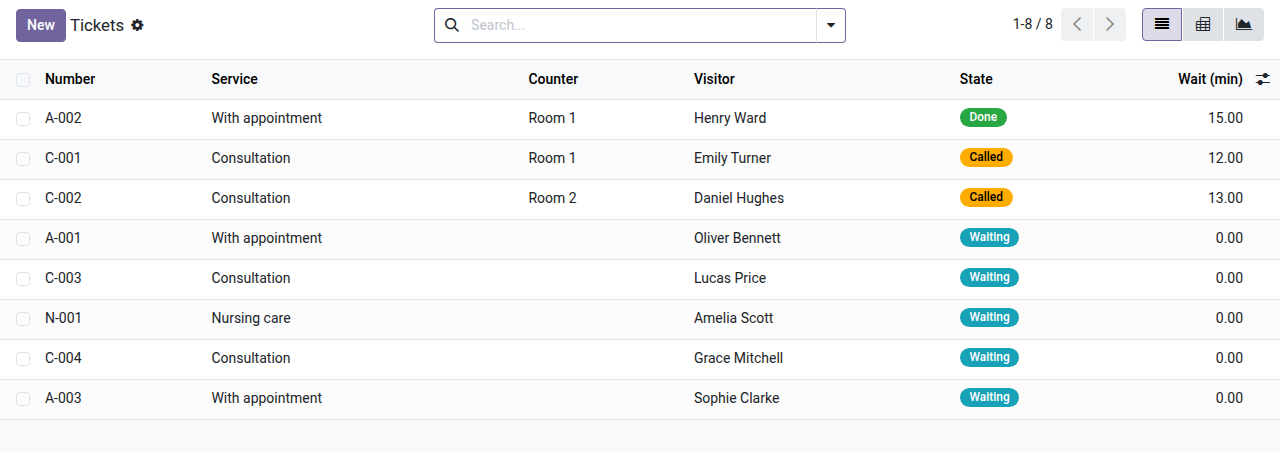
3. The day's tickets, patient by patient
Service, room, state and waiting time for each ticket; the ticket opens the patient's consultation.
Why install it
- No more re-entry between the front desk and the patient record: a single check-in, two modules in sync.
- The practitioner no longer opens records "at random": the right record shows up for the right patient, with the right practitioner already filled in.
- A front desk handling several practitioners and counters keeps a clear view of who is waiting for whom.
- Lightweight and focused: this module does one thing only — connect the two suites — without duplicating their respective features.
Part of the OdooSkills Medical Practice suite
This bridge requires the Medical Practice module (the core of the suite) as well as the OdooSkills Queue Management module. Add more as needed:
- 🩺 Medical Practice (
oski_medical) — $69 — the core of the suite, required. - 🧾 Medical Procedure Billing (
oski_medical_sale) — $39. - 📅 Medical Appointments (
oski_medical_appointment) — $39. - 🔒 Medical Patient Portal (
oski_medical_portal) — $29.
See the full suite on apps.odooskills.com.
📦 Need all of it? The Medical Practice Suite installs the six modules in one go for $169 instead of $254.
OPL-1 license — compatible with Odoo 19.0. Requires oski_medical and oski_queue. Support: apps@odooskills.com.
Discussion
Sign in to join the discussion.