Gantt View
Premium Launch −30%Reschedule by dragging: Enterprise's editable Gantt view, in Community
| Technical name | oski_gantt |
|---|---|
| License | OPL-1 |
| Author | OdooSkills |
$ 89.00
$ 62.30
Launch price — 30% off until December 31, 2026
A ready-to-use Odoo database with demo data, deleted after 1 hour. Odoo 20, 19, 18.
Missing a feature or found a bug?
Request a change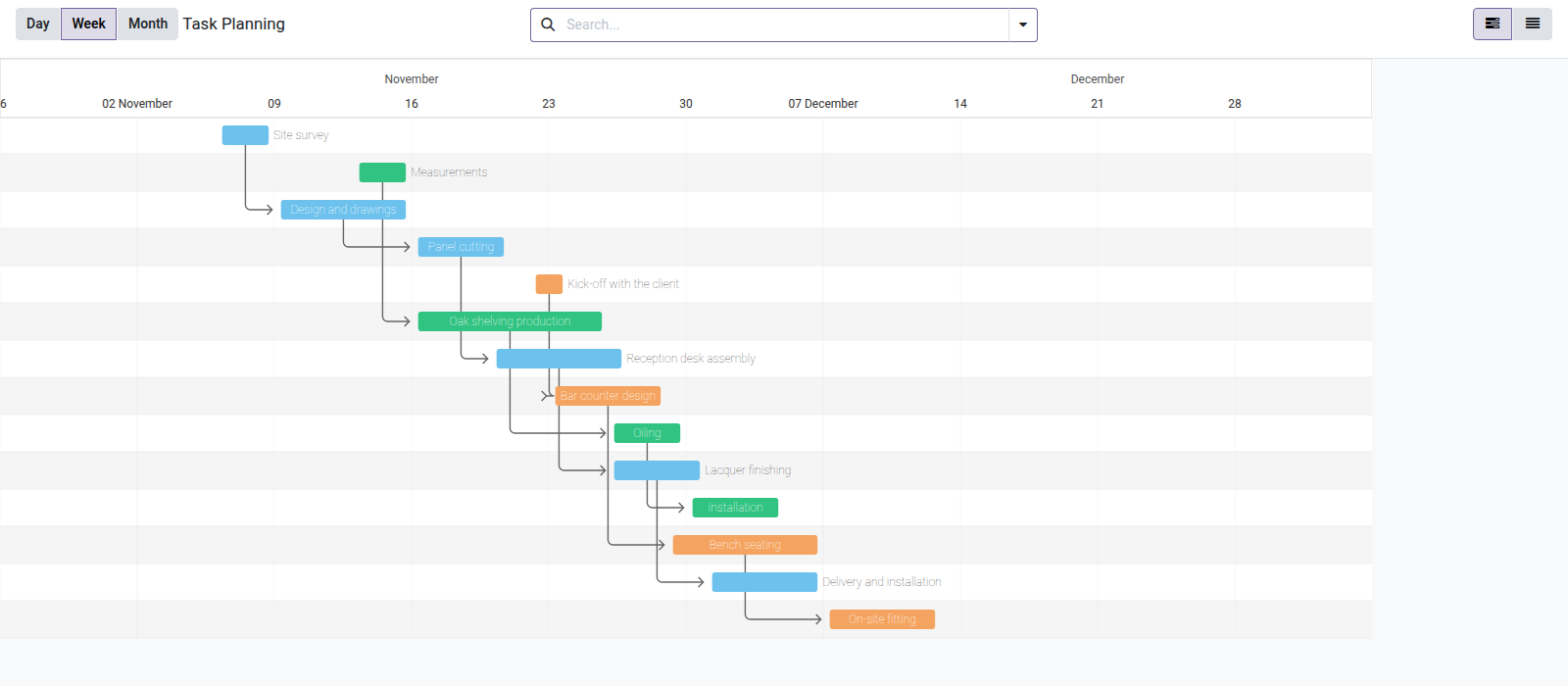
Editable Gantt View
Reschedule your tasks by dragging them — the real Odoo Enterprise Gantt view, in Community.
Visual planning with a Gantt chart is reserved for Odoo Enterprise: in
Community, the web_gantt renderer does not exist. As a result,
you juggle between lists and dates typed by hand, without ever seeing at a glance
who does what, when, and what is slipping. Rescheduling becomes a series of clicks instead of a simple drag.
What it adds
- 📅 A real editable Gantt view — can be plugged into any model that has two date fields (tasks, manufacturing orders, time off, rentals…).
- 🖱️ Drag-and-drop & resize — move or stretch a bar to reschedule; the date fields are written automatically.
- 🔗 Dependencies & progress — link tasks and see the progress percentage right on the bar.
- 🔍 Day / week / month scales — zoom from the monthly overview to daily detail.
- 👥 A week of resources at a glance — at the day scale, a view grouped in lanes (people, machines, rooms) spreads its day columns over the whole screen and packs non-overlapping bars on one row per lane.
- ⏱️ Optional hour scale — for datetime fields, enabled per view: one day at a time, one column per hour, bars that snap to 15 minutes and a marker at the current time.
- ⚖️ 100% Community, no external service — OPL-1 module built on the open-source frappe-gantt library (MIT license), bundled with the module.
In screenshots
1. An editable Gantt view for Odoo Community
Bars for start and end dates, dependency arrows, colours by project. Drag a bar to reschedule, stretch it to change the duration.
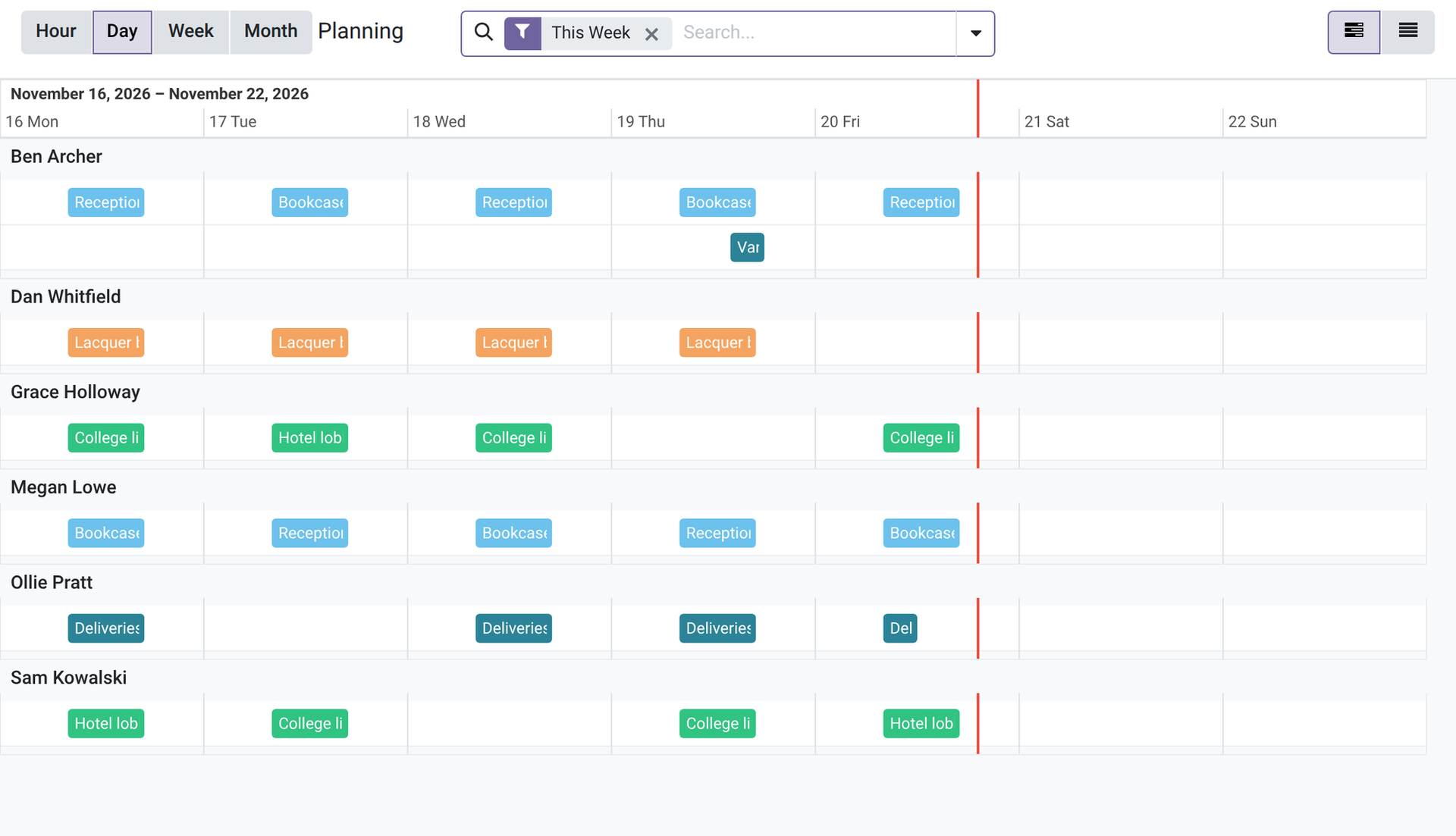
2. Swimlanes per resource, day by day
Group the bars by any field: one lane per person, one column per day over the whole screen, non-overlapping bars on a single row. Switch between day, week and month.
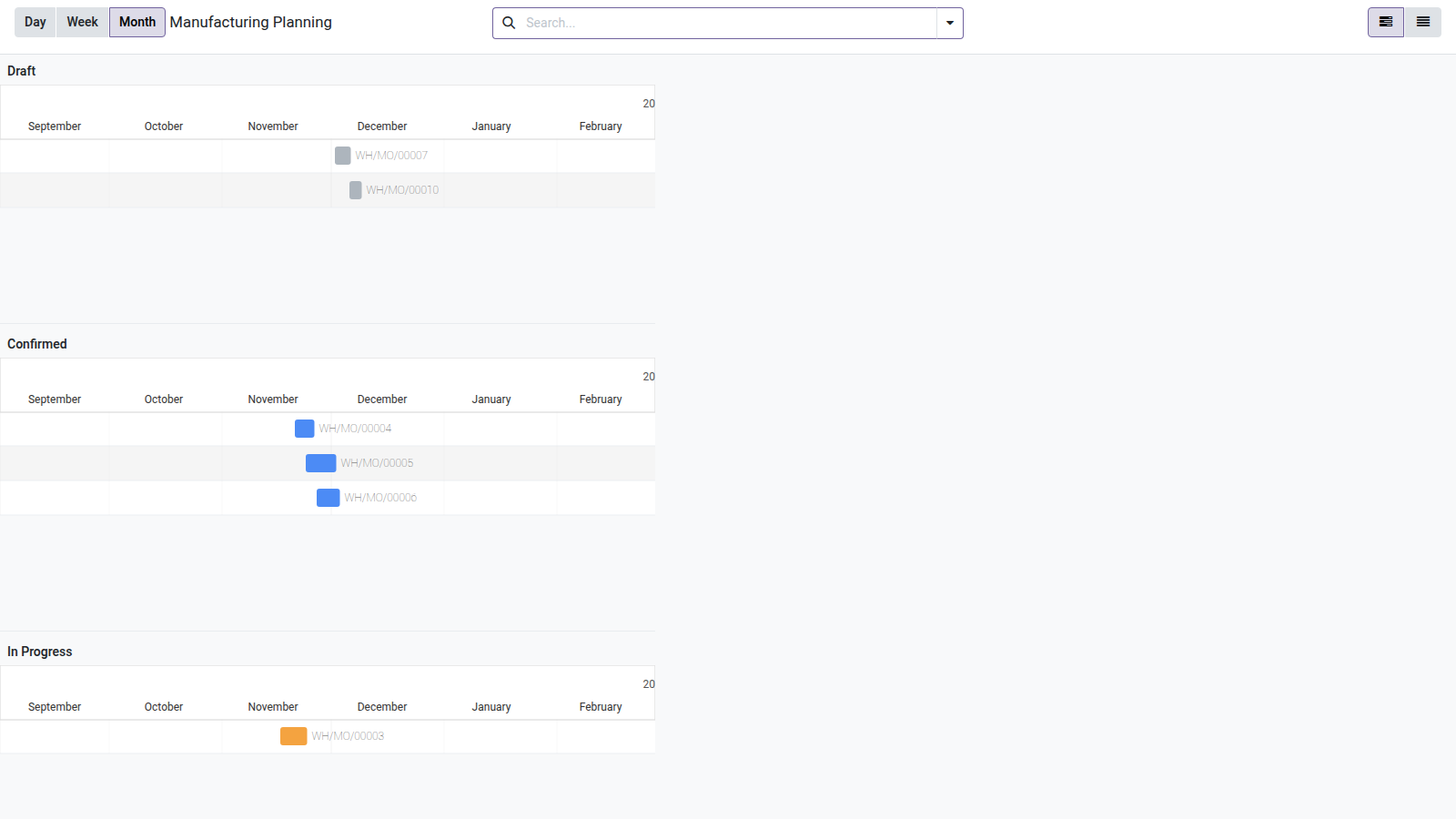
3. Month view, lanes in workflow order
Grouped by status, the lanes follow the order of the workflow and each status has its own colour.
Why adopt it
- A feature reserved for the Enterprise edition, available on your Community — without changing edition or subscription.
- Generic: a single module covers all your dated models, not one view per app.
- Drag-to-reschedule = minutes saved every day for project managers and planners.
Part of the Gantt suite
Add Gantt Project (ready-to-use project task planning) and Gantt Manufacturing (manufacturing orders on the timeline) to plug in the view with no configuration. Full suite on apps.odooskills.com.
OPL-1 module — compatible with Odoo 19.0 Community & Enterprise. frappe-gantt library under MIT license. Support: apps@odooskills.com.
Discussion
Sign in to join the discussion.