
Depreciation Entries
Premium Launch −30%Posts depreciation charges and the disposal entry to your accounting.
| Technical name | oski_asset_depreciation_account |
|---|---|
| License | OPL-1 |
| Author | OdooSkills |
$ 29.00
$ 20.30
Launch price — 30% off until December 31, 2026
A ready-to-use Odoo database with demo data, deleted after 1 hour. Odoo 20, 19, 18.
Missing a feature or found a bug?
Request a change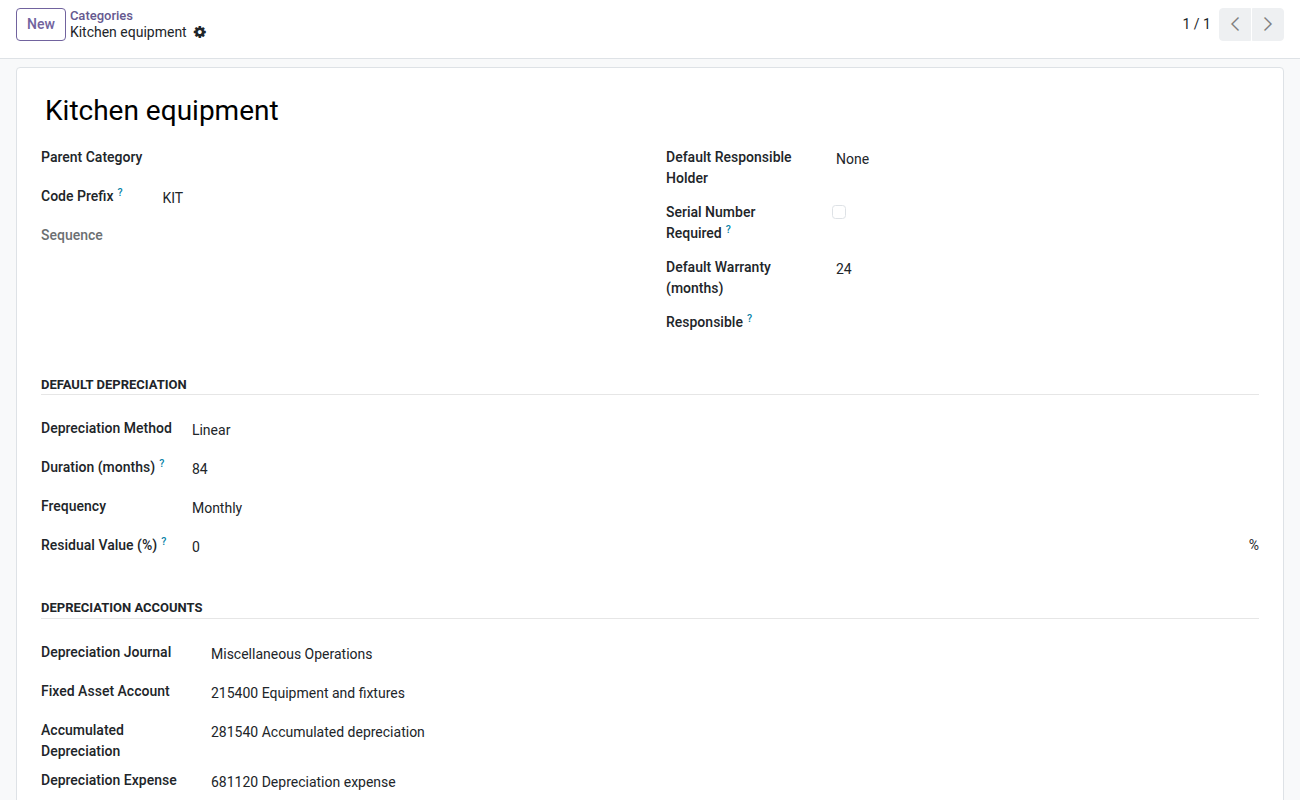
Depreciation Entries
Depreciation charges land in accounting on their own, and the disposal of an asset clears it from the balance sheet — balanced, to the cent.
The depreciation schedule is right, and it is useless as long as nobody copies it into journal entries. Every year end, someone goes through the past-due charges line by line, enters them in the miscellaneous operations journal, and gets one in twenty wrong. Then comes the sale of a machine: you have to remove its gross value, reverse its accumulated depreciation, record the remaining book value and the sale proceeds — five lines that must balance and none of which can be made up. This module does both, from the figures the schedule already carries.
What it brings
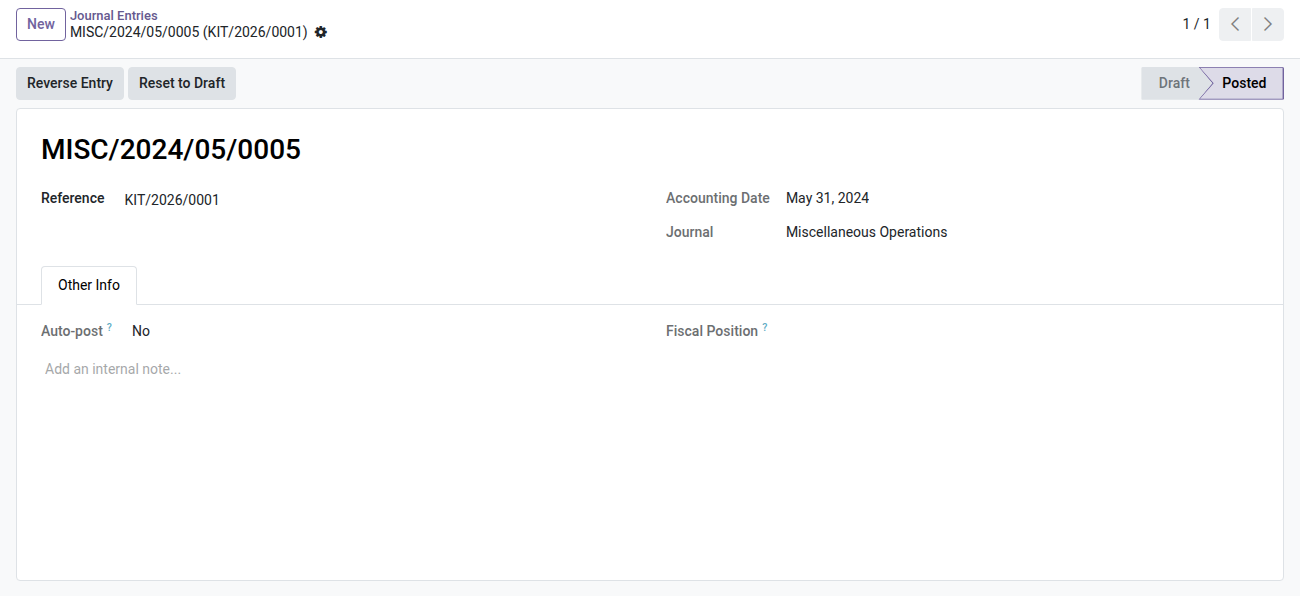
- ⏱️ A scheduled action posts past-due charges — debit depreciation expense, credit accumulated depreciation, in the category's journal. Two runs never produce two entries for the same charge.
- 🧾 The disposal of an asset clears it from the balance sheet — gross value removed, accumulated depreciation reversed, book value of disposed items recorded, receivable and sale proceeds booked. The entry balances, and its amounts are those frozen at the time of the sale.
- 🏷️ Accounts are set per asset category — one set for depreciation, one set for disposal. Nothing to enter on each record.
- 🚨 A locked period NEVER makes a charge silently disappear — Odoo accounting itself would shift the entry to the day after the lock date without saying anything. Here the charge stays pending, the failure is named, and the fixed asset report misstates neither fiscal year.
- 📋 A "Failed Depreciation Charges" screen — missing accounts, journal from another company, locked period: what the scheduled action could not post reads there, with the reason. An accountant does not read technical logs.
- 🛑 One failure does not stop the batch — a single misconfigured category would block the whole asset base. The other charges go through, that one is reported.
- 🔒 A posted charge can no longer be deleted — changing the depreciation duration spreads the balance again over the coming periods and leaves the expenses already on the books untouched.
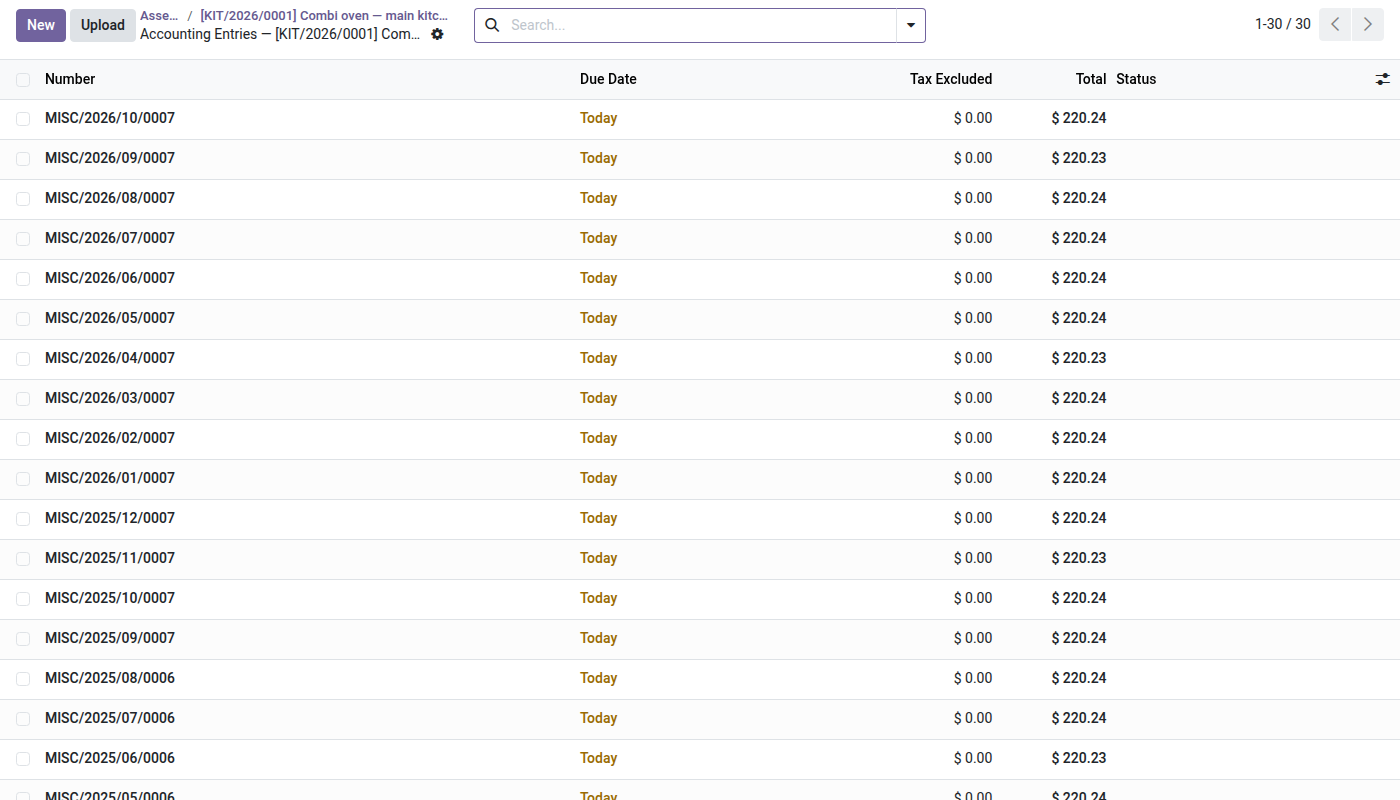
- 🔎 A journal entry counter on the asset record — one click gives all its entries, charges and disposal included. Reserved for those allowed to read accounting.
In screenshots
1. Accounts set once per category
Journal, asset, accumulated depreciation, expense and disposal accounts.
2. Every entry of the asset
Monthly depreciation entries posted automatically, from the asset's button.
3. A clean depreciation entry
Debit depreciation expense, credit accumulated depreciation.
Why adopt it
- Manually copying depreciation charges disappears, and with it the yearly data-entry error.
- The disposal entry — the one nobody likes to post — is made from figures already settled and checked.
- A locked period is flagged, never bypassed: it is the guarantee that no expense ends up in the wrong fiscal year.
- Configuration fits on one screen per category, and can be checked at a glance.
- The computation module remains usable on its own: this bridge is added the day accounting enters the loop, not before.
The Asset Management suite
This module is the bridge between asset management and accounting. It requires both:
- 📉 Depreciation and Disposal (
oski_asset_depreciation) — $49: required. It produces the schedule, the net book value and the capital gain that this bridge writes into accounting. - 🏢 Asset Management (
oski_asset) — $49: required. The asset register and its life cycle. - 🔗 Depreciation on Receipt (
oski_asset_depreciation_purchase) — open source: the received asset is born with its schedule, and so with its future charges. - 📦 Asset Inventory (
oski_asset_inventory) — $39: the count that confirms what you depreciate still exists.
The Fixed Assets bundle (core + depreciation + accounting bridge + receipt bridge) is $99 instead of $127. The complete Asset Management family — eleven paid modules and eight open-source bridges — is $299 instead of $509. Details on apps.odooskills.com.
📦 Need it all? The Asset & Maintenance suite installs all ten modules at once for $299 instead of $460.
License OPL-1 — compatible with Odoo 19.0 Community and Enterprise. Requires oski_asset_depreciation and the Odoo Accounting app. Neither replaces nor modifies your chart of accounts: it uses the accounts you designate on each asset category. Issues no customer invoice — the disposal produces a miscellaneous operations entry, not a sales document. Interface in French. Support: apps@odooskills.com.
Discussion
Sign in to join the discussion.