
Appointment Website
Premium Launch −30%Your customers book online in their own time zone — no account needed, on Odoo 19 Community.
| Technical name | oski_appointment_website |
|---|---|
| License | OPL-1 |
| Author | OdooSkills |
$ 39.00
$ 27.30
Launch price — 30% off until December 31, 2026
A ready-to-use Odoo database with demo data, deleted after 1 hour. Odoo 20, 19, 18.
Missing a feature or found a bug?
Request a change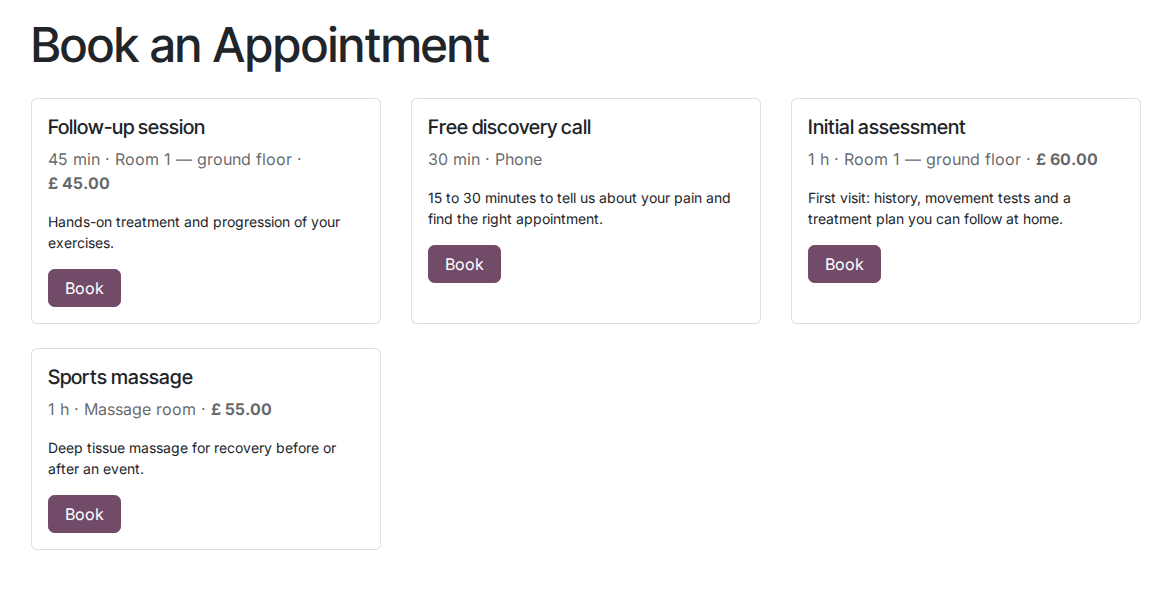
Online Appointments — Public Booking
Your customers pick their slot on your website, without creating an account — on Odoo 19 Community.
Without a booking page, every appointment goes through a call, an email or a WhatsApp exchange. The customer waits for an answer, you lose time checking calendars by hand, and some prospects simply never call back. Odoo Enterprise offers a built-in public booking module — on Community, it is not available by default.
What it adds
- 📅 Anonymous booking page — the visitor picks a free slot, enters name / email / phone and confirms in one click, without creating an Odoo account.
- 🌍 Display in the visitor's time zone — slots are converted on the fly into the selected time zone; week-by-week navigation up to the allowed horizon.
- ✅ Automatic email confirmation — as soon as the booking is validated, a confirmation email goes to the customer (core module template), with no manual action.
- ❌ Self-service cancellation — each confirmation includes a secure link (unique token) that lets the customer cancel on their own, freeing the slot automatically.
- 👤 Automatic contact creation — if the email does not exist in Odoo yet, a contact is created on the fly; otherwise the booking is linked to the existing contact.
- 🔀 Smart staff assignment — the first team member available on the slot is assigned, or the visitor can choose one if several are free.
- 🔒 Granular publishing from the back office — each appointment type can be published or unpublished in one click from the Odoo form; unpublished types are invisible on the website.
In screenshots
1. Your services, bookable online
Each published type with its duration, place and description, on your website.
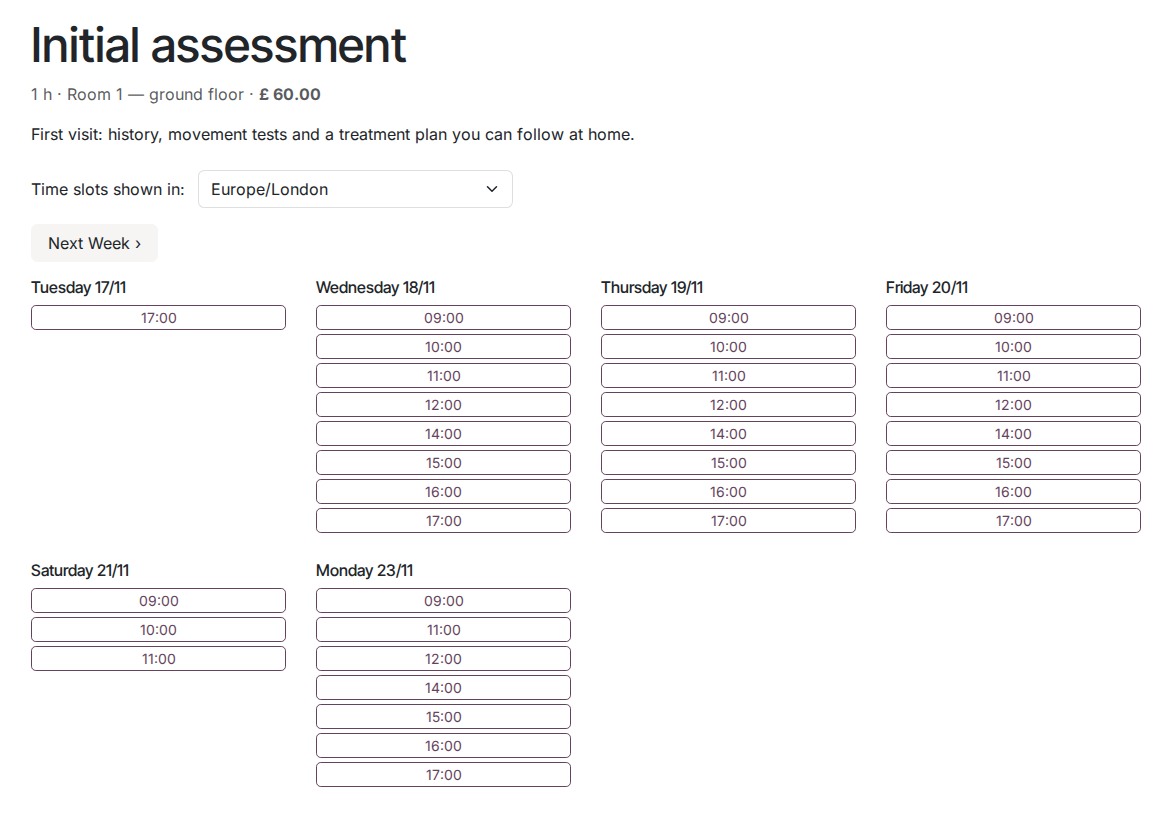
2. Only real free slots
Opening hours, staff already booked, notice and window are applied; the visitor sees slots in their time zone.
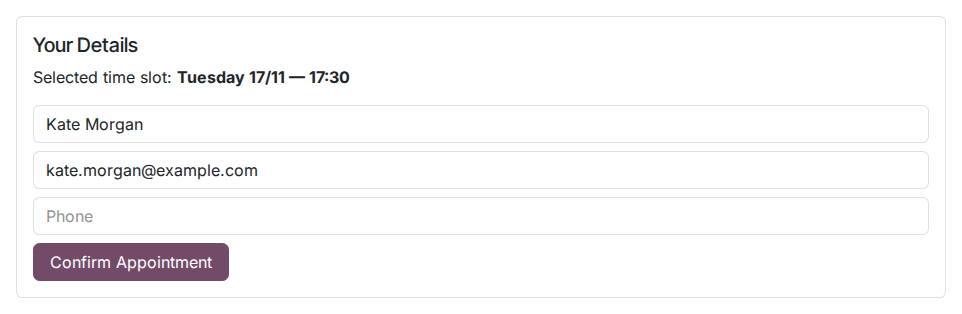
3. Three fields and it's booked
Name, email and phone: the appointment lands in the calendar of the staff member.
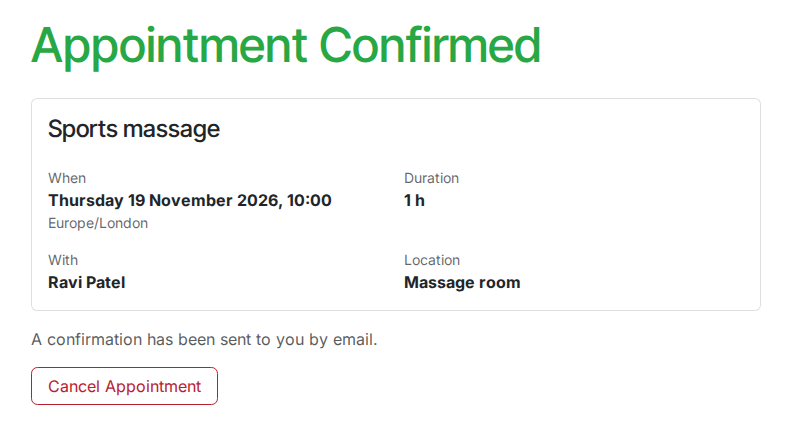
4. A clear confirmation
Date, duration, staff member and place, with online cancellation.
Why install it
- A feature reserved for Odoo Enterprise, available here on Community with no extra subscription.
- Zero friction for the customer: no account, no app — just a URL on your existing website.
- Staff calendars in Odoo are the reference: no double booking possible on a slot already taken.
- Extensible by design: the creation and redirection methods can be overridden by companion add-ons (payment, resources).
- Routes listed in the Odoo sitemap for natural SEO indexing of your booking pages.
Part of the Appointment Pro suite
Complete it with oski_appointment_payment (paid online appointments with prepayment) and oski_appointment_resource (management of rooms, booths and capacities) for a complete booking solution. See the full suite on apps.odooskills.com.
📦 Need it all? The Appointments suite installs all four modules at once for $79 instead of $117.
License OPL-1 — compatible with Odoo 19.0 Community. Requires the open-source core module oski_appointment. Support: apps@odooskills.com.
Discussion
Sign in to join the discussion.